WooCommerce vs BigCommerce: At a Glance
If you’re short on time, here’s a quick overview of how the two platforms compare.
| Feature | WooCommerce | BigCommerce |
| Platform Type | Open-source WordPress plugin | Fully hosted SaaS platform |
| Hosting | Self-hosted (choose your own provider) | Included with every plan |
| Pricing | Free core plugin; additional costs for hosting, domain, themes, and extensions | Monthly subscription plans with hosting included |
| Ease of Use | Moderate learning curve | Beginner friendly |
| Customization | Nearly unlimited | Extensive, but within hosted platform limits |
| Themes | Thousands of WordPress and WooCommerce themes | Hundreds of professionally designed themes |
| Extensions & Apps | Large plugin ecosystem | Large app marketplace |
| SEO | Excellent with WordPress SEO tools | Strong built-in SEO features |
| Security | Managed by the store owner | Managed by BigCommerce |
| Performance | Depends on hosting and optimization | Optimized hosting included |
| Scalability | Highly scalable with the right hosting | Scales automatically with your plan |
| Best For | Businesses wanting maximum flexibility and customization | Businesses wanting an all-in-one hosted solution |
Selling online starts with choosing the right eCommerce platform. Two of the most popular options are WooCommerce and BigCommerce.
Both allow you to build an online store, manage products, process payments, and grow your business, but they take very different approaches.
WooCommerce is an open-source plugin for WordPress that gives you complete control over your store. BigCommerce, on the other hand, is a fully hosted eCommerce platform that handles hosting, security, and maintenance for you.
So, which platform is better?
The answer depends on your business goals, budget, technical expertise, and long-term growth plans.
In this guide, we’ll compare WooCommerce vs BigCommerce across every important factor, including pricing, features, customization, SEO, performance, security, scalability, payment gateways, and customer support.
By the end, you’ll know which platform is the better fit for your online store.
Table of contents
What is WooCommerce?
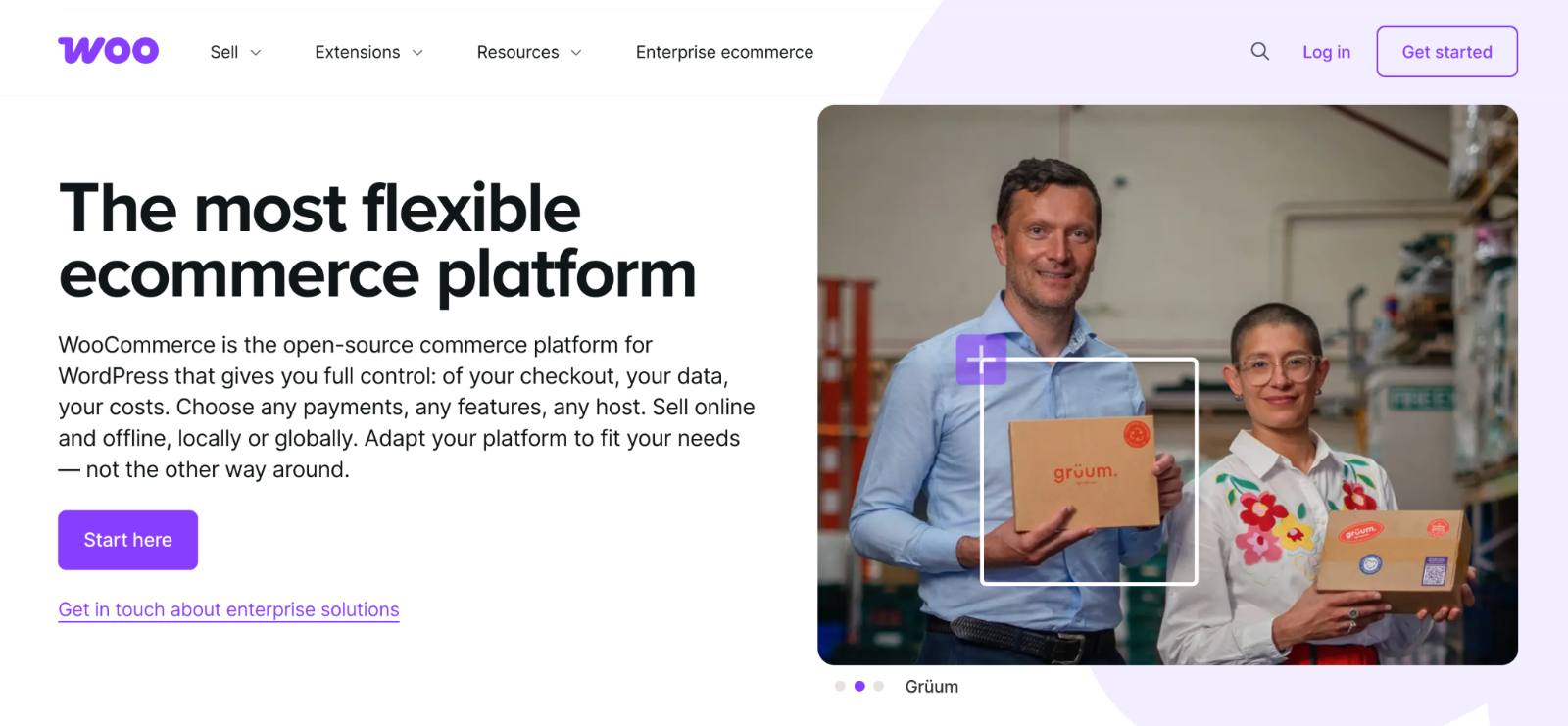
WooCommerce is a free, open-source eCommerce plugin built specifically for WordPress.
It transforms a standard WordPress website into a fully functional online store, allowing you to sell physical products, digital downloads, subscriptions, memberships, bookings, and more.
Since its launch in 2011, WooCommerce has become one of the most widely used eCommerce solutions, powering millions of online stores worldwide.
One of WooCommerce’s biggest strengths is its flexibility. Because it’s open source, you have complete control over every aspect of your store, from design and functionality to hosting and performance. You can also extend your store using thousands of themes, plugins, and custom code.
Key Features
- Sell physical and digital products
- Unlimited products and categories
- Product variations and attributes
- Built-in inventory management
- Flexible shipping and tax settings
- Thousands of plugins and themes
- SEO-friendly architecture
- Full ownership of your website and data
Pros
- Free core plugin
- Highly customizable
- Huge ecosystem of plugins and themes
- Excellent SEO capabilities
- Full control over hosting and performance
- Ideal for businesses of all sizes
Cons
- Requires separate hosting
- Store maintenance is your responsibility
- Learning curve for beginners
- Additional costs for premium extensions
Best for: Businesses that want complete control, flexibility, and long-term scalability.
What is BigCommerce?

BigCommerce is a fully hosted eCommerce platform that provides everything you need to launch and manage an online store.
Unlike WooCommerce, there’s no need to purchase hosting, install software, or handle server maintenance. BigCommerce manages the technical aspects for you.
The platform includes a wide range of built-in features, including product management, payment processing, shipping tools, security, analytics, and multi-channel selling. This makes it a popular choice for businesses that want a streamlined setup and minimal maintenance.
BigCommerce also supports businesses of all sizes, from startups to enterprise brands, with plans that scale as your business grows.
Key Features
- Fully hosted platform
- Secure cloud infrastructure
- Built-in payment gateway integrations
- Multi-channel selling
- Product and inventory management
- SEO tools
- Responsive themes
- Enterprise-grade scalability
Pros
- Easy to set up and manage
- Hosting and security included
- Strong built-in eCommerce features
- Reliable performance
- Excellent scalability
Cons
- Monthly subscription fees
- Less flexibility than WooCommerce
- Smaller ecosystem compared to WordPress
- Customization is limited to platform capabilities
Best for: Businesses that want an all-in-one eCommerce solution with minimal technical management.
WooCommerce vs BigCommerce: Feature-by-Feature Comparison
Now that you have a general understanding of both platforms, let’s compare them across the factors that matter most when choosing an eCommerce solution.
We’ll evaluate:
- Ease of use
- Pricing
- Features
- Customization
- Themes and design
- Plugins and integrations
- SEO
- Performance
- Security
- Payment gateways
- Scalability
- Customer support
Each section ends with a winner to help you quickly identify which platform performs better in that category.
1. Ease of Use
One of the first things to consider when choosing an eCommerce platform is how easy it is to set up and manage.
While both WooCommerce and BigCommerce let you create a professional online store, the experience is quite different.
WooCommerce
WooCommerce is built on WordPress, so you’ll first need to:
- Purchase web hosting
- Register a domain name
- Install WordPress
- Install the WooCommerce plugin
- Configure your store settings
Although many hosting providers offer one-click WordPress installations, setting up WooCommerce still requires more initial configuration than a hosted platform.
Once your store is running, you’ll have complete control over your site’s design, functionality, and performance. However, that flexibility comes with a learning curve, especially for beginners.
BigCommerce
BigCommerce is a hosted SaaS platform, so everything is managed for you.
After creating an account, you can:
- Choose a theme
- Add products
- Configure payments
- Set up shipping
- Launch your store
There’s no need to worry about hosting, software updates, server maintenance, or security patches.
Its dashboard is intuitive and designed for users with little to no technical experience.
Winner: BigCommerce
BigCommerce is easier to set up and maintain, making it the better choice for beginners. WooCommerce offers greater flexibility, but it requires more hands-on management.
2. Pricing
Pricing is one of the biggest differences between WooCommerce and BigCommerce.
The WooCommerce plugin itself is free, but you’ll need to budget for:
| Expense | Estimated Cost |
| WooCommerce Plugin | Free |
| Payment Processor | No extra costs, just your solution’s processing fees. |
| Web Hosting | $25–$350+/month |
| Domain Name | $10–$20/year |
| SSL Certificate | Often included with hosting |
| Premium Theme (Optional) | $50–$100+ |
| Premium Plugins (Optional) | Varies ($29 to $299) |
The advantage is that you only pay for the tools and services you actually need.
BigCommerce includes hosting, security, and core eCommerce features in its monthly plans.
Typical costs include:
- Core Plan ($29 per month, billed annually)
- Growth Plan ($79 per month, billed annually)
- Scale Plan ($299 per month, billed annually)
- Performance (Custom Pricing) (Starting at $1499 per month, billed annually)
As your business grows, you can upgrade to access additional features and higher sales limits.
Which Offers Better Value?
If you’re launching a small store and are comfortable managing hosting, WooCommerce can be the more cost-effective option.
BigCommerce may cost more upfront, but it bundles hosting, security, maintenance, and support into one subscription, making budgeting simpler.
Pricing Comparison
| Cost Factor | WooCommerce | BigCommerce |
| Core Software | Free | Monthly subscription |
| Hosting | Separate | Included |
| Security | Self-managed | Included |
| Themes | Free & Premium | Free & Premium |
| Extensions | Optional | Optional Apps |
| Maintenance | Self-managed | Included |
Winner: Tie
WooCommerce offers lower entry costs and greater flexibility, while BigCommerce provides predictable pricing with fewer maintenance responsibilities. The better value depends on your business needs.
3. Features
Both platforms include the essential tools needed to run an online store, but they differ in how those features are delivered.
WooCommerce relies heavily on plugins to extend functionality, while BigCommerce includes many advanced features out of the box.
WooCommerce Features
- Unlimited products
- Product variations
- Inventory management
- Coupons and discounts
- Product reviews
- Shipping and tax settings
- Digital and physical products
- REST API
- Thousands of plugins
Need subscriptions, bookings, memberships, wholesale pricing, or dynamic discounts? You can add them using extensions.
BigCommerce Features
BigCommerce includes many advanced capabilities without requiring additional apps.
These include:
- Multi-channel selling
- Customer groups
- Product filtering
- Gift cards
- Faceted search
- Built-in abandoned cart recovery (selected plans)
- B2B capabilities
- Headless commerce support.
Feature Comparison
| Feature | WooCommerce | BigCommerce |
| Unlimited Products | ✅ | ✅ |
| Product Variations | ✅ | ✅ |
| Coupons | ✅ | ✅ |
| Gift Cards | Plugin | Built-in |
| Multi-channel Selling | Plugin | Built-in |
| Abandoned Cart Recovery | Plugin | Built-in (Plus+) |
| B2B Features | Plugin | Built-in (Enterprise) |
| Subscription Products | Plugin | App/Integration |
Winner: Tie
WooCommerce is more flexible thanks to its extensive plugin ecosystem, while BigCommerce provides more built-in functionality with less setup.
4. Customization
Customization is where WooCommerce has a significant advantage.
WooCommerce
Since WooCommerce is open source, you have complete control over:
- Themes
- Layouts
- Checkout pages
- Product pages
- Code
- APIs
- Database
- Functionality
You can customize nearly every aspect of your store using themes, plugins, or custom development.
BigCommerce
BigCommerce offers professionally designed themes and customization through its Page Builder, APIs, and developer tools.
However, because it’s a hosted platform, certain server-level and core platform customizations aren’t possible.
Customization Comparison
| Feature | WooCommerce | BigCommerce |
| Open Source | ✅ | ❌ |
| Theme Flexibility | Excellent | Good |
| Code Access | Full | Limited |
| APIs | Extensive | Extensive |
| Custom Checkout | Yes | Limited by plan |
Winner: WooCommerce
WooCommerce provides unmatched flexibility for businesses that want full control over their store’s design and functionality.
5. Themes & Design
Your storefront plays a major role in customer experience and conversions.
WooCommerce benefits from the vast WordPress ecosystem, giving you access to thousands of free and premium themes compatible with virtually every industry.
BigCommerce also offers professionally designed, mobile-responsive themes, though its marketplace is smaller.
If you need highly customized storefronts, WooCommerce gives you more design freedom.
Winner: WooCommerce
6. Plugins & Integrations
Both platforms integrate with popular business tools, but WooCommerce has one of the largest extension ecosystems in the eCommerce industry.
You can connect your store with:
- CRM software
- Email marketing platforms
- Accounting tools
- Shipping providers
- Payment gateways
- SEO tools
- Marketing automation
- Inventory systems
BigCommerce also has a strong app marketplace, but WooCommerce offers a wider range of plugins thanks to the WordPress ecosystem.
Winner: WooCommerce
7. SEO
Search engine optimization (SEO) is essential for driving organic traffic to your online store. Both WooCommerce and BigCommerce offer SEO-friendly features, but they differ in terms of flexibility and control.
WooCommerce
WooCommerce is built on WordPress, one of the most SEO-friendly content management systems available. Combined with plugins like Yoast SEO or Rank Math, it gives you complete control over your store’s SEO.
You can easily customize:
- SEO titles and meta descriptions
- Product URLs (permalinks)
- Image alt text
- XML sitemaps
- Schema markup
- Canonical URLs
- Breadcrumbs
- Robots.txt
- Redirects
Since WordPress excels at content marketing, it’s also easier to create blog posts, buying guides, and landing pages that attract organic traffic.
BigCommerce
BigCommerce includes several SEO features out of the box, including:
- Customizable page titles
- Meta descriptions
- SEO-friendly URLs
- Automatic redirects
- Product schema
- Optimized image handling
While these built-in tools cover the basics, you have less flexibility compared to WooCommerce, especially if you need advanced SEO customizations.
SEO Comparison
| Feature | WooCommerce | BigCommerce |
| Custom URLs | ✅ | ✅ |
| Meta Tags | ✅ | ✅ |
| Schema Markup | Plugin & Custom | Built-in |
| SEO Plugins | Thousands | Limited |
| Blogging | Excellent | Basic |
| Redirect Management | Plugin & Manual | Built-in |
Winner: WooCommerce
Both platforms provide solid SEO foundations, but WooCommerce offers greater flexibility, stronger content marketing capabilities, and access to powerful SEO plugins.
8. Performance
A fast-loading website improves user experience, conversions, and search engine rankings.
WooCommerce
WooCommerce performance depends largely on your hosting provider and optimization efforts.
With quality hosting and proper optimization, you can achieve excellent loading speeds.
Performance can be improved using:
- Fast managed WordPress hosting
- CDN integration
- Image optimization
- Caching plugins
- Database optimization
However, you’re responsible for configuring and maintaining these optimizations.
BigCommerce
Since BigCommerce is fully hosted, performance optimization is handled by the platform.
Benefits include:
- Cloud hosting
- Built-in CDN
- Automatic caching
- Server optimization
- High uptime
You don’t need to worry about server management or performance tuning.
Performance Comparison
| Feature | WooCommerce | BigCommerce |
| Managed Hosting | Depends on provider | ✅ |
| CDN | Optional | Included |
| Caching | Manual | Automatic |
| Performance Optimization | User managed | Platform managed |
Winner: BigCommerce
BigCommerce delivers consistently strong performance without requiring technical optimization, making it the easier option for most businesses.
9. Security
Protecting customer data and payment information is critical for any online store.
WooCommerce
With WooCommerce, security is your responsibility.
You’ll need to manage:
- SSL certificates
- WordPress updates
- WooCommerce updates
- Plugin updates
- Backups
- Firewall
- Malware protection
Fortunately, many managed WordPress hosts simplify these tasks with automated updates and security features.
BigCommerce
BigCommerce handles security for you.
The platform includes:
- SSL certificates
- PCI compliance
- Automatic updates
- Secure hosting
- DDoS protection
- Continuous monitoring
This significantly reduces maintenance for store owners.
Security Comparison
| Feature | WooCommerce | BigCommerce |
| SSL | Hosting dependent | Included |
| PCI Compliance | User responsibility | Included |
| Automatic Updates | Partial | Fully managed |
| Security Monitoring | User managed | Included |
- Winner: BigCommerce
BigCommerce offers stronger out-of-the-box security because the platform manages hosting, updates, and compliance.
10. Payment Gateways
Accepting customer payments smoothly is essential for any eCommerce business.
WooCommerce
WooCommerce supports hundreds of payment gateways through extensions.
Popular options include:
- Stripe
- PayPal
- Square
- Authorize.net
- Amazon Pay
- Apple Pay
- Google Pay
- Razorpay
- Mollie
- Regional payment gateways
This flexibility makes WooCommerce suitable for businesses selling worldwide.
BigCommerce
BigCommerce also integrates with many leading payment providers.
Popular options include:
- Stripe
- PayPal
- Square
- Amazon Pay
- Apple Pay
- Klarna
Since these integrations are built into the platform, setup is generally quicker.
Payment Gateway Comparison
| Feature | WooCommerce | BigCommerce |
| Payment Gateway Options | Extensive | Extensive |
| Regional Gateway Support | Excellent | Good |
| Payment Extensions | Large ecosystem | Marketplace apps |
| Built-in Integrations | Moderate | Strong |
Winner: Tie
Both platforms support the most popular payment gateways. WooCommerce offers broader flexibility, while BigCommerce provides a simpler setup.
11. Scalability
As your business grows, your eCommerce platform should grow with it.
WooCommerce
WooCommerce scales exceptionally well when paired with reliable hosting.
You can expand your store by:
- Upgrading hosting resources
- Adding advanced functionality with plugins
- Integrating third-party services
- Building custom features
Many large online stores successfully run on WooCommerce with the right infrastructure.
BigCommerce
BigCommerce is designed to scale automatically.
As your business grows, you can upgrade your plan without worrying about server capacity or infrastructure.
The platform also supports:
- Enterprise businesses
- High traffic volumes
- Multi-channel selling
- International stores
- B2B commerce.
- Winner: Tie
Both platforms scale well. WooCommerce offers greater flexibility, while BigCommerce simplifies scaling by managing the infrastructure.
12. Customer Support
Reliable support can save valuable time when running an online store.
WooCommerce
WooCommerce provides:
- Official documentation
- Community forums
- Help center
- Support for premium extensions
Because WooCommerce is open source, there’s also a large global community of developers, agencies, and freelancers available to help.
BigCommerce
BigCommerce includes dedicated customer support through:
- 24/7 live chat
- Email support
- Phone support
- Help center
- Video tutorials
- Community forum.
This direct support is one of the key advantages of using a hosted platform.
- Winner: BigCommerce
BigCommerce offers more comprehensive direct customer support, making it especially valuable for businesses that prefer vendor assistance.
Final Comparison
| Category | Winner |
| Ease of Use | 🏆 BigCommerce |
| Pricing | 🤝 Tie |
| Features | 🤝 Tie |
| Customization | 🏆 WooCommerce |
| Themes & Design | 🏆 WooCommerce |
| Plugins & Integrations | 🏆 WooCommerce |
| SEO | 🏆 WooCommerce |
| Performance | 🏆 BigCommerce |
| Security | 🏆 BigCommerce |
| Payment Gateways | 🤝 Tie |
| Scalability | 🤝 Tie |
| Customer Support | 🏆 BigCommerce |
Which Platform is Better for Different Businesses?
The right platform depends on your business goals, technical expertise, and growth plans.
| Business Type | Recommended Platform | Why? |
| Beginners | BigCommerce | Easy setup with hosting and maintenance included. |
| Small Businesses | WooCommerce | Lower starting costs and flexibility to grow. |
| Growing Businesses | WooCommerce | Easier to customize and expand with plugins. |
| Enterprise Stores | BigCommerce | Enterprise-grade infrastructure and built-in scalability. |
| B2B Businesses | BigCommerce | Native B2B features and customer group management. |
| Digital Products | WooCommerce | Extensive plugins for memberships, subscriptions, and downloads. |
| Physical Products | Tie | Both platforms handle physical product sales well. |
| Subscription Businesses | WooCommerce | Powerful subscription plugins and flexible recurring billing options. |
| International Stores | BigCommerce | Built-in multi-currency, multi-channel, and global selling features. |
| Content-Driven Brands | WooCommerce | WordPress provides unmatched blogging and content marketing capabilities. |
WooCommerce vs BigCommerce: Final Verdict
Choosing between WooCommerce and BigCommerce comes down to how much control you want over your online store.
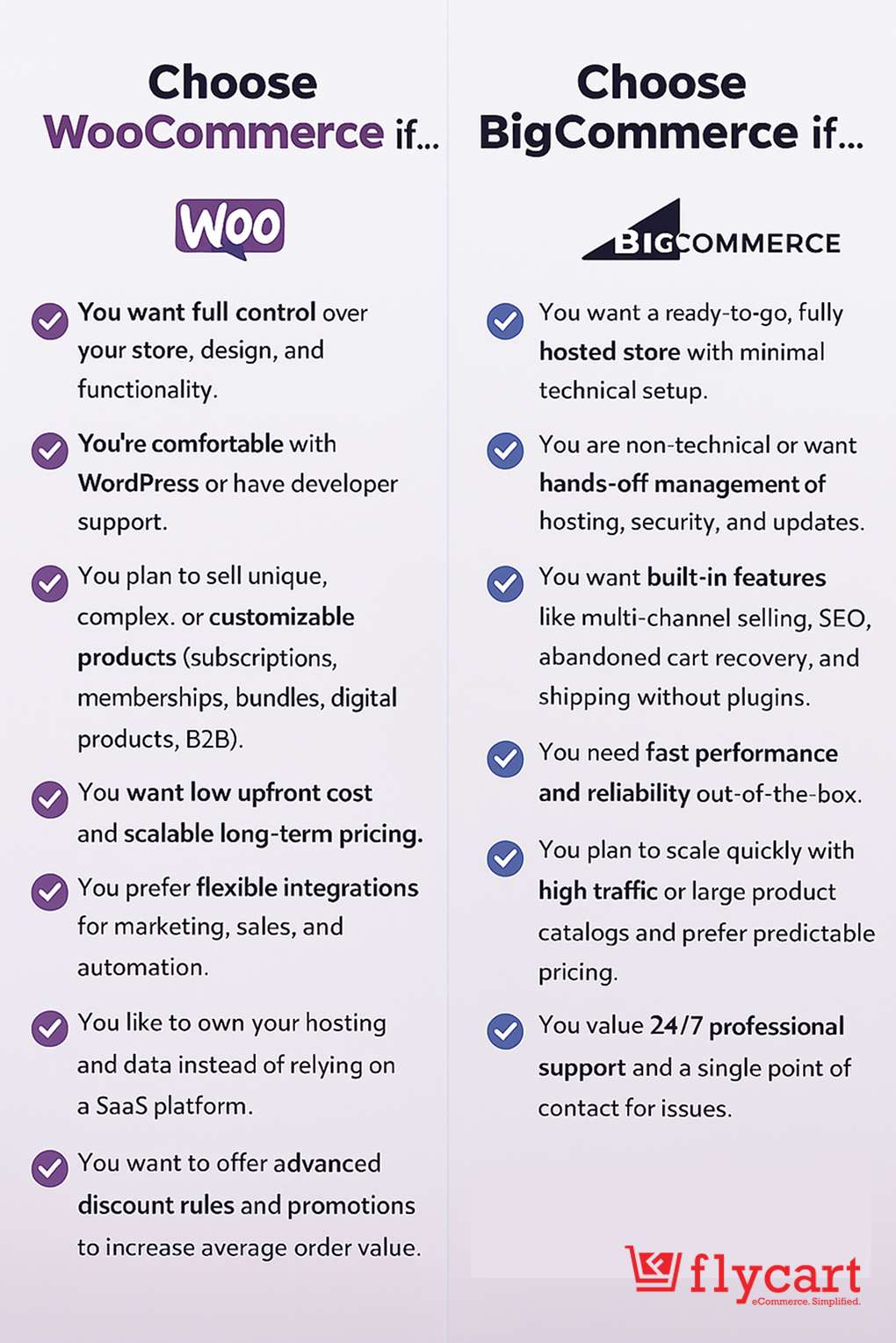
Choose WooCommerce if you:
- Already use WordPress.
- Want complete control over your website.
- Need advanced customization.
- Plan to use specialized plugins.
- Prioritize SEO and content marketing.
- Want flexibility as your business grows.
Choose BigCommerce if you:
- Prefer an all-in-one hosted platform.
- Want faster setup with minimal maintenance.
- Don’t want to manage hosting or security.
- Need enterprise-ready infrastructure.
- Value dedicated customer support.
Conclusion
Both WooCommerce and BigCommerce are capable eCommerce platforms, but they cater to different types of businesses.
If you value flexibility, ownership, and the ability to customize every aspect of your online store, WooCommerce is the stronger option. Its open-source foundation, WordPress integration, and extensive ecosystem of themes and plugins make it a versatile choice for businesses of all sizes.
If you’d rather focus on selling than managing your website, BigCommerce offers a streamlined, hosted experience with built-in security, reliable performance, and dedicated support.
Before making your decision, consider your budget, technical expertise, and long-term business goals. The platform that best aligns with your needs today should also be able to support your growth in the years ahead.
Also Read:
- What Is Better for my e-commerce Store? WooCommerce or Shopify
- Create a WooCommerce Store in WordPress: 5 Simple Steps
- 25+ Best WooCommerce Plugins to Start Your Online Store
Frequently Asked Questions
For small businesses, both platforms can work, but the choice depends on your technical comfort and business needs:
– BigCommerce: Ideal if you want to start fast without worrying about hosting, security, or technical setup. Its built-in features allow small businesses to manage their store efficiently.
– WooCommerce: Best if you want full control, flexibility, and scalability, and are comfortable with WordPress or willing to learn. It may require more setup, but it gives long-term customization benefits.
Large businesses often need scalability, complex product catalogs, and advanced integrations:
– WooCommerce suits large stores needing custom workflows, memberships, subscriptions, or digital products, scaling with hosting and developer support.
– BigCommerce fits businesses preferring managed hosting with built-in B2B features, bulk pricing, and analytics.
Yes. WooCommerce is highly viable for a small shop with around 50 products:
– Setup is straightforward and cost-effective, and the platform allows easy product management.
– The platform can scale as your business grows, giving you flexibility for future expansion.
If you already have experience with WordPress blogging, WooCommerce might be a natural fit:
WooCommerce lets you use WordPress skills for content, SEO, and integrations, supports B2B features via plugins, and offers flexible options for branding and product personalization.
Hiring a developer vs. DIY:
Build WooCommerce yourself with basic setup (theme, products, payments, shipping), hiring a developer only for complex customizations to balance cost and functionality.
Yes. You can migrate products, customers, orders, and other store data using migration tools or professional migration services.