Selling internationally comes with one major challenge: customers want to see prices in their local currency.
A customer from Germany may prefer EUR, a customer from the UK may expect GBP, and buyers from Australia may feel more comfortable purchasing in AUD. When visitors are forced to calculate exchange rates manually, many abandon their carts before completing the purchase.
That’s where a WooCommerce currency converter plugin helps.
A good WooCommerce currency switcher plugin automatically displays product prices in local currencies, updates exchange rates, improves customer trust, and creates a smoother buying experience.
For example, instead of displaying a product as $100 USD to every visitor, a currency switcher can automatically show it as €86.71 EUR for customers in Germany or £74.95 GBP for shoppers in the UK.
In this guide, we’ll compare the 10 best WooCommerce currency switcher/ converter plugins in 2026, including their features, pricing, pros, cons, and who they’re best suited for.
Note:
While the terms are often used interchangeably, a WooCommerce currency converter plugin calculates exchange rates, while a WooCommerce currency switcher plugin lets shoppers browse and purchase in their preferred currency. Today, most leading plugins combine both features into a single solution.
Table of contents
- Why Use a WooCommerce Currency Converter Plugin?
- How We Evaluated These Currency Switcher Plugins for WooCommerce?
- TLDR: Comparing 10 WooCommerce Currency Switcher Plugins
- 10 Best WooCommerce Currency Switcher & Converter Plugins in 2026 – Detailed Review
- 1. CURCY – Multi Currency for WooCommerce
- 2. FOX – Currency Switcher Professional for WooCommerce
- 3. YayCurrency – WooCommerce Multi-Currency Switcher
- 4. Aelia – Currency Switcher for WooCommerce
- 5. WPExperts – Currency Switcher for WooCommerce
- 6. Currency Switcher for WooCommerce by WP Wham
- 7. YITH Multi Currency Switcher for WooCommerce
- 8. WooCommerce Currency Switcher by WooBeWoo
- 9. Multi Currency for WooCommerce (Booster)
- 10. WCML Multi-Currency for WooCommerce
- How to Choose the Right WooCommerce Currency Converter Plugin?
- How Currency Switchers Affect Conversion Rates?
- Currency Conversion vs Multi-Currency Checkout
- Common WooCommerce Currency Converter Problems and Fixes
- Final Thoughts
- Frequently Asked Questions
Why Use a WooCommerce Currency Converter Plugin?
When customers see prices in unfamiliar currencies, they often hesitate to purchase.
A WooCommerce currency switcher plugin helps by:
- Displaying prices in local currencies
- Automatically detecting visitor location
- Reducing purchase friction
- Improving conversion rates
- Building trust with international customers
- Supporting global expansion
Benefits include:
- Better User Experience: strongustomers instantly understand product pricing without leaving your website to calculate exchange rates.
- Higher Conversion Rates: strongocalized pricing removes uncertainty and encourages faster purchasing decisions.
- Improved Trust: strongisplaying local currencies makes your store feel more relevant and professional to international shoppers.
- Global Store Growth: strongurrency switchers allow WooCommerce stores to serve customers worldwide without creating separate stores.
How We Evaluated These Currency Switcher Plugins for WooCommerce?
To help you find the right WooCommerce currency switcher plugin for your store, we evaluated each solution based on the factors that matter most for international selling.
Rather than focusing solely on features, we considered usability, compatibility, pricing, and overall value for WooCommerce store owners.
Here’s what we looked at:
- Ease of setup – How quickly you can install and configure the plugin.
- Automatic exchange rate updates – Support for real-time or scheduled currency rate updates.
- Geo-location support – Ability to automatically display currencies based on a visitor’s location.
- Check out compatibility – Whether customers can complete purchases in their selected currency.
- Payment gateway compatibility – Support for popular gateways like Stripe, PayPal, Razorpay, and WooCommerce Payments.
- Performance – Impact on store speed and overall shopping experience.
- Pricing – Value offered by free and premium plans.
- Customer support – Availability of documentation, updates, and support channels.
- WooCommerce integration – Compatibility with WooCommerce themes, extensions, and common store setups.
Using these criteria, we’ve compiled a list of the best WooCommerce currency converter and currency switcher plugins available in 2026.
TLDR: Comparing 10 WooCommerce Currency Switcher Plugins
| Plugin | Free Version | Starting Price | Multi-Currency Checkout | GeoIP Detection | Best For |
| CURCY | Yes | $34/year | Yes | Yes | Small & Medium-sized Stores |
| FOX (formerly WOOCS) | Yes | $36/year | Yes | Yes | Customization |
| YayCurrency | Yes | $99/year | Yes | Yes | Beginners |
| Aelia | No | €79/year | Yes | Yes | Enterprise |
| WPExperts | No | $99/year | Yes | Yes | Reliability |
| WP Wham | Yes | $39.99/year | Limited | No | Simplicity |
| YITH | No | $99.99/year | Yes | Yes | YITH Ecosystem |
| WooBeWoo | Yes | $49/year | Limited | Yes | Flexibility |
| Booster | Yes – As Core Booster Plugin | $149/year | Limited | No | Booster Ecosystem |
| WCML | No | $99/year (CMS) | Yes | Yes | Multilingual Stores |
Our top picks:
- CURCY is the best overall free WooCommerce currency switcher plugin for most stores.
- YayCurrency is the easiest for beginners.
- Aelia is the best and premium plugin for enterprise businesses, and
- WCML is ideal for multilingual WooCommerce stores.
10 Best WooCommerce Currency Switcher & Converter Plugins in 2026 – Detailed Review
1. CURCY – Multi Currency for WooCommerce
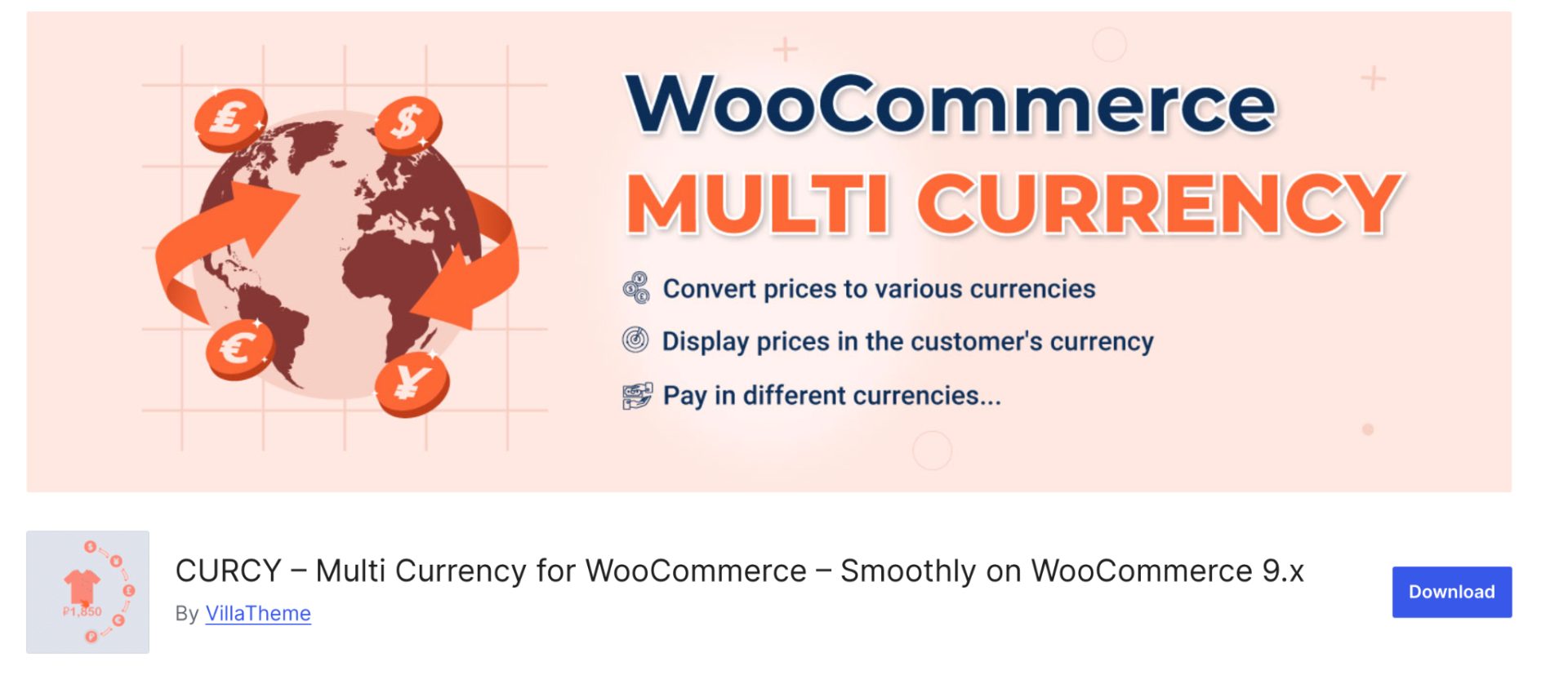
CURCY (Multi Currency for WooCommerce) is one of the most popular WooCommerce currency switcher plugins available on WordPress.org. It allows store owners to display prices in multiple currencies, automatically detect a visitor’s location, and even accept payments in the customer’s selected currency.
The plugin supports both manual and automatic exchange rate updates, making it suitable for stores that serve international customers.
One of CURCY’s biggest strengths is its flexibility. WooCommerce store owners can use automatic exchange rates, create fixed prices for specific currencies, display approximate converted prices, or assign currencies based on customer location.
Key Features
- Multi-currency price display
- Currency switcher widget and shortcode support
- Automatic GeoIP currency detection
- Multi-currency checkout support
- Manual and automatic exchange rate management
- Fixed product pricing per currency
- Approximate price displayed in local currencies
- Custom currency symbols
- WPML and Polylang compatibility (Premium)
- Payment gateway restrictions by currency (Premium)
- Automatic exchange rate updates (Premium).
Pros
- Free version available
- Supports both currency conversion and currency switching
- Geo-location-based currency detection
- Fixed pricing options for specific currencies
- Active development and regular updates
- Compatible with major multilingual plugins.
Cons
- Free version limits the number of currencies
- Some advanced features require the premium version
- As with many multi-currency plugins, compatibility testing with payment gateways and caching solutions is recommended before going live. Community discussions occasionally mention checkout or caching-related conflicts, depending on the store setup.
Pricing
- Free version available on WordPress.org
- Premium plans are available through VillaTheme for $34 per year.
Best For – Small to medium-sized WooCommerce stores looking for a feature-rich currency switcher plugin with automatic currency detection and multi-currency checkout support.
2. FOX – Currency Switcher Professional for WooCommerce

FOX – Currency Switcher Professional for WooCommerce (formerly known as WOOCS) is a popular multi-currency plugin that allows customers to switch between currencies and optionally complete purchases in their selected currency. The plugin supports real-time exchange rate updates, GeoIP-based currency detection, custom pricing rules, and currency-specific payment configurations. It also offers multiple switcher styles, including dropdowns, flags, side switchers, widgets, and shortcodes, making it easy to integrate into different store layouts.
One of FOX’s strengths is its flexibility. Store owners can configure currency behavior based on country, user role, payment methods, and pricing rules. This makes it suitable for businesses selling across multiple regions and customer segments.
Key Features
- Multi-currency price display
- Optional checkout in selected currency
- GeoIP-based currency detection
- Real-time exchange rate updates
- Fixed pricing and custom rate rules
- Currency switcher widget and shortcode
- User role and country-based pricing
- Payment gateway rules
- Developer API and integrations
Pros
- Supports both currency conversion and currency switching
- Multiple display options and customization settings
- Flexible pricing and country-based rules
- Large user base and active development
- Free version available
Cons
- The free version supports only a limited number of currencies
- Interface may feel dated compared to newer alternatives
- Some users report GeoIP, caching, or checkout compatibility issues depending on their store setup and plugin stack.
Pricing
- Free version available on WordPress.org
- Premium version available for $36 per year.
Best For – strongooCommerce stores that need advanced currency-switching capabilities, flexible pricing rules, and support for multiple international markets.
3. YayCurrency – WooCommerce Multi-Currency Switcher
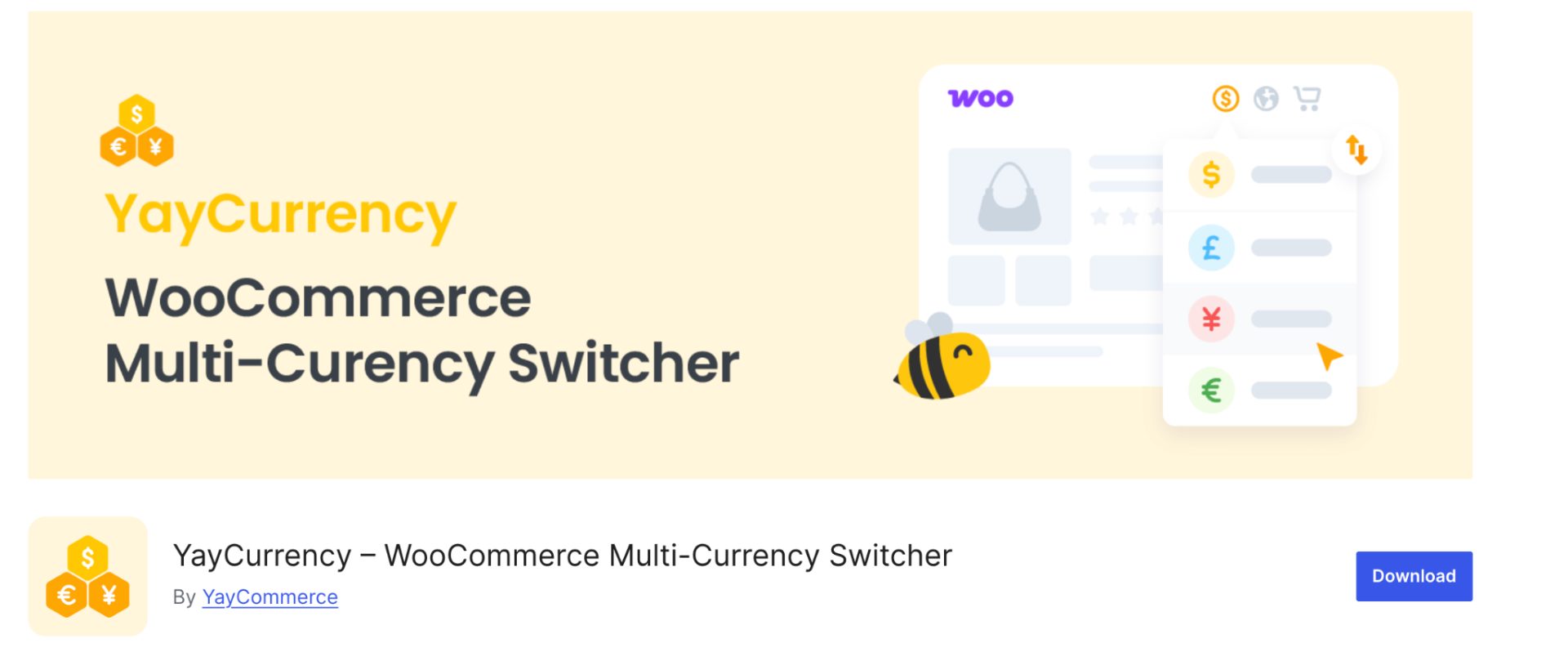
YayCurrency is a modern WooCommerce currency switcher plugin that helps online stores display prices and accept payments in multiple currencies.
Developed by YayCommerce, the plugin focuses on simplicity and user experience while offering the core features needed to sell internationally. Store owners can automatically detect a shopper’s location, display local currencies, set custom exchange rates, and support multi-currency checkout from a single dashboard.
One area where YayCurrency stands out is its compatibility. The plugin integrates with a wide range of WooCommerce themes, payment gateways, and popular extensions, making it easier to add multi-currency functionality without disrupting the existing shopping experience.
For store owners looking for a balance between ease of use and advanced functionality, YayCurrency is a strong alternative to more established currency switcher plugins.
Key Features
- Multi-currency price display
- Currency switcher widget and shortcode
- Automatic GeoIP currency detection
- Multi-currency checkout support
- Manual and automatic exchange rate updates
- Custom pricing per currency
- Payment gateway compatibility
- Integration with popular WooCommerce plugins
- Flexible currency switcher placement.
Pros
- Beginner-friendly interface
- Easy setup and configuration
- Supports both currency conversion and currency switching
- Good compatibility with WooCommerce extensions
- Free version available.
Cons
- Some advanced features require the premium version
- Fewer customization options than some long-established competitors
- Advanced pricing controls are limited compared to enterprise-focused solutions.
Pricing
- Free version available
- Premium plans start from approximately $99/year for a single-site license.
Best For – strongmall to medium-sized WooCommerce stores looking for an easy-to-use currency switcher plugin with strong compatibility and a modern user interface.
4. Aelia – Currency Switcher for WooCommerce

Aelia Currency Switcher is one of the most established multi-currency solutions for WooCommerce and is often considered a premium option for stores with advanced international selling requirements. Unlike basic currency converter plugins that simply convert prices using exchange rates, Aelia allows store owners to define product prices per currency, giving greater control over pricing strategies across different markets.
The plugin supports automatic currency detection based on customer location, manual currency switching, and checkout in selected currencies when supported by the payment gateway.
It also integrates with a wide range of WooCommerce extensions, making it a popular choice among larger stores and businesses with complex pricing requirements.
While it comes at a higher price point than many competitors, its reliability, flexibility, and extensive compatibility make it a strong contender for serious WooCommerce store owners.
Key Features
- Multi-currency price display
- Automatic currency detection
- Currency-specific product pricing
- Multi-currency checkout support
- Automatic exchange rate updates
- Integration with major WooCommerce extensions
- Developer-friendly APIs and hooks
- Country-based currency assignment.
Pros
- Highly reliable and well-established
- Supports custom pricing per currency
- Excellent compatibility with WooCommerce extensions
- Suitable for complex international pricing strategies
- Strong documentation and developer support.
Cons
- No free version available
- Higher upfront cost than most alternatives
- May offer more functionality than small stores require.
Pricing
- Premium plugin only – Starts from approximately €79 per year for a single-store license.
Best For – Growing and enterprise-level WooCommerce stores that need advanced multi-currency functionality, custom pricing per currency, and broad plugin compatibility.
5. WPExperts – Currency Switcher for WooCommerce
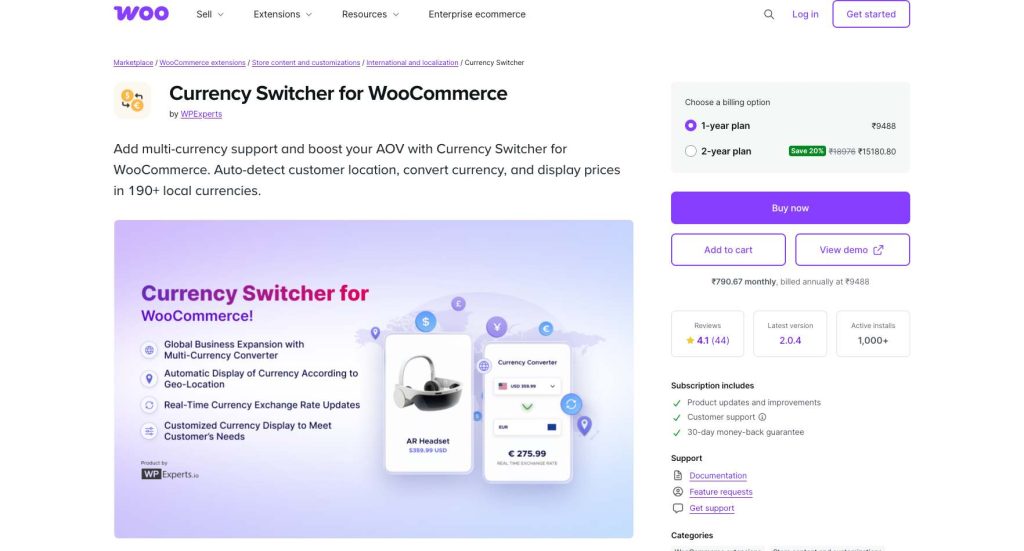
Currency Switcher for WooCommerce by WPExperts is the official multi-currency extension available through the WooCommerce Marketplace.
The plugin enables store owners to display products in multiple currencies and allows customers to shop and pay in their preferred currency. It supports automatic exchange rate updates, country-based currency display, and manual currency switching, making it a practical solution for stores selling internationally.
One of its biggest advantages is its seamless integration with WooCommerce. Since it’s available through the official WooCommerce extension marketplace, merchants can expect reliable compatibility with core WooCommerce functionality and ongoing updates.
The plugin also provides flexible pricing controls, allowing businesses to set custom exchange rates or adjust prices for specific currencies when needed.
Key Features
- Multi-currency price display
- Currency switching across the store
- Multi-currency checkout support
- Automatic exchange rate updates
- Country-based currency assignment
- Manual exchange rate configuration
- Custom pricing adjustments by currency
- Compatible with WooCommerce Payments and supported gateways
Pros
- Official WooCommerce Marketplace extension
- Supports checkout in selected currencies
- Easy to configure and manage
- Automatic exchange rate synchronization
- Suitable for international WooCommerce stores
Cons
- No free version available
- Fewer customization options than some specialized currency switcher plugins
- Pricing may be higher than WordPress.org alternatives
Pricing
- Premium plugin only
- Available through the WooCommerce Marketplace with annual subscription pricing of $99.
Best For – WooCommerce store owners who want an officially supported currency switcher plugin with reliable compatibility and straightforward multi-currency functionality.
6. Currency Switcher for WooCommerce by WP Wham
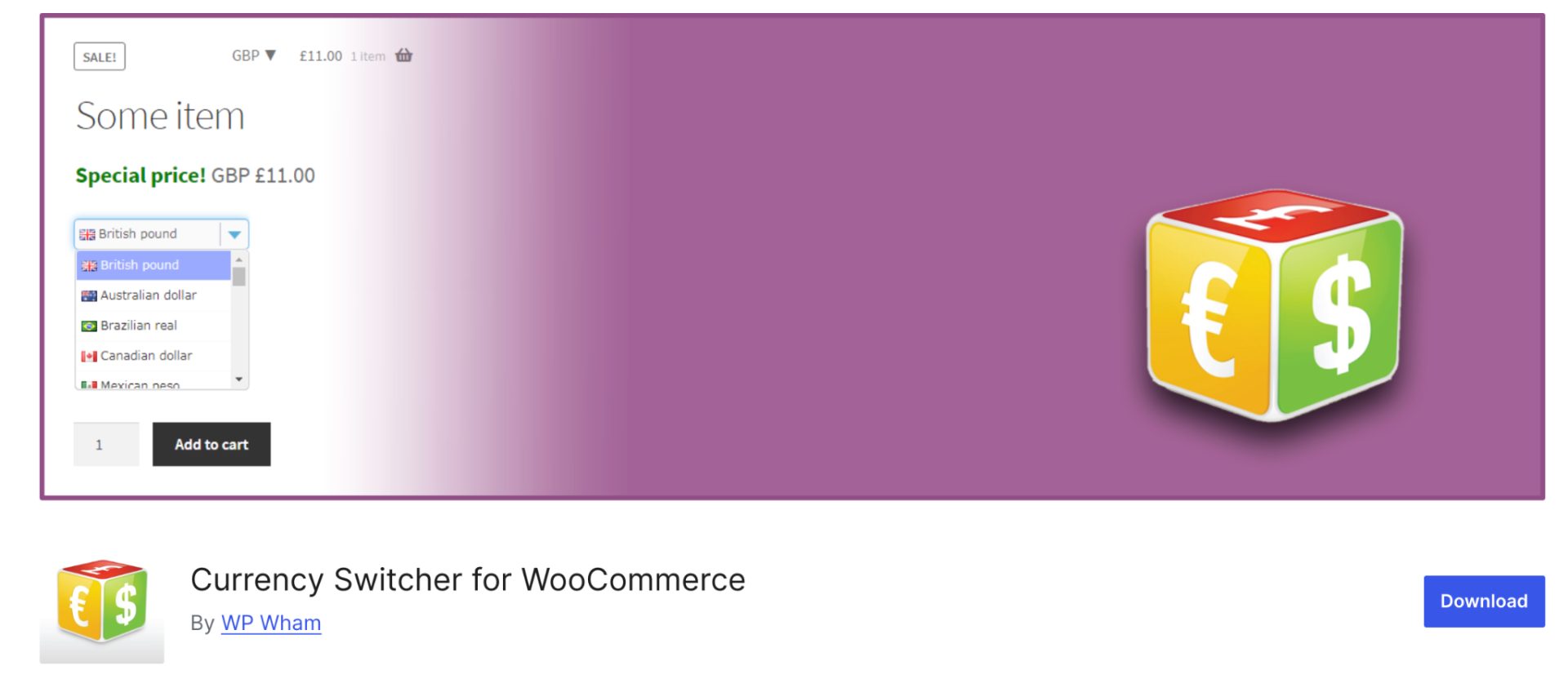
Currency Switcher for WooCommerce by WP Wham is a lightweight plugin that enables WooCommerce stores to display products in multiple currencies and let customers switch between them.
Unlike some feature-heavy alternatives, WP Wham focuses on simplicity and ease of implementation, making it a good choice for store owners who need essential multi-currency functionality without a complex setup process.
The plugin supports automatic exchange rate updates, customizable currency switchers, and integration with WooCommerce’s pricing system. It also offers flexibility in displaying currencies through widgets, shortcodes, and menu integrations.
While it may not have as many advanced pricing and localization features as enterprise-focused solutions, it covers the core requirements for most small to medium-sized international stores.
Key Features
- Multi-currency price display
- Currency switcher widget and shortcode
- Automatic exchange rate updates
- Manual exchange rate configuration
- Custom currency symbols
- Menu and widget integration
- Exchange rate update scheduling
- WooCommerce compatibility.
Pros
- Free version available
- Lightweight and easy to configure
- Beginner-friendly interface
- Multiple currency switcher display options
- Good option for stores with basic multi-currency needs.
Cons
- Limited advanced pricing controls
- Fewer localization features compared to premium competitors
- Some advanced functionality requires the Pro version
- Less suitable for complex international pricing strategies.
Pricing
- Free version available on WordPress.org
- Pro version available with additional currencies and advanced settings for $39.99 per year.
Best For – WooCommerce stores looking for a lightweight and straightforward currency switcher solution.
7. YITH Multi Currency Switcher for WooCommerce
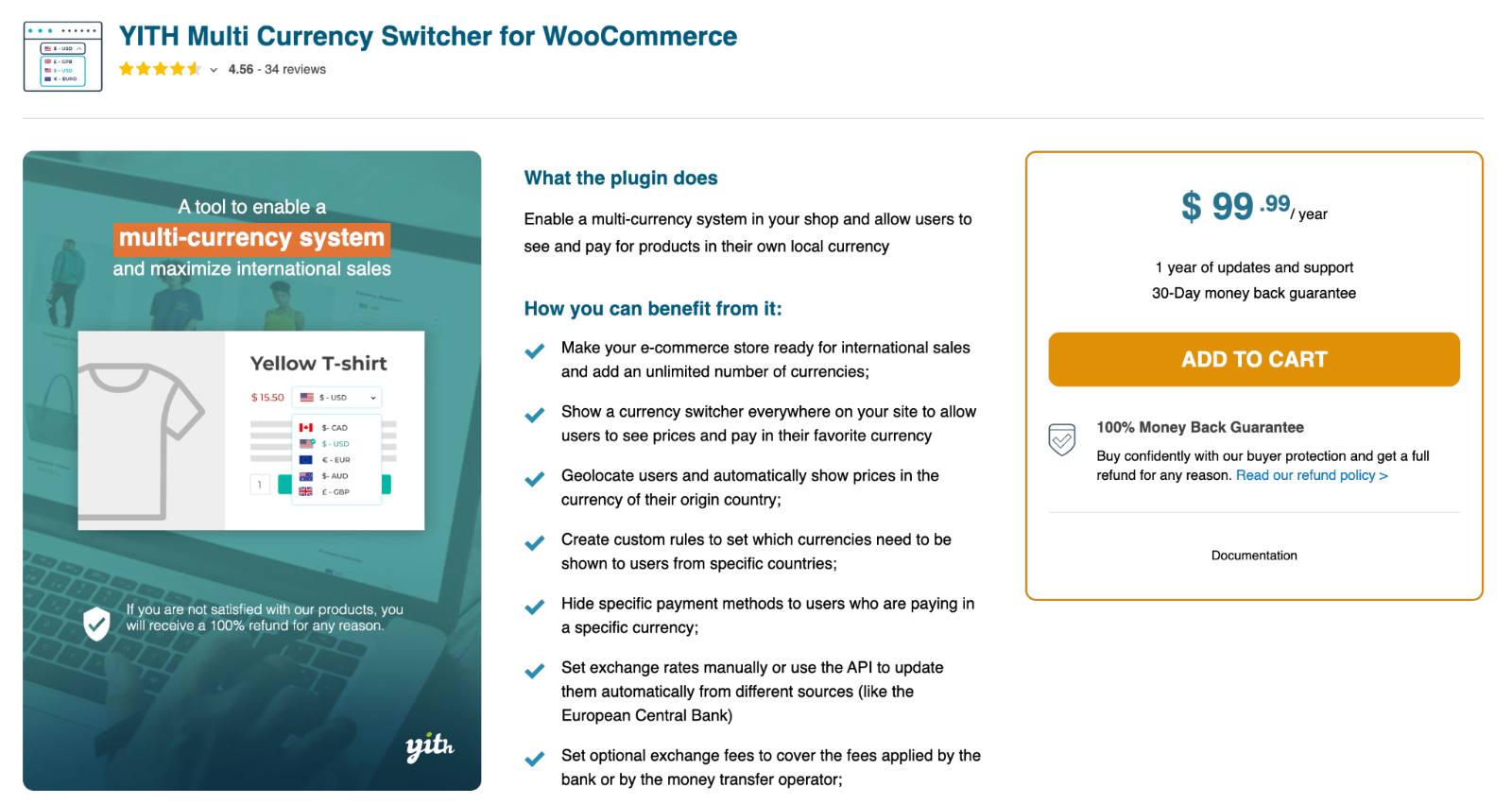
YITH Multi Currency Switcher for WooCommerce is a premium plugin designed to help merchants create a localized shopping experience for international customers.
The plugin allows shoppers to view product prices and complete purchases in their preferred currency, while store owners can manage exchange rates, currency rules, and country-based currency assignments from a centralized dashboard.
As part of the YITH ecosystem, the plugin integrates well with other YITH WooCommerce extensions and offers a polished user experience. It supports both automatic and manual currency switching, making it suitable for stores targeting multiple regions.
Additionally, merchants can configure custom exchange rates and rounding rules to maintain consistent pricing across currencies.
Key Features
- Multi-currency price display
- Currency switcher widget and shortcode
- Automatic and manual currency switching
- GeoIP-based currency detection
- Multi-currency checkout support
- Automatic exchange rate updates
- Custom exchange rates and rounding rules
- Country-based currency assignment
- Integration with YITH WooCommerce plugins.
Pros
- User-friendly interface
- Supports both currency conversion and switching
- Automatic customer location detection
- Strong integration with the YITH ecosystem
- Flexible currency management options.
Cons
- No free version available
- Some advanced WooCommerce integrations may require additional configuration
- Higher cost than some WordPress.org alternatives.
Pricing
- Premium plugin only and costs $99.99 per year.
Best For – WooCommerce stores already using YITH plugins or merchants looking for a polished, premium multi-currency solution.
8. WooCommerce Currency Switcher by WooBeWoo
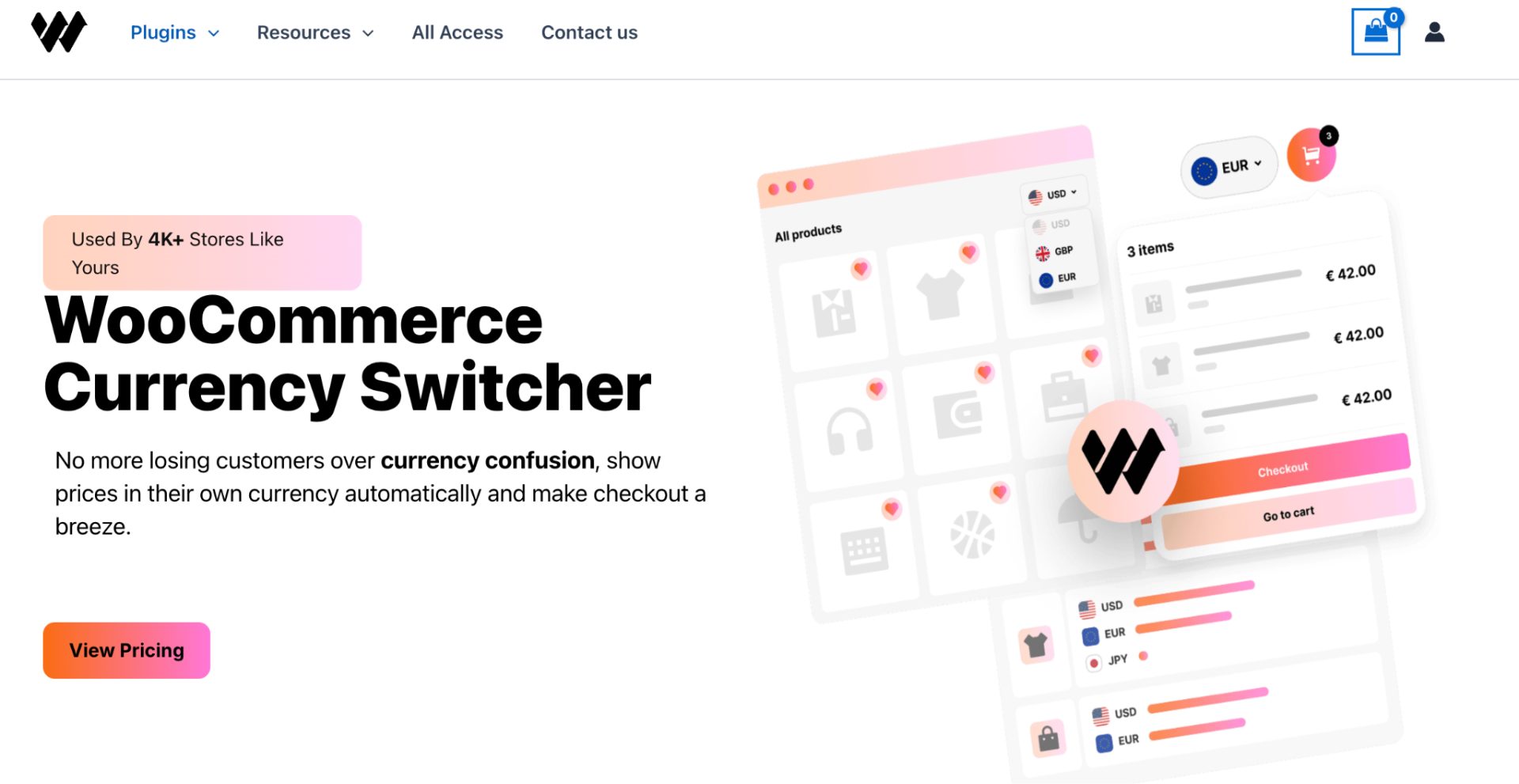
WooCommerce Currency Switcher by WooBeWoo is a flexible multi-currency plugin that allows customers to view products and shop in their preferred currencies. The plugin supports both automatic and manual currency switching, making it easier for international shoppers to browse prices without performing their own currency conversions.
One of WooBeWoo’s standout features is its emphasis on customization. Store owners can display the currency switcher in various formats, including dropdowns, flags, buttons, and floating panels.
The plugin also supports automatic exchange rate updates and GeoIP-based currency detection, helping create a more localized shopping experience. With a free version available and additional premium functionality for growing stores, WooBeWoo offers a balanced solution for businesses expanding into international markets.
Key Features
- Multi-currency price display
- Automatic and manual currency switching
- GeoIP-based currency detection
- Automatic exchange rate updates
- Currency switcher widget, shortcode, and floating switcher
- Custom currency symbols and display formats
- Country-based currency assignment
- Multiple switcher layouts and styles
- WooCommerce integration
Pros
- Multiple switcher design options
- Supports automatic location-based currency selection
- Easy to customize and implement
- User-friendly interface.
Cons
- Some advanced features require the Pro version
- Fewer enterprise-level pricing controls than premium competitors
- Advanced integrations may require additional configuration.
Pricing: strongree version available. The premium version with additional currencies, customization options, and advanced settings costs $49 per year.
Best For – WooCommerce stores that want a customizable currency switcher with flexible display options.
9. Multi Currency for WooCommerce (Booster)
Multi Currency for WooCommerce is part of the Booster for WooCommerce suite, a collection of modules designed to extend WooCommerce functionality.
Instead of being a standalone currency switcher plugin, it works as a multi-currency module within the Booster ecosystem, allowing store owners to display and manage products in multiple currencies.
The plugin enables customers to switch currencies using a frontend selector while automatically converting prices based on exchange rates. Store owners can also configure manual exchange rates and customize how currencies are displayed throughout the store.
Since it’s part of a broader WooCommerce toolkit, it’s particularly appealing to merchants already using Booster’s other ecommerce features. However, stores seeking advanced localization features may find dedicated currency switcher plugins more feature-rich.
Key Features
- Multi-currency price display
- Frontend currency switcher
- Automatic and manual exchange rates
- Custom currency symbols
- Currency conversion across products and cart
- Shortcode support
- Integration with other Booster modules
- Flexible currency display settings.
Pros
- Free version available through Booster for WooCommerce
- Includes currency switching and conversion features
- Useful for stores already using Booster modules
- Lightweight compared to some dedicated solutions
- Easy to configure.
Cons
- Not a dedicated currency switcher plugin
- Advanced multi-currency features are limited compared to competitors
- Geo-location functionality is not a core feature
- Some premium Booster features require a paid plan.
Pricing
- Free version available as part of Booster for WooCommerce
- Premium Booster plans unlock additional ecommerce modules and features for $149 per year.
Best For – strongooCommerce stores already using the Booster ecosystem.
10. WCML Multi-Currency for WooCommerce
WCML Multi-Currency is a multi-currency add-on included with WooCommerce Multilingual (WCML) and WPML. It combines multilingual store management with currency switching, allowing merchants to serve international customers in their preferred language and currency from a single platform.
Unlike many standalone WooCommerce currency switcher plugins, WCML is designed specifically for stores operating across multiple languages and regions. Store owners can automatically assign currencies based on customer location, language, or country, while also setting custom prices for individual currencies.
The plugin integrates closely with WooCommerce and WPML, making it one of the most popular solutions for international stores that need both multilingual and multi-currency functionality.
If you’re already planning to use WPML for translations, WCML provides a seamless way to add currency switching without relying on separate plugins.
Key Features
- Multi-currency price display
- Multi-currency checkout support
- Automatic exchange rate updates
- GeoIP-based currency detection
- Currency assignment by language or country
- Custom product pricing per currency
- Flexible currency switchers
- Support for over 200 currencies
- Integration with WooCommerce payment gateways
- WPML multilingual integration.
Pros
- Combines multilingual and multi-currency functionality
- Supports currency-specific pricing
- Automatic location-based currency selection
- Strong WooCommerce compatibility
- Well-established and actively maintained
- Suitable for global ecommerce stores.
Cons
- Requires WPML and WooCommerce Multilingual
- No standalone free version
- More expensive than basic currency switcher plugins
- May be excessive for stores that don’t need multilingual functionality.
Pricing
- Included with WPML’s Multilingual CMS and Agency plans
- Multilingual CMS plan starts at approximately €99/year
- Agency plan starts at approximately €199/year
- No free version available.
Best For – strongultilingual Stores.
How to Choose the Right WooCommerce Currency Converter Plugin?
Before choosing a plugin, ask these questions:
Do You Need Multi-Currency Checkout?
Some plugins only display converted prices, while others allow customers to complete checkout in their selected currency.
Which Payment Gateway Do You Use?
Verify compatibility with:
- Stripe
- PayPal
- Razorpay
- Authorize.net
- WooCommerce Payments
Do You Need Geo-Location Detection?
Automatic currency switching based on visitor location improves user experience.
How Many Countries Do You Serve?
Larger stores often benefit from enterprise solutions such as Aelia or WooCommerce Multi-Currency.
How Currency Switchers Affect Conversion Rates?
- Reduced Purchase Anxiety: strongustomers understand pricing instantly.
- Higher International Conversions: strongocalized pricing removes mental conversion calculations.
- Lower Cart Abandonment: strongnexpected currency changes during checkout often cause drop-offs.
- Increased Trust: strongisplaying local currencies makes your store appear more customer-friendly.
According to various ecommerce studies, localized shopping experiences consistently outperform one-size-fits-all storefronts when selling internationally.
Our Recommendations:
- If you’re looking for the best all-around solution, CURCY offers an excellent balance of features, affordability, GeoIP detection, and multi-currency checkout support, making it a strong choice for most WooCommerce stores.
- FOX (formerly WOOCS) is ideal for merchants who want extensive customization options, while YayCurrency stands out for its beginner-friendly interface and easy setup process.
- For larger businesses with complex international pricing requirements, Aelia Currency Switcher provides enterprise-grade flexibility and compatibility.
- If your store serves customers in multiple languages as well as currencies, WCML Multi-Currency is one of the best options thanks to its seamless integration with WPML and multilingual WooCommerce stores.
- Meanwhile, solutions like WP Wham, WooBeWoo, and Booster cater to merchants looking for lightweight implementations or who are already invested in specific plugin ecosystems.
Currency Conversion vs Multi-Currency Checkout
Many store owners confuse these two features.
- Currency Conversion: strongisplays estimated prices in local currencies while checkout may still occur in the store’s base currency.
- Multi-Currency Checkout: strongllows customers to pay directly in their chosen currency.
This addresses a major confusion visible in Reddit threads.
| Feature | Currency Conversion & Display | Multi-Currency Checkout |
| Shows local price | Yes | Yes |
| Customer pays in selected currency | No | Yes |
| Requires gateway support | No | Yes |
| Best for | Small stores | Global stores |
If your goal is to improve international sales, multi-currency checkout is generally the better option.
Common WooCommerce Currency Converter Problems and Fixes
This discusses Reddit’s pain points and common issues faced by WooCommerce store owners with the currency converter.
Why Does Currency Change on Product Pages but Not at Checkout?
Possible causes:
- Payment gateway limitations
- Plugin conflicts
- Cache issues
- Checkout incompatibility
Fix:
- Verify the gateway supports the selected currency
- Clear cache
- Test with the default theme
- Check plugin compatibility documentation.
Why is Checkout Showing the Wrong Currency?
Example:
Product page = USD $20
Checkout = USD $27
Usually caused by:
- Base currency override
- Cached exchange rates
- Unsupported checkout flow
- Currency plugin conflict.
Can I Assign Different Currencies to Different Products?
WooCommerce doesn’t support this natively.
Some plugins allow:
- Product-specific currencies
- Region-specific pricing
- Category-based pricing
Aelia and WPML often provide the most flexibility here.
Final Thoughts
Choosing the right WooCommerce currency switcher plugin ultimately depends on your store’s size, target markets, and localization requirements.
The good news is that most modern WooCommerce currency converter and switcher plugins offer the core features international stores need, including automatic exchange rate updates, currency switching, and localized pricing. The key is choosing a solution that aligns with your store’s growth stage, budget, and customer experience goals.
Before making a final decision, consider:
- Whether you need a multi-currency checkout or just a currency display.
- If GeoIP-based currency detection is important for your audience.
- Compatibility with your payment gateways and WooCommerce extensions.
- Whether you run a multilingual store that requires integrated language and currency management.
A well-implemented WooCommerce currency switcher can reduce purchase friction, improve customer trust, and create a more localized shopping experience, helping you convert more international visitors into paying customers.
Frequently Asked Questions
CURCY – Multi Currency for WooCommerce is the best overall WooCommerce currency converter plugin for most stores.
Not by default. You’ll need a WooCommerce currency converter plugin to display and manage multiple currencies.
Yes. Showing prices in local currencies reduces confusion and increases buyer confidence.
To add a currency switcher to WooCommerce,
– Install a multi-currency plugin such as CURCY, FOX, YayCurrency, or Aelia.
– After activation, configure the currencies you want to support, enable exchange rate updates, and add the currency switcher widget, shortcode, or menu item to your store.
– Most plugins also support automatic currency detection based on customer location.
WooCommerce supports only one default store currency out of the box.
To change it, go to WooCommerce → Settings → General → Currency Options and select your preferred currency. If you want customers to switch between multiple currencies, you’ll need a WooCommerce currency switcher plugin.
Yes. With a WooCommerce currency switcher plugin, your store can display prices in both USD and EUR (and other currencies) based on customer preference or location.
Some plugins even allow customers to complete checkout in their selected currency, while others only convert prices for display purposes.
If you’re running a multilingual WooCommerce store, WPML generally offers the most complete solution because it includes built-in WooCommerce multilingual and multi-currency support through WCML.
Polylang can also work well, but you’ll typically need additional plugins or integrations for advanced WooCommerce translation and multi-currency functionality.