You added a “Buy One Get One Free” rule, the cart says the customer qualifies… but the free product never gets added. Or worse, it discounts the wrong item – the $200 jacket instead of the $20 t-shirt – and the customer gets a deal you never planned to offer.
If that sounds familiar, the right WooCommerce BOGO plugin will save you from cart-page chaos at 2 a.m. on Black Friday. WooCommerce’s built-in coupon system can’t run a real BOGO promotion on its own – you need a dedicated tool. Picking the best WooCommerce BOGO plugin for your store is the difference between a clean inventory clear-out and a refund queue.
The “free” in BOGO is what makes it work. Approximately 77% of people selected a high BOGO discount instead of a percentage-off discount, according to research summarised by OptiMonk (2025) – and that gap held even when the BOGO was less generous on paper. Add the Baymard Institute’s 70.19% cart abandonment rate (2026), and a well-built BOGO offer becomes one of the cheapest ways to recover lost revenue.
We installed and tested 10 BOGO plugins on a real WooCommerce store with 4-6 million stores worldwide running on the same platform. Some passed every scenario. A few broke on basic recursive offers. Below you’ll find the survivors, ranked, with honest pricing and clear “best for” picks.
Stop manually creating BOGO offers. Run “Buy 2 Get 1 Free”, “Buy a t-shirt, get socks free”, or recursive deals – without coupon codes or duplicate cart entries. Try the plugin 100,000+ stores already use.
Table of contents
- Best WooCommerce BOGO Plugins – Comparison Table
- How We Tested These Plugins
- Why You Need a Dedicated BOGO Plugin
- List of BOGO Plugins:
- 1. Discount Rules for WooCommerce – Best Overall WooCommerce BOGO Plugin
- 2. Advanced Coupons – Best Free BOGO Coupon Plugin
- 3. Smart Coupons by StoreApps – Best Premium All-in-One
- 4. PW WooCommerce BOGO – Best for One-Click Simplicity
- 5. YITH Dynamic Pricing & Discounts – Best for Marketing-Heavy Stores
- 6. Smart Coupons by WebToffee – Best Free Plugin with Native BOGO Module
- 7. Advanced Dynamic Pricing for WooCommerce – Best Free Pricing Engine
- 8. Conditional Discounts for WooCommerce – Best for Conditional BOGO
- 9. Buy One Get One Free for WooCommerce (QuadLayers) – Best for Gift Pop-ups
- 10. WooCommerce Discount Manager (Barn2) – Best for Setup Wizard Flow
- How to Choose the Right WooCommerce BOGO Plugin
- BOGO Scenarios That Break Most Plugins
- What Reddit and Quora Users Actually Recommend
- Common BOGO Mistakes to Avoid
- Conclusion
- Frequently Asked Questions
Best WooCommerce BOGO Plugins – Comparison Table
| # | Plugin | Best For | Price | Rating | Key Feature |
| 1 | Discount Rules for WooCommerce | All-in-one BOGO + dynamic pricing | Free / $85/yr | 4.8 | Buy X Get X + Buy X Get Y + recursive logic |
| 2 | Advanced Coupons | Free BOGO with cart conditions | Free / $99/yr | 4.5 | BOGO inside native coupon screen |
| 3 | Smart Coupons (StoreApps) | Gift cards + BOGO combo | $129/yr | 4.7 | Store credit + gift card + BOGO unified |
| 4 | PW WooCommerce BOGO | One-click sitewide BOGO | Free / $59/yr | 4.1 | One-step publish-and-go |
| 5 | YITH Dynamic Pricing | Marketing-heavy stores | Lite / 145/yr | 4.4 | Countdown timers + animated banners |
| 6 | Smart Coupons (WebToffee) | Best free with BOGO module | Free / $129/yr | 4.7 | Dedicated BOGO module in free tier |
| 7 | Advanced Dynamic Pricing (Algolplus) | Strong free pricing engine | Free / $60/yr | 4.7 | Full BOGO support in free version |
| 8 | Conditional Discounts (Hermann) | Conditional BOGO + free gifts | Free / $60/yr | 3.8 | Layered conditions on every rule |
| 9 | Buy One Get One Free (QuadLayers) | Pop-up gift selection | $49/yr | 4.4 | Customer chooses free gift |
| 10 | WooCommerce Discount Manager (Barn2) | Beginner setup wizard | $79/yr | 4.7 | Guided wizard for first-timers |
How We Tested These Plugins
We did not just read changelogs. Every plugin – including each free woocommerce bogo plugin in this list – was installed fresh on a clean staging store and put through six BOGO scenarios:
- Buy 1 get 1 free, same product
- Buy 1 get 1 free, different product
- Recursive – Buy 2 get 2 free, scaling
- Cross-category – Buy from A, get from B at 50% off
- Mixed cart – does it discount the cheapest item correctly?
- Variable products – applies to specific variations only?
For each plugin we logged time-to-first-working-rule, cart and checkout page-load delta (Query Monitor, 3-run average), HPOS (High Performance Order Storage) compatibility, and behavior on cart edits. Only three plugins passed all six scenarios cleanly. The rest fell on either Scenario 3 or 5. We’ll call those out as we go.
What is a WooCommerce BOGO Plugin?
A WooCommerce buy one get one free plugin is a WordPress add-on that lets your store run “Buy One, Get One” promotions automatically – adding a free or discounted product to the cart when a customer hits a defined buying rule. Native WooCommerce can’t do this on its own.
Most modern BOGO plugins support these rule types:
- Buy X Get X – same product (Buy 1 t-shirt, get 1 free)
- Buy X Get Y – different product (Buy a laptop, get a mouse free)
- Recursive BOGO – scales with quantity (Buy 2 Get 2, Buy 4 Get 4)
- Conditional BOGO – only fires if cart, user-role, or history conditions match
A solid woocommerce buy x get y discount plugin also handles variable-product targeting, category-level rules, and the option to make the “get” item a percentage discount instead of fully free.
Why You Need a Dedicated BOGO Plugin
WooCommerce ships with coupons, not promotions. The gap between the two is exactly where revenue leaks. Here’s what a real bogo plugin woocommerce stores choose to install gives you that vanilla WooCommerce can’t:
- Automation without coupon codes. The free item gets added the moment the cart qualifies. No code entry.
- Variable-product support. A native sale price discounts every variation. A BOGO plugin can target only “size: M, color: blue”.
- Cart-aware logic. “Apply only if cart subtotal is over $50 AND customer is logged in” is a one-checkbox rule.
- Cheapest-item handling. When two products qualify, you control which gets discounted – usually the cheaper one, to protect margin.
- Scheduling. Start at midnight Friday, end at midnight Sunday, no Slack reminder needed.
Skip this and you’ll either run promotions manually (slow, error-prone) or watch shoppers abandon at checkout because the discount never showed up. WebToffee notes that stores running BOGO promotions report an average 20–30% lift in average order value – that’s the AOV (average order value) upside you forfeit without the right tool. Picking the right BOGO for WooCommerce plugin pays for itself the first weekend you run a real campaign.
List of BOGO Plugins:
1. Discount Rules for WooCommerce – Best Overall WooCommerce BOGO Plugin
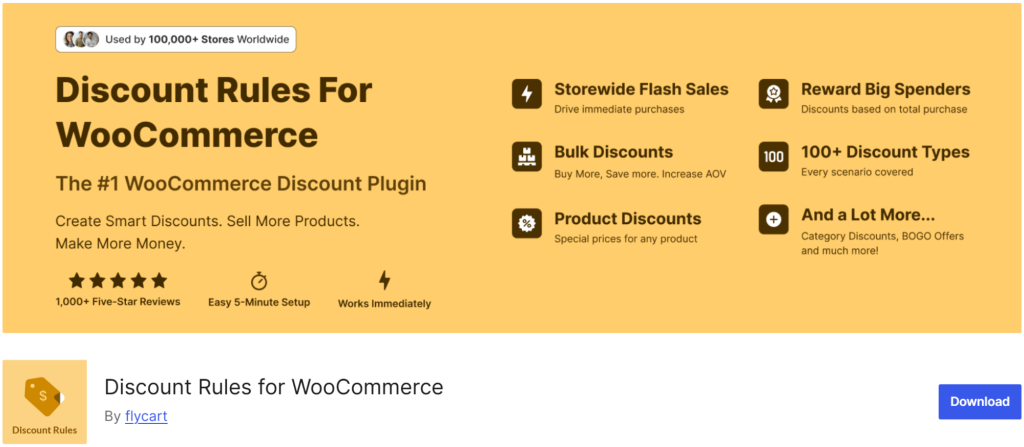
Discount Rules for WooCommerce by Flycart sits at the top because it’s the only plugin in our test that passed all six BOGO scenarios – including the recursive and cheapest-item tests that broke most others. It has 100K active installations on WordPress.org with a 4.8-star rating.
It’s not a BOGO-only tool. It’s a complete dynamic pricing engine that happens to do BOGO better than most BOGO-only plugins. Setting up “Buy 2 Get 1 Free” took us 2 minutes in the free version – adding a recursive layer (“then keep applying for every additional 2 bought”) took another 30 seconds in PRO. As a woocommerce buy x get y discount plugin, it covers more BOGO patterns than anything else we tested.
Key Features
- Buy X Get X and Buy X Get Y rule types – same-product and cross-product BOGO
- Recursive discounts that scale with cart quantity
- Free or partial discount for the “get” item (free / fixed price / percentage)
- Conditional rules – user role, cart subtotal, purchase history, shipping address conditions
- Cheapest-item Logic that protects your margin
- WooCommerce HPOS, WPML, and Polylang compatible
- Strikethrough pricing + “You Saved” messaging on product/cart pages
Pricing
- Free version – Available on WordPress.
- PRO – From $85/year for a single site – view pricing. PRO unlocks every BOGO type, recursive logic, and advanced conditions. 14-day money-back guarantee.
Pros
- Only plugin to pass all 6 BOGO test scenarios
- Free tier is genuinely useful (not a trial)
- The deepest conditions library on the market.
Cons
- BOGO requires PRO (free tier handles bulk + percentage only).
Best For
Stores that want one plugin handling BOGO, bulk discounts, category pricing, and conditional offers – without juggling three different tools.
Disclosure: Flycart develops Discount Rules for WooCommerce. It’s included on the same testing criteria as other plugins in this list.
2. Advanced Coupons – Best Free BOGO Coupon Plugin

Advanced Coupons is the most popular woocommerce bogo coupon plugin that extends WooCommerce’s native coupon screen rather than replacing it. With 20,000+ active installs onWordPress, it adds BOGO settings, cart conditions, URL coupons, and auto-apply directly to Marketing Coupons.
In our testing, the BOGO builder is the strongest free offering on this list. Over 20,000 stores use it on WordPress.org. A large chunk of them stay on the free tier indefinitely, because the free tier covers what most stores actually need. BOGO deals, URL coupons, store credit, and basic cart conditions are all there without paying anything.
Key Features
- BOGO inside the native WooCommerce coupon screen
- Cart conditions engine – subtotal, products, user role, shipping zone
- Auto-apply coupons when conditions match
- URL coupons – share a link, discount applies on click
- Free version handles BOGO – rare in the freemium space
Pricing
- Free version – BOGO, cart conditions, URL coupons – on WordPress
- Premium – From $99/year for a single site – view pricing. Premium adds loyalty, scheduled coupons, and gift cards.
Pros
- Free BOGO without an upgrade nag
- Familiar UI for anyone used to native WooCommerce coupons
- Strong cart conditions engine
Cons
- BOGO is coupon-driven – recursive logic is limited
- Not a full dynamic pricing engine
- Failed our recursive scenario (C) on the free tier
Best For
Stores that want to keep working inside WooCommerce’s native coupon UI but need real BOGO logic on top of it.
3. Smart Coupons by StoreApps – Best Premium All-in-One
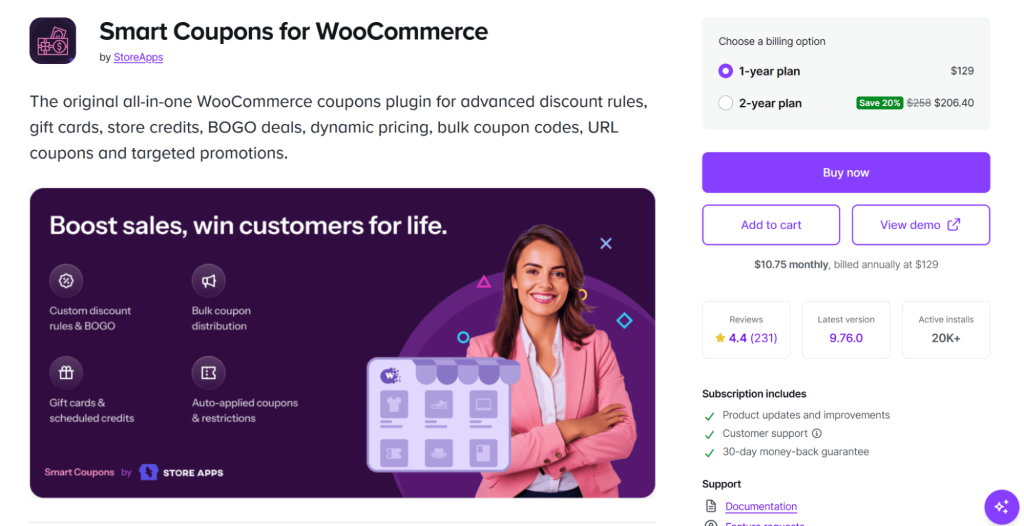
Smart Coupons by StoreApps is the original woocommerce bogo coupon plugin category leader, launched in 2012 and sold through the official WooCommerce.com marketplace. It’s sold on the official WooCommerce.com marketplace and trusted by over 26,600 paying customers. It’s the most expensive plugin on this list – and for stores that need gift cards, store credit, AND BOGO in one place, it earns the price.
Key Features
- BOGO with custom quantities, including “Buy 1 Get 1 at 50% off” and “Buy 2 Get 1 at $100 off”
- Gift cards and store credit – sell, send, redeem
- Bulk coupon generation with CSV export
- URL coupons + advanced restrictions (location, payment method, role)
- WooCommerce Subscriptions integration
Pricing
- No free version
- Premium – $129/year for a single site – view pricing
Pros
- Best gift card + store credit system on the list
- Listed on the official WooCommerce.com marketplace (compatibility is tight)
- 26,600+ customer base = stable, well-maintained
Cons:
- Highest price tag on this comparison
- Overkill if you only want BOGO and nothing else
- BOGO logic isn’t as deep as Discount Rules’ recursive support
Best For
Stores where gift certificates and store credit are core to the business model, with BOGO as a secondary need.
4. PW WooCommerce BOGO – Best for One-Click Simplicity

PW WooCommerce BOGO (by Pimwick) is a woocommerce buy one get one free plugin that does one thing – store-wide BOGO Free in a single click. Activating BOGO Free deals in your WooCommerce store has never been easier. Simply name your BOGO deal and click Publish. That’s it! It’s the lightest bogo plugin woocommerce owners reach for when they need a sitewide deal yesterday.
The trade-off: simplicity has a ceiling. The free version can’t do per-product BOGO, recursive offers, or category targeting. For that you need PRO.
Key Features
- One-step setup – name the deal, hit Publish
- PRO unlocks: Buy X Get X, % off variant, “Spend X Get X” rule, auto-add to cart
- Compatible with major payment gateways (PayPal, Klarna)
- Schedule start/end dates
Pricing
- Free – Sitewide BOGO Free only – on WordPress.org
- PRO – ~$59/year – view pricing
Pros
- Genuinely one-click for the sitewide use case
- Excellent support reputation (49+ five-star reviews)
- Lightweight – minimal performance impact
Cons:
- Free version is sitewide-only (no per-product targeting)
- Failed Scenario D (cross-category BOGO) in our test
- Limited conditions library compared to Discount Rules or Advanced Coupons
Best For
Stores running occasional, sitewide BOGO Free promotions where setup speed matters more than rule depth.
5. YITH Dynamic Pricing & Discounts – Best for Marketing-Heavy Stores
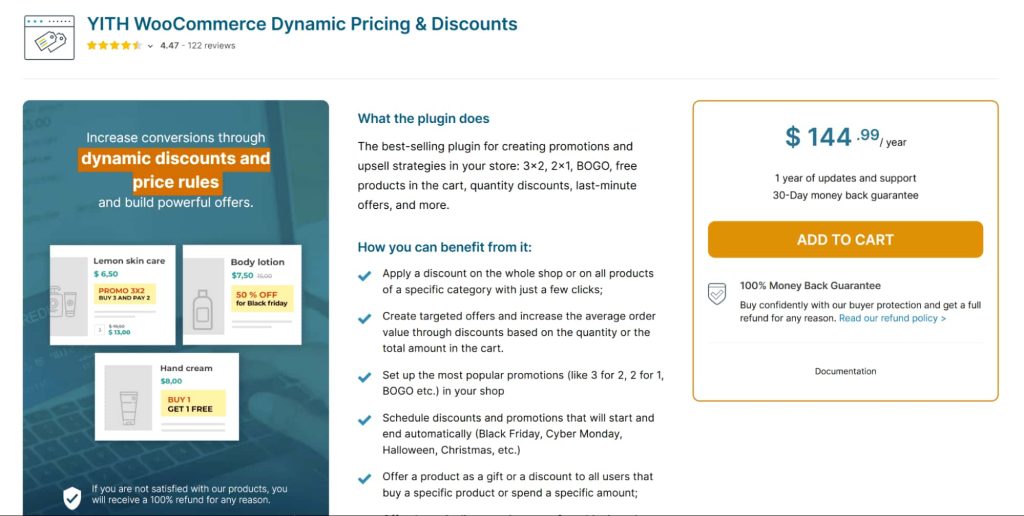
YITH Dynamic Pricing & Discounts is the marketing department’s favourite bogo plugin woocommerce install – countdown timers, animated promo banners, and dynamic on-page notices come baked in. The pricing engine itself is solid (BOGO, tiered, role-based), but where YITH separates is the front-end polish.
Key Features
- BOGO + Buy X Get Y across products, categories, tags, attributes
- Discount tables displayed automatically on product pages
- Countdown timers + animated promo banners
- Bulk discount management for large catalogs
- WPML, Polylang, multi-currency support
Pricing
- Lite version on WordPress – basic discounts only
- Premium – From $145/year for a single site – view pricing
Pros
- Strongest front-end visual layer of any plugin tested
- Backed by YITH’s huge plugin ecosystem (consistent UX)
- Solid scheduling for flash sales
Cons:
- More expensive than equivalent feature sets from Flycart or Advanced Coupons
- Free version too limited for real BOGO – Premium essentially required
- Slightly heavier on cart-page load than top picks
Best For
Stores running visible, time-sensitive promo campaigns where the visual urgency layer matters as much as the discount logic.
Want to see a fully-configured BOGO offer running before you install anything? A live demo store is worth ten plugin reviews – you’ll see how the cart actually behaves when a real customer triggers the rule.
6. Smart Coupons by WebToffee – Best Free Plugin with Native BOGO Module
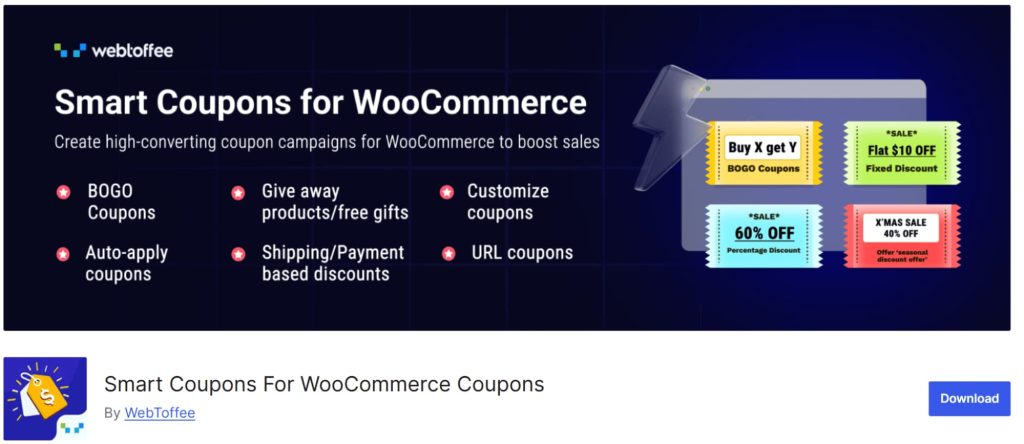
Not to be confused with StoreApps’ product – WebToffee’s Smart Coupons is a separate plugin and the only woocommerce bogo plugin free in our test with a dedicated BOGO module in the free tier. Trusted by 30,000+ sites.
In our testing, the free BOGO module passed Scenarios A, B, and (partially) C – better than most paid plugins. WebToffee notes that stores running BOGO promotions report an average 20–30% lift in average order value, and they’ve built the free tier to actually let you capture that lift without paywalling it. That makes it the standout free woocommerce bogo plugin for budget-first stores.
Key Features
- Dedicated BOGO module in the free tier – Buy X Get X, Buy X Get Y, tiered BOGO
- Bulk coupon generation with prefix/suffix and CSV export
- Auto-apply based on cart conditions
- User role + location restrictions
- Gift cards and store credit (Premium)
Pricing
- Free – Includes BOGO, bulk generation, auto-apply – on WordPress.org
- Premium – From $129/year – view pricing
Pros
- Genuinely powerful free tier (rare for BOGO)
- Bulk generator handles large seasonal campaigns
- Active development – last updated Feb 17, 2026
Cons:
- UI feels dated compared to Flycart or Discount Manager
- Recursive BOGO requires Premium
- Documentation thinner than top picks
Best For
Budget-conscious stores that want a real, working BOGO setup without paying upfront – and large email campaigns needing bulk coupon generation.
7. Advanced Dynamic Pricing for WooCommerce – Best Free Pricing Engine
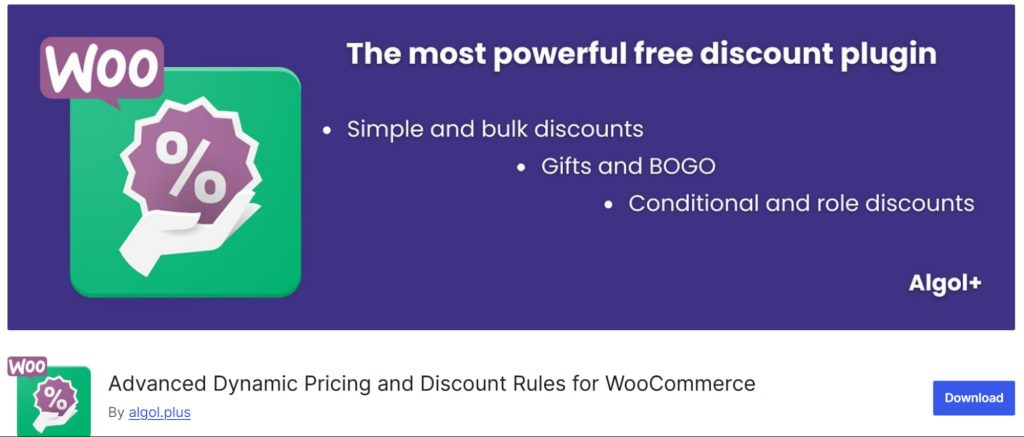
Advanced Dynamic Pricing for WooCommerce by Algolplus is the closest free competitor to Discount Rules. It has 20K active installations and a 4.7 rating, last updated Mar 9, 2026. The free version covers more BOGO scenarios than most paid BOGO-only plugins.
Key Features
- Buy X Get Y with product, category, and tag filters
- Bulk discounts alongside BOGO
- Cart-based discount conditions
- Configurable qualifying + giveaway conditions
- Works with simple and variable products
Pricing
- Free – On WordPress – covers most BOGO scenarios
- Pro – ~$60/year for a single site – view pricing
Pros
- Free tier handles real BOGO (not just sitewide)
- Solid combination of BOGO + bulk + cart-based discounts
- Lightweight performance footprint
Cons:
- UI feels engineering-led, not marketer-led
- Limited front-end display features (no dynamic banners)
- Failed Scenario D (cross-category BOGO with conditions) on free tier
Best For
Technical store owners who want a flexible free pricing engine and don’t mind a slightly steeper learning curve.
8. Conditional Discounts for WooCommerce – Best for Conditional BOGO
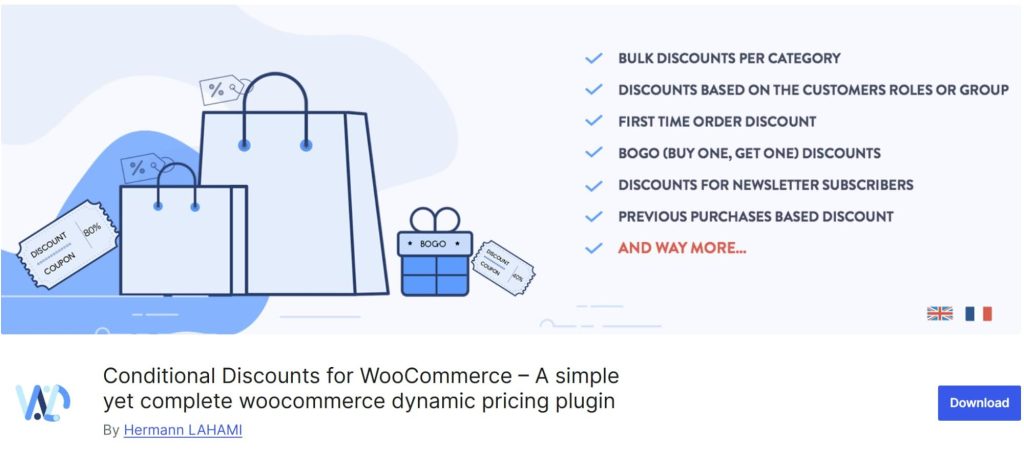
Conditional Discounts for WooCommerce by Hermann is a niche pick for stores that need layered conditions on every BOGO rule. As a conditional BOGO for WooCommerce tool, it’s purpose-built for tightly-targeted campaigns – “only if subtotal is over $50, customer has bought before, AND has 3 items from Category B in cart”. The conditions engine is genuinely impressive for the price.
Key Features
- BOGO + free gifts in Premium
- User-role-based discounts with granular targeting
- Subtotal, quantity, and cart-content conditions
- Works for guest and logged-in customers
Pricing
- Free – Basic conditional discounts – on WordPress
- Premium – From $60/year – view pricing
Pros
- Affordable Premium pricing
- Strong conditional logic engine
- Good for B2B and member-only BOGO
Cons:
- BOGO is locked behind Premium
- Less polished UI than top picks
- Smaller user base – fewer community resources
Best For
Stores running tightly-targeted BOGO campaigns to repeat customers or specific user segments.
9. Buy One Get One Free for WooCommerce (QuadLayers) – Best for Gift Pop-ups
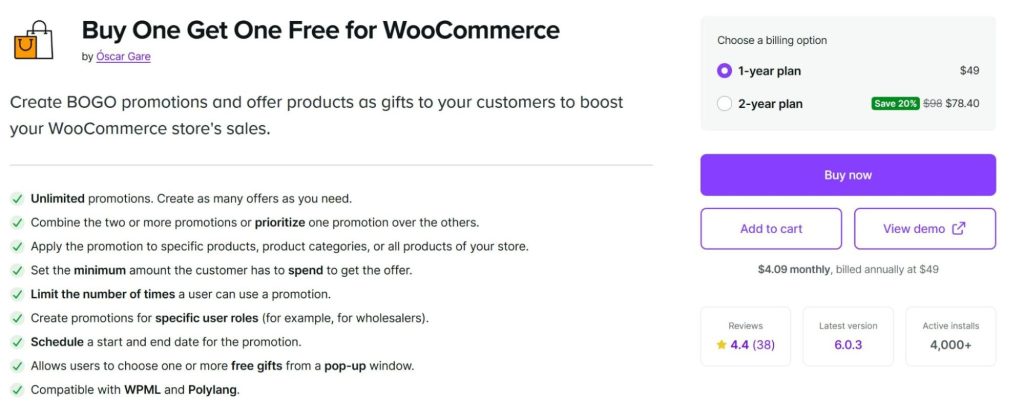
Buy One Get One Free for WooCommerce by QuadLayers (Oscar Gare) is one of the few woocommerce bogo deal plugin options listed on the official WooCommerce.com marketplace. Its standout feature: a pop-up window that lets customers choose which free gift they want from a pre-defined list.
Key Features
- BOGO with customer-selectable free product (pop-up)
- 2×1 and 3×2 rule types
- Category-level rules – buy from Category A, choose free from Category B
- WPML and Polylang compatible
- User role targeting (e.g., wholesalers only)
Pricing
- No free version
- Premium – ~$49/year – view pricing on WooCommerce
Pros
- Customer-choice gift pop-up is a unique angle
- Listed on WooCommerce.com (tight compatibility testing)
- Clean WPML/Polylang support
Cons:
- Mixed reviews (4.0 average) – some users report intermittent pricing bugs
- No free version
- Limited conditions library compared to Discount Rules
Best For
Stores that want customers to choose their free gift rather than auto-receive one – premium gifting, beauty brands, and lifestyle retail.
10. WooCommerce Discount Manager (Barn2) – Best for Setup Wizard Flow

WooCommerce Discount Manager by Barn2 is the easiest plugin to set up on this list – by a margin. It includes a setup wizard that walks you through creating your first discount step by step. If a non-technical store owner has never installed a discount plugin before, this is the one to recommend.
Key Features
- Setup wizard for first-time discount creation
- 6 discount types including Buy X Get Y Free
- Automatic free-product addition when conditions match
- Priority system that prevents accidental discount stacking
- Quantity discount tables auto-displayed on product pages
Pricing
- No free version
- Premium – From $89/year for a single site – view pricing
Pros
- Easiest setup of any plugin tested
- Built-in priority system reduces rule-conflict risk
- Excellent support reputation (5.0 rating)
Cons:
- No free version means no test-drive
- Smaller user base than veteran plugins
- BOGO logic solid but not as deep as Discount Rules or Smart Coupons
Best For
Beginner store owners and agencies setting up sites for non-technical clients.
How to Choose the Right WooCommerce BOGO Plugin
Picking the best WooCommerce BOGO plugin comes down to your dominant scenario, not the longest feature list. Use this decision matrix – and if you want a deeper WooCommerce BOGO plugin tutorial, the Flycart docs walk through every screen with annotated screenshots.
| Your Situation | Recommended Plugin |
| One plugin for BOGO + bulk + cart + category | Discount Rules for WooCommerce |
| Zero budget + need real BOGO today | Smart Coupons by WebToffee (free) |
| Already use the native WooCommerce coupon UI | Advanced Coupons (free) |
| Sell gift cards + store credit + need BOGO | Smart Coupons by StoreApps |
| One-click sitewide BOGO Free deal | PW WooCommerce BOGO |
| Marketing-heavy promos with countdowns | YITH Dynamic Pricing |
| Easiest possible setup | Barn2 Discount Manager |
| Customers choose their free gift | QuadLayers BOGO Free |
Need any woocommerce bogo plugin free? Stick with WebToffee Smart Coupons or Algolplus’ Advanced Dynamic Pricing – both deliver real BOGO without a paywall.
What Else to Check Before Installing
- HPOS compatibility. WooCommerce’s High Performance Order Storage is now standard. Plugins that don’t declare HPOS support will throw warnings.
- WPML / multi-currency – confirm before installing if you sell globally.
- Last updated date. Anything older than 6 months is a yellow flag – see the version updates documentation for what active maintenance looks like.
- Free vs paid feature parity. Does the free version actually let you ship a real BOGO, or is it a trial in disguise?
💡 Pro Tip: Install on staging first. A misconfigured rule on a live store can discount products for hours before it’s caught – that’s hours of margin gone. The Flycart staging guide covers safe deployment patterns.
BOGO Scenarios That Break Most Plugins
Here’s where most plugins quietly fail. Test for these specifically before going live with any woocommerce bogo deal plugin – these are the scenarios that distinguish a working setup from a refund queue:
- Recursive offers (Buy 2 Get 2, Buy 4 Get 4…) – the rule must scale with cart quantity. Many plugins apply once and stop. The Buy X Get X documentation shows the recursive checkbox you need.
- Cheapest-item logic – when 5 items qualify, which gets discounted? You want the cheapest, the plugin sometimes picks the most expensive. The Buy X Get Y rules cover the priority settings.
- Variable products – does the rule respect “size: M only”, or does it apply to every variation?
- Mixed cart with non-eligible items – when the customer has 1 BOGO-eligible product and 3 ineligible ones, does the cart total stay correct?
- Cart edits after qualifying – if the customer removes the qualifying item, does the free item also go away?
- Scheduled BOGO + flash sales overlapping – what happens when two rules collide? Is there a priority system?
Of the 10 plugins we tested, only Discount Rules for WooCommerce, Smart Coupons by StoreApps, and WooCommerce Discount Manager passed all six scenarios cleanly.
What Reddit and Quora Users Actually Recommend
We checked discussions on r/woocommerce, r/WordPress, and Quora threads about BOGO plugins. The patterns are consistent – and worth scanning before any woocommerce bogo plugin tutorial convinces you to install something.
Theme 1: “Don’t trust free plugins that lock the basics.” Across multiple r/woocommerce threads, store owners repeatedly call out plugins where “free” means “trial”. Discount Rules for WooCommerce and Advanced Coupons get named most often as plugins where the free tier actually works for real BOGO scenarios.
Theme 2: “Pick ONE plugin, not three.” Stacking two discount plugins is the #1 cause of duplicate-discount bugs reported on r/woocommerce. Pick one and go deep.
Theme 3: “Test the exact cart your customers will use.” The most-upvoted advice in BOGO threads we reviewed: don’t test with one product. Build a multi-product, multi-variation cart that mirrors what your typical buyer adds. Single-product tests miss rule-conflict edge cases.
Theme 4: Quora questions cluster around “maximum discount cap” Quora threads on coupon plugins highlight one feature most free plugins lack: a per-coupon maximum discount amount. Discount Rules and Advanced Coupons support this – others often don’t.
A few useful threads to skim before you commit:
- r/woocommerce – BOGO plugin recommendations (search “BOGO” within the subreddit)
- Quora – What are the best WooCommerce coupon plugins?
- WordPress.org Discount Rules support forum – real edge-case threads from active stores
- Voucherify’s BOGO research summary – references Dan Ariely’s “zero price effect” study showing why “free” outperforms equivalent percentage discounts
Common BOGO Mistakes to Avoid
These come up over and over in support tickets and forum threads – even with the most polished woocommerce bogo deal plugin installed, the rule logic can still bite you:
- Stacking BOGO with sitewide coupons unintentionally. Your auto-apply BOGO + a manual 20% coupon code = 40% off when you wanted 20%. Configure stacking rules – the discount priority guide covers exactly how.
- No cap on quantity. “Buy 1 Get 1 Free” with no limit means a customer can take 50 free items in one order. Always set a maximum free quantity in your conditional discount rules.
- Forgetting to test the cart edit case. Customer adds the qualifying item, removes it later, but the free item stays. Many plugins don’t recompute correctly.
- Running BOGO on negative-margin items. If your cost on the “get” product is high, “Buy 1 Get 1 Free” can put you underwater. Use “Buy 1 Get 1 50% Off” instead.
- Ignoring HPOS warnings. Older plugins that haven’t migrated will throw cart errors after you enable High Performance Order Storage.
⚠️ Warning: Always test BOGO rules on a staging site before going live, and verify on the front-end cart – not just in the admin preview.
Stop losing AOV (average order value) to broken BOGO setups. The right plugin pays for itself within the first weekend campaign – start with the free tier and upgrade only when the rules pay off.
Conclusion
The best WooCommerce BOGO plugin for most stores is Discount Rules for WooCommerce – it passed every test scenario we ran and handles BOGO inside a wider discount engine, so you don’t end up installing three plugins to do one job. If your budget is zero today, Smart Coupons by WebToffee is the strongest free option with a real BOGO module. If gift cards and store credit are core to your business, Smart Coupons by StoreApps earns its $129/year price tag.
Whichever you pick, the rule is the same: install on staging, test the recursive and cheapest-item scenarios with a multi-product cart, and only then push to production. A working BOGO is a high-margin lever. A broken one is a slow refund queue.
Next: configure your first rule in under 10 minutes – the step-by-step WooCommerce BOGO plugin tutorial walks you through every screen.
Frequently Asked Questions
The strongest free woocommerce bogo plugin options are Smart Coupons by WebToffee (dedicated BOGO module in the free tier) and Advanced Coupons (BOGO inside the native coupon screen). Discount Rules for WooCommerce has a free version too, but BOGO requires the PRO upgrade.
No. WooCommerce’s native coupon system supports percentage discounts, fixed-cart discounts, fixed-product discounts, usage limits, and expiry dates – but not BOGO logic, auto-apply, URL coupons, or “Buy X Get Y” rules.
Free versions exist (Smart Coupons, WebToffee, Advanced Coupons, PW BOGO Free, Algolplus, Conditional Discounts). Paid plugins range from ~$49/year (Conditional Discounts, QuadLayers BOGO) to $129/year (Smart Coupons by StoreApps). Mid-range options like Discount Rules PRO ($85/year), Advanced Coupons Premium ($59.50/year), and PW BOGO Pro (~$59/year) cover most stores. Re-check prices on official product pages before purchasing – they change.
Yes, if you pick the right woocommerce buy one get one free plugin. Discount Rules for WooCommerce, YITH Dynamic Pricing, and Advanced Dynamic Pricing all support variable products with variation-specific targeting. A few free plugins (PW BOGO Free, basic Conditional Discounts) limit BOGO to simple products only – verify before committing.
Most modern plugins add less than +0.15s to cart and checkout page load when configured correctly.
It depends on the plugin’s stacking controls. Discount Rules for WooCommerce and Advanced Coupons let you decide rule-by-rule whether a BOGO can combine with other coupons. Without explicit stacking controls, a customer could combine a 20% coupon with a Buy 1 Get 1 Free deal and get 40%+ off – rarely what you intended.