Here’s a number worth paying attention to – nearly 90% of U.S. consumers have used a coupon, and 67% have made an unplanned purchase solely because they found one. The global digital coupon market crossed $10.57 billion in 2025 and is growing at 19% annually.
Yet most WooCommerce store owners still rely on the same tired “10% OFF” codes that slash profits without building loyalty.
That’s where WooCommerce smart coupons come in. Smart coupons are advanced coupon strategies – auto-apply discounts, BOGO deals, URL-activated promotions, store credits, and conditional rules – that reward specific customer behaviors instead of handing out blanket discounts. They’re the difference between a coupon that costs you money and one that grows your revenue.
After configuring coupon strategies for thousands of stores through Discount Rules for WooCommerce since 2017, we’ve identified what separates high-performing coupon programs from ones that just bleed margin. This guide distills those lessons into something you can act on today.
Here’s what you’ll walk away with:
- What separates “smart” coupons from basic discount codes
- The 8 types of smart coupons you can create right now
- Step-by-step setup using Discount Rules for WooCommerce (free + Pro)
- Head-to-head comparison of 7 top plugins with pricing
- A proven coupon strategy playbook with real-world scenarios
- What Reddit and Quora users actually recommend (with direct thread links)
- Common mistakes and troubleshooting fixes
Whether you’re running your first WooCommerce store or managing a high-traffic shop, this guide covers everything you need.
Want to start creating smart coupons without reading the entire guide first?
You can set up your first conditional coupon in under 5 minutes – no coding, no complicated settings. Pick a discount type, add a condition, and your coupon is live.
Table of contents
- What Are WooCommerce Smart Coupons? (And Why Basic Coupons Fall Short)
- 8 Types of WooCommerce Smart Coupons
- 1. BOGO (Buy One Get One) Coupons
- 2. Auto-Apply Coupons
- 3. URL Coupons
- 4. Store Credit & Gift Card Coupons
- 5. Conditional / Cart-Based Coupons
- 6. First Order & Next Order Coupons
- 7. Bulk Generated Coupons
- 8. Role-Based & Location-Based Coupons
- Method 1 – Using Discount Rules for WooCommerce (Flycart)
- Method 2 – Using WooCommerce’s Built-in Coupon System
- 7 Best WooCommerce Smart Coupon Plugins Compared (2026)
- Quick Comparison Table
- 1. Discount Rules for WooCommerce (Flycart) – Best Overall
- 2. Smart Coupons by StoreApps – Best for Gift Cards & Store Credits
- 3. Smart Coupons for WooCommerce by WebToffee – Best Free BOGO Plugin
- 4. Advanced Coupons by Rymera – Best for Cart Conditions & Loyalty
- 5. Smart Discounts & Coupons for WooCommerce – Best WooCommerce Marketplace Extension
- 6. YayPricing – Best for Visual Rule Building
- 7. Coupon Generator for WooCommerce – Best for Bulk Code Generation
- WooCommerce Smart Coupon Strategy Playbook: 6 Proven Tactics That Increase Revenue
- What Store Owners Say: Reddit & Forum Insights on WooCommerce Smart Coupons
- 7 Common Mistakes to Avoid with WooCommerce Smart Coupons
- Troubleshooting WooCommerce Smart Coupon Issues
- Conclusion
- Frequently Asked Questions
What Are WooCommerce Smart Coupons? (And Why Basic Coupons Fall Short)
WooCommerce smart coupons are coupon codes enhanced with conditional logic, automation, behavioral targeting, or advanced distribution features that go beyond the default WooCommerce discount system. They turn passive discount codes into active sales tools that respond to what customers do, who they are, and what’s in their cart.
Think of it this way – a basic coupon is a flyer on a windshield. A smart coupon is a personalized offer that arrives exactly when a customer is about to abandon their cart.
The Problem with Default WooCommerce Coupons
Out of the box, WooCommerce gives you a coupon system that handles the basics. You get percentage discounts, fixed cart discounts, and fixed product discounts. You can set expiry dates and usage limits.
But that’s where it stops.
The native system can’t automatically apply a coupon when a customer’s cart hits $100. It can’t run BOGO deals. It can’t restrict coupons by location, payment method, or purchase history. And it definitely can’t generate thousands of unique codes for an email campaign.
These limits force store owners into two camps – they either under-promote (same tired 10% code) or over-discount (giving everyone the same deal regardless of value).
What Makes a Coupon “Smart”?
A coupon qualifies as “smart” when it includes one or more of these capabilities:
- Auto-apply logic – Discounts activate automatically when conditions are met
- Behavioral targeting – Restricted by user role, purchase history, cart contents, or location
- BOGO and tiered logic – Buy X Get Y rules, quantity-based pricing, progressive discounts
- URL activation – Shareable links that auto-apply discounts when clicked
- Store credits and gift cards – Reusable credit balances tied to customer accounts
- Bulk generation – Creating hundreds of unique codes at once for campaigns
- Scheduling – Start and end dates with countdown urgency
- Stacking rules – Control over how multiple coupons interact
Key Benefits of Smart Coupons for Store Owners
In our experience powering discount engines for 50,000+ stores, we’ve seen smart coupons directly impact three core metrics. According to Capital One Shopping research, 66% of consumers have made an impulse purchase because of a digital coupon, and 79% are willing to share their email in exchange for one.
What smart coupons help you achieve:
- Higher AOV – Tiered discounts and minimum spend thresholds push customers to add more items. Our internal data across Flycart-powered stores shows an average 18% AOV increase when tiered coupons replace flat sitewide codes.
- Better retention – Next order coupons and store credits create a loyalty loop
- Lower cart abandonment – Auto-apply coupons remove friction. 85% of consumers have abandoned a cart because they couldn’t find a coupon code
- Targeted promotions – Role and location-based coupons prevent wholesale prices leaking to retail customers
- Measurable ROI – Smart coupon plugins track redemption rates
Pro Tip: If your coupon strategy begins and ends with a single sitewide code, you’re leaving money behind. Consumers using coupons spend 18% more on average than non-coupon shoppers – but only when the coupon feels personalized and well-timed.
Key Takeaway: Default WooCommerce coupons handle basics. Smart coupons add automation, conditions, and targeting that turn discounts from a cost center into a growth tool. If you’re running sitewide flat codes today, switching to conditional coupons is the single highest-impact change you can make.
8 Types of WooCommerce Smart Coupons
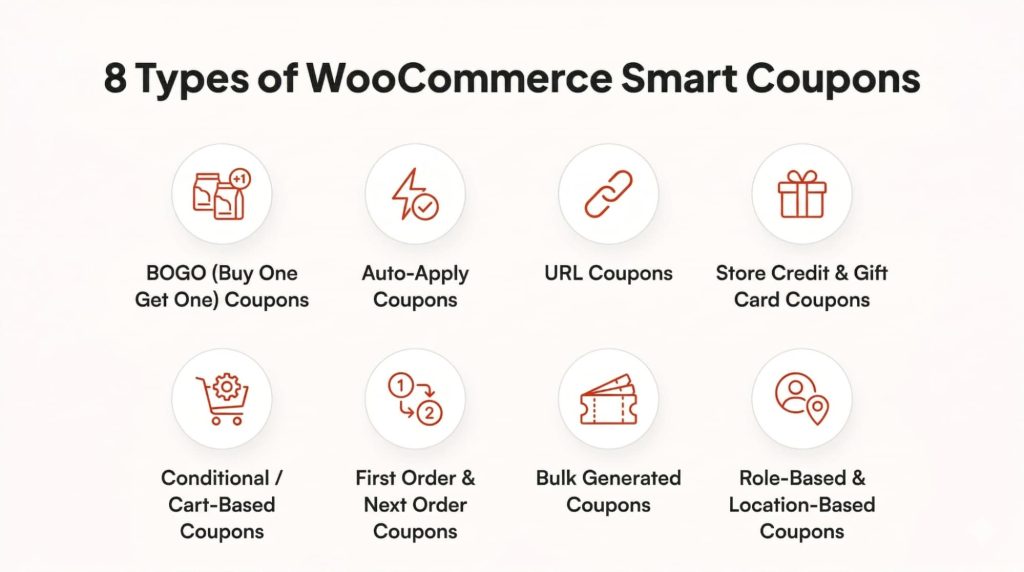
Smart coupons in WooCommerce are not a single feature but a family of coupon types, each designed to reward a different customer behavior. Knowing which type to use – and when – is what separates a coupon that drives profit from one that simply cuts into your margins.
1. BOGO (Buy One Get One) Coupons
BOGO coupons reward customers for buying more. They’re the second most popular coupon type – 61% of consumers prefer BOGO deals, trailing only percentage discounts.
Real-world scenario: You run a skincare store. Set up “Buy 2 serums, get 1 moisturizer free.” The customer gets perceived value, you clear slow-moving moisturizer inventory, and AOV jumps from $40 to $80.
Variations: Buy 1 Get 1 Free (same product), Buy 2 Get 1 at 50% off, Buy from Category A get product from Category B free, Tiered BOGO (Buy 2-5 get 1 free, Buy 6+ get 2 free).
2. Auto-Apply Coupons
These activate automatically when cart conditions are met. No code entry needed.
Real-world scenario: Your “Free shipping on orders over $75” just appears in the cart when customers cross $75. Friction eliminated.
3. URL Coupons
Embed the discount into a clickable link. Customer clicks, coupon auto-applies, they land on the cart or checkout page.
Real-world scenario: Email campaign: “Hey Name, here’s your exclusive 20% off link.” One click, discount applied, zero friction. Perfect for email, social media, affiliates, and deal sites.
4. Store Credit & Gift Card Coupons
Store credits function like prepaid balances tied to customer accounts. Usable across multiple purchases until depleted.
Real-world scenario: Customer returns a $50 item. You issue $50 in store credit instead of a refund. They come back – and 84% spend more than the gift certificate value itself, according to StoreApps testing.
5. Conditional / Cart-Based Coupons
Only work when specific cart or customer conditions are met.
Real-world scenario: 15% off coupon that only activates when the cart has 3+ items from “Accessories” AND subtotal exceeds $60. Prevents misuse while encouraging larger orders.
Common conditions: minimum/maximum spend, specific products or categories, cart item count, purchase history, payment gateway, shipping method, billing/shipping location.
6. First Order & Next Order Coupons
First order coupons target new customers exclusively. Next order coupons are issued post-purchase.
Real-world scenario: Popup for visitors: “Welcome! 15% off your first order.” After purchase, the confirmation email includes: “Thanks! Here’s $10 off your next order – valid 30 days.”
This is the “loyalty loop” – acquire, convert, retain.
7. Bulk Generated Coupons
Produce hundreds or thousands of unique codes in minutes.
Real-world scenario: Holiday campaign – send a unique 20% off code to every subscriber on your 5,000-person email list. Export as CSV, import into your email platform.
8. Role-Based & Location-Based Coupons
Restrict eligibility based on who the customer is or where they’re located.
Real-world scenario: 25% wholesale pricing for “Wholesale” role users, 10% for “VIP Members,” standard for everyone else. Or a “USA Independence Day” coupon only for US shipping addresses.
Pro Tip: Combining types multiplies effectiveness. A BOGO coupon that auto-applies only for first-time US buyers creates a highly targeted promotion with minimal fraud risk.
Key Takeaway: Each of the 8 smart coupon types targets a different business goal. BOGO clears inventory and boosts AOV. Auto-apply reduces friction. URL coupons power campaigns. Store credits drive retention. Pick 2-3 types that match your current growth priority.
How to Create WooCommerce Smart Coupons (Step-by-Step)
Creating a smart coupon in WooCommerce means combining a discount rule with one or more conditions and attaching it to a coupon code (or setting it to auto-apply). The process takes under 5 minutes with the right plugin, and you don’t need to write any code.
We’ll use Discount Rules for WooCommerce by Flycart for this walkthrough because it combines dynamic pricing with coupon-based discounting in a single interface.
Method 1 – Using Discount Rules for WooCommerce (Flycart)
Step 1: Install and Activate the Plugin
Go to WordPress Dashboard → Plugins → Add New. Search for “Discount Rules for WooCommerce.” Click Install Now, then Activate.
Expected Result: The plugin appears under WooCommerce → Discount Rules in your sidebar.
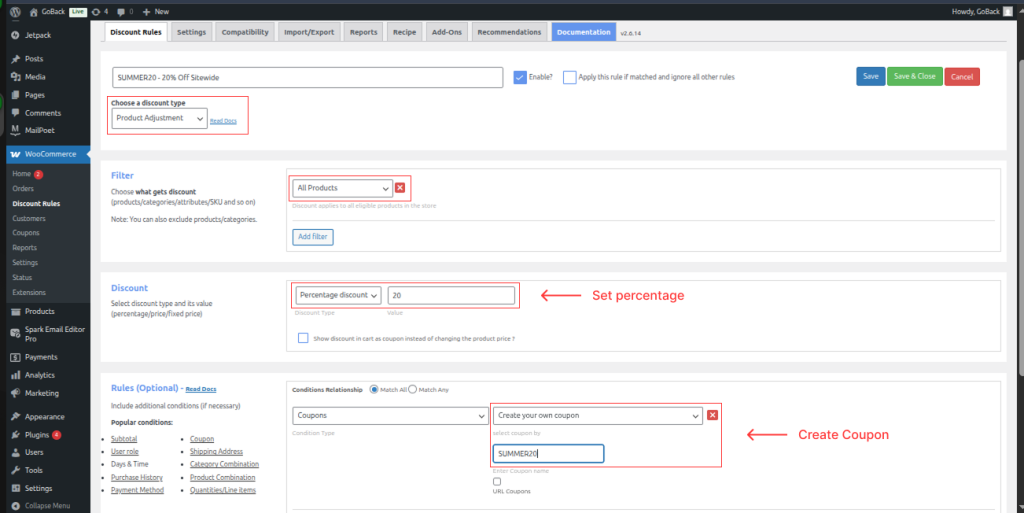
Step 2: Create a New Discount Rule with Coupon
Navigate to WooCommerce → Discount Rules → Add New Rule. Name it (e.g., “SUMMER20 – 20% Off Sitewide”). Under Discount Type, select Product Adjustment. Set Percentage Discount at 20.
Step 3: Add a Coupon Condition
Scroll to Rules (Optional). Click Add Condition. Select Coupons → Create your own coupon and type “SUMMER20.”
The discount now only activates when customers enter this code.
Expected Result: Coupon condition appears in the rules section with your code displayed.
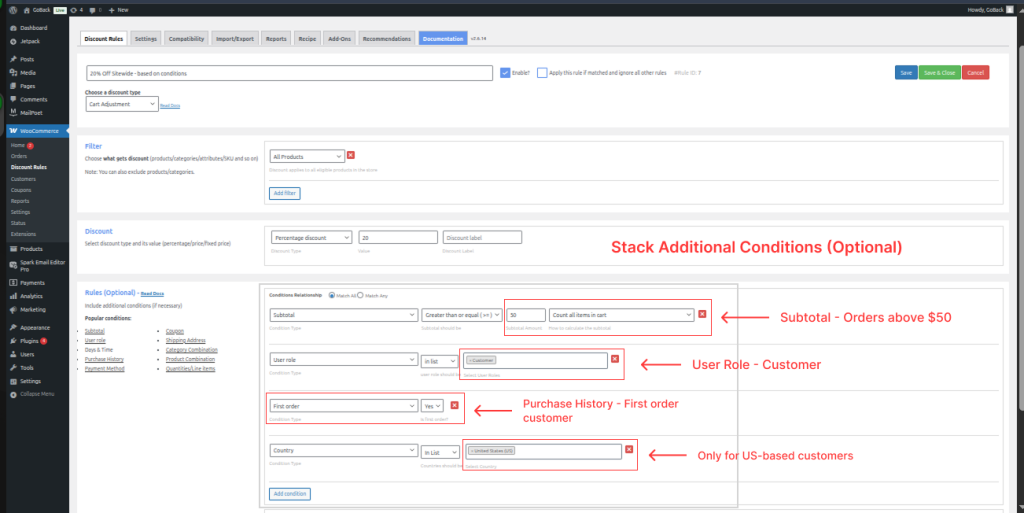
Step 4: Stack Additional Conditions (Optional)
Layer more conditions for smarter targeting:
- Subtotal – Only on orders above $50
- User Role – Only for “Customer” role
- Purchase History – Only for customers with 0 previous orders (first order discount)
- Shipping Address – Only for US-based customers
Step 5: Save and Test
Click Save. Visit your store front end in incognito mode. Add products, enter coupon code at checkout.
Expected Result: Discount applies when all conditions are met. If conditions aren’t met, appropriate error message appears.
Pro Tip: Test with different user roles, edge cases (expired codes, minimum spend not met), and on mobile. After changes, clear transients: WooCommerce → Status → Tools → Clear Transients.
Method 2 – Using WooCommerce’s Built-in Coupon System
WooCommerce’s native system handles simple use cases. Marketing → Coupons → Add Coupon lets you set discount type, amount, restrictions, and limits.
The built-in system is fine for basic percentage/fixed discounts. But it lacks BOGO logic, auto-apply, URL coupons, and advanced conditional rules. For anything beyond simple codes, you need a plugin.
Related: Detailed configuration in the Flycart documentation on coupon-activated discount rules.
Key Takeaway: Creating a smart coupon takes 5 steps – install plugin, create rule, set discount, add coupon condition, add targeting conditions. The method above works for percentage, fixed, and BOGO discounts. Always test in incognito before going live.
7 Best WooCommerce Smart Coupon Plugins Compared (2026)
Choosing the right WooCommerce coupon plugin depends on what you need most – BOGO deals, store credits, bulk generation, or conditional rules. Below is an honest breakdown of 7 top options based on our testing across real stores.
TL;DR: For coupon + dynamic pricing rules in one plugin, go with Discount Rules for WooCommerce. For gift cards and store credits, Smart Coupons by StoreApps. For cart conditions and loyalty, Advanced Coupons. See the comparison table below.
Quick Comparison Table
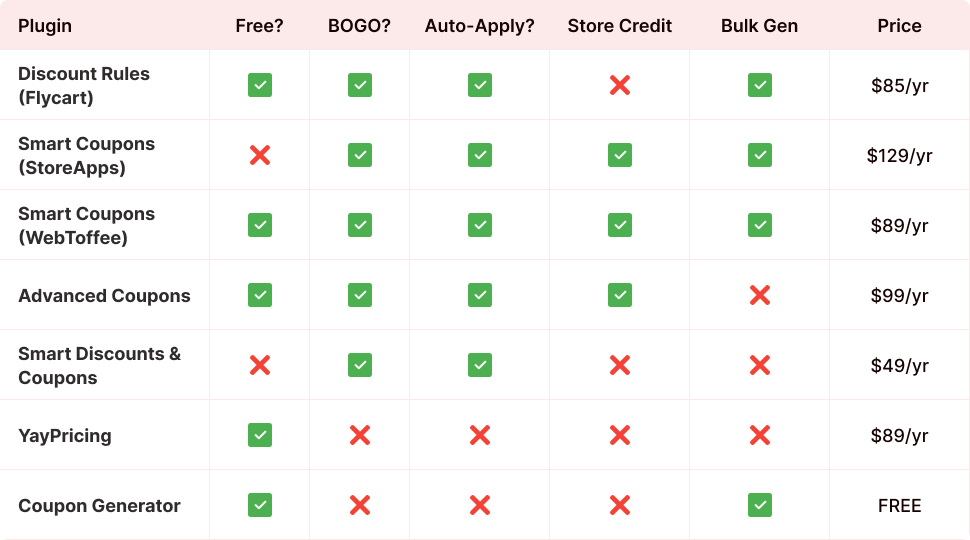
1. Discount Rules for WooCommerce (Flycart) – Best Overall
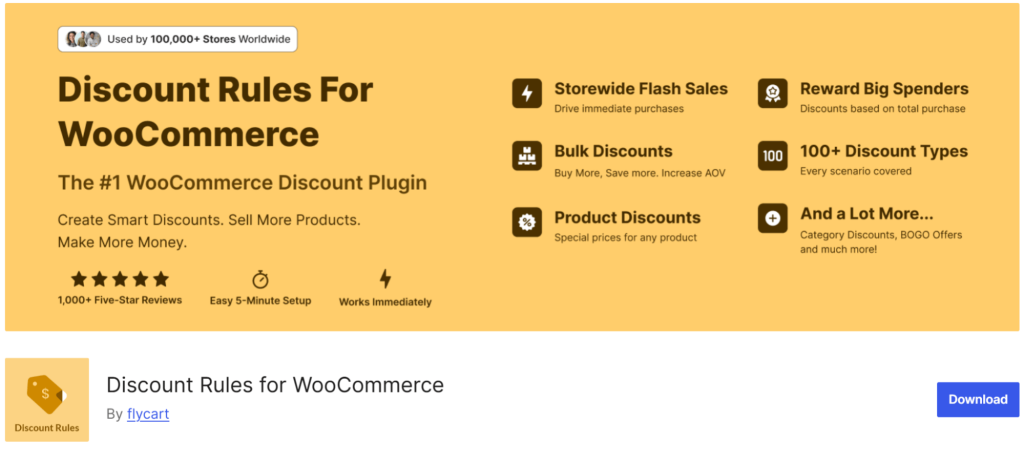
Discount Rules for WooCommerce combines dynamic pricing with coupon-based discounting in one plugin. Handles percentage, fixed, BOGO, bulk, cart adjustments, and coupon-activated rules.
The conditions engine stacks subtotal thresholds, user roles, purchase history, cart quantities, shipping addresses, and specific products/categories. Having tested this across our own 50,000+ store user base, the plugin handles high-traffic checkout without noticeable slowdowns.
Key Features: BOGO (Buy X Get X/Y), coupon-based activation, cart adjustments, bulk/tiered pricing, conditions (role, history, quantity, subtotal, address), free shipping rules, stacking controls, WPML + HPOS compatible.
Pricing:
- Free: WordPress.org – 100,000+ installs, 4.9★
- Pro: $85/year single site – view pricing
Best For: Stores needing both dynamic pricing rules AND coupon-based promotions in one plugin.
2. Smart Coupons by StoreApps – Best for Gift Cards & Store Credits
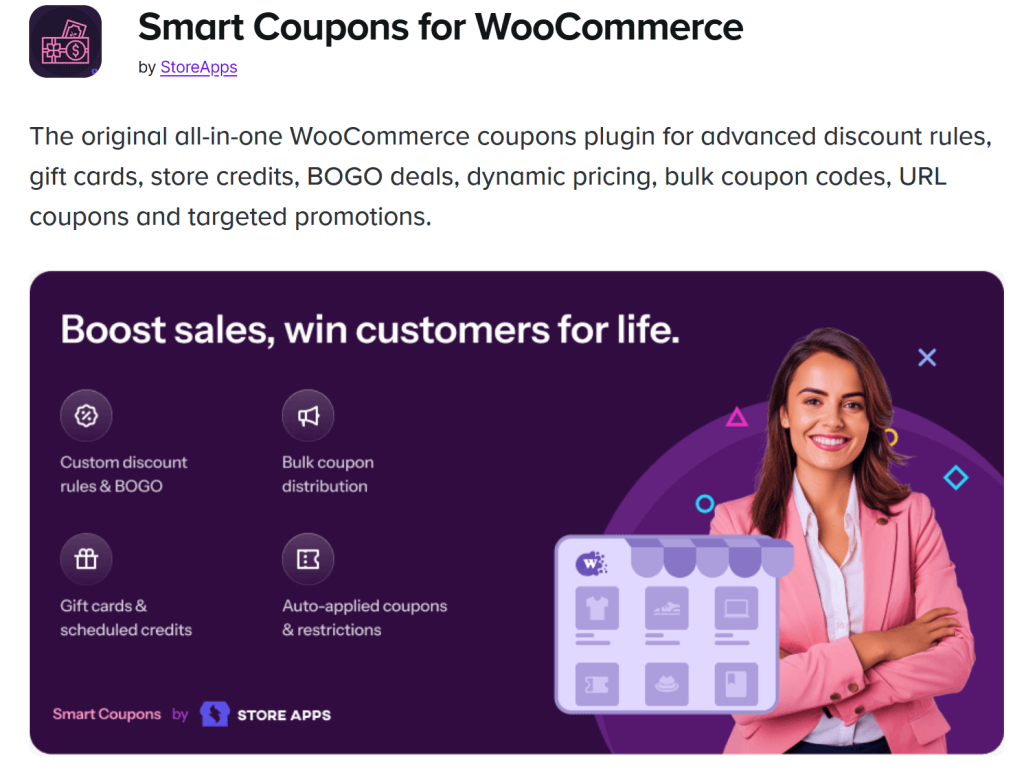
Smart Coupons by StoreApps is the original “smart coupons” plugin, launched in 2012 on WooCommerce.com. Trusted by 26,600+ stores.
Strongest in store credit and gift card management. Customers buy, send, and schedule gift cards. Store owners issue credits as refund alternatives. Also handles BOGO, URL coupons, bulk generation, and advanced restrictions.
Key Features: Store credit/gift card system, bulk generation + CSV export, URL coupons, BOGO, next order coupons, coupon designs, WooCommerce Subscriptions integration.
Pricing:
- $129/year single site –view pricing
- No free version
Best For: Stores heavily using gift cards, store credits, and needing deep WooCommerce ecosystem integration.
3. Smart Coupons for WooCommerce by WebToffee – Best Free BOGO Plugin
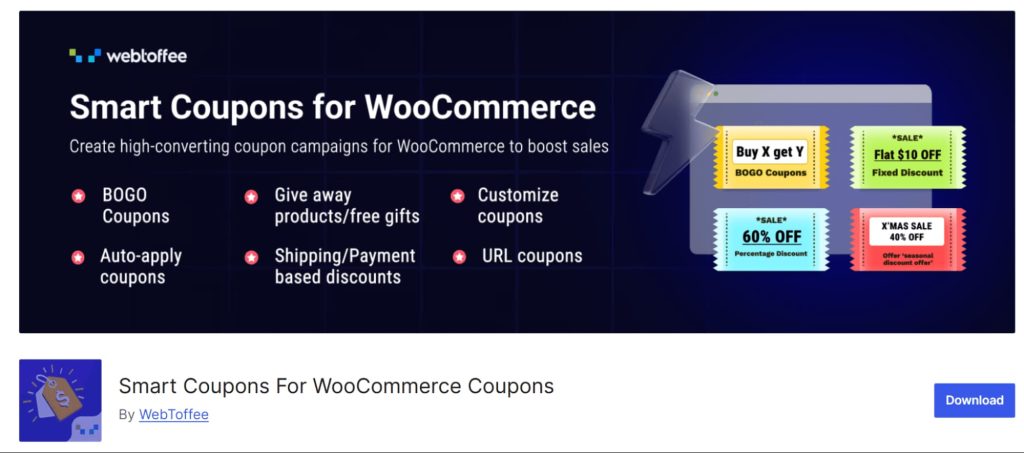
Smart Coupons for WooCommerce by WebToffee extends default WooCommerce coupons with BOGO, auto-apply, giveaways, and advanced restrictions. The free version is genuinely feature-rich.
In our testing, the BOGO module stood out – separate settings for Buy X Get Y, quantity-based triggers, and repeat/tiered BOGO are available even in the free tier.
Key Features: BOGO (free + premium), auto-apply, coupon shortcodes, restrictions (role, payment, shipping, location), store credit (premium), bulk generation (premium), countdown banners (premium).
Pricing:
- Free: WordPress.org – 30,000+ installs
- Premium: $89/year – view pricing
Best For: Stores wanting strong BOGO functionality starting from a free plan.
4. Advanced Coupons by Rymera – Best for Cart Conditions & Loyalty

Advanced Coupons extends the native WooCommerce coupon screen with cart conditions, BOGO, store credit, URL coupons, and a loyalty program. WPBeginner consistently recommends it.
In our head-to-head testing, the cart conditions builder is more visual than most competitors – you can stack rules like “subtotal > $50 AND product from Category X in cart AND customer has 0 previous orders” without any confusion.
Key Features: Cart conditions, BOGO, URL coupons, store credit, scheduling, loyalty program (premium), integrations with FunnelKit, WPML, Uncanny Automator.
Pricing:
- Free:WordPress.org – 20,000+ installs
- Premium: $99/year –view pricing
Best For: Stores wanting cart-condition logic and a built-in loyalty program.
5. Smart Discounts & Coupons for WooCommerce – Best WooCommerce Marketplace Extension
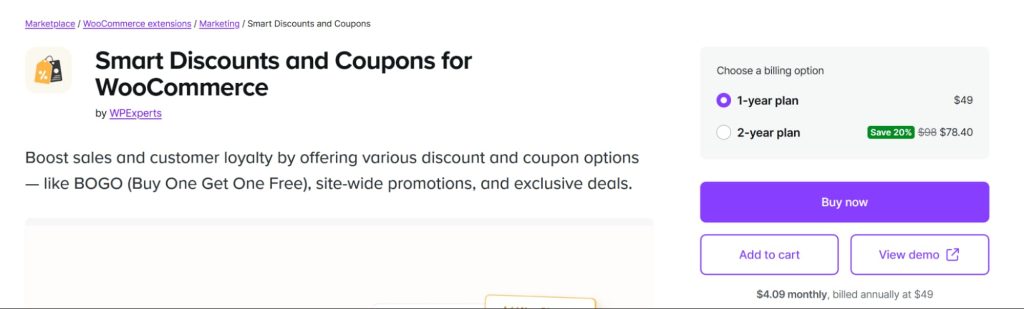
Smart Discounts & Coupons is a WooCommerce marketplace extension combining product, cart, and attribute-based discounts with BOGO and coupon rules.
Key Features: Product, cart, category discounts, BOGO with multiple discount types, attribute-based discounts, role restrictions, scheduled discounts, sale badge customization.
Pricing:
- $49/year single site –view pricing
Best For: Stores preferring official WooCommerce marketplace extensions.
6. YayPricing – Best for Visual Rule Building
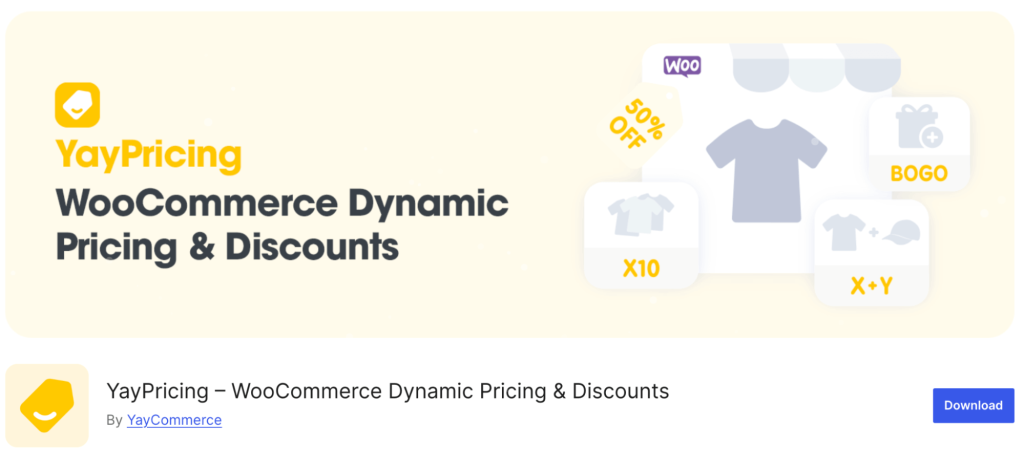
YayPricing offers a clean, modern interface for creating pricing and discount campaigns. If you value visual UX over feature depth, this plugin delivers.
Key Features: Product pricing rules, cart discount rules, checkout fees, countdown timer, scheduling, exclude rules.
Pricing:
- Free version:WordPress.org
- Pro: $99/year –view pricing
Best For: Stores that value a modern, drag-and-drop UI for discount rules.
7. Coupon Generator for WooCommerce – Best for Bulk Code Generation
Coupon Generator for WooCommerce handles generating massive quantities of unique codes. Tested with up to 1,000,000 coupons at once.
Key Features: Bulk generation, custom prefix/suffix, CSV export, uses native WooCommerce coupon types.
Pricing:
- Free – WordPress
Best For: Large email campaigns, influencer programs, event promotions needing unique codes.
Key Takeaway: No single plugin is “best” for everyone. Discount Rules wins on flexibility. StoreApps wins on gift cards. WebToffee wins on free BOGO features. Advanced Coupons wins on cart conditions. Pick based on your primary use case.
See these WooCommerce smart coupon features in action before you commit?
Explore a live store with BOGO deals, conditional coupons, and auto-apply rules already configured. No signup required.
WooCommerce Smart Coupon Strategy Playbook: 6 Proven Tactics That Increase Revenue
A smart coupon strategy is a structured plan for using advanced coupons to achieve specific business goals – acquiring new customers, increasing order sizes, or driving repeat purchases. The tactics below are drawn from patterns we’ve seen work across thousands of Flycart-powered stores.
Tactic 1 – Welcome Discounts for First-Time Buyers
Offer 10-15% off the first order. Use a “first order” condition so the coupon only works for customers with zero previous orders.
Why it works: 39% of shoppers say a coupon makes them much more likely to try a new business. A welcome discount removes the risk of trying your store.
Setup: Use Discount Rules for WooCommerce with “Number of orders made” condition set to “Equal to 0.”
Tactic 2 – Cart Abandonment Recovery Coupons
Send targeted emails with a time-limited coupon to customers who added items but didn’t check out.
Why it works: 85% of consumers have abandoned a cart because they couldn’t find a coupon. Sending one proactively recovers 5-15% of abandoned carts.
Setup: Pair an auto-generated unique coupon with an email automation tool like Retainful or WooCommerce’s built-in emails.
Tactic 3 – Tiered Spending Rewards
Create escalating discounts: spend $50 get 5% off, spend $100 get 10%, spend $200 get 15%.
Why it works: Tiered rewards create a psychological anchor. Customers close to the next tier add items to qualify – our data shows this increases AOV by 15-25% on average.
Setup: Use subtotal-based tiered discounts with Discount Rules for WooCommerce.
Tactic 4 – Seasonal & Flash Sale Automation
Schedule coupons with start/end dates. Pair with countdown timers on product and cart pages.
Why it works: Scarcity and urgency are conversion multipliers. A countdown paired with a limited coupon can boost conversion rates by 30%+ during sale events.
Setup: Set start/end dates in your discount rule and enable the discount bar for sitewide banners.
Tactic 5 – Loyalty Loop with Next Order Coupons
After purchase, automatically send a coupon for their next order.
Why it works: Acquiring a new customer costs 5-7x more than retaining one. Next order coupons close the loop.
Setup: Combine with WPLoyalty to award points alongside next order coupons.
Tactic 6 – Referral-Based Store Credits
Reward existing customers with store credit when they refer a friend. Friend gets a discount too.
Why it works: 51% of consumers share digital coupon codes with friends and family. A referral program channels that sharing into measurable growth.
Setup: Use WPLoyalty’s referral module alongside Discount Rules for WooCommerce.
Pro Tip: Don’t run all 6 tactics at once. Start with one acquisition tactic (Tactic 1 or 2) and one retention tactic (Tactic 5 or 6). Measure for 30 days, then layer on more.
Key Takeaway: Smart coupons work best as part of a structured strategy, not random discounts. The 6 tactics above cover the full customer lifecycle – acquisition (welcome + recovery), growth (tiered + seasonal), and retention (loyalty loop + referrals).
What Store Owners Say: Reddit & Forum Insights on WooCommerce Smart Coupons
Community forums are where store owners share unfiltered feedback about what actually works. Forum insights give you confidence that the plugins and strategies in this guide hold up in real-world conditions – not just on demo sites. Here’s what we found across Reddit, Quora, and WordPress support forums.
Top Reddit Thread Recommendations
On Reddit’s r/woocommerce and r/WordPress communities, a few plugins surface repeatedly when store owners ask about coupon solutions:
- Discount Rules for WooCommerce (Flycart) gets recommended frequently for bulk discounts, BOGO, and cart-based rules. In threads about quantity-based discounts, users call it out as a reliable free option that handles “discount on two or more products” without needing Pro. (r/woocommerce discussions on multi-item discounts)
- Advanced Coupons is the go-to when someone asks for “coupons that apply by URL” or “one coupon code with different discounts per product.” (r/WordPress coupon threads)
- The community consensus: “Start with Discount Rules + Advanced Coupons free versions. Validate your promos. See which types make you money. Then upgrade only when profits justify it.”
For a deep dive, read Flycart’s own analysis: The Ultimate Guide to Free WooCommerce Discount Plugins (Reddit-Tested)
Quora Community Insights
Quora threads on WooCommerce coupons tend to focus on plugin recommendations and setup guidance:
- In the thread “What are the best WooCommerce coupon code plugins?”, users highlight the importance of maximum discount amount limits – a feature many free plugins lack but that Discount Rules and Advanced Coupons support.
- The thread “What are some good Coupon Plugins for WordPress?” echoes the Reddit pattern – users want free plugins that handle conditional logic without locking basic features behind paywalls.
Common Pain Points from Forums
Based on WordPress.org support forums and WooCommerce community threads:
- Coupon conflicts: Multiple plugins creating overlapping rules. Fix: Centralize discount logic in one plugin. Discount Rules has a setting to control coupon interaction.
- Discounts not visible on product pages: Coupon-based discounts only show at cart level by default. Fix: Enable strikethrough pricing in your plugin settings.
- Performance issues with many active rules: Fix: Audit quarterly. Use category-level rules instead of per-product rules. Disable expired promotions.
Expert Tips from the Community
These tips appear repeatedly across forums:
- Always test on staging first. Clone your site, install one plugin at a time, test thoroughly.
- Document your discount strategy. List active promotions, conditions, and responsible plugins.
- Use one system, not three. Mixing coupon plugins with discount rule plugins with pricing plugins creates debugging nightmares.
- Watch for double discounts. If auto-apply rules stack with manual coupons, customers might get 40% off when you intended 20%.
Pro Tip: Bookmark r/woocommerce and sort by “new” monthly. You’ll catch real-time feedback on plugin updates, breaking changes, and workarounds faster than any blog can report.
Key Takeaway: Reddit and Quora consistently recommend Discount Rules for WooCommerce and Advanced Coupons as the go-to free options. The universal advice: start free, test on staging, centralize your discount logic, and upgrade only when profitable.
7 Common Mistakes to Avoid with WooCommerce Smart Coupons
Smart coupon mistakes are costly precisely because they’re subtle – the coupon “works,” but it’s draining margin, annoying customers, or creating loopholes you don’t notice until your monthly report lands. Here are the seven we see most often across the stores we work with.
Mistake 1: Stacking Discounts Accidentally
If your auto-apply BOGO stacks with a manually entered coupon code, you might give 40% off when you intended 20%. Always configure stacking rules in your plugin settings.
Mistake 2: Skipping Usage Limits
A coupon without per-user limits can be shared across the internet and used thousands of times. Set both total usage limits AND per-user limits on every coupon.
Mistake 3: Forgetting Expiry Dates
That Black Friday coupon from last year? It’s still active if you forgot to expire it. Set expiry dates on every coupon and verify they’re working.
Mistake 4: Ignoring Mobile Testing
93.5% of digital coupon users redeem via smartphone. Test your entire coupon flow on mobile – does the code field show? Does auto-apply work? Can they click URL coupons from email apps?
Pro Tip: After setting up any new coupon, test the complete customer journey on an actual phone (not just a browser resize). Coupon fields and BOGO messages often render differently on real mobile devices.
Mistake 5: Creating Too Many Overlapping Rules
More rules don’t mean better discounts. Each active rule adds processing overhead at checkout. Audit quarterly and disable underperformers.
Mistake 6: Not Tracking Coupon Performance
If you don’t know which coupons drive redemptions and revenue, you’re flying blind. Use WooCommerce Analytics or your plugin’s built-in reporting.
Mistake 7: Discounting Without a Goal
Every coupon should have a clear objective – acquire new customers, increase AOV, clear inventory, win back lapsed buyers. “Let’s just do 10% off” is not a strategy.
Key Takeaway: The costliest coupon mistakes are invisible – stacking, missing limits, expired codes, and unmeasured performance. Build a quarterly coupon audit habit: review active rules, check expiry dates, verify stacking settings, and kill underperforming promotions.
Troubleshooting WooCommerce Smart Coupon Issues
Coupon troubleshooting in WooCommerce means systematically isolating whether the issue is with the coupon configuration, plugin conflict, caching layer, or cart state. The problems below are sourced from WordPress.org support forums and Flycart’s own support ticket patterns.
Coupon Not Applying
Problem: Customer enters a valid code but gets an error or no discount appears.
Solution: Verify the coupon is published (not draft), hasn’t expired, and all conditions are met. Check WooCommerce → Settings → General – confirm “Enable the use of coupon codes” is checked. Clear browser cache and test in incognito.
Discount Not Showing on Product Page
Problem: Coupon discount works in cart but product pages show original prices.
Solution: Coupon-based discounts only display at cart/checkout by default. To show strikethrough pricing on product pages, use a discount rule (not just a coupon) and enable the strikethrough display setting.
BOGO Free Product Not Adding to Cart
Problem: BOGO rule is active but the free product doesn’t appear in cart.
Solution: Verify the “Get” product is specified correctly and is in stock. Check whether your plugin auto-adds the product or requires the customer to add it manually. Some BOGO modules need the customer to add both products before the discount triggers.
Plugin Conflicts & Performance
Problem: Coupon rules from one plugin conflict with another, or checkout is slow.
Solution: Go to WooCommerce → Discount Rules → Settings. Configure “Choose how discount rules should work when WooCommerce coupons are used.” Disable one plugin at a time to isolate conflicts. For performance, reduce active rule count and use category-level rules over per-product rules.
Pro Tip: After any troubleshooting changes, go to WooCommerce → Status → Tools and click Clear Transients. Also flush any page caching plugin. Most “coupon not working” tickets resolve with a cache clear.
Key Takeaway: 80% of smart coupon issues trace back to three root causes: caching, unmet conditions, or plugin conflicts. Clear transients first, verify conditions second, and test with other plugins deactivated third.
Done reading? Time to put smart coupons to work in your store.
Whether you start with the free version or go Pro, you can set up your first conditional coupon in under 5 minutes. Over 100,000 stores already run their promotions through Discount Rules for WooCommerce.
Conclusion
WooCommerce smart coupons are one of the most underused growth tools in eCommerce. While most stores stop at “here’s 10% off,” the strategies in this guide – BOGO deals, auto-apply logic, URL coupons, tiered rewards, and store credits – transform your coupon program from a cost center into a revenue driver.
Here’s what to take away:
- Smart coupons use conditions, automation, and behavioral targeting – they’re not just fancier discount codes
- Discount Rules for WooCommerce gives you both dynamic pricing and coupon rules in one plugin – the widest feature set we’ve tested
- Start with 1-2 tactics from the strategy playbook, measure for 30 days, then expand
- Reddit and Quora communities consistently validate the “start free, upgrade when profitable” approach
- Avoid the 7 common mistakes – especially uncontrolled stacking, missing limits, and undocumented rules
- Troubleshoot with the three-step rule: clear cache → verify conditions → isolate plugins
The digital coupon market is growing at nearly 19% annually. Your customers expect coupons. The question isn’t whether to offer them – it’s whether you’ll use them strategically.
Your next step: Install Discount Rules for WooCommerce (free) and create your first smart coupon using Chapter 3’s walkthrough. For advanced strategies like WooCommerce conditional discounts or tiered pricing, explore the Pro version.
Frequently Asked Questions
“Smart coupons” isn’t a single plugin – it refers to any WooCommerce coupon plugin that adds advanced features beyond the default system. The most popular options include Smart Coupons by StoreApps (the original), Smart Coupons for WooCommerce by WebToffee (free), Advanced Coupons by Rymera, and Discount Rules for WooCommerce by Flycart. Each has different strengths – compare them in our plugin table above.
Install a coupon plugin like Discount Rules for WooCommerce. Create a new rule, set discount type and value, add a coupon condition with your code, add targeting conditions (minimum spend, user role, etc.), and save. The discount activates when customers enter the code and meet all conditions.
No. WooCommerce’s default coupon system doesn’t support BOGO logic. You need a plugin like Discount Rules for WooCommerce, Advanced Coupons, or WebToffee Smart Coupons. Here’s a full BOGO guide.
Most smart coupon plugins support auto-apply. In Discount Rules for WooCommerce, create a rule without a coupon condition – it applies automatically when cart conditions are met. You can also use the “show discount in cart as coupon” option. Setup guide.
Regular coupons offer basic percentage or fixed discounts with simple limits. Smart coupons add BOGO, auto-apply, URL activation, store credits, conditional restrictions (role, location, history), bulk generation, and scheduling. Smart coupons create targeted promotions; regular coupons create blanket discounts.
Use Coupon Generator for WooCommerce (free) or Smart Coupons by StoreApps. These generate hundreds or thousands of unique codes, export to CSV, and integrate with email platforms.
Yes, with Discount Rules for WooCommerce (shipping address conditions) or Smart Coupons by StoreApps (geolocation restrictions). Limit coupons to specific countries, states, cities, or zip codes. Location-based pricing guide.
Set per-user usage limits, total limits, expiry dates, and minimum spend requirements. Use email restrictions to limit coupons to specific accounts. Combine conditions like purchase history or user role. More on coupon restrictions. Also read our coupon fraud prevention guide.