TL;DR: Best WooCommerce Bundle Plugins for 2026
| 10 WooCommerce Product Bundle Plugins | Best For | Free Version | Starting Price |
| Product Bundles for WooCommerce | Best overall for advanced bundle functionality | No | $39.50/year |
| WPC Product Bundles | Best free WooCommerce bundle plugin | Yes | $29/year |
| YITH Product Bundles | Best for fixed product bundles | Yes | $89.99/year |
| Product Bundle Builder for WooCommerce | Best for dynamic and mix-and-match bundles | Yes | €39/year |
| UpsellWP Bundles | Best for upsell-focused product offers | Yes | $17/year |
| BundlePress | Best Modern WooCommerce Bundle Builder | Yes | $49/year |
| Discount Rules for WooCommerce – Pro (by Flycart) | Best for bundle discounts and promotional pricing | Yes | $85/year |
| YITH Frequently Bought Together | Best for Amazon-style cross-selling | Yes | $79.99/year |
| Chained Products | Best for simple product packages | No | $79/year |
| Composite Products | Best for advanced configurable products | No | $74.50/year |
Product Bundles
If you want advanced bundle creation, “Product Bundles for WooCommerce” is the strongest overall option.
If your focus is promotional pricing and bundle discounts, “Discount Rules for WooCommerce – Pro” works well alongside dedicated bundle plugins.
To increase your average order value in WooCommerce, product bundles are one of the most effective strategies you can use.
Instead of selling products individually, you can group related products and encourage customers to purchase everything in a single order.
For example:
- A laptop with a wireless mouse and keyboard
- A skincare kit with cleanser, toner, and serum
- A gaming setup with a headset, controller, and accessories
- A coffee bundle with beans, mugs, and brewing equipment
These bundle offers improve customer convenience while helping store owners increase revenue.
The challenge is that WooCommerce doesn’t include advanced bundle functionality by default.
That means if you want to:
- create customizable bundles,
- offer mix-and-match boxes,
- add bundle discounts,
- build “frequently bought together” offers,
- or create dynamic product kits,
You’ll need a WooCommerce product bundle plugin.
But choosing the right plugin can be difficult because every plugin focuses on different bundle features.
Some plugins are designed for:
- simple fixed bundles,
- customizable product boxes,
- advanced product configurations,
- subscription kits,
- upsell bundles,
- or promotional discounts.
In this guide, we tested and reviewed the best WooCommerce bundle plugins for different ecommerce use cases.
You’ll also learn:
- What are WooCommerce bundle products?
- Different types of bundles,
- How bundle pricing works,
- How to create WooCommerce bundled products,
- and Best practices for increasing conversions with product bundles.
Let’s get started.
Want flexible WooCommerce bundle discounts? “Discount Rules for WooCommerce – Pro” helps you create cart discounts, quantity offers, and dynamic pricing easily for product bundles.
Table of Contents
- TL;DR: Best WooCommerce Bundle Plugins for 2026
- Product Bundles
- What Are WooCommerce Bundle Products?
- Why Use Product Bundles in WooCommerce?
- Types of WooCommerce Product Bundles
- Bundle Products vs Grouped Products vs Variable Products
- How I Tested and Reviewed These WooCommerce Bundle Plugins?
- 10 Best WooCommerce Bundle Plugins for 2026
- 1. Product Bundles for WooCommerce
- 2. WPC Product Bundles for WooCommerce
- 3. YITH WooCommerce Product Bundles
- 4. Product Bundle Builder for WooCommerce
- 5. UpsellWP Bundles Add-on
- 6. BundlePress
- 7. Discount Rules for WooCommerce – Pro by FlyCart
- 8. YITH Frequently Bought Together
- 9. Chained Products for WooCommerce
- 10. Composite Products for WooCommerce
- Which WooCommerce Bundle Plugin Should You Choose?
- How to Create WooCommerce Bundle Products? (Without Plugin)
- How to Create a WooCommerce Product Bundle? (Using the Plugin)
- How to Apply Discounts to WooCommerce Bundles?
- Best Practices for WooCommerce Bundle Pricing
- Conclusion
- Frequently Asked Questions
What Are WooCommerce Bundle Products?
WooCommerce bundle products are multiple products sold together as a single package.
Instead of customers buying items separately, they can purchase everything together in one order.
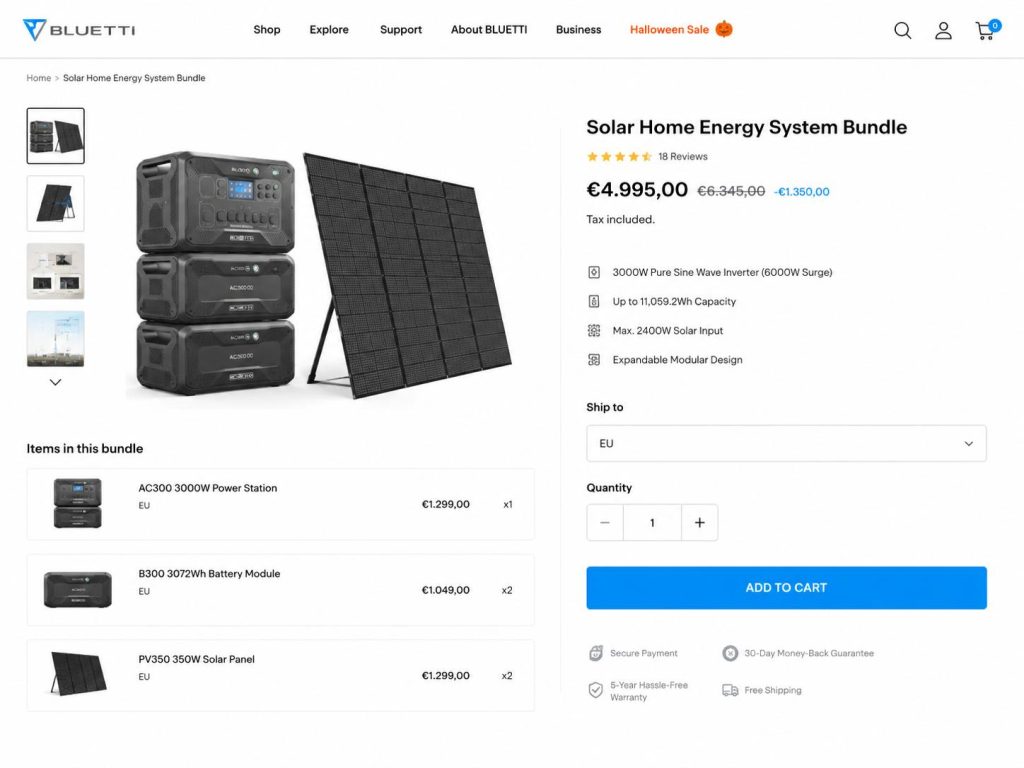
Bundles are commonly used to:
- increase average order value,
- improve customer experience,
- encourage upselling,
- simplify buying decisions,
- and promote complementary products.
For example, if you run an electronics store, you can bundle:
- smartphones,
- chargers,
- phone cases,
- screen protectors,
- and earbuds.
Similarly, a beauty store can create:
- skincare starter kits,
- makeup bundles,
- hair care bundles,
- or self-care gift boxes.
Product bundling works because customers naturally prefer buying related products together instead of searching for them individually.
Bundles also create a stronger value perception.
Even if the discount is small, customers often feel they are getting a better deal when products are grouped.
Why Use Product Bundles in WooCommerce?
Bundle products are one of the easiest ways to improve revenue without increasing traffic.
Here are some major benefits of using WooCommerce bundled products:
- Increase Average Order Value
Customers spend more when products are grouped. Instead of selling one item, bundles encourage customers to purchase multiple products in a single transaction.
For example:
- A laptop bundle
- A gaming setup
- A skincare starter kit
These naturally increase cart value.
- Improve Customer Experience
Bundles reduce decision fatigue. Instead of searching for compatible products separately, customers can buy everything they need in one package.
This creates a smoother shopping experience.
- Boost Product Discovery
Bundles help customers discover products they may not have found individually.
For example:
- Accessories
- Add-ons
- Complementary products
- New arrivals
This improves product visibility.
- Clear Old Inventory
Bundling is also useful for moving slow-selling products.
You can combine older inventory with best-selling products and create attractive bundle offers.
- Increase Conversions
Customers often perceive bundles as a better value. Even a small bundle discount can improve conversion rates significantly.
Types of WooCommerce Product Bundles
Not all bundles are created the same way.
Different stores need different bundle structures depending on their products and sales strategy.
Here are the most common WooCommerce bundle types:
A) Fixed Product Bundles
Fixed bundles contain predefined products selected by the store owner.
Customers cannot customize the products inside the bundle.
For example:
- Gaming console + controller + headset
- Shampoo + conditioner + hair serum
- Laptop + bag + mouse.
These bundles are simple and easy to manage.
They work especially well for:
- electronics,
- beauty products,
- furniture,
- gift sets,
- and curated kits.
B) Customizable Product Bundles
Customizable bundles allow customers to choose products within the bundle.
For example:
- Choose any 3 skincare products
- Build your own snack box
- Create your own coffee subscription pack
These bundles improve personalization and customer engagement.
They also help stores offer greater flexibility without manually creating hundreds of product variations.
C) Mix-and-Match Bundles
Mix-and-match bundles allow customers to combine products from a collection.
For example:
- Pick any 6 chocolates
- Choose 12 beverage cans
- Create your own protein box
This type of bundle is extremely popular in:
- food stores,
- gift shops,
- subscription businesses,
- and DTC brands.
D) Frequently Bought Together Bundles
These bundles recommend products commonly purchased together.
Amazon-style “Frequently Bought Together” sections are a great example.
For instance:
- Camera + memory card + tripod
- Phone + charger + earbuds
- Shoes + socks + cleaning kit
These bundles are excellent for:
- upselling,
- cross-selling,
- and increasing average order value.
Bundle Products vs Grouped Products vs Variable Products
Many WooCommerce store owners confuse these product types.
Here’s a quick comparison:
| Feature | Bundle Products | Grouped Products | Variable Products |
| Multiple Products | Yes | Yes | No |
| Single Package | Yes | No | No |
| Bundle Discounts | Yes | Limited | No |
| Customer Customization | Possible | Limited | Variation only |
| Separate Inventory | Yes | Yes | Variation-based |
| Best Use Case | Kits & Packages | Related Items | Size/color variations |
If you want advanced bundle functionality, dedicated WooCommerce bundle plugins are the best option.
Note: To learn more about the variable products, you can check this guide: How to Create a WooCommerce Variable Product (Step-by-Step Guide)
How I Tested and Reviewed These WooCommerce Bundle Plugins?
To create this list, I tested each WooCommerce bundle plugin on a demo store and evaluated its bundle creation process, pricing options, customization features, ease of use, and overall shopping experience. I also reviewed how well each plugin handled common bundle types such as fixed bundles, mix-and-match bundles, customizable product kits, and frequently bought together offers.
In addition to features, I compared the plugins based on setup complexity, flexibility, pricing, and real-world use cases. The goal was to identify which plugins work best for different types of WooCommerce stores, whether you’re looking for simple product bundles, advanced product configurations, customizable bundle boxes, or promotional bundle discounts.
10 Best WooCommerce Bundle Plugins for 2026
Now let’s check the best WooCommerce bundle plugins based on:
- features,
- pricing,
- ease of use,
- flexibility,
- customer experience,
- and overall value.
1. Product Bundles for WooCommerce
Best Overall WooCommerce Bundle Plugin
Product Bundles for WooCommerce is the official bundle extension developed for WooCommerce stores.
After testing it extensively, this is easily one of the most powerful and flexible bundle plugins available.
What I liked most is how deeply integrated it feels with WooCommerce. The plugin handles fixed bundles, configurable bundles, subscription bundles, and advanced pricing without feeling overly complicated.
Unlike lightweight bundle plugins that only handle basic grouped products, this plugin supports:
- fixed bundles,
- customizable bundles,
- subscription bundles,
- optional products,
- advanced pricing.
It’s particularly useful for stores selling:
- electronics,
- customizable kits,
- subscription products,
- technical equipment,
- and complex product combinations.
The interface takes some time to learn, but once configured, it gives you excellent control over pricing, inventory, shipping, and bundle layouts.
Pros
- Official WooCommerce extension
- Supports fixed and customizable bundles
- Advanced inventory handling
- Flexible pricing options
- Works with subscriptions.
Cons
- Expensive for small stores
- Learning curve for beginners
- Advanced setup takes time.
Best For: Large WooCommerce stores that need advanced bundling functionality.
Pricing: Starts around $39.50/year.
2. WPC Product Bundles for WooCommerce
Best Free WooCommerce Bundle Plugin
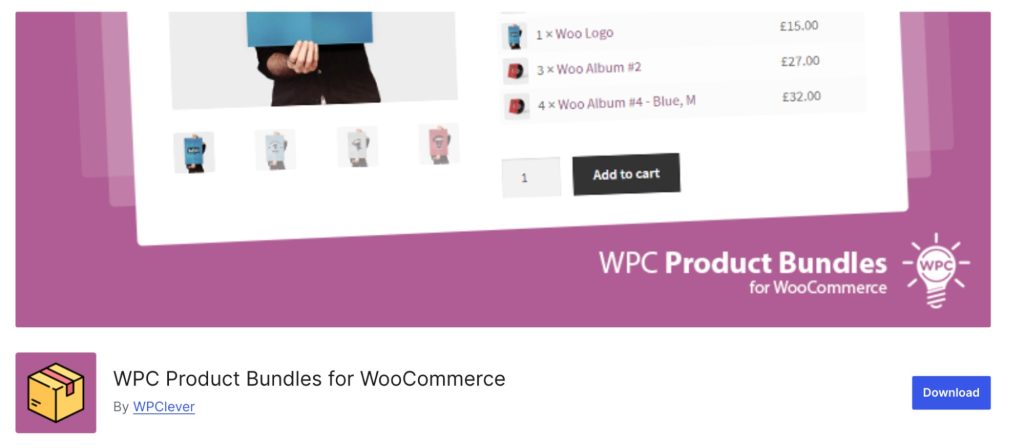
If you want a lightweight and beginner-friendly bundle plugin, WPC Product Bundles is a strong option.
I tested both the free and premium versions, and the free plugin already includes useful features for creating basic product bundles.
What stood out immediately was how easy the setup process is. You can create bundles quickly without complicated configurations.
The plugin supports:
- Fixed bundles
- Frequently bought together
- Quantity-based bundles
- Optional products
It’s ideal for small and medium WooCommerce stores that want straightforward bundling without spending much.
Pros
- Excellent free version
- Easy setup
- Lightweight plugin
- Beginner-friendly interface
- Flexible display options.
Cons
- Limited advanced customization
- Some features are locked behind a premium
- Basic design styling.
Best For: Small stores looking for a free WooCommerce bundle plugin.
Pricing: Free version available. Premium starts around $29/year for a single site.
3. YITH WooCommerce Product Bundles
Best for Fixed Product Bundles
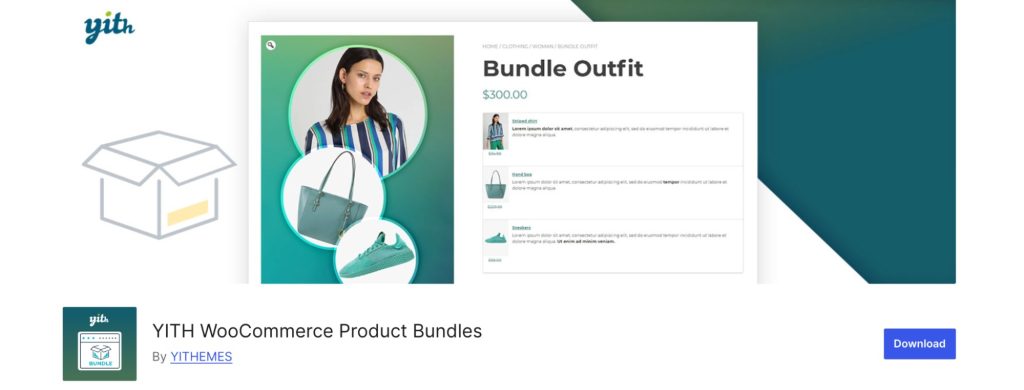
YITH is one of the most popular WooCommerce plugin developers, and their bundle plugin is reliable for fixed product packages.
After testing it, I found it especially useful for stores selling curated kits and predefined bundles.
The plugin focuses more on simplicity than advanced bundle logic. That’s actually a good thing for many store owners.
You can:
- Create fixed bundles
- Offer bundle discounts
- Customize bundle displays
- Hide individual item pricing.
The setup process is much easier compared to some advanced plugins.
Pros
- Easy to configure
- Clean admin interface
- Good for predefined bundles
- Flexible pricing settings
- Reliable plugin ecosystem.
Cons
- Limited mix-and-match features
- Less flexible for complex bundles
- Advanced customization requires a premium.
Best For: Stores selling fixed kits and curated product packages.
Pricing: Free version available. Premium starts around $89.99/year.
4. Product Bundle Builder for WooCommerce
Best for Dynamic and Mix-and-Match Bundles
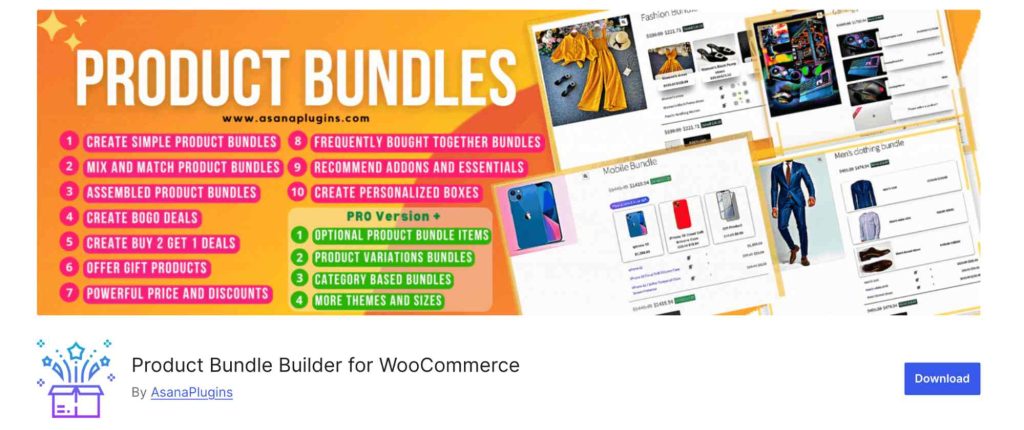
Product Bundle Builder for WooCommerce by AsanaPlugins is one of the most flexible WooCommerce bundle plugins for creating dynamic product bundles.
After testing it, I found it especially useful for stores wanting more than just fixed product bundles.
The plugin supports:
- mix-and-match bundles,
- composite products,
- BOGO offers,
- gift bundles,
- assembled products,
- and personalized product kits.
What stood out most was the variety of bundle types included in a single plugin. Instead of installing separate plugins for bundle offers, mix-and-match products, and promotional bundles, this plugin handles multiple use cases reasonably well.
It’s particularly useful for stores selling:
- customizable kits,
- snack boxes,
- electronics packages,
- gift sets,
- and personalized bundles.
The interface includes plenty of features, although beginners may need some time to explore all the settings.
Pros
- Supports multiple bundle types
- Includes mix-and-match functionality
- Dynamic pricing support
- BOGO and gift bundle features
- Free version available.
Cons
- The interface can feel overwhelming initially
- Advanced options require learning
- Design customization is somewhat limited.
Best For: Stores that need flexible WooCommerce bundle functionality with mix-and-match and promotional features.
Pricing: Free version available. Premium version starts at €39/year.
5. UpsellWP Bundles Add-on
Best for Upsell-Style Product Bundles
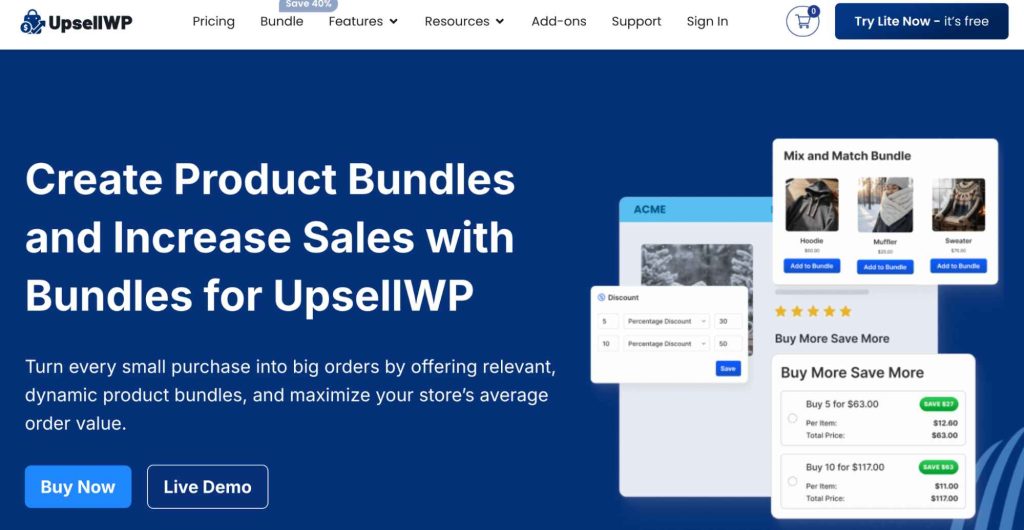
UpsellWP takes a slightly different approach to WooCommerce bundles.
Instead of focusing purely on product packaging, it emphasizes upselling and conversion optimization.
I found this plugin especially useful for stores trying to increase cart value using:
- Frequently bought together offers
- Smart recommendations
- Cart upsells
- Checkout bundles
The setup is relatively simple, and the offers feel less aggressive compared to traditional upsell plugins.
This plugin works particularly well for high-conversion ecommerce stores.
Pros
- Excellent upsell features
- Smart product recommendations
- Easy setup
- Good checkout integration
- Conversion-focused.
Cons
- Not a full advanced bundle builder
- Limited customization compared to dedicated bundle plugins
- More upsell-focused than bundle-focused.
Best For: Stores focused on upsells and increasing average order value.
Pricing: Free version available. The pro version varies depending on plan and add-ons. Starts at $17 per year for a single site.
6. BundlePress
Best Modern WooCommerce Bundle Builder

BundlePress is a newer WooCommerce bundle plugin that focuses heavily on flexibility and modern bundle features.
After testing it, I found it surprisingly feature-rich for stores wanting more than just basic product bundles.
The plugin supports:
- fixed bundles,
- mix-and-match bundles,
- frequently bought together offers,
- volume discounts,
- and BOGO promotions.
What I liked most was the clean bundle builder experience. The interface feels beginner-friendly while still offering advanced promotional features for growing stores.
It’s especially useful for WooCommerce stores focused on increasing average order value through smarter bundle offers.
Pros
- Supports multiple bundle types
- Includes BOGO and volume discounts
- Beginner-friendly interface
- Mobile-friendly layouts
- Flexible promotional features.
Cons
- Relatively newer plugin
- Smaller user base compared to older plugins
- Some advanced features require the Pro version.
Best For: Stores looking for a modern WooCommerce bundle builder with promotional features.
Pricing: Free version available. Pro version starts at $49 per year.
7. Discount Rules for WooCommerce – Pro by FlyCart
Best for Bundle Discounts and Promotions
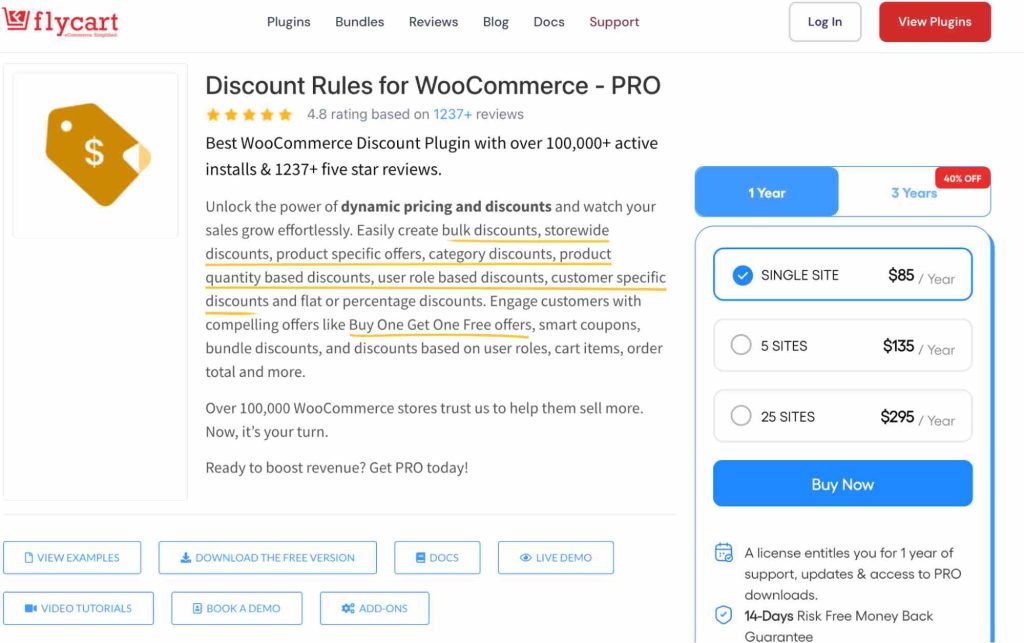
Discount Rules for WooCommerce – Pro is not a dedicated WooCommerce bundle builder plugin.
And honestly, that’s important to clarify upfront.
However, after testing it alongside bundle plugins, I found it extremely useful for applying advanced discount logic to existing bundles.
For example:
- Buy a bundle and get percentage discounts
- Tiered bundle pricing
- Bulk discounts
- Cart-based promotions
- BOGO bundle offers.
If you already use another bundle plugin, Discount Rules can significantly improve your promotional flexibility.
This makes it a great companion plugin rather than a primary bundle creation tool.
Pros
- Powerful discount engine
- Advanced cart rules
- Flexible pricing logic
- Works with existing bundle plugins
- Excellent for promotions.
Cons
- Not a native bundle builder
- Requires another plugin for advanced bundle creation
- Bundle layouts are limited.
Best For: Stores that want advanced bundle discounts and promotional pricing.
Pricing: Free version available. Premium starts around $85/year for all discount features, including bundle, bulk, BOGO, and other conditions.
8. YITH Frequently Bought Together
Best Amazon-Style Bundle Alternative
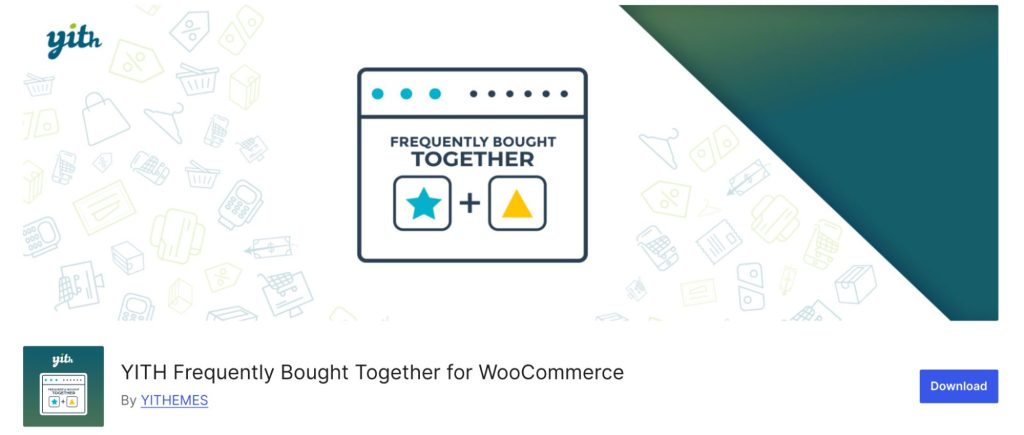
If your goal is to increase cross-sells rather than create full product bundles, YITH Frequently Bought Together is worth considering.
The plugin mimics Amazon’s “Frequently Bought Together” section and works well for simple upselling.
What I liked is how lightweight and focused it feels.
Instead of managing complicated bundle structures, you simply recommend complementary products together.
This is especially effective for:
- Electronics
- Accessories
- Beauty products
- Fashion stores.
Pros
- Simple setup
- Lightweight plugin
- Excellent for cross-selling
- Amazon-style recommendations
- Improves cart value.
Cons
- Not a true bundle builder
- Limited customization
- Fewer advanced features.
Best For: Stores that want simple product-recommendation bundles.
Pricing: Free version available. The Pro starts around $79.99/year.
9. Chained Products for WooCommerce
Best for Preconfigured Product Packages
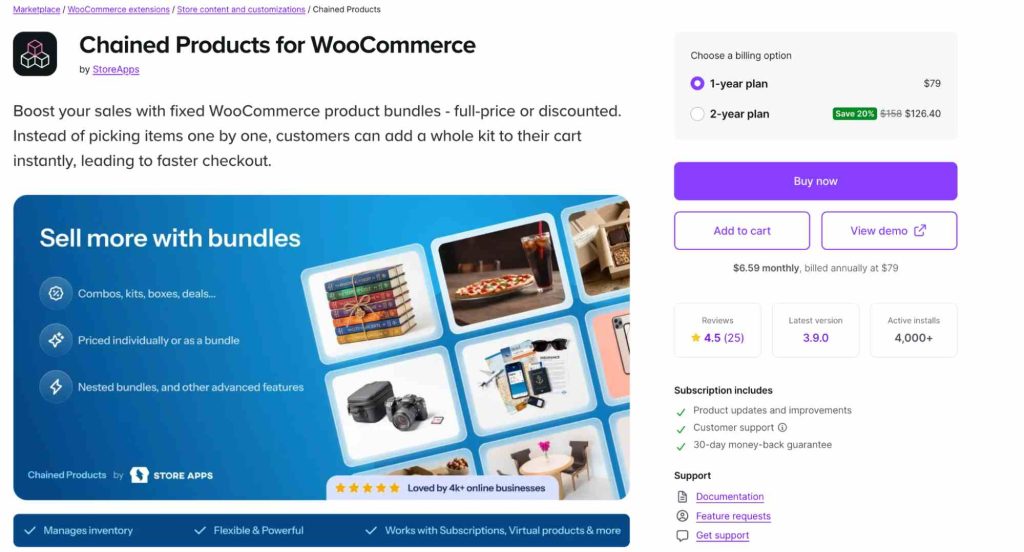
This plugin is useful for stores that want to sell multiple products together while still managing them individually in the backend.
Unlike advanced bundle builders, Chained Products by StoreApps prioritizes operational simplicity.
After testing it, I found it particularly useful for:
- service packages,
- software bundles,
- digital products,
- and simple ecommerce kits.
One thing I liked is how lightweight the buying experience feels. Customers purchase a single product, while WooCommerce automatically attaches the linked products behind the scenes.
It’s not ideal for highly customizable bundles, but it works well for straightforward package selling.
Pros
- Simple setup
- Lightweight workflow
- Good for digital products
- Easy inventory handling
- Fast customer checkout.
Cons
- Limited frontend customization
- Not suitable for mix-and-match bundles
- Basic bundle display options.
Best For: Stores selling preconfigured product packages and digital bundles.
Pricing: Starts around $79/year.
10. Composite Products for WooCommerce
Best for Complex Product Configurations
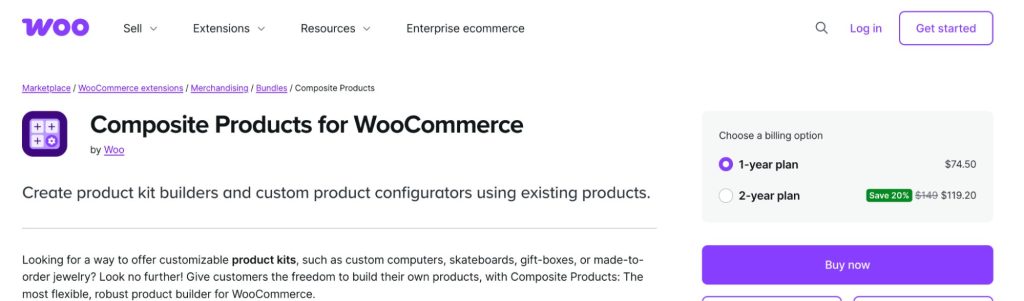
Composite Products is one of the most advanced WooCommerce product configuration plugins available.
After reviewing it, I found it especially powerful for stores selling:
- custom PCs,
- bicycles,
- furniture,
- configurable electronics,
- and made-to-order products.
Instead of traditional bundles, this plugin allows customers to build highly personalized product configurations step-by-step.
The flexibility is impressive, but it definitely has a steeper learning curve compared to beginner-friendly bundle plugins.
For stores with complex product combinations, however, it’s one of the best options available.
Pros
- Extremely flexible
- Advanced product configuration
- Excellent for customizable products
- Dynamic pricing support
- Strong inventory management.
Cons
- Higher learning curve
- More complex setup
- Overkill for simple stores.
Best For: Large stores selling customizable and configurable products.
Pricing: Starts around $74.50/year.
Which WooCommerce Bundle Plugin Should You Choose?
The best WooCommerce bundle plugin depends on your store type, budget, and bundle strategy.
- If you need advanced bundle functionality with flexible product configurations, Product Bundles for WooCommerce is one of the strongest overall solutions.
- For beginners or smaller stores, WPC Product Bundles offers a simple and budget-friendly way to create product bundles.
- If your store focuses on customizable boxes or mix-and-match bundles, Product Bundle Builder provides a much better customer experience.
- Stores focused on upselling and increasing average order value may prefer UpsellWP Bundles or YITH Frequently Bought Together.
- And if you already use a bundle plugin but want advanced promotional pricing, Discount Rules for WooCommerce – Pro is a great companion plugin for creating:
- bundle discounts,
- BOGO offers,
- quantity pricing,
- and cart-based promotions.
Instead of choosing the plugin with the most features, choose the one that best matches your customer experience and sales strategy.
How to Create WooCommerce Bundle Products? (Without Plugin)
You can bundle products in WooCommerce in two ways using the default WooCommerce feature, for free.
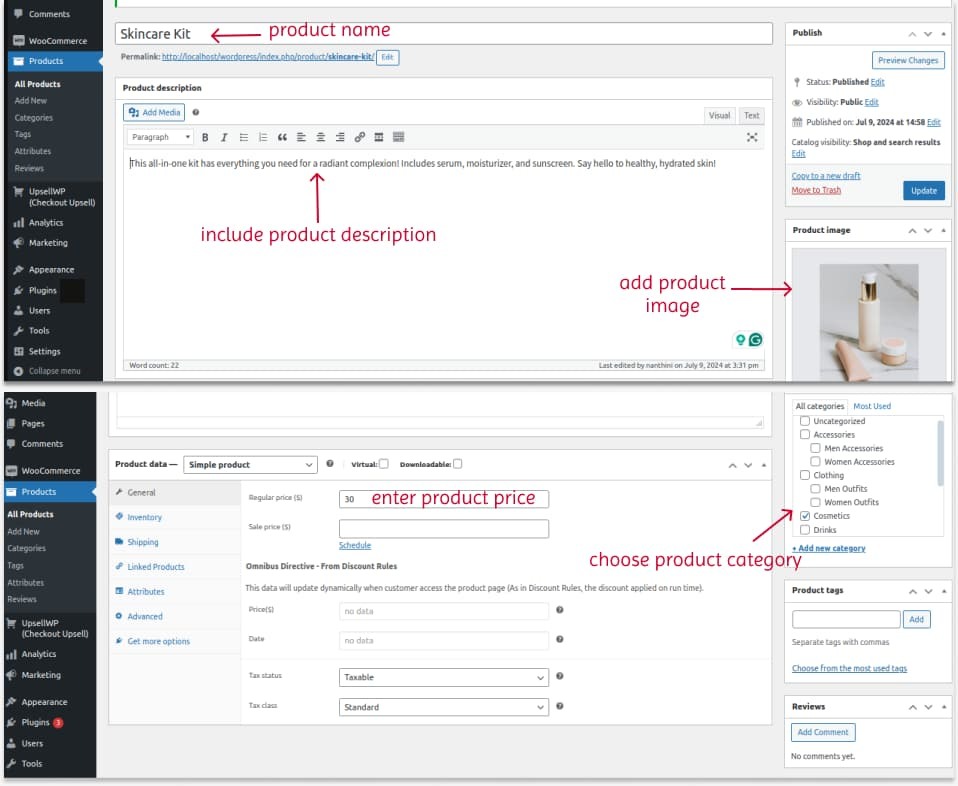
1. Bundling New Products in WooCommerce
To create new WooCommerce bundle products:
- Open your “WordPress – WooCommerce” dashboard.
- Go to “Products” -> “Add New”.
- Enter the new product name. For example, “Skincare Kit”.
- Enter product description.
- Scroll down to the “Product Data” section.
- In the drop-down menu, select “Simple product”.
- In the “General” tab, set the “Regular” price for the skincare kit.
- Upload the product image on the right side. You can include the collage image with all the skin care products in the kit.
- Choose the product category. Finally, publish it.
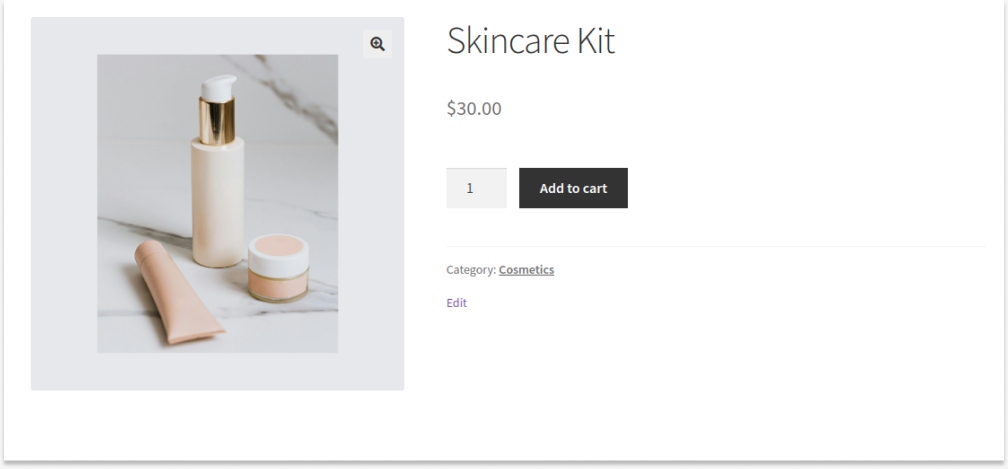
The bundled product can be displayed in the same format as a simple product in WooCommerce. Here is a preview of how it appears on the shop page:
2. Bundling Existing Products in WooCommerce
If you want to bundle existing products, you can follow these steps:
- Open your “WordPress” dashboard.
- Go to “Products” -> “Add New”.
- Enter the product name and description.
- Add the product image by collaging all items in a single image.
- Choose the product category.
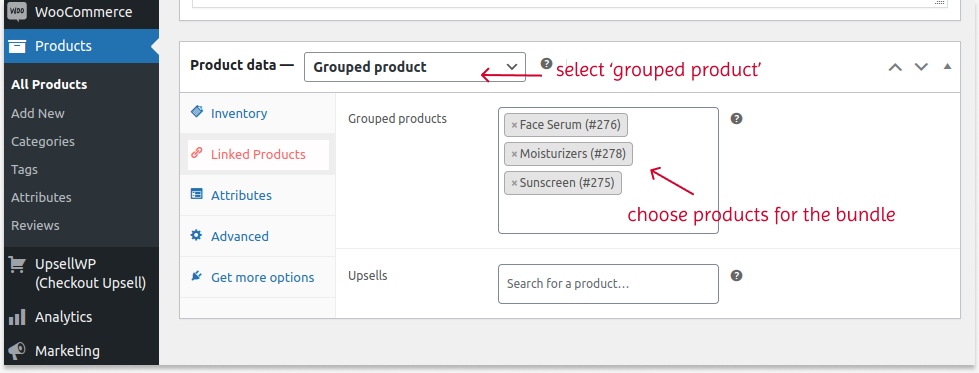
- Scroll down to the “Product Data” section.
- Select “Grouped Product” in the drop-down.
- Now, navigate to “Linked Products” -> “Grouped Products”.
- Select the existing products that you want to make into a single bundle.
- Update the changes.
Here is how the existing products will be shown on your WooCommerce shop page as bundles:
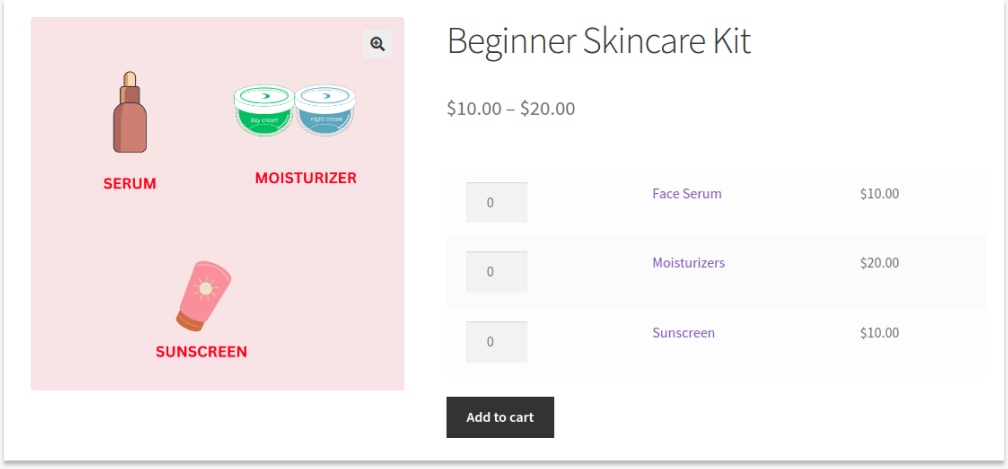
Since you manually select each product for the bundle, each product’s prices are displayed. Customers can choose all products or buy only the specific product in the kit, along with the quantity.
How to Create a WooCommerce Product Bundle? (Using the Plugin)
Now let’s see how to create a WooCommerce bundle product step-by-step.
The exact process depends on the plugin you choose, but the general workflow is similar.
Step 1: Install a Bundle Plugin
First, install your preferred WooCommerce bundle plugin.
Go to:
- Plugins
- Add New
- Upload Plugin
- Activate
If you’re using a free plugin, you can install it directly from the WordPress plugin repository.
Step 2: Create a New Product
Go to:
- Products
- Add New
Enter:
- Product title
- Description
- Product image
Step 3: Select Bundle Product Type
Most plugins add a new product type, such as:
- Product Bundle
- Smart Bundle
- Mix-and-Match Bundle
Choose the appropriate type.
Step 4: Add Bundle Items
Now add products to the bundle.
Depending on the plugin, you can:
- Add fixed products
- Allow customer selections
- Set quantity limits
- Create optional products
Step 5: Configure Bundle Pricing
Next, configure pricing.
Common pricing methods include:
- Fixed pricing
- Dynamic pricing
- Percentage discounts
- Quantity discounts
Step 6: Customize Bundle Display
Many plugins allow you to customize:
- Bundle layouts
- Product cards
- Swatches
- Images
- Selection steps
A cleaner bundle layout improves conversions significantly.
Step 7: Publish the Bundle
Once everything looks good:
- Preview the bundle
- Test cart functionality
- Check mobile responsiveness
- Publish the product
Your WooCommerce bundle product is now live.
How to Apply Discounts to WooCommerce Bundles?
Bundle discounts are one of the biggest reasons customers purchase product packages.
There are several ways to offer bundle discounts in WooCommerce.
“Example: Buy a skincare bundle and save 20%.” This is the most common bundle pricing strategy.
- Fixed Amount Discounts
“Example: Save $50 on a gaming setup bundle.” This works well for higher-ticket products.
“Example: Buy 3 bundles and save 15%.” Useful for wholesale and B2B stores.
- BOGO Bundle Offers
“Example: Buy a coffee bundle and get a mug free.” This improves promotional campaigns.
If you need advanced discount logic, plugins like “Discount Rules for WooCommerce – Pro” can help create:
- cart conditions,
- tiered pricing,
- category-based promotions,
- dynamic discounts,
- and seasonal campaigns.
Use Discount Rules for WooCommerce – Pro to create bundle discounts, BOGO offers, and promotional pricing campaigns.
Example: How to Create “Buy 4 for $20” (Same/ Different products) in WooCommerce?
Scenario: Customers can buy 4 of the same or different products for $20, but the minimum quantity of items should be 4.
To create a simple WooCommerce bundle discount for all products:
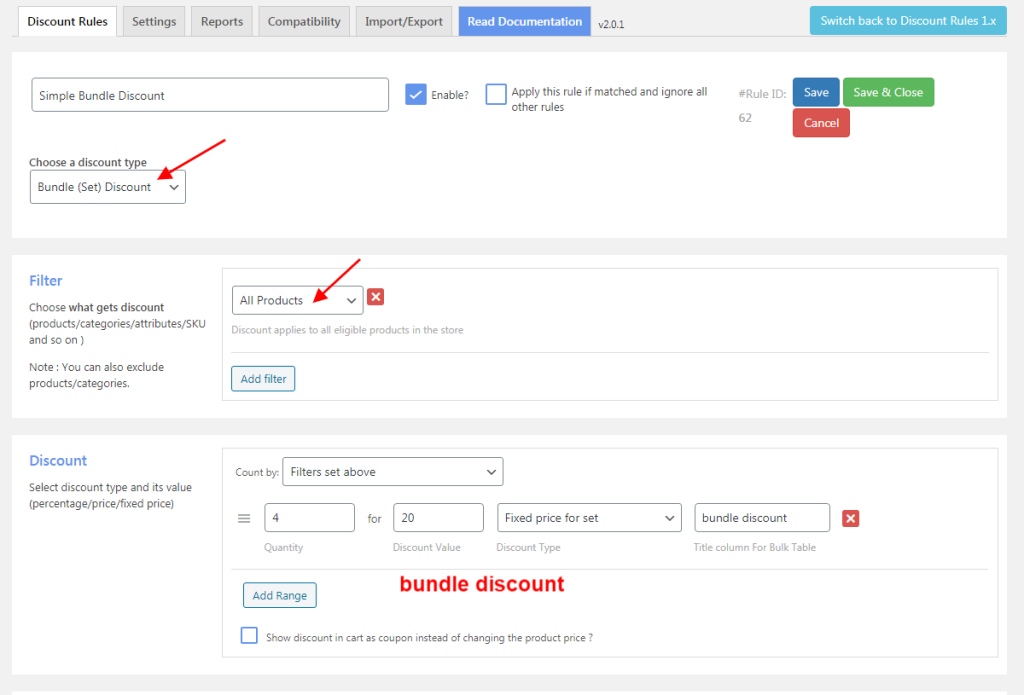
- Install and activate the “Discount Rules for WooCommerce – Pro” plugin (by Flycart).
- Go to “WooCommerce” -> “Discount Rules.”
- Click the “Add New Rule” button.
- Enter the “Rule Title” (rule name for your reference).
- Select the discount type, “Bundle(set) discount.”
- In the filter section, choose “All products” as it is a store-wide discount.
- In the discount section,
- Set “Count By” as “Filters set above.” It counts the items cumulatively.
- Enter quantity as “4” with discount type as “fixed price for set/ bundle” with value “20.”
- Finally, save and enable the rule.
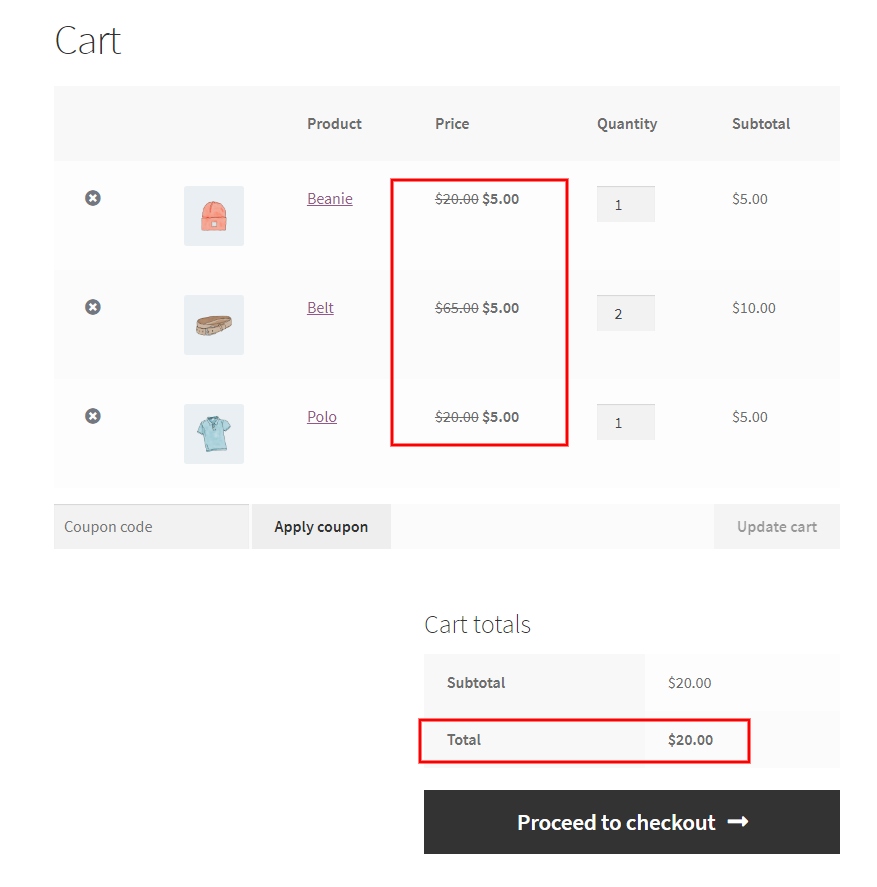
Now, $20 bundle discounts will be applied when customers add 4 of the same or different products to their cart.
Related Read: How to Create a WooCommerce Conditional Discount? 7 Ideas
Best Practices for WooCommerce Bundle Pricing
Choosing the right pricing strategy matters just as much as the bundle itself.
Here are some proven bundle pricing best practices:
- Keep Bundle Savings Clear
Customers should immediately understand the value.
Instead of: “Special Bundle,” Use: “Save 25% with this bundle.” Visible savings improve conversions.
- Avoid Too Many Choices
Too many options can overwhelm customers.
If you offer customizable bundles, keep selections simple, use guided steps, and limit unnecessary variations.
- Bundle Complementary Products
The best bundles solve a complete problem.
Good examples:
- Camera + Tripod + Lens
- Shampoo + Conditioner + Serum
- Laptop + Mouse + Keyboard.
Random products rarely perform well together.
- Use Bundles for Seasonal Promotions
Bundles work extremely well during:
- Black Friday
- Christmas
- Back-to-school campaigns
- Valentine’s Day
- Holiday gifting seasons.
Seasonal bundles can significantly increase revenue.
- Test Different Bundle Types
Not every store responds the same way.
Test:
- Fixed bundles
- Build-your-own bundles
- Frequently bought together offers
- Subscription bundles.
Then optimize based on conversion data.
Conclusion
WooCommerce bundle products are one of the most effective ways to increase average order value and improve customer experience.
Whether you want:
- fixed bundles,
- customizable kits,
- mix-and-match boxes,
- or upsell offers,
There’s a WooCommerce bundle plugin designed for your specific needs.
If you want the most advanced functionality, Product Bundles for WooCommerce is a strong choice.
If you’re looking for a free solution, WPC Product Bundles is excellent for beginners.
And if your focus is on bundle discounts and promotional pricing, Discount Rules for WooCommerce – Pro works well alongside dedicated bundle plugins.
The key is choosing the plugin that matches your store’s selling strategy rather than simply selecting the plugin with the most features.
If your bundle plugin lacks pricing flexibility, Discount Rules for WooCommerce – Pro can help you run smarter bundle promotions and increase average order value.
Also Read:
- WooCommerce Bulk Discounts: The Complete Setup Guide for 2026
- How to Create WooCommerce Buy One Get One (BOGO) Free Offers?
- WooCommerce Coupons – The Complete Guide
Frequently Asked Questions
Product Bundles for WooCommerce is one of the best overall plugins for advanced bundling features.
Yes. Many WooCommerce bundle plugins support customizable and mix-and-match bundles.
You can apply:
Grouped products simply display related items together.
Some plugins offer free versions with limited functionality, while advanced features usually require premium plans.