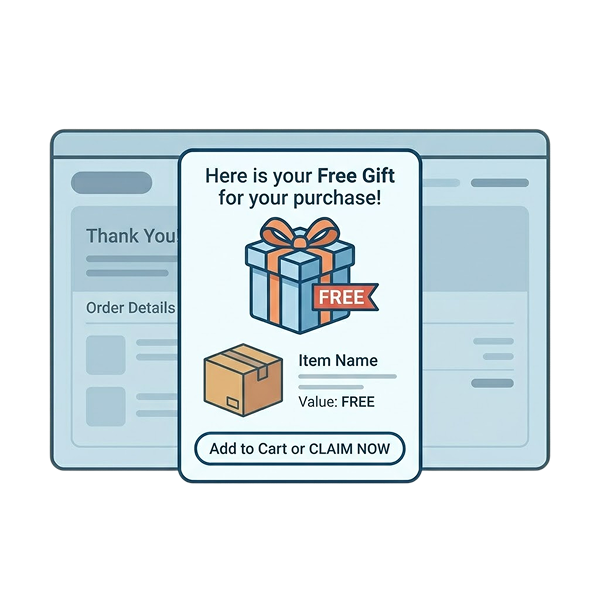
With the best WooCommerce discount plugin, you can:
- Create automatic discounts without coupon codes.
- Create advanced, smart discounts with purchase conditions.
And attract customers with personalized discounts, make them purchase more, and boost sales.
Hence, increasing WooCommerce store sales is not difficult anymore!
With a lot of discount plugins available for the WooCommerce platform, choosing the best one would be confusing.
To help you save time and make a clear decision, I have researched and listed the six top and best WooCommerce discount plugins.
Let’s explore each plugin’s features, pros, cons, and pricing to identify the most suitable plugin that solves all your discount rules needs. You’ll also learn some practical tips and the best times to provide discounts in your store.
Convert 36% of new visitors to regular customers by offering advanced and personalized discounts using the best Woo discount rules plugin.
What is WooCommerce Discount Plugin?
A WooCommerce discount plugin is a tool that helps online store owners create and automate advanced discounts, dynamic pricing, and conditional discount rules beyond the WooCommerce default coupon options.
Various types of discounts include percentage discounts, fixed-cost discounts, buy-one-get-one (BOGO) deals, bundle discounts, bulk discounts, and more.
Store owners use the dedicated discount plugin to customize their discounts based on customers’ buying patterns or interests, improve their shopping experience, and increase sales & revenue.
Why Use a Discount WooCommerce Plugin?
You might need a discount WooCommerce plugin mainly to automate personalized discounts and simplify your manual effort, but also for several following reasons:
1. Offer Automatic Discounts
The default WooCommerce coupon process makes customers enter coupon codes at checkout for discounts.
However, using a Woo discount rules plugin, you can offer them automatic product discounts without entering coupon codes at checkout. This saves them time and avoids other coupon-related problems.
Auto-Apply Coupon: Even if you want to provide a coupon code, some WooCommerce discount plugins allow you to create a coupon URL that automatically applies coupons at checkout.
2. Offer Specific Discounts
With default WooCommerce coupon settings, you can offer discounts only for specific products, categories, or user emails.
However, with a versatile WooCommerce discount code plugin, you can provide discounts to specific product tags, SKUs, and even variable products.
You can also offer discounts to specific customers (simply choosing their names), specific shipping locations, or specific user roles.
3. Create Advanced Discounts
Without restricting your products with the basic coupon discount feature, you can use a discount rules plugin for WooCommerce to create advanced discount strategies like Bulk discounts, bundle discounts, BOGO offers, and more.
4. Provide Discounts on Purchase Criteria
Some WooCommerce price discount plugins help you offer discounts based on the customer’s purchase criteria, such as cart total, cart item quantity, number of users logged in, guest users, number of orders made, and more.
This will personalize discounts to every customer and enhance their shopping experience.
5. Plugin Analytics
The best WooCommerce discount plugin has a dedicated analytics or report feature, which allows you to track and analyze your store’s performance, such as total sales, revenues, and orders made during specific times.
It is helpful to optimize your discount strategy over time to increase your sales.
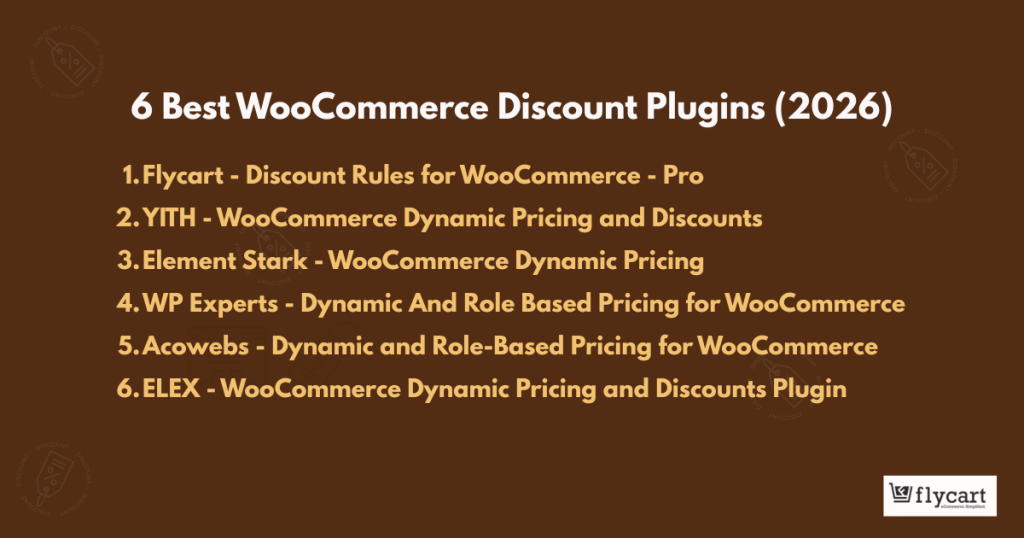
6 Best WooCommerce Discount Plugins
The six best discount plugins for WooCommerce:
1. Flycart’s Discount Rules for WooCommerce – Pro
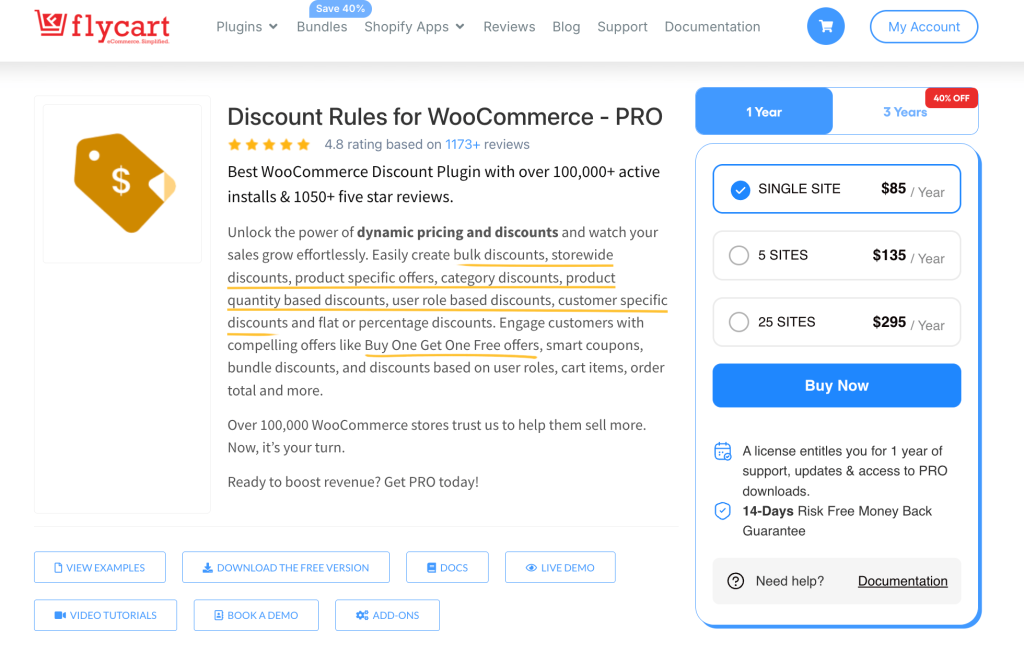
Flycart’s “Discount Rules for WooCommerce – Pro” is the top-most recommended WooCommerce discount plugin for implementing advanced discounts and dynamic pricing rules with conditions.
Unlike some other plugins that offer a specific discount type, this all-in-one discount rules plugin offers almost all types of discount options, specifically designed to fill major discounting options in default settings and other plugins.
Trusted by 1,00,000+ active WooCommerce store owners, this plugin got 4.8 stars review by both free and paid users.
Key Features
- Various discount options: percentage, fixed discounts for specific or all products, categories, attributes, and SKUs.
- Advanced and smart discounts like BOGO deals, bundle discounts, and bulk discounts.
- Free shipping deals with specific conditions.
- Set conditional discounts, such as minimum order amount, minimum order quantity, specific users/ user roles, specific shipping regions, payment methods, and purchase history.
- Reward first-time customers or regular customers with customized discounts.
- Custom coupon code and auto-apply coupon URLs for a simplified checkout experience.
- Show “sale” badges and promotion banners.
- Schedule promotion offers in advance or set usage limits.
- Create up to five different discount rules at the same time.
Pros
- Offers a wide range of discount options and conditions, allowing for tailored promotions to suit diverse business needs.
- Flexible control over discount settings enables precise targeting of offers, maximizing their effectiveness.
- Dynamic pricing capabilities and conversion-focused features help to engage customers and drive conversions.
- Priority customer support ensures users receive timely assistance whenever they encounter issues or have questions.
Cons
- Some advanced discount features are only available in paid plans.
Pricing
Free version available. Pro plan starts at $85 per year with upto 40% discount during promotional sales and a 14-day money-back guarantee.
Customize advanced BOGO deals or bulk discounts to specific user roles using the “Discount Rules for WooCommerce – Pro” plugin.
2. YITH WooCommerce Dynamic Pricing & Discounts
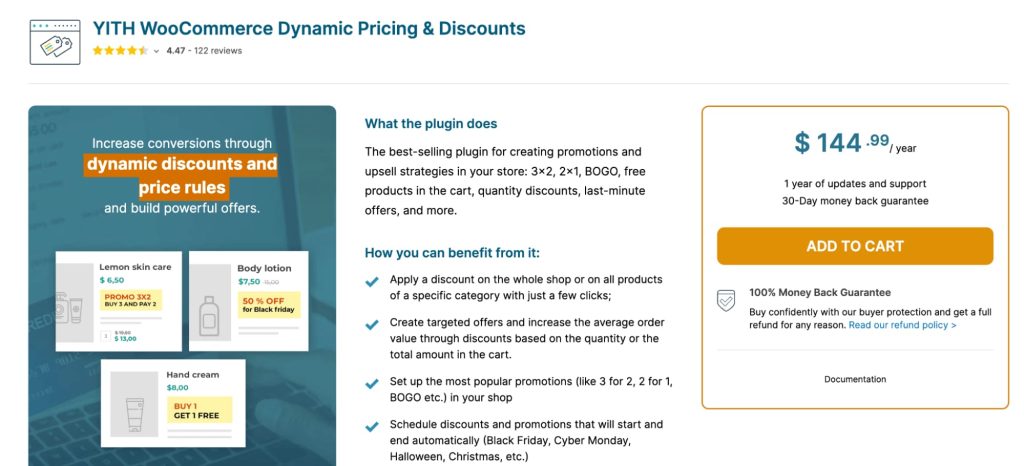
The “WooCommerce Dynamic Pricing & Discount plugin” by YITH is the next best one designed to empower your store with various promotional strategies, including 3×2, 2×1, BOGO (Buy One Get One), free products in the cart, quantity discounts, and more.
This plugin offers a wide range of features to help you create targeted offers, increase average order value, and boost sales.
Key Features
- Create rules for BOGO offers.
- Offer free gifts or discounts based on specific purchase conditions.
- Set fixed or percentage discounts for products or product categories.
- Create price rules based on product quantity to incentivize bulk purchases.
- Display price and quantity tables on product pages with applied discounts.
- Schedule discounts and promotions for automatic activation and deactivation.
- Customize discount rules based on user roles, user groups, or membership status.
- Apply discounts to the cart total based on specific thresholds or product quantities.
- Exclude certain products, categories, or tags from discount offers.
- Offer free shipping based on cart rules or minimum purchase amounts.
- Enable “last-minute” deals with countdown timers on the cart and checkout pages.
- Show savings information and custom messages in the cart to encourage higher spending.
- Compatible with WPML for multilingual support.
Pros
- A comprehensive set of features covering a wide range of promotional strategies.
- Flexible customization options for discount rules and display settings.
- Integration with other YITH plugins for extended functionality.
- WPML compatibility ensures multilingual support for international stores.
Cons
- It’s too expensive compared to other WooCommerce discount code plugins.
- Advanced features may require some learning curve for setup and configuration.
Pricing
You can access this WooCommerce price discount plugin for a yearly fee of $144.99.
3. Dynamic Pricing By Element Stark
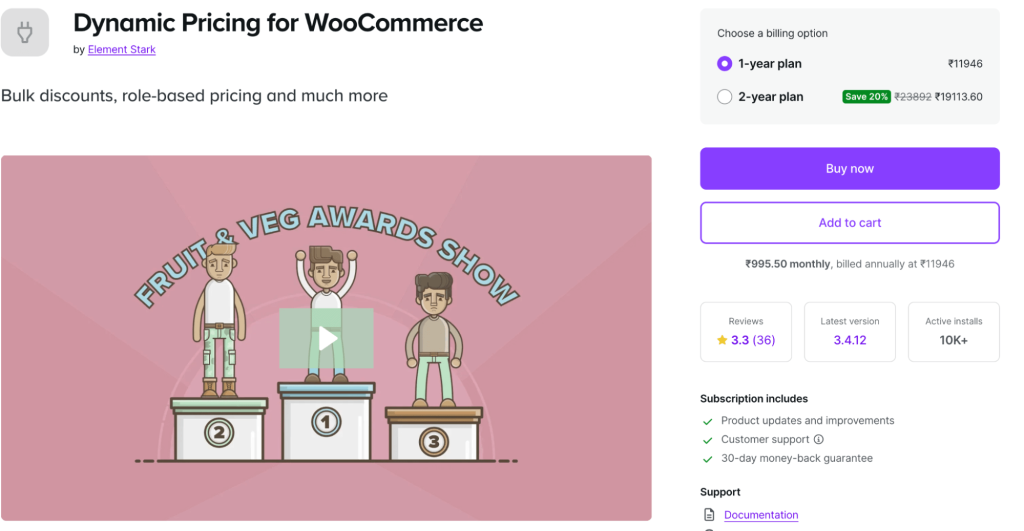
“Dynamic Pricing for WooCommerce” by Element Stark offers advanced product pricing solutions for WooCommerce stores.
It enables the configuration of bulk discounts for individual products, product categories, and user roles.
This WooCommerce pricing and discount plugin offers various pricing options, including fixed price adjustments and percentage discounts, to cater to various discount scenarios, such as quantity-based discounts and role-based pricing.
Key Features
- Configure bulk discounts for each product with a table of quantities and discount amounts.
- Choose from fixed price adjustments, percentage adjustments, or set a fixed price for products.
- Advanced product pricing allows for discounts based on shopper purchasing quantities, which is useful for implementing loyalty discounts or bulk purchase discounts.
- Advanced category pricing enables bulk discounts for product categories based on purchasing quantities.
- Simple category pricing offers discounts for all items within a product category.
- Simple role-based pricing allows for discounts for users in specific roles, enhancing user loyalty and engagement.
Pros
- Versatile pricing options catering to various discount scenarios.
- Ability to target discounts based on user groups for personalized offers.
- Flexible quantity-based pricing for rewarding bulk purchases.
Cons
- Advanced features may require some familiarity with WooCommerce and plugin settings.
- Configuration complexity may increase with the addition of multiple pricing rules and conditions.
Pricing
This WooCommerce pricing and discounts plugin has a monthly subscription fee of $10.75 and an annual fee of $129.
4. Dynamic and Role-Based Pricing for WooCommerce (By WPExperts)
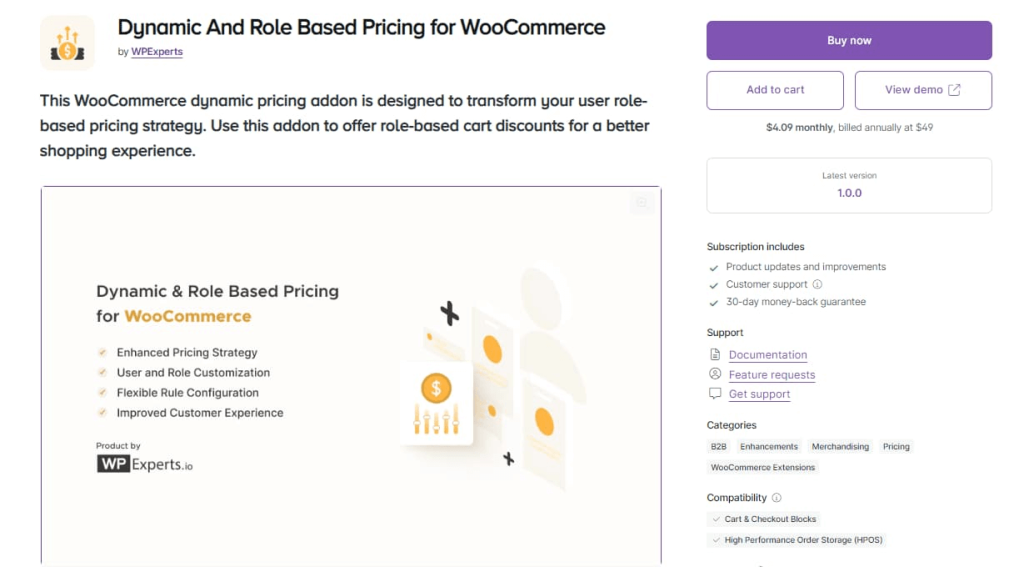
“Dynamic and Role-Based Pricing for WooCommerce” by WP Experts is a helpful plugin that can transform the functionality of your Wholesale store to new heights. With this impactful WooCommerce plugin, wholesale store owners can considerably optimize their role-based pricing strategies.
Businesses, whether small or large, can motivate their current and potential customers to buy products at reasonable prices by using appropriate role-based pricing tactics.
Key Features
- Users can set specific prices based on user roles to fulfill diversified customer bases.
- Unique pricing rules help users smartly manage various user roles and allow customers to see prices based on their user category.
- Users can assign a specific price to a product.
- Offer customized shopping experiences to retain and expand customer bases.
- Businesses can provide new and existing customers with attractive discounts by subtracting fixed amounts from original product prices.
Pros
- Boost conversions, sales, and revenues by fulfilling the needs of diversified customer bases.
- Users can get help from experienced professionals when facing problems related to installation and other issues.
- Businesses can gain customer trust by displaying dynamic pricing on product pages via tooltips.
Cons
A few innovative features are available in the premium package.
Pricing
The plugin is available for $4.09 per month and $49 annually.
5. Dynamic Pricing With Discount Rules for WooCommerce By Acowebs
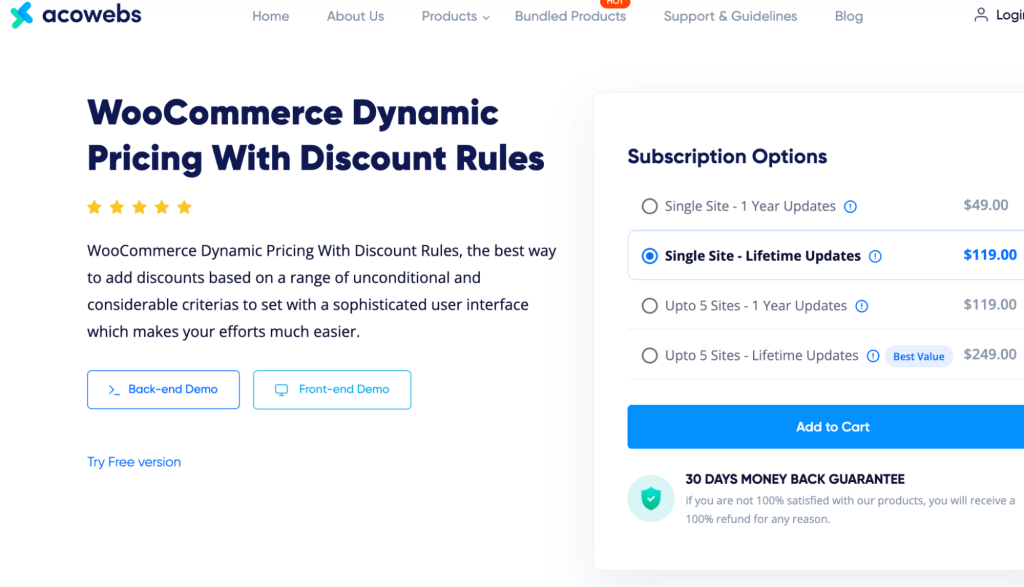
The “WooCommerce Dynamic Pricing with Discount Rules” plugin by Acowebs is designed to facilitate the easy and efficient application of discounts to WooCommerce products.
Whether you’re offering seasonal discounts, promotional offers, or tiered pricing, this WooCommerce pricing and discounts plugin simplifies the process, ensuring a hassle-free discount management system for your WooCommerce store.
Key Features
- The ability to apply discounts as a percentage of the product price or a fixed amount.
- There is flexibility to set discounts based on various parameters, such as individual product prices, total cart value, or the number of items in the cart.
- Option to apply discounts to entire product categories or selected individual products.
- Ability to customize pricing tables displayed on product pages and variations to highlight discounts effectively.
- Option to restrict discounts coupons based on user roles, ensuring targeted discount offerings.
- Offers advanced discount criteria such as user roles, order history, and purchase amounts.
- Discounts based on payment methods, usage limits, and weekend deals.
- Customizable sale badges and discount timers to visually enhance promotions.
Pros
- Intuitive user interface for easy discount rule creation and management.
- Wide range of discount rule options catering to various promotional strategies.
- Extensive customization options for pricing tables offer texts and discount badges.
- Support for scheduling discounts and applying them to specific product lists.
Cons
- Some advanced features are only available in the Pro version.
- Complex discount structures may require careful configuration to avoid unintended consequences.
Pricing
Free version available. For a single site, this WooCommerce pricing and discounts plugin is priced at $49 per year.
Users can also opt for a free plan with limited functionalities or a lifetime plan at $119 for a single site.
6. ELEX WooCommerce Dynamic Pricing and Discounts Plugin
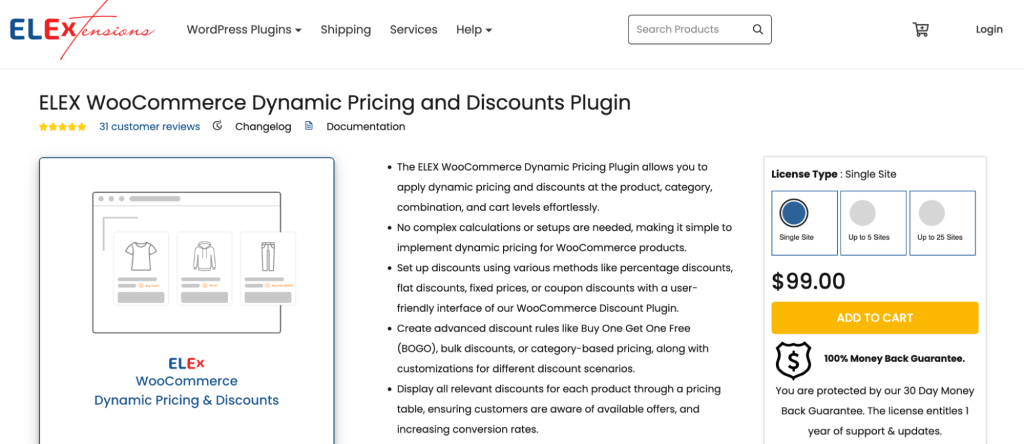
The “WooCommerce Pricing and Discounts” plugin by ELEX offers comprehensive dynamic pricing solutions for WooCommerce, allowing discounts to be applied easily at product, category, combination, and cart levels.
With a user-friendly interface, complex discount rules, including percentage, flat, fixed price, or coupon discounts, can be set up effortlessly.
Key Features
- Offer percentage, fixed price, or coupon discounts on products based on quantity, weight, or price.
- Customize discounts based on users, validity periods, and other conditions.
- Apply discounts on WooCommerce product categories.
- Offer discounts on combinations of products.
- Implement Buy One Get One (BOGO) offers.
- Utilize advanced features such as cart discounts based on product attributes, shipping methods, payment methods, and customer order history.
- Customize pricing and offer tables on product pages for transparency.
- Repeat rules in a group for specific discount scenarios.
Pros
- A wide range of discount types and customization options is available.
- Easy setup and management of complex discount rules through a user-friendly interface.
- Ability to control discount limits and apply discounts based on various parameters.
Cons
- Advanced features may require additional configuration and understanding.
- Some features may be available only in the advanced version of this WooCommerce pricing and discounts plugin.
Pricing
It has a free lite version. Pro plan starts at $99 annually for a single site.
Comparison of the Six Discount Rules Plugin for WooCommerce
Here is the quick comparison of all six WooCommerce discount plugins for easy reference:
| Plugin Name | Free Version | Paid Plans (Starting) | Best For |
| Flycart – Discount Rules for WooCommerce – Pro | Yes (limited features) | $85/year (single site) | All-in-one dynamic pricing, advanced conditional discounts, BOGO, bulk pricing, and conversion-focused promotions |
| YITH – WooCommerce Dynamic Pricing & Discount | No | $144.99/year | Advanced promotional strategies like 3×2, 2×1, BOGO, cart discounts, and multilingual stores (WPML support) |
| Element Stark – Dynamic Pricing for WooCommerce | No | $10.75/month or $129/year | Bulk discounts, quantity-based pricing, and role-based product/category pricing |
| WP Experts – Dynamic and Role-Based Pricing for WooCommerce | No | $4.09/month or $49/year | Wholesale and role-based pricing strategies |
| Acowebs – WooCommerce Dynamic Pricing with Discount Rules | Yes (limited features) | $49/year (single site) | Flexible discount rules, payment/shipping-based discounts, sale badges, and discount scheduling |
| ELEX – WooCommerce Pricing and Discounts | Yes (limited) | $99/year (single site) | Advanced cart-level discounts, product combinations, BOGO, and attribute-based pricing |
Criteria to Choose the Best Discount Plugin for WooCommerce
Selecting the right discount plugin for WooCommerce is essential to manage discount promotions effortlessly.
Before choosing your discount rules plugin for WooCommerce, consider the following factors:
- Features: Look for a plugin that offers versatile discount options, such as percentage, fixed amount, BOGO, etc., to accommodate diverse promotional strategies.
- Ease of Use: Opt for a plugin with a user-friendly interface for effortless setup and management of discounts without technical hurdles.
- Compatibility: The chosen custom WooCommerce discount plugin must be compatible with your WooCommerce version and your other plugins to avoid conflicts and ensure smooth operation.
- Customization: Choose a WooCommerce discount code plugin that allows customization of discount rules based on various rules, such as product category, user roles, purchase history, coupons, etc.
- Performance: Select a plugin that doesn’t compromise website performance, ensuring fast loading times even with multiple discount rules active.
- Support: Prioritize plugins with reliable customer support, including documentation, forums, and timely responses to queries or issues.
- Reviews and Ratings: Check user reviews and ratings to analyze the discount plugin’s reliability, effectiveness, and user satisfaction.
- Security: Ensure the WooCommerce price discount plugin follows security practices to safeguard sensitive data and prevent vulnerabilities that could compromise your website.
- Cost-effectiveness: Consider the pricing structure of the plugin, including any recurring fees or additional charges, and assess whether it aligns with your budget and expected ROI.
- Updates and Maintenance: Choose a discount WooCommerce plugin that receives regular updates and maintenance to ensure compatibility with the latest WooCommerce versions and security patches.
16 Types of Discounts to Offer in the WooCommerce Store
Strategic discounts attract customers and boost sales. With the best WooCommerce discount plugin, you can create these personalized discount types:
1. Percentage Discounts: Reduce price by a set percentage.
Example: 20% off a $100 product → Pay $80.
2. Fixed-Cost Discounts: Deduct a fixed amount from the total.
Example: $10 off on a $50 order → Pay $40.
3. BOGO Deals: Buy X items, get Y free or discounted.
Example: Buy One “Apple Juice” and Get 50% Off on “Mango Juice.”
4. Bulk Discounts: A discount for buying in large quantities.
Example: Buy 5 items, get 15% off.
5. Product-Specific Discounts: Apply a discount to selected products.
Example: A 10% discount on a specific product, “Sneakers.”
6. Cart Total-Based Discounts: Discount based on cart value.
Example: $20 off orders above $200.
7. User Role-Based Discounts: Special pricing for specific users.
Example: Wholesale customers get a 15% discount on all products.
8. First-Time Purchase Discounts: Offer for new customers.
Example: 15% off on first order.
9. Time-Limited Discounts: Discount valid for a limited time.
Example: 30% off this weekend only.
10. Coupon Code Discounts: Apply a discount using a code.
Example: Use code SAVE10 to get 10% off.
11. Free Shipping: Remove shipping charges as an incentive.
Example: Free shipping on orders over $50.
12. Tiered Discounts: Discount increases with spending.
Example: Spend $100, get 10%, spend $200, get 20%.
13. Bundle Discounts: A discount when buying products together.
Example: Buy a laptop + mouse combo, save $30.
14. Location-Based Discounts: Offers based on customer location.
Example: 10% off for customers in California.
15. Dynamic Pricing: Prices change based on conditions.
Example: Wholesale users see lower prices than retail users.
16. Free Gifts as Discounts: Free item with qualifying purchase.
Example: Buy a skincare kit, get a free face wash.
How to Create Discounts Using the WooCommerce Discount Plugin?
Creating a discount in WooCommerce requires the “Discount Rules for WooCommerce – Pro” plugin.
To create a WooCommerce discount using the plugin:
- Open your “WordPress” dashboard.
- Go to “Plugins” -> “Add New” -> search for “Discount Rules for WooCommerce (by Flycart).”
- Install and activate the plugin.
- Go to “WooCommerce” -> “Discount Rules” and add a new rule.
- Select the “discount type” you want to offer.
- Filter products or categories for the offer.
- Set the discount method with a value.
- Optionally set conditions for the offer and save rule.
Discounts will be applied automatically to your products.
For a full step-by-step and detailed guide to create and automate advanced, smart WooCommerce discounts, check here: How to add discounts in WooCommerce. It explains the popular discount scenarios.
Best Times to Provide Discounts in Your WooCommerce Store
Implementing discount strategies can be successful when offering discounts for products that really need it.
Here are the best times and ways to provide discounts:
- Bulk Purchases: Instead of offering discounts to every product in the store, offer them a good deal when customers buy products in bulk.
- Product Bundles: Without setting discount prices for a single product, group two related products together and offer discounts when customers buy them in a bundle without buying them individually.
- Holiday Sales: Holiday sales are one of the hottest times to increase your sales. Comparing other days, holiday discount sales can attract customers and make them buy products.
- Seasonal Clearance: Running clearance sales with discounts is helpful to clear your inventory. However, it is important to convey your clearance stocks to customers to avoid quality confusion.
- New and Slow-Selling Products: If a specific product is not selling well, it is good to bundle it with best-selling products, offer it as a free gift, or apply BOGO and bulk discounts to increase its sales. New or slow-selling products may not get impressions from customers, so offering discounts may increase their visibility.
These are some common ways to provide discounts in your store. You can also implement unique strategies to stand out from your competitors.
Troubleshooting Issues in a Discount Plugin for WooCommerce
Troubleshooting issues in WooCommerce discount plugins is important to ensure that the plugins function correctly, maximizing their effectiveness and boosting sales.
Here are some common ways to troubleshoot your issues with the WooCommerce price discount plugin:
- Check Compatibility: Ensure the plugin is compatible with your WooCommerce version and other installed plugins. Incompatibility can cause issues.
- Review Documentation: Check the plugin documentation for troubleshooting guides and common issues. Often, solutions are provided for known problems.
- Update Plugin and WooCommerce: Ensure both the discount plugin and WooCommerce are updated to the latest versions. Sometimes, issues are resolved in newer releases.
- Test in Isolation: Temporarily disable other plugins to determine if a conflict is causing the issue. Then, re-enable them one by one to pinpoint the conflicting plugins.
- Clear Cache: If you’re using caching plugins, clear the cache to ensure you’re viewing the most recent changes and to rule out any caching-related issues.
- Contact Support: Contact the plugin support team for assistance. Provide detailed information about the issue, including screenshots if possible, to expedite the troubleshooting process.
Offer conditional discounts to specific products or categories using the Woo Discount Rules plugin and easily boost your sales.
Conclusion
Selecting the right and best WooCommerce discount plugin can significantly impact your sales and customer satisfaction.
Each of the plugins mentioned in this article offers unique features tailored to various discounting strategies and business needs.
Whether you’re looking to implement bulk discounts, dynamic pricing, BOGO deals, or user-specific discounts, there’s a plugin suited to your requirements.
By carefully evaluating the features, ease of use, pricing, and compatibility with your store’s setup, you can choose the best WooCommerce discount plugin to drive conversions, increase customer loyalty, and ultimately boost revenue.
Also Read
- 11 WooCommerce Coupon Plugins to Create Advanced & Smart Coupons
- How to Set Multiple Prices Per Product in WooCommerce?
- How to Add Recaptcha to Your WooCommerce Store? 4 Key Pages
Frequently Asked Questions
No, you don’t need coding knowledge. WooCommerce discount plugins typically offer visual interfaces and settings that allow you to create and customize discounts without coding.
Yes, many discount plugins for WooCommerce, like “Discount Rules for WooCommerce -Pro,” allow you to schedule discounts in advance, making it easy to plan and execute sales events, seasonal promotions, or limited-time offers.
Most discount plugins for WooCommerce, “Discount Rules for WooCommerce – Pro,” are built to be compatible with popular themes and other plugins, ensuring seamless integration with your existing setup.
Some discount plugins offer analytics and reporting features, allowing you to track the performance of your discounts, monitor sales trends, and optimize your pricing strategies accordingly.
The cheapest way to sell physical products on WooCommerce is to use its built-in features along with free plugins. Since WooCommerce itself is a free WordPress ecommerce plugin, you can start selling physical products with minimal upfront costs by using:
– free WooCommerce themes,
– built-in payment integrations,
– default shipping settings,
– and free discount or coupon plugins.
As your store grows, you can extend functionality using advanced WooCommerce plugins for promotions, dynamic pricing, smart coupons, inventory management, and conversion optimization.