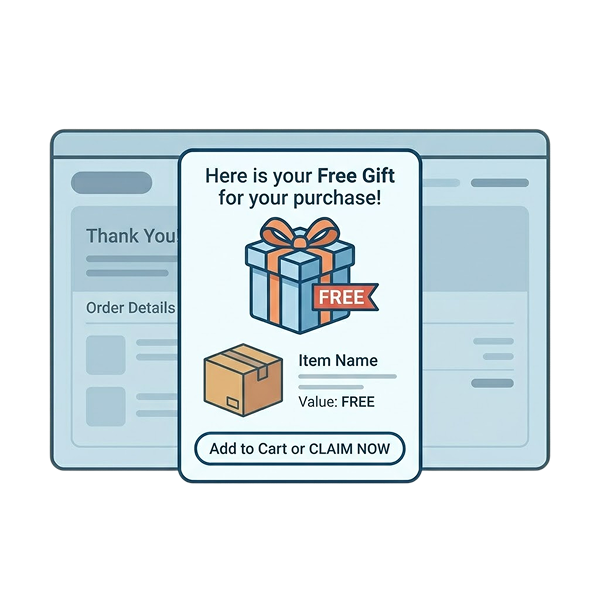
Running promotions in WooCommerce sounds simple until you realize the default coupon system can’t handle modern ecommerce marketing.
You can create basic percentage discounts. But what if you want to:
– auto-apply coupons,
– create Buy One Get One (BOGO) offers,
– generate smart coupon URLs,
– schedule flash-sale discounts,
– personalize offers for customer roles,
– or create advanced cart-based coupon rules?
That’s where a dedicated WooCommerce coupon plugin becomes essential.
In this guide, we tested and compared the best WooCommerce coupon plugins for 2026 based on:
– smart coupon capabilities,
– advanced discount rules,
– automation features,
– ease of use,
– WooCommerce compatibility,
– pricing,
– and real-world merchant usability.
Whether you need a simple coupon plugin for WooCommerce or a complete WooCommerce advanced coupon system with dynamic pricing and BOGO campaigns, this comparison will help you choose the right plugin for your store.
Note: According to Flycart’s latest testing, stores using automated discount rules and smart coupons typically create faster checkout experiences and better conversion-focused campaigns compared to stores relying only on manual coupon codes.
Convert nearly 55% of site visitors into paying customers by offering customized coupons using the Discount Rules Pro plugin.
Table of contents
- What is a WooCommerce Coupon Plugin?
- Why WooCommerce’s Default Coupon System is Not Enough?
- Why Use an Advanced WooCommerce Coupons Plugin?
- How Did I Test and Prepare this Best WooCommerce Coupon Code Plugins List?
- A Quick Overview of 12 Coupon Plugins for WooCommerce
- 12 Best WooCommerce Coupon Plugins in 2026
- 1. Discount Rules for WooCommerce – Pro
- 2. Advanced Coupons for WooCommerce
- 3. WooCommerce Volume Discount Coupons
- 4. WooCommerce Coupons Countdown
- 5. WooCommerce Smart Coupons
- 6. Coupon Generator for WooCommerce
- 7. Coupon Creator
- 8. Coupon Affiliates
- 9. Coupon Box for WooCommerce
- 10. Retainful
- 11. ELEX WooCommerce Abandoned Cart Recovery with Dynamic Coupons
- 12. WebToffee’s Smart Coupons for WooCommerce
- Factors to Check Before Choosing Your Best Coupon WooCommerce Plugin
- Best Practices for Offering Coupons in Your WooCommerce Store
- How Do I Add Coupons in WooCommerce?
- How Do I Enable Coupons in WooCommerce?
- How Do I Add Free Shipping Coupons to WooCommerce?
- Auto-Applied Coupons vs Manual Coupon Codes
- Conclusion
- Frequently Asked Questions
What is a WooCommerce Coupon Plugin?
A WooCommerce coupon plugin extends the default WooCommerce coupon system by allowing store owners to create advanced promotions such as:
- BOGO offers,
- auto-applied discounts,
- smart coupons,
- cart-based coupon conditions,
- URL coupons,
- bulk coupon generation,
- dynamic pricing,
- and personalized discount campaigns.
These plugins help WooCommerce stores increase conversions, improve average order value (AOV), and automate promotional campaigns without custom coding.
Why WooCommerce’s Default Coupon System is Not Enough?
WooCommerce includes built-in coupon functionality, but it only supports basic discount scenarios.
For growing WooCommerce stores, the limitations quickly become obvious.
Here’s what WooCommerce core coupons cannot handle efficiently:
– advanced cart conditions,
– automatic coupon application,
– BOGO deals,
– dynamic pricing,
– customer-role discounts,
– purchase-history targeting,
– bulk coupon generation,
– smart coupon URLs,
– tiered pricing,
– and personalized promotions.
As promotional strategies become more sophisticated, most WooCommerce store owners eventually rely on dedicated coupon plugins to automate discounts and improve conversions.
Why Use an Advanced WooCommerce Coupons Plugin?
A WooCommerce advanced coupons plugin helps you enhance your discount strategies in various ways:
- Create advanced coupons based on cart items, cart total, purchase history, and specific customer roles.
- Personalize coupon codes based on the sales event. For example, use the “CHRISTMAS” code for the “Christmas holiday sale.”
- Offer time-limited coupons to create a sense of urgency and increase sales within a specific time.
- Using a coupon WooCommerce plugin, you can analyze data, measure campaign performance, and find which coupon codes drive more sales.
- Share auto-apply coupon URLs to redirect customers to discounted product pages and simplify their checkout process.
How Did I Test and Prepare this Best WooCommerce Coupon Code Plugins List?
To find the best coupon plugin for WooCommerce, I followed a thorough testing process. Here’s how I did:
- Features: I installed each plugin on my store to find the options available and their functionalities to create discount rules and offer customized coupons for simple to complex discount strategies.
- Ease of Use: I also examined how easy it was to activate each advanced coupon plugin in my store and focused on their simplicity and coupon creation process.
- Compatibility: I made sure that each coupon plugin in this list is compatible with my WooCommerce platform and themes.
- Customer Reviews: I checked customer reviews to know what their existing users thought of their plugin, to know the overall performance.
- Price: Price is a subjective factor. I considered both free and premium plugins for this list to maintain a balance between features and affordability.
A Quick Overview of 12 Coupon Plugins for WooCommerce
| Plugins | Best For | Free Version | Price(for a single site) |
| Discount Rules for WooCommerce -Pro | All-in-One dynamic discounts & smart coupon solutions | Yes | Starts at $85/year |
| Advanced Coupons | Apply coupons based on “If” conditions. | Yes | Starts at $99.50/year |
| WooCommerce Volume Discount Coupons | Create quantity-based coupon discounts. | No | $29/year |
| WooCommerce Coupons Countdown | Offer time-limited coupons with countdowns. | No | Starts at $29/ year |
| Smart Coupons for WooCommerce (by StoreApps) | Provide BOGO or free gift coupons. | No | $129/year |
| Coupon Generator for WooCommerce | Bulk generates thousands of coupon codes. | Open-source software (free) | |
| Coupon Creator | Offer fully customizable advanced coupons. | Yes | Starts at $59/year |
| Coupon Affiliates | Run coupon-based affiliate programs. | Yes | $19.99/month |
| Coupon Box for WooCommerce | Boost email signups with coupon discounts. | Yes | $26/year |
| Retainful | Recover abandoned carts with dynamic email coupons. | Yes | Starts at $14/month |
| Elex Dynamic Coupons | Recover lost sales with coupon emails. | No | Starts at $79/year |
| Smart Coupons for WooCommerce (by WebToffee) | Create BOGO coupons | Yes | Starts at $89/year |
12 Best WooCommerce Coupon Plugins in 2026
Choosing the best WooCommerce coupon code plugin is essential as it directly impacts the user experience.
It should seamlessly integrate into the website, ensuring a smooth and user-friendly process for customers to apply and redeem discount coupons.
The following is the list of the best WooCommerce coupon code plugins that help you create smart and advanced coupons for your WooCommerce store:
1. Discount Rules for WooCommerce – Pro
Discount Rules for WooCommerce – Pro is one of the best WooCommerce URL coupon plugins, enabling online store owners to easily create and manage custom coupons and discounts.
This plugin allows you to offer discount coupons based on specific products, categories, attributes, tags, quantity ranges, user roles, customer purchase history, specific dates, and more.
Here are some ways you can create a coupon with this plugin:
- Create multiple coupon types: BOGO, flash sale, free shipping, free gift, user-role, cart-based, purchase history, and seasonal offers.
- Combine coupons with bulk, BOGO, or bundle discounts, including free shipping options.
- Use auto-apply coupon URLs to send users directly to discounted pages.
- Customize coupons with flexible discount values and expiry settings.
Key features
- Create percentage-based discounts on WooCommerce products (e.g., 10% off storewide).
- Quantity-based bulk discounts (buy more, save more).
- Order total and cart-based discounts with flexible conditions.
- BOGO deals and bundle pricing offers.
- Apply discounts for multiple items via WooCommerce coupons.
- Conditional discounts (e.g., buy Product A, get a discount on Product B).
- Discount for specific product variants (e.g., 10% off for a particular size or color).
- Schedule discounts with usage limits and expiry controls.
- Display discount conditions using a customizable promo bar.
Pros
- Create one coupon for multiple rules or multiple coupons for a single offer.
- Free version supports bulk, percentage, and fixed coupon discounts.
- Create coupons for products, categories, attributes, and tags.
- Includes a 14-day money-back guarantee for testing.
- Also supports advanced automatic discounts like bulk pricing and BOGO with Pro.
- Auto-apply coupons helps redirect customers to discounted products.
Con
- Some features are only accessible with the Pro version.
Pricing: Free plugin available; Pro pricing starts at around $85/year for dynamic pricing and advanced discount rules. You can get up to 40% discount during limited-time promotional and seasonal sales.
Create advanced coupons for specific customers or roles using the Discount Rules Pro plugin to increase customer loyalty and sales.
2. Advanced Coupons for WooCommerce

The WooCommerce advanced coupons plugin lets you offer advanced coupon-based discounts like URL coupons, Cart conditions-based coupons, coupons with restrictions based on user role, store credit coupons for future purchases, and more.
This Advanced WooCommerce Coupon plugin also helps you run WooCommerce BOGO deals on your store.
Key Features
- Launch Buy One Get One (BOGO) offers with a new coupon type for WooCommerce.
- Safeguard against unintended discounts by setting cart conditions (coupon rules).
- Provide customers with WooCommerce store credit that can be used for future purchases.
- Quickly generate coupons using a wide range of pre-designed templates.
- Offer refunds as store credit to enhance customer retention.
- Categorize your WooCommerce coupons for better organization.
- Easily apply WooCommerce coupons via URL links (adds coupon URL functionality).
- Restrict the use of WooCommerce coupons based on user roles.
- Display WooCommerce coupons directly in the quick order preview box.
Pros
- It allows you to create an “IF” condition coupon where the customers can claim their coupon codes if the specific conditions are met.
- It helps you schedule coupons with start and end dates. Further, you can enhance it with customized error messages like “Coupon has not started or is not valid.”
Cons
- Compared to other plugins, it might be difficult for some users to understand.
- You need the premium version to unlock more advanced features like specific products, shipping overrides, one-click apply, and payment restrictions.
Pricing: Free version available; premium plans start at $99.50/year for BOGO deals, loyalty programs, and advanced cart conditions.
3. WooCommerce Volume Discount Coupons
Thirdly, we have the volume-based WooCommerce discount code plugin, which enables coupons based on product quantities.
This plugin simplifies your coupon creation by allowing you to display coupons anywhere in your store, showing customers which discounts can be applied to products.
Key Features
- Limit coupon usage based on the minimum and/or maximum quantity in the cart.
- Automatically apply coupons when the specified quantity and other criteria are met.
- Allow customers to manually apply coupons for those not automatically applied due to quantity restrictions.
- Restrict volume-based discounts to specific products or product categories.
- Automatically display discounts for eligible products on the shop and product pages.
- Display custom information for eligible products and when discounts are applied.
- Include shortcodes to showcase attractive coupons.
- Enable cross-promotion for products and categories, offering discounts based on the quantities of other items in the cart.
Pros
- With an easy-to-use interface, it helps you boost existing coupon features with volume-based discounts.
- If you have a wholesale customer group, this extension can be a good choice to boost bulk sales.
Con
This WooCommerce discount code plugin does not have a free plan and provides all features only on the “Pro” version.
Pricing: Free version not available; premium pricing starts at $29/year.
Related Read: How to Create a WooCommerce Bulk Discount?
4.WooCommerce Coupons Countdown
Coupons Countdown is the next best WooCommerce coupon plugin that offers a unique twist on coupon creation with countdown timers on product or checkout pages.
By using this time-based coupon extension, you can create a sense of urgency, encouraging customers to take action before the offer expires. As a result, you can drive more sales within a specific time frame.
Key Features
- Display countdowns for coupons, showing real-time updates of coupon codes and their validity.
- Introduce a new coupon option that makes coupons valid for a set number of days, weeks, months, or years after a user registers.
- Limit coupon usage to a specific number per user.
- Set coupon expiration based on the date of a customer’s last order.
- Restrict coupon use for customers who have purchased certain products.
- Include a new shortcode that displays visually appealing coupons in a variety of colors.
- Enable coupons to be valid for a set time after customers register or make their first order.
- Show the remaining time for coupon expiration using the extension’s shortcodes.
- Display the remaining number of uses for coupons with the extension’s shortcodes.
Pro
- After adding expiration dates to your coupon, you can enhance its impact by setting a countdown timer, triggering customers’ FOMO (fear of missing out).
Cons
- Compared to other plugins in this list, it lacks a variety of interesting features aside from a countdown timer.
- It does not have a free plan, and all features are available only to “Pro” users.
Pricing: Free version not available; premium pricing starts at $29/year for creating time-limited coupons.
Related Read: 7 Best Sales Countdown Timer Plugins for WooCommerce
5. WooCommerce Smart Coupons
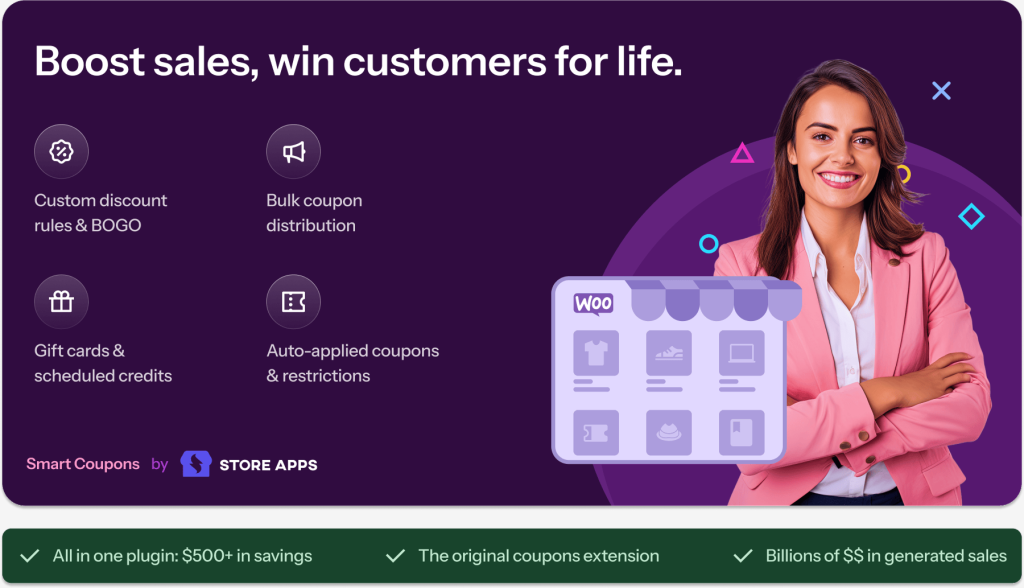
Smart Coupons is one of the best WooCommerce URL coupon plugins that lets you create auto-apply coupons for specific products.
Whether it is a customized BOGO free deal or free gift offer, this smart URL coupon plugin offers flexibility in offering deals such as “Buy 3 get 1, Buy 2 get 1 free, and more. Additionally, you can enable shareable links that automatically apply coupon discounts to product pages.
Key Features
- Set up subscription or recurring coupon discounts.
- Offer free shipping and tax benefits via store credit coupons.
- Display available coupons on the cart/checkout for an easy one-click application.
- Automatically generate and issue coupons or credits with product purchases.
- Send instant “cashback” credits for future use.
- Create time-limited, auto-expiring coupon discounts.
- Support for multi-currency plugins like Aelia.
- Allow loyal customers to bypass the “individual use” restriction.
- Redirect users to any page after applying a coupon.
- Import and export coupons easily.
Pros
- This plugin allows you to generate thousands of coupon codes and export them as CSV.
- It extends the standard coupon functionalities with customized coupons based on product quantities, attributes, and payment methods.
- Helpful for creating different use cases. For examples:
- Buy 3, Get 1 Free: Purchase any three items from the Clothing category and receive a free pair of sunglasses.
- Share a URL coupon on social media during sales or product launches, and the discount will be automatically applied.
- Apply coupons exclusively to all black clothing items in your store.
- Buy 3, Get 1 Free: Purchase any three items from the Clothing category and receive a free pair of sunglasses.
Con
- It’s also a premium plugin with no free features.
Pricing: Pro plan starts at $129/year, and no free version.
6. Coupon Generator for WooCommerce
Coupons Generator is a free and user-friendly WooCommerce coupon code plugin that allows store owners to generate coupons in bulk. This is useful when using them for a promotional campaign targeting a large audience.
Its simple and intuitive interface makes it easy to create and manage coupons.
It also offers advanced features such as tracking and reporting coupon usage, allowing store owners to analyze the effectiveness of their coupon campaigns and make data-driven decisions.
Key Features
- Generate tens of thousands of coupons simultaneously.
- The WooCommerce coupon code plugin works even on low-cost hosting.
Pro
- It is open-source software, ideal for beginner store owners who are looking to bulk-generate coupon codes for various promotional events.
Con
- It is not as feature-rich as other plugins on the list, especially when compared to more advanced options.
Pricing: Free open-source plugin that lets you bulk generate thousands of WooCommerce coupon codes quickly and efficiently.
7. Coupon Creator
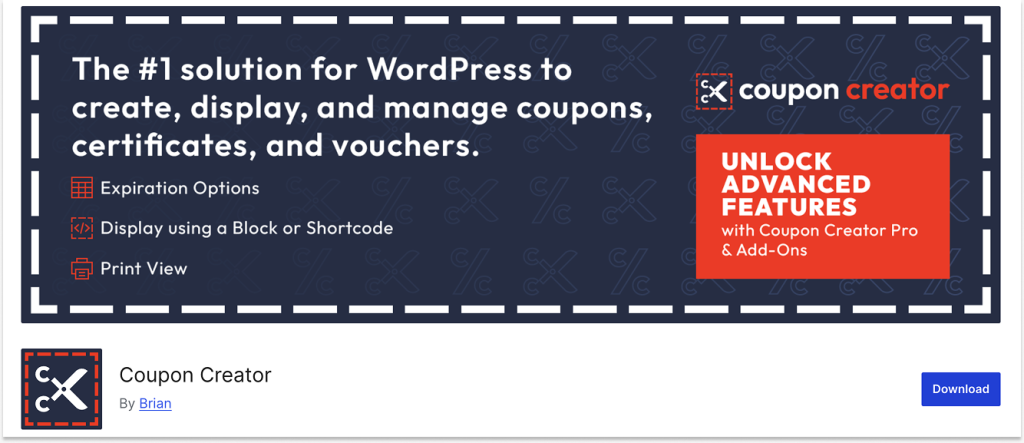
Coupon Creator, another WooCommerce coupon plugin, helps store owners create coupons with customized styles. Whether it is a single or a loop of coupons, you can easily align and order them.
The unique feature of this plugin is its visual editor, which gives you the flexibility to fully customize your coupon’s style, including font size and color, background color, border styles, and more.
Key Features
- Select and print multiple coupons at once for efficiency.
- Reveal and generate dynamic coupon codes for better flexibility.
- Create and display WooCommerce coupons directly from the editor.
- Customize the display and filtering of coupons with the shortcode, filter bar, and template system, ensuring control over updates.
- Edit expiration dates and counters quickly in bulk for ease of management.
- Set coupons to automatically expire at the end of each month, with the ability to adjust for the next month.
- Easily style and customize content for terms on your site using the visual editor.
- Display and print coupons directly from a pop-up for a seamless user experience.
Pros
- You can use this plugin to use coupons as an image.
- You can increase coupon visibility by displaying attractive coupon codes with the customized visual editor.
- Also, best for creating time-limited coupon codes.
Con
- It does not have dynamic coupons, such as bulk or BOGO deal coupons.
Pricing: The plugin has a free version. The pro plan starts at $59/year.
8. Coupon Affiliates
Coupon Affiliates is a unique WooCommerce promo code plugin that allows store owners to run a coupon-based affiliate program using the default WooCommerce coupon feature.
You can create coupon codes, assign them to the affiliates, track their performance, reward the affiliates for driving sales, and more.
The plugin turns coupon codes into affiliate links, so every time an affiliate shares a coupon and a customer purchases using that coupon, the affiliate earns a commission.
Key Features
- Affiliates can view detailed statistics for their referral coupon, including usage, conversions, and referral URL tracking.
- Affiliates can generate referral URLs that automatically apply the coupon at checkout and track clicks, usage, and conversions.
- Affiliates can see a detailed list of recent orders, including the commission earned, which can be filtered by date or order status.
- The affiliate registration system allows users to apply as affiliates, with automatic coupon generation and customizable welcome emails.
- Email notifications are sent to affiliates when their coupon code is used, informing them of earned commissions.
- Fraud prevention features are implemented to help prevent fraudulent sales in the affiliate program.
- Integration with WooCommerce Subscriptions allows affiliates to earn commission on subscription renewals, or only on the first order.
Pros
- The transparent access of this plugin helps you build trust with your affiliates, resulting in positive affiliate collaboration.
- This WooCommerce promo code plugin is easy to use with useful settings that guide affiliates in simplifying the affiliate registration process.
- Unlike other plugins in this list, it has a unique advantage for store owners who want to increase their store sales through affiliate marketing.
Con
- The plugin is basically designed for the affiliate process and does not have other advanced coupon features like BOGO or time-based coupons.
Pricing: Free version available; Pro plans start at $19.99/month.
9. Coupon Box for WooCommerce
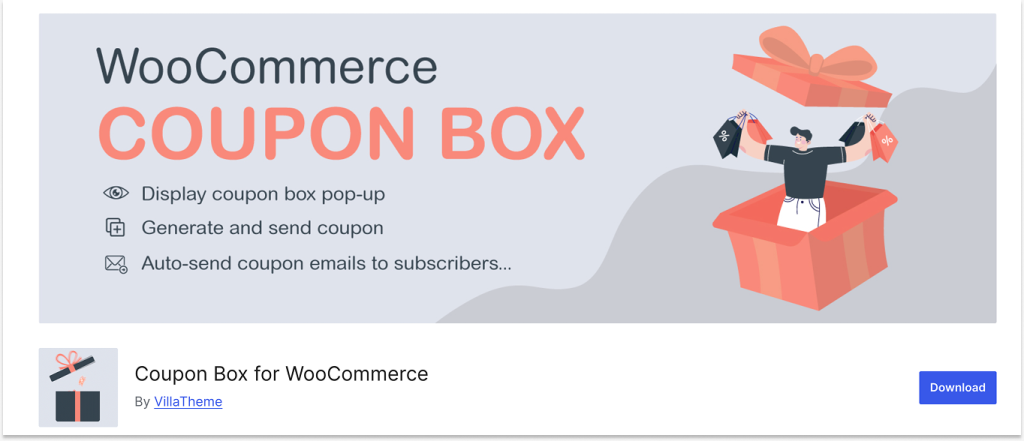
Coupon Box is another best coupon plugin for WooCommerce to capture customers’ email addresses in exchange for a coupon discount.
It adds a coupon box to the storefront, which prompts customers to enter their email addresses to receive a coupon code. Once the customer enters their email address, they receive an email with a unique coupon code to use on their purchase.
Furthermore, you can check these subscribed email addresses in the plugin back-end or synchronize them to your email marketing platforms through API.
Key Features
- Display a pop-up box for new users to subscribe to email updates.
- Sync registered emails seamlessly with popular email marketing tools like MailChimp, Active Campaign, and SendGrid.
- Automatically generate and dispatch coupon codes to subscribers.
- Show coupon popups with customized messages for different purposes like welcome, congratulations, or thank you.
- Enable a multilingual coupon box to reach customers in different regions.
Pros
- This coupon box WooCommerce plugin allows you to create your own coupon code or choose from the existing codes.
- It is a dedicated tool designed to encourage customers to subscribe to your emails in exchange for a coupon discount.
Con
Basically, the same features in the standard coupon option, such as setting minimum spend and expiry dates, are available in the free plan, while all the advanced features are available only in the premium version.
Pricing: Free version available; Pro plans start at $26/year.
Related Read: 5 Best WooCommerce Subscription Plugins
10. Retainful
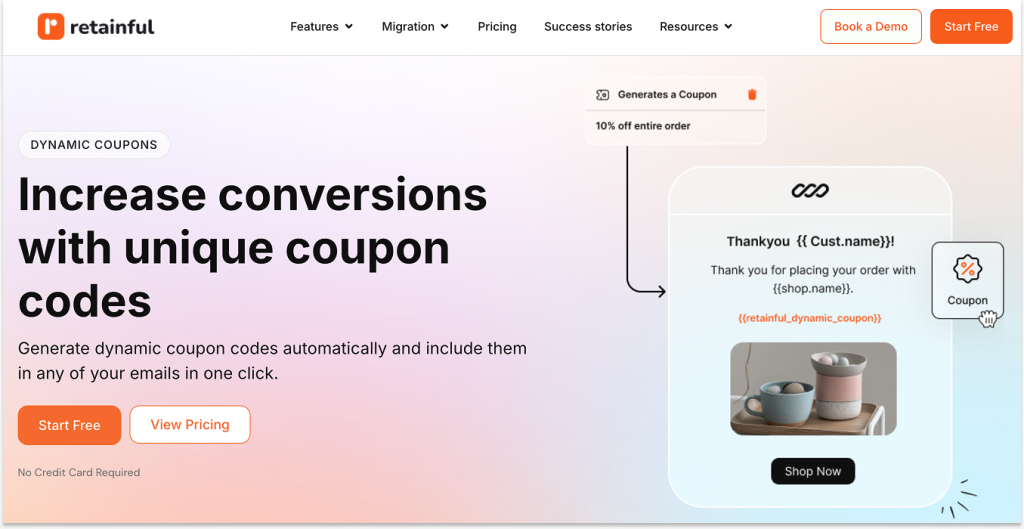
Retainful is a must-have WordPress coupon plugin, ideal for both WooCommerce and Shopify stores. It combines the power of WooCommerce coupons, email marketing automation, and referrals.
You can automatically send email follow-ups when customers abandon their cart and send them unique coupons to motivate them to complete the purchase.
Moreover, after a customer makes a purchase, you can automate a thank-you email with a coupon for their next purchase. And when customers become inactive, you can send a follow-up with a coupon to bring them back and increase sales.
If you’re looking to boost your email conversion rates and increase revenue, Retainful is a highly recommended WordPress coupon plugin.
Its extensive features and ease of use can help you engage with your customers, recover lost sales, automate order follow-ups, win back customers, and grow your business.
Key Features
- Recover abandoned carts in WooCommerce to increase conversions.
- Capture email addresses and grow your list with targeted sign-up forms and pop-ups.
- Automate WooCommerce email campaigns based on user actions like sign-ups, purchases, and cart abandonment.
- Send follow-up emails for WooCommerce orders automatically.
- Include unique coupon codes in automated emails to boost conversions and repeat purchases.
- Win back inactive customers with pre-built workflows.
- Segment your email list based on demographics, purchase history, and engagement for better targeting.
Pros
- It is a dedicated and affordable email marketing tool that allows you to automate email campaigns to recover abandoned carts and boost sales.
- The coupon option in this tool helps attract customers with relevant coupon codes.
Con
- As an email marketing plugin, it is not suitable for creating advanced BOGO deals, bundle discounts, or conditional coupons.
Pricing: Free version available; Pro plans start at $14/month and help recover abandoned carts with dynamic coupon emails and automation workflows.
11. ELEX WooCommerce Abandoned Cart Recovery with Dynamic Coupons
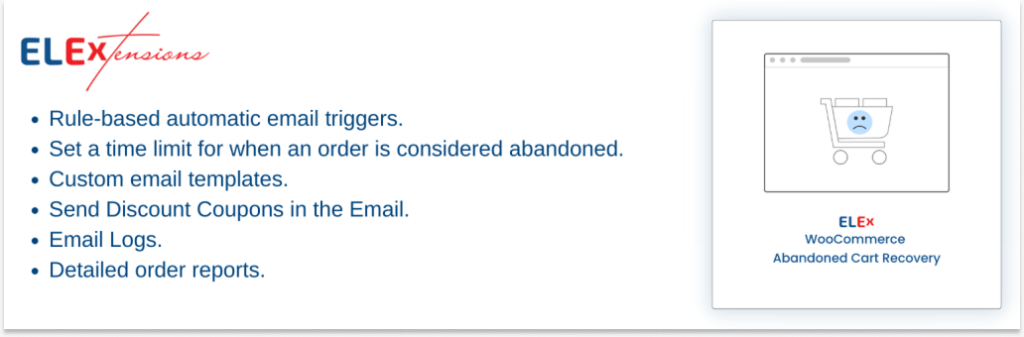
ELEX’s Abandoned Cart Recovery is an excellent WooCommerce coupon plugin to reclaim lost sales by automatically sending timed, customized emails to website visitors who have abandoned their carts.
If a certain amount of time has passed without any activity in a shopping cart, you can mark it as “abandoned” using the plugin.
If a visitor abandons their cart due to the price, a discount code is generated dynamically and added to the recovery email to encourage them to return and finish their order.
Key Features
- View and filter detailed reports on abandoned and recovered carts, including the total recovered amount, conversion rate, and most used coupons.
- Automate abandoned cart emails with customizable rules and triggers based on user roles, order amounts, items, and product IDs.
- Maximize conversions by including dynamically generated WooCommerce coupons in abandoned cart emails, which are automatically applied at checkout.
- Choose WooCommerce order statuses to indicate when a recovered abandoned cart.
- Set a timer for carts to be considered abandoned and erase old data to avoid email spam.
- Enable guest users to retrieve their abandoned carts, ensuring email addresses are validated.
- Receive email notifications with detailed recovery information every time a cart is successfully recovered.
- Create custom email templates with smart coupons for abandoned cart reminders.
Pro
- Similar to Retainful, it is also designed to reduce cart abandonment rates with dynamic discount coupons.
Cons
- Undoubtedly, this email-based WooCommerce coupon plugin is not suitable for creating advanced, smart coupons such as BOGO deals, bundle discounts, cart total-based coupons, and more.
- It does not have a free plan, and you need the premium version to unlock all features of this plugin.
Pricing: No free version available; premium plans start at $79/year.
12. WebToffee’s Smart Coupons for WooCommerce
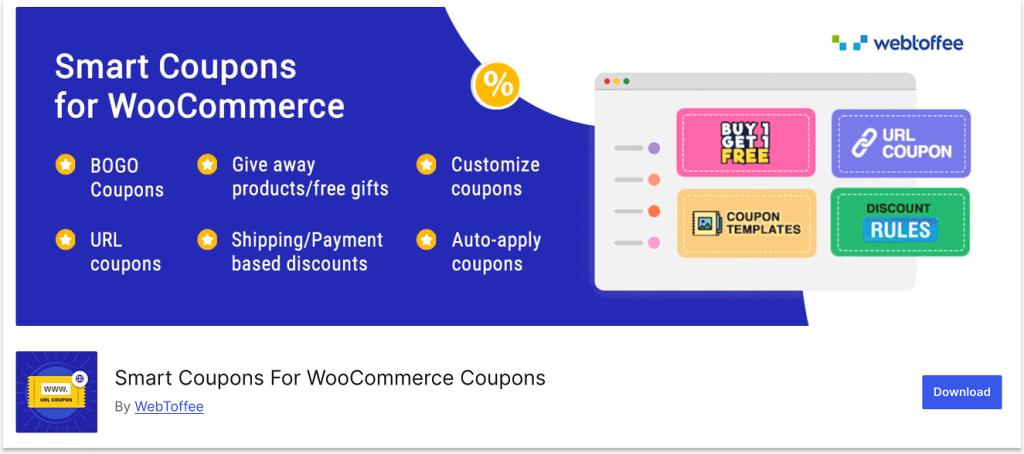
Last on this list is Smart Coupons, which is one of the most popular WooCommerce discount code plugins to create advanced offers, such as BOGO offers, auto-apply coupons, and free gift coupons.
Primarily focused on BOGO deals, it allows you to customize recursive “Buy X, Get Y” offers, such as “Buy 2, Get 1 Free,” “Buy 4, Get 2 Free,” and more.
Furthermore, you can create smart coupon codes that automatically apply discounts to cart items.
You can also duplicate existing coupons with the same parameters for different discount offers.
Key Features
- Easily create Buy One Get One (BOGO) offers with an intuitive module.
- Set up smart coupons that automatically apply when a product is added to the cart.
- Limit coupon usage based on products, categories, or user roles.
- Filter coupons by the minimum or maximum quantity or subtotal of products purchased.
- Issue coupons based on shipping methods, payment methods, or user roles at checkout.
- Embed giveaway products into WooCommerce coupon codes.
- Allow customers to view applicable coupon codes directly in their account (under My Coupon).
- Customize the appearance of coupons (active, used, expired) with styling options.
Pros
- Smart Coupons plugin is a good option for creating BOGO coupons, Giveaway coupons, gift coupons, and cart recovery coupons.
- The coupon styling feature is an important feature to increase coupon visibility and boost sales.
Con
- Although it offers customized coupon features, the free version has limited options, and you’ll need to upgrade to the premium version to access all functionalities.
Pricing: Free version available; Pro plans start at $89/year and allow you to create BOGO coupons and advanced promotional offers.
Factors to Check Before Choosing Your Best Coupon WooCommerce Plugin
Before choosing the best coupon plugin for your WooCommerce store, consider the following factors—just as I did when selecting the best plugins:
- Features are the most important factor in choosing an advanced coupon plugin over the built-in WooCommerce coupon function. Look for a plugin that helps you create a variety of coupon discount strategies to boost your sales.
- In addition to features, the ease-of-use factor is also important to manage your coupon process without needing to code.
- Choose a coupon code plugin that is affordable. If you are a new WooCommerce store owner, start with a free plugin.
- Check reviews and make sure that the plugin is up-to-date and receives regular updates.
- Every store has different themes and extensions, so ensure that the chosen plugin is compatible with your WooCommerce setup.
Best Practices for Offering Coupons in Your WooCommerce Store
Using WooCommerce coupons strategically can help maximize their impact and drive sales for your online store.
Here are some best practices to keep in mind while applying discount coupons to your products:
- Use clear and relevant coupon codes: Make sure your coupon codes are easy to understand and remember. Avoid complex codes that are difficult to hard to recall, as this could discourage customers from using them. Also, create a code based on your promotional event.
- Offer valuable discounts: Offer discounts that are significant enough to motivate customers to purchase but not so large that they negatively impact your profits.
- Target specific groups of customers: Instead of offering coupon codes to all customers, create coupons for specific customer groups, such as email subscribers, wholesale dealers, or repeat customers. It can motivate your target audience to make a purchase.
- Limit coupon usage: Set usage limits for each coupon to prevent overuse and ensure the promotion’s longevity.
- Use expiry dates: Add expiry dates to your coupons to create urgency and encourage customers to act before the offer ends. Moreover, you cannot offer discounts at all times.
- Test and track coupon performance: Use the analytics features in your WooCommerce advanced coupons plugin to regularly monitor the coupon performance and see which ones are working and which are not. This will help you adjust and improve your strategy over time.
- Use a mix of coupon types: Providing the same coupon code does not always align with customers’ interests. Thus, offer a variety of coupon types, such as percentage discounts, fixed-amount discounts, and free shipping, to attract different customer groups and keep your promotions fresh and exciting.
- Consider compatibility with other promotions: When running multiple promotions, make sure your coupons are compatible and don’t interfere with other promotional offers.
How Do I Add Coupons in WooCommerce?
To add coupons in WooCommerce:
- Go to the “WordPress” dashboard -> “Marketing” -> “Coupons” -> “Add New Coupon” to create a new coupon.
- Enter a name and the coupon code, choose the discount type, and set the coupon discount in the General tab.
- You can also set usage limits if needed.
- Once you finish the above, click the “Publish” button to create the coupon.
You can use an advanced coupon plugin like “Discount Rules for WooCommerce -Pro” to create advanced coupons.
For full steps: How to create a coupon in WooCommerce?
How Do I Enable Coupons in WooCommerce?
Enabling coupon settings is important to activate coupon codes.
To enable coupons in WooCommerce:
1. Go to “WooCommerce” -> “Settings.”
2. In the “General” section, scroll down to “Enable Coupons.”
3. Enable the checklist box, “enable the use of coupon codes.”
4. Finally, click “Save changes” to activate the coupon.
How Do I Add Free Shipping Coupons to WooCommerce?
You can add free coupons to WooCommerce using the two steps:
Step 1: Creating Free Shipping Offer:
1. Go to “WooCommerce” -> “Settings” -> “Shipping.”
2. Add a new shipping zone and select the zone regions to offer free shipping.
3. Click “Add shipping method” and select “Free Shipping.”
4. Continue to the next step and set free shipping requirements.
5. Finally, create and save the offer.
Step 2: Adding Free Shipping Coupon:
1. Go to “Marketing” -> “Coupon” -> “Add Coupon.”
2. Create a coupon code and set discounts for the coupon.
3. Enable the “Allow Free Shipping” option to add a free shipping coupon.
4. Publish the changes.
For full steps: How to set up a free shipping coupon in WooCommerce?
Auto-Applied Coupons vs Manual Coupon Codes
Traditional coupon codes create friction because customers must manually search, copy, and enter the code during checkout.
Auto-applied coupons automatically activate discounts when cart conditions are met.
Many WooCommerce stores now prefer automatic discount rules because they:
– reduce checkout friction,
– improve conversion rates,
– reduce coupon abandonment,
– and prevent coupon-code hunting behavior.
Stores using automatic discounts often see better coupon redemption rates because customers don’t need to manually search for codes during checkout.
This reduces friction and helps improve conversion rates compared to traditional coupon-only promotions.
To know how to create auto-apply coupons in WooCommerce, check this guide: How to Auto-Apply WooCommerce Coupons via URLs? (4 Ways)
Reduce 37% of abandoned carts by offering smart coupons with the “Discount Rules for WooCommerce- PRO” plugin.
Conclusion
Customers are always looking for discounts, and offering a deal certainly saves them money and can encourage repeat purchases.
WooCommerce coupons are a great way to capture customer attention and make them purchase more through savings.
You don’t have to limit your strategies to the default WooCommerce feature. Choose one of the advanced WooCommerce coupon plugins mentioned above to offer customized coupons that boost customer engagement, yield high sales, and increase revenue.
Frequently Asked Questions
Yes. WooCommerce comes with a built-in coupon feature. It allows you to create coupon codes for products and categories. However, it has limited features and functionalities. You can use a WooCommerce coupon plugin to extend your coupon features.
Yes, there are several free coupon plugins available for WooCommerce. It’s important to choose the best plugin that enhances your coupon strategy and boosts your store’s sales.
If you are a beginner, consider these free plugins: “Discount Rules for WooCommerce -Pro,” “Coupon Creator,” and “Advanced Coupons.” Sooner or later, you can upgrade your plugin to enhance your coupon functionalities.
You can find coupons in WooCommerce by:
– Navigate to the WooCommerce dashboard and click the “Marketing” option.
– Then, you can choose the “Coupon” option under “Marketing” to create your coupons.
To prevent coupon abuse in WooCommerce, use plugins that support usage limits, email restrictions, cart conditions, and auto-applied discounts instead of public coupon codes.
Smart coupons mainly focus on coupon management features like gift cards, store credits, URL coupons, and bulk coupon generation, while discount rules plugins focus on automatic pricing logic, BOGO offers, cart conditions, and dynamic discounts.
Plugins like “Discount Rules for WooCommerce – Pro” and “Advanced Coupons for WooCommerce” support URL-based discounts that automatically apply coupons when customers click a promotional link.
Plugins like “Discount Rules for WooCommerce – Pro” and “WooCommerce Smart Coupons” support both dynamic pricing and advanced coupon campaigns, including BOGO deals, cart rules, and automatic discounts.