If you’re running a store on WooCommerce, you’ve likely heard how much more powerful word-of-mouth marketing can be compared with traditional ad spending. That’s where a good WooCommerce referral plugin comes in by turning your happy customers into your advocates, you save on marketing costs, build trust, and grow sales reliably.
In this post, we’ll walk you through the five best referral plugins for WooCommerceyou should consider in 2026 — what they do, how they compare, and how you pick the right one.
Whether you’re a beginner, intermediate, or experienced store-owner, you’ll find something useful here.
Offer personalized “Refer a Friend” rewards and boost repeat sales effortlessly using WPLoyalty’s WooCommerce referral plugin.
Table of contents
- What is a WooCommerce Referral Plugin?
- Why Does Your WooCommerce Store Need a Referral Plugin?
- How a WooCommerce Referral Plugin Works?
- 5 Best WooCommerce Referral Plugins in 2026
- How to Choose the Best WooCommerce Referral Plugin?
- Troubleshooting Common Referral Plugin Issues
- Common Mistakes Store Owners Make that Should be Avoided
- Advanced Tips to Maximize Your Referral Program
- Conclusion
- Frequently Asked Questions
What is a WooCommerce Referral Plugin?
A WooCommerce referral plugin is a tool that lets your online store reward existing customers when they refer new customers.
It automates “refer-a-friend” programs by generating unique referral links or codes, tracking referrals, and issuing rewards like discounts, points, or coupons to both the referrer and the friend, helping you increase sales, customer loyalty, and brand reach effortlessly.
Why Does Your WooCommerce Store Need a Referral Plugin?
A strong referral plugin for WooCommerce is not just a shiny add-on; it addresses real pain points:
- Slash customer acquisition costs – Referred customers often cost less and convert better than cold leads.
- Automates your referral program – Instead of juggling spreadsheets, you get automatic referral links, tracking, and rewards.
- Builds trust with personal recommendations – A friend’s recommendation carries much more weight than an ad.
- Prevents fraud and disputes – A good referral plugin will give you logs, unique links/codes, and checks so you don’t reward invalid activity.
In short, if you want a cost-effective and scalable way to boost customer loyalty and bring in new buyers, choosing the best WooCommerce referral plugin is a key step.
How a WooCommerce Referral Plugin Works?
A WooCommerce referral plugin automates word-of-mouth marketing by turning your happy customers into promoters.
Instead of manually tracking referrals, it uses unique referral links, automatic tracking, and instant rewards.
Let’s understand the process with an example using WPLoyalty, one of the best referral plugins for WooCommerce:
- Customer joins your referral program
Once WPLoyalty is installed, every registered customer gets a unique referral link or code directly from their account dashboard. - They share their link with friends or family
The customer can share the referral link through email, WhatsApp, social media, or even text message — whichever suits them best. - Friend clicks the referral link and shops
When the friend clicks the referral link and makes their first purchase on your WooCommerce store, the plugin automatically tracks the referral. - Rewards are issued automatically
Based on the reward rules you set in WPLoyalty (for example, “Give 100 points to referrer and 10% discount to referee”), both customers instantly receive their rewards via email or directly in their account. - Track performance in real-time
You can monitor referral activity in the admin dashboard: how many referrals were made, who referred the most customers, and the revenue generated through referrals.
Example scenario:
Sarah, an existing customer, refers her friend Emma to your online clothing store.
Emma uses Sarah’s referral link and gets 10% off on her first order. Once Emma completes the purchase, Sarah automatically earns 100 loyalty points, which she can redeem on her next order.
Both win, and you gain a new, loyal customer — all managed seamlessly through WPLoyalty’s WooCommerce referral plugin.
5 Best WooCommerce Referral Plugins in 2026
Here are five top picks for “best WooCommerce referral plugin” — each with its strengths, and a quick look at its pros/cons:
1. WPLoyalty
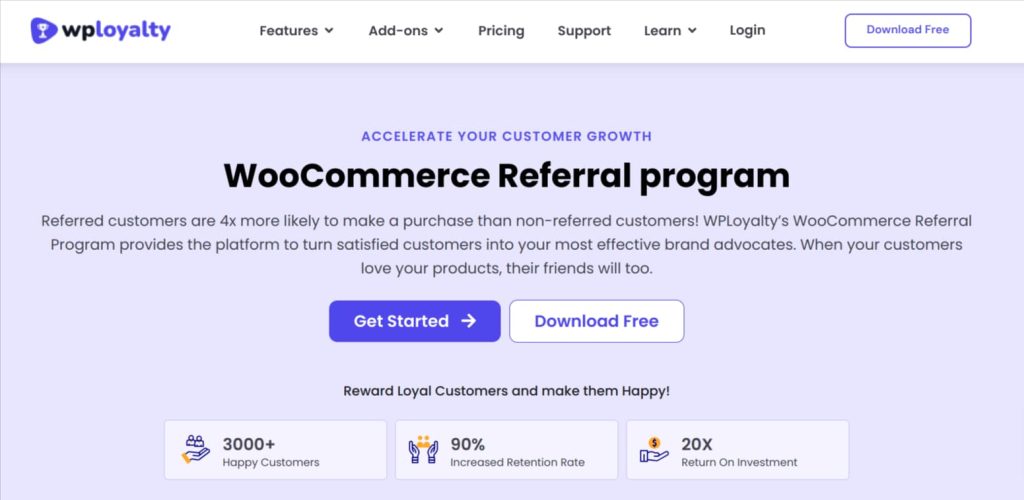
WPLoyalty is an all-in-one WooCommerce referral plugin that goes beyond simple “refer a friend” campaigns.
It helps store owners launch customizable referral programs that reward both referrers and referees with loyalty points, discounts, freebies, or free shipping.
The plugin also integrates loyalty campaigns, enabling businesses to strengthen repeat purchases and lifetime customer value.
Its user-friendly dashboard makes campaign creation and tracking effortless, even for beginners.
Key Features:
- Pre-built referral campaign templates to launch programs instantly.
- Reward customers using points, discounts, free products, or shipping offers.
- Hybrid referral rewards (combine points and discounts for maximum engagement).
- Guest referral add-on for rewarding first-time customers.
- Multilingual, multi-currency, and condition-based rule support.
Pros: Flexible, all-in-one loyalty + referral system.
Cons: May feel advanced for small stores wanting a quick setup.
Best For: Growing WooCommerce stores focused on loyalty and referrals.
Pricing: Free plan available; premium starts at $84/year for a single site.
Launch a fully automated WooCommerce referral program with WPLoyalty and reward customers with points, discounts, or freebies, and grow customer loyalty faster.
2. Referral System for WooCommerce by Codup
The Referral System for WooCommerce plugin by Codup is designed for store owners who want a straightforward way to automate referral marketing.
This refer a friend WooCommerce plugin enables businesses to reward customers when their referrals register or make a purchase.
It’s light, simple, and efficient, perfect for store owners who prefer an easy-to-use setup without unnecessary features.
Key Features:
- Reward both referrer and referee upon signup or first purchase.
- Offer loyalty points, percentage, or fixed discounts as incentives.
- Set minimum order amounts for reward eligibility.
- Add one-click social sharing buttons (Facebook, WhatsApp, Email).
- Create, track, and manage referral codes directly in the customer account.
Pros: Quick to set up and manage.
Cons: Fewer advanced customization options.
Best For: Beginners or small business owners who want simple referral automation.
Pricing: Paid version starts at $49/year, with a 30-day refund policy.
3. WooCommerce Refer a Friend by Addify
WooCommerce Refer a Friend by Addify is another powerful referral plugin that makes it easy to run email and social media-based referral campaigns.
With this plugin, your customers can invite their friends to shop, and both receive a reward, helping you acquire new buyers through trust-driven recommendations.
The plugin’s setup wizard and customizable templates make campaign management smooth for store owners of any skill level.
Key Features:
- Reward customers with fixed or percentage-based discounts for referrals.
- Choose when to issue rewards (on signup, first order, or both).
- Integrated social sharing options for easier link distribution.
- Track referrals and coupons in both admin and customer dashboards.
- Set coupon expiration dates and custom prefixes for better control.
Pros: Great flexibility for different campaign triggers.
Cons: Doesn’t include loyalty or advanced fraud control features.
Best For: Stores wanting an easy “refer and earn WooCommerce plugin.”
Pricing: Paid version starts at $49/year with a 30-day money-back guarantee.
4. Refer A Friend for WooCommerce by WPGens
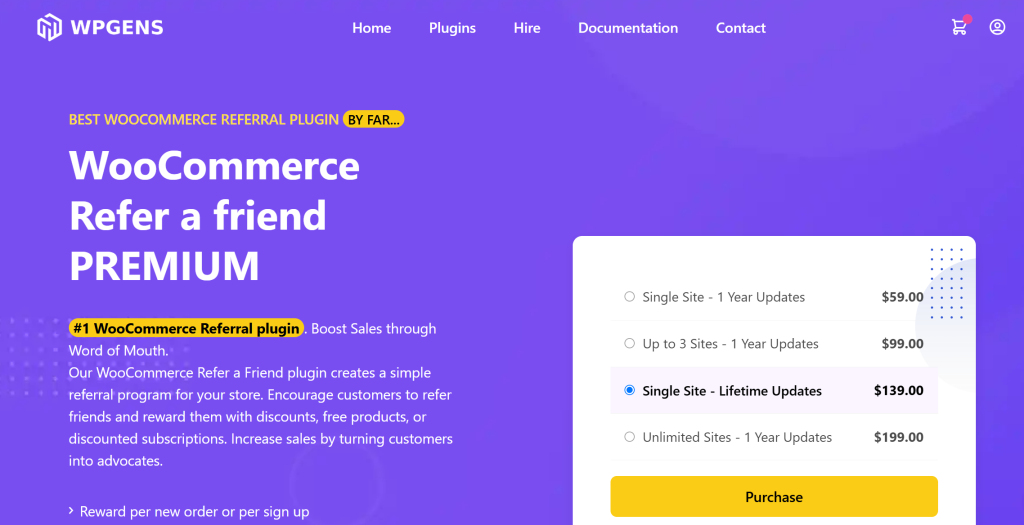
WPGens’ Refer A Friend for WooCommerce is a widely trusted plugin known for its simplicity and reliability.
This WooCommerce referral plugin automatically assigns each customer a unique referral link they can share across multiple channels.
Once their referred friend makes a purchase, the referrer is instantly rewarded with a coupon.
The plugin’s clean interface, shortcode support, and basic analytics make it beginner-friendly yet scalable.
Key Features:
- Auto-generate unique referral links for every registered user.
- Offer fixed or percentage coupon rewards for referrers.
- Optionally reward referees for their first or second purchase.
- Display referral links on account dashboards or product pages.
- Enable expiry dates and set minimum purchase requirements for coupons.
Pros: Simple setup and free version available.
Cons: Limited analytics unless upgraded to premium.
Best For: Beginners testing referral campaigns without heavy investment.
Pricing: Free version available; premium starts at $59/year.
5. Coupon Referral Program for WooCommerce by WPswings
The Coupon Referral Program for WooCommerce by WPSwings is a powerful referral software that integrates coupon rewards with referral tracking.
This best referral plugin for WooCommerce helps you acquire new customers, prevent fraud, and analyze performance through real-time reports.
It supports IP restrictions, email verifications, and data exports, making it ideal for stores that prioritize data security and transparency.
Key Features:
- Issue automatic coupons to referrers and referees after signup or purchase.
- Built-in fraud prevention (IP restrictions, email verification).
- REST API support for integration with external systems.
- Detailed referral reports and CSV export options.
- Easy sharing via email, SMS, or social media.
Pros: Great tracking and security features.
Cons: Slightly complex initial configuration.
Best For: Mid-size to large stores with data-driven referral goals.Pricing: Paid version starts at $49/year, 30-day refund policy included.
How to Choose the Best WooCommerce Referral Plugin?
Here’s a checklist of what to evaluate when comparing referral plugins for WooCommerce:
- Reward flexibility: Does the refer and earn woocommerce plugin allow discount types (fixed, percentage), loyalty points, freebies, hybrid models?
- Ease of setup: How much technical work is needed? Are templates, referral links/codes ready to go?
- Fraud prevention: Look for IP/email duplication checks, purchase verification, and logs.
- Tracking & reporting: Can the referrer and referee see status? Admin dashboard, CSV export?
- Social sharing options: Are referral links easily shareable via email, WhatsApp, social media?
- Integration capabilities: Does it integrate with other systems (loyalty programs, subscription models, email/SMS tools)?
- Budget & scalability: Free vs paid, number of campaigns allowed, hidden costs per referral, etc.
Things to Check When Choosing a Referral Plugin
- No fraud detection or logs → higher risk of abuse.
- Difficult setup or lack of documentation → slows you down.
- Mobile-unfriendly sharing → as many referrals happen via mobile devices.
- Hidden fees or per-referral charges that scale badly.
If you’re just starting, pick a plugin with a free version or low cost that covers your basics. As your store grows, you can upgrade to a plugin with stronger analytics and integrations.
Troubleshooting Common Referral Plugin Issues
Even the best WooCommerce referral plugin can occasionally face setup or tracking issues.
Here’s how to handle common problems:
- Referral links not tracking correctly:
- Clear browser cookies or cache before testing referral links.
- Make sure your referral cookie duration is set long enough (e.g., 30 days).
- Check if the plugin is compatible with your caching or optimization plugins.
- Rewards not applying after purchase:
- Verify the referral condition — e.g., reward is triggered only after the first purchase.
- Check if automation rules are properly configured in WPLoyalty.
- Ensure emails or coupon creation tasks aren’t being blocked by SMTP settings.
- Duplicate or fake referrals:
- Enable IP and email verification to prevent abuse.
- Use the fraud prevention settings in WPLoyalty to flag suspicious activities.
- Conflict with other WooCommerce plugins:
- Deactivate other marketing or coupon plugins temporarily to identify the conflict.
- Update all plugins and WooCommerce to their latest versions.
- Referral widgets not displaying properly:
- Make sure your site’s theme supports the widget area or shortcode you’re using.
- If you’re using a page builder (like Elementor), embed the referral shortcode manually.
Pro tip: Always test your referral campaign in a staging environment before launching it live. This helps ensure rewards, email triggers, and tracking all work perfectly before customers start sharing their links.
Common Mistakes Store Owners Make that Should be Avoided
- Launching a referral program but not promoting it: people need to know they can refer.
- Making the reward too small to motivate the referrer and referee.
- Choosing a referral plugin without planning ahead for what growth looks like (so the plugin becomes a bottleneck).
- Ignoring fraud prevention — fake accounts, duplicate IPs can drain budget.
- Forgetting to track and analyse performance — you should monitor referral conversion rate, which customers refer best, and optimise accordingly.
Advanced Tips to Maximize Your Referral Program
If you’ve already set up your referral plugin for WooCommerce, these advanced strategies can help you multiply your results and build a community of loyal customers:
- Combine referrals with loyalty campaigns:
Offer extra points or bonuses when referred customers make repeat purchases. WPLoyalty makes it easy to reward both actions together.
- Promote your referral program everywhere:
Add referral banners on your homepage, thank-you pages, and emails. Let customers know they can earn rewards for sharing your store.
- Use tiered referral rewards:
Encourage multiple referrals by increasing incentives — e.g., refer 3 friends → get 20% off, refer 5 friends → get a free product.
- Offer time-limited referral bonuses:
Create urgency by setting deadlines for referral rewards (e.g., “Refer a friend before Sunday and get double points”).
- Track and recognize your top referrers:
Celebrate your best advocates with exclusive offers or badges. Small gestures like these boost engagement and loyalty.
- Integrate with email marketing tools:
Send automated reminder emails encouraging customers to share their referral links. Integration with tools like Mailchimp or Klaviyo can increase visibility and participation.
By applying these tips, your referral program becomes more than a one-time promotion, it evolves into a sustainable growth channel for your WooCommerce store.
Create engaging loyalty and referral campaigns using WPLoyalty and increase retention, referrals, and revenue with customizable rewards that your customers love.
Conclusion
A referral plugin for WooCommerce is a smart way to turn your existing customers into brand advocates and drive new sales more cost-effectively.
When you choose the right plugin, balancing reward flexibility, ease of use, tracking capacity and budget, you’ll get a system that works for any level of store owner (beginner, intermediate or advanced).
- From our list above: if you want the richest feature-set and loyalty + referral, go with WPLoyalty.
- If you just need a simple refer-a-friend set up fast, consider WPGens.
- For deeper control and analytics, WP Swings is strong.
Use the checklist to match your store’s goals and pick the one that fits best.
Also Read:
How to Setup Refer a Friend Program in WooCommerce
How to Customize Loyalty Points Email in Your WooCommerce Store?
Frequently Asked Questions
A WooCommerce referral plugin is a tool that allows your store to reward existing customers when they refer new customers (friends, family, social networks).
This helps you get more sales via word-of-mouth, and the best refers include tracking, rewards for both sides and automated links or codes.
You should evaluate reward types (discounts, points, freebies), ease of setup, fraud prevention, social sharing, reporting and scalability.
Use keywords like “best refer a friend plugin for WooCommerce” or “referral plugin for WooCommerce” when comparing.
Yes. By incentivising both the referrer and the referee with rewards, you can motivate larger purchases or repeat purchases.
Also, combining a referral plugin with a discount rules plugin (like yours) helps you layer incentives and boost AOV.
Running coupons and discounts is great, but referrals add a social sharing and advocacy layer — your customers become the marketers.
A WooCommerce referral plugin enhances your existing discount strategies by leveraging your audience.
The good referral plugin for WooCommerce like WPLoyalty prevents abuse and fraud.
Features to look for include limiting referrals per IP/email, tracking purchases only after certain conditions (e.g., first order), unique links/codes, and admin logs or dashboards for monitoring.
Always check for “fraud prevention” or “duplicate detection” when choosing.