The e-commerce industry is growing at record speed, projected to hit US$4.96 trillion by 2030 with a 6.29% CAGR.
Today, small businesses and solo entrepreneurs are launching online stores more than ever before. Selling online no longer requires a physical shop, a big budget, or a technical background.
With the right platform, anyone can turn an idea into a revenue-generating store.
But there’s a common challenge every new seller faces: choosing the right ecommerce platform.
- The platform impacts your store’s speed, design, marketing, SEO, scalability, and long-term cost
- Switching platforms later is possible, but often expensive and time-consuming
- The best decision is made before launch.
And that’s where the confusion begins.
Two platforms always dominate most e-commerce recommendations:
- WooCommerce: Self-hosted e-commerce plugin for WordPress
- BigCommerce: Fully-hosted SaaS e-commerce platform.
Both are powerful. Both can scale. However, they cater to different types of businesses and varying growth goals, and understanding those differences matters more than comparing features on paper.
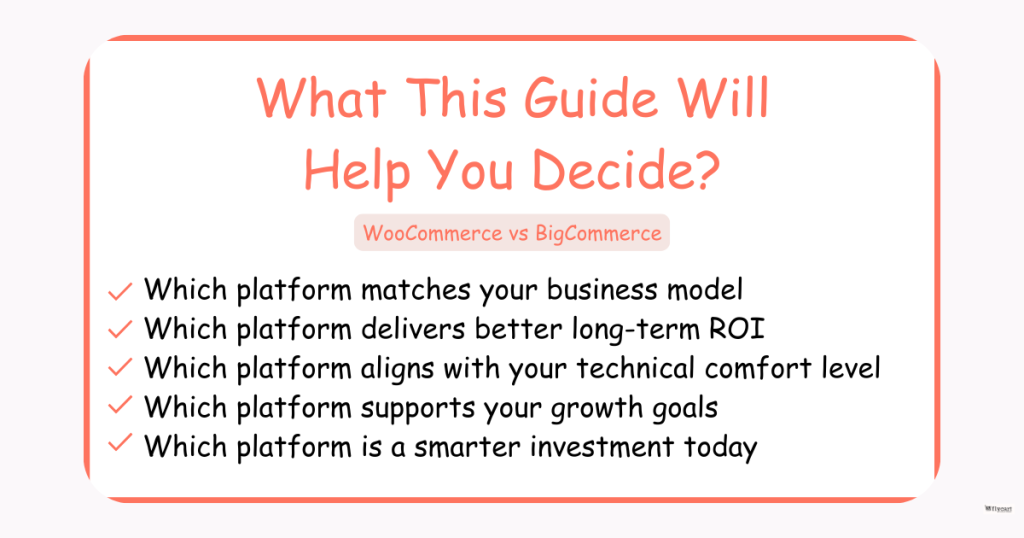
This comparison is not just technical — it’s based on real-world business needs: budget, customization demand, support expectations, workload, and scalability.
By the time you finish this guide, you’ll know which platform matches your goals today and supports the business you want to build tomorrow.
If WooCommerce is your choice, elevate it with the Discount Rules plugin so every promotion works harder and converts more shoppers.
Table of contents
- Overview of Each Platform
- Key Differences Between WooCommerce and BigCommerce
- WooCommerce vs BigCommerce: Feature-by-Feature Comparison (Deep Breakdown)
- Pros & Cons of WooCommerce and BigCommerce
- Real-World Scenarios — Which Platform Works Best for Your Business?
- Case-Based Recommendations — Real Situations Buyers Can Relate To
- Migration Flexibility: Switching Between BigCommerce and WooCommerce
- What Redditors Say About These Platforms? (Reddit Discussions)
- Conclusion – Which is the Best Platform for Your Online Store?
- Frequently Asked Questions (FAQs)
Overview of Each Platform
What is WooCommerce?
- Ownership model: WooCommerce is a self-hosted e-commerce plugin built on WordPress, meaning you own your store and have complete control over its setup and data.
- Ideal for: Entrepreneurs, small business owners, and solopreneurs who want maximum flexibility and the ability to customize every part of their online store.
- How does it work?
You install WooCommerce on a WordPress site, choose a hosting provider and a theme, and extend functionality using plugins and extensions.
This setup allows you to add everything from product variations to advanced marketing tools, giving you full control over costs, design, and features.
What is BigCommerce?
- Ownership model: BigCommerce is a hosted SaaS ecommerce platform, meaning everything is managed for you — hosting, security, and updates are included.
- Ideal for: Businesses or entrepreneurs who want a ready-to-go store with minimal technical setup, fast deployment, and reliable performance.
- How does it work?
You pick a subscription plan, choose a theme, and use the built-in ecommerce tools and apps to manage products, payments, and marketing.
The platform handles hosting, security, and maintenance, so you can focus on selling and growing your business.
Key Differences Between WooCommerce and BigCommerce
Quick Comparison Table (For Busy Readers)
Here are the differences between WooCommerce and BigCommerce:
| Feature | WooCommerce | BigCommerce |
| Types of products | Physical, digital, subscriptions, bookings, memberships, wholesale | Physical, digital, subscriptions, B2B, wholesale |
| Cost – platform fee | Free plugin; pay for hosting, themes, extensions | Monthly/ Annual Subscription-based: Standard ($39/month), Plus ($105/month), Pro ($399/month) |
| Hidden/additional fees | Hosting, SSL, plugins, payment gateway fees | Transaction fees only if not using BigCommerce Payments |
| Hosting | Self-hosted | Fully hosted |
| Ease of use/interface | Moderate; WordPress familiarity helpful | Beginner-friendly, intuitive dashboard |
| Technical setup | Moderate; hosting + plugins setup needed | Minimal; ready-to-use platform |
| Store designs | Fully customizable; depends on the theme | Customizable via built-in themes |
| Themes | Free & premium WordPress themes | Built-in themes; some paid options |
| Features | Highly flexible via plugins | Most core features are built in |
| Customization | Very high; code-level access | High, but less than WooCommerce |
| Product adding | Single, variable, grouped, downloadable | Single, variable, digital, customizable options |
| Third-party plugin/addon/app | Huge ecosystem via WordPress plugins | App marketplace with many integrations |
| Product images & features | Unlimited, custom galleries, zoom, videos via plugins | Built-in image gallery, zoom, and videos |
| Payment gateways | Any WordPress-compatible gateway | 65+ built-in payment gateways |
| Dropshipping & shipping | Via plugins & extensions | Built-in dropshipping integrations & shipping tools |
| Order tracking & management | Plugin-dependent or WooCommerce core | Built-in, easy-to-use dashboard |
| Inventory management | Built-in, enhanced via plugins | Built-in, robust tools |
| Marketing tools: SEO, social media & other | WordPress SEO + plugins; social integrations via addons | Built-in SEO, social selling, and email marketing tools |
| Coupon & discount features | Built-in basic; advanced via Discount Rules plugins | Built-in coupons, discounts, and automatic cart rules |
| Sales tools | Upsells, cross-sells via plugins | Built-in upsells, cross-sells, abandoned cart tools |
| Performance | Depends on hosting | Optimized; managed performance |
| Security | User-managed (SSL, backups, updates) | Platform-managed security, SSL included |
| Multi-channel selling | Via plugins: Amazon, eBay, Facebook | Built-in support for Amazon, eBay, Facebook, and Instagram |
| Multi-currency option | Plugins or custom setup | Built-in multi-currency support |
| International selling | Plugins needed for localization | Built-in international features, taxes, and currency |
| Import/export products | CSV import/export via core or plugins | Built-in product import/export |
| Abandoned cart recovery | Plugins/addons required | Built-in abandoned cart recovery |
| Order emails & email management | Plugins for advanced email templates | Built-in email notifications & marketing automation |
| Scalability | High; depends on hosting | Very high; handles large-scale stores easily |
| Help & support | Community forums, documentation, and paid support via agencies | 24/7 support, live chat, phone |
| User reviews | Millions of WordPress sites, highly rated | Thousands of stores; well-reviewed SaaS |
| Best for | Flexible, budget-conscious, highly customizable stores, tech-savvy, familiar with WordPress, and small businesses. | Fast setup, low maintenance, growing stores, beginners, multi-channel sellers, and large businesses. |
WooCommerce vs BigCommerce: Feature-by-Feature Comparison (Deep Breakdown)
Let’s break down each feature and factor to decide the best platform to start your small business store: WooCommerce or BigCommerce.
1. Product & Catalog Management
Managing your products effectively is the backbone of any e-commerce store. This section compares how WooCommerce and BigCommerce handle product types, adding products, images, inventory, and import/export capabilities.
Types of Products to Sell
- WooCommerce:
- Supports physical products, digital downloads, subscriptions, bookings, memberships, and even custom product types via extensions.
- Highly flexible for niche products or complex offerings (e.g., personalized items or mixed product bundles).
- Supports physical products, digital downloads, subscriptions, bookings, memberships, and even custom product types via extensions.
- BigCommerce:
- Supports physical products, digital products, B2B catalogs, and wholesale pricing out of the box.
- Best for stores with standard product offerings, but less flexible for highly unique product types.
- Supports physical products, digital products, B2B catalogs, and wholesale pricing out of the box.
Adding Products – Single, Variable, Grouped, Downloadable
- WooCommerce:
- Add single, variable, grouped, and downloadable products with ease.
- Extensions allow custom options, composite products, and dynamic pricing.
- Perfect for complex product catalogs requiring customization or multiple variations.
- Add single, variable, grouped, and downloadable products with ease.
- BigCommerce:
- Supports single, variable, and digital products.
- Built-in options allow setting product variants (size, color, etc.) and SKU management.
- Custom or unusual product setups may require workarounds or apps.
- Supports single, variable, and digital products.
Product Images & Other Features
- WooCommerce:
- Add unlimited images per product, image galleries, zoom, video embeds, and 360° product views using plugins.
- Supports rich product descriptions, specifications, and custom tabs.
- Add unlimited images per product, image galleries, zoom, video embeds, and 360° product views using plugins.
- BigCommerce:
- Built-in support for multiple images, image zoom, and videos.
- Limited compared to WooCommerce for advanced product display customization.
- Built-in support for multiple images, image zoom, and videos.
Inventory Management
- WooCommerce:
- Core inventory management tracks stock, backorders, and low-stock notifications.
- Advanced inventory features are possible with plugins (e.g., bulk stock updates, multi-warehouse management).
- Core inventory management tracks stock, backorders, and low-stock notifications.
- BigCommerce:
- Robust built-in inventory tracking with low-stock alerts and SKU management.
- Handles large catalogs easily without extra plugins.
- Robust built-in inventory tracking with low-stock alerts and SKU management.
Import or Export Products
- WooCommerce:
- Supports CSV import/export via built-in tools or plugins.
- Great for migrating stores or bulk uploading large product catalogs.
- Supports CSV import/export via built-in tools or plugins.
- BigCommerce:
- Built-in import/export functionality for products, customers, and orders.
- Supports bulk updates directly from the dashboard.
- Built-in import/export functionality for products, customers, and orders.
Summary of Product & Catalog Management
- WooCommerce = Maximum flexibility and customization, ideal for unique, complex, or growing product catalogs.
- BigCommerce = Ready-made, reliable catalog management, ideal for standard products with minimal setup.
2. Store Setup & Design
Your store’s setup and design directly impact how fast you launch, how professional it looks, and how easy it is to manage.
This section compares hosting, setup, and customization options for WooCommerce and BigCommerce.
Hosting
- WooCommerce:
- Self-hosted, meaning you choose your own hosting provider.
- Gives full control over server resources, performance, and backups.
- Costs vary depending on hosting plan (shared, VPS, cloud).
- Self-hosted, meaning you choose your own hosting provider.
- BigCommerce:
- Fully hosted SaaS platform, hosting included in your subscription.
- Servers, caching, backups, and updates are all managed automatically.
- Fully hosted SaaS platform, hosting included in your subscription.
Ease of Use / Interface
- WooCommerce:
- Dashboard is integrated into WordPress.
- Moderate learning curve; familiarity with WordPress helps.
- Managing plugins, extensions, and product settings may take time for beginners.
- Dashboard is integrated into WordPress.
- BigCommerce:
- Beginner-friendly admin panel with clear navigation.
- Most features are accessible without technical knowledge.
- Quick to add products, manage orders, and customize storefront.
- Beginner-friendly admin panel with clear navigation.
Technical Setup
- WooCommerce:
- Requires WordPress installation, WooCommerce plugin setup, hosting configuration, SSL, and optional extensions.
- It can take time for new users, but it allows full control over features and store structure.
- Requires WordPress installation, WooCommerce plugin setup, hosting configuration, SSL, and optional extensions.
- BigCommerce:
- Minimal setup; create an account, select a theme, and start adding products.
- Everything from hosting to security is pre-configured.
- Minimal setup; create an account, select a theme, and start adding products.
Store Designs
- WooCommerce:
- Fully customizable with WordPress themes and page builders like Elementor or Divi.
- You can create unique, branded storefronts without limits.
- Fully customizable with WordPress themes and page builders like Elementor or Divi.
- BigCommerce:
- Offers modern, responsive themes that are customizable via the dashboard.
- Limited compared to WooCommerce if you want highly unique designs.
- Offers modern, responsive themes that are customizable via the dashboard.
Themes
- WooCommerce:
- Thousands of free and premium WordPress themes.
- Themes can be combined with page builders for almost unlimited layout possibilities.
- Thousands of free and premium WordPress themes.
- BigCommerce:
- Built-in themes, some free, some premium.
- Limited compared to the WordPress ecosystem.
- Built-in themes, some free, some premium.
Customization
- WooCommerce:
- Full code-level access for CSS, PHP, and JavaScript.
- Extensions and plugins allow adding virtually any feature or functionality.
- Full code-level access for CSS, PHP, and JavaScript.
- BigCommerce:
- High customization via dashboard, theme settings, and apps.
- Limited code access compared to WooCommerce.
- High customization via dashboard, theme settings, and apps.
Summary of Store Setup & Design
- WooCommerce = Highly flexible and fully customizable, ideal for sellers who want a unique, branded store.
- BigCommerce = Fast, simple, and professional, ideal for users who prioritize speed and minimal technical setup.
3. Cost & Fees
Cost is often the deciding factor for small business owners and solo entrepreneurs.
Understanding platform fees, hidden costs, and additional expenses is essential before committing to WooCommerce or BigCommerce.
Cost – Platform Fee
- WooCommerce:
- The core plugin is free.
- You only pay for hosting, domain, SSL, and any premium themes or extensions.
- This allows low upfront costs and flexibility to scale your spending as your business grows.
- Example: A basic WooCommerce store can start around $10–$30/month for hosting, plus an optional $50–$100/year for a theme.
- The core plugin is free.
- BigCommerce:
- Subscription-based pricing with hosting included.
- Plans (as of 2025) typically:
- Standard: $39/month
- Plus: $105/month
- Pro: $399/month
- Standard: $39/month
- Higher plans unlock advanced features, B2B tools, and higher sales thresholds.
- Subscription-based pricing with hosting included.
Hidden / Additional Fees
- WooCommerce:
- Costs increase with:
- Premium plugins or extensions for payments, shipping, or marketing
- Advanced hosting or cloud resources for larger stores
- Paid themes or design customizations
- Premium plugins or extensions for payments, shipping, or marketing
- Transaction fees depend on the payment gateway used (e.g., Stripe, PayPal).
- Costs increase with:
- BigCommerce:
- Minimal hidden fees; most features are included.
- Transaction fees only apply if you don’t use BigCommerce Payments.
- Extra costs may occur for third-party apps, advanced themes, or higher-tier plans if sales exceed thresholds.
- Minimal hidden fees; most features are included.
Summary of Cost & Fees
- WooCommerce: Low entry cost, highly flexible, costs grow as store scales; better for sellers who want control over expenses.
- BigCommerce: Higher predictable subscription fees, fewer unexpected costs; better for businesses that prefer an all-in-one solution.
4A. Core Features
Let’s discuss the core features and tools that help you sell, market, and grow your store.
It compares core features, extensions, marketing tools, discounts, sales tools, abandoned cart recovery, and email management for WooCommerce and BigCommerce.
Features
- WooCommerce:
- Core features cover product management, orders, payments, and shipping.
- Extensions/plugins add advanced functionality: subscriptions, memberships, dynamic pricing, advanced reporting, and more.
- Ideal for businesses that want complete control and custom workflows.
- Core features cover product management, orders, payments, and shipping.
- BigCommerce:
- Most ecommerce features are built-in, including SEO, coupons, shipping, multi-channel selling, and reporting.
- Minimal need for additional apps for basic functionality.
- Most ecommerce features are built-in, including SEO, coupons, shipping, multi-channel selling, and reporting.
Third-Party Plugins / Addons / Tools / Apps
- WooCommerce:
- Huge ecosystem of WordPress plugins and third-party extensions.
- Nearly anything can be added: advanced marketing, analytics, payment gateways, product customization, and more.
- Huge ecosystem of WordPress plugins and third-party extensions.
- BigCommerce:
- App marketplace includes marketing, shipping, payment, and accounting integrations.
- Limited compared to WooCommerce, but most popular integrations are available.
- App marketplace includes marketing, shipping, payment, and accounting integrations.
Abandoned Cart Recovery
- WooCommerce:
- Requires a plugin (e.g., WooCommerce Recover Abandoned Cart) to send automated emails and recover lost sales.
- Requires a plugin (e.g., WooCommerce Recover Abandoned Cart) to send automated emails and recover lost sales.
- BigCommerce:
- Built-in abandoned cart recovery emails are included in the Plus plan and higher.
Order Emails & Other Email Management
- WooCommerce:
- Core platform sends order confirmation, shipping, and status emails.
- Advanced email marketing and automation require plugins.
- Core platform sends order confirmation, shipping, and status emails.
- BigCommerce:
- Built-in notifications for orders, shipping, and status updates.
- Email campaigns can be integrated via apps.
- Built-in notifications for orders, shipping, and status updates.
Summary of Core Features
WooCommerce offers flexible, customizable core features, while BigCommerce provides ready-to-use, comprehensive features.
4B. Marketing and Sales Tools
Marketing Tools: SEO, Social Media, & Other
- WooCommerce:
- Leverages WordPress SEO tools (Yoast SEO, RankMath).
- Social media integrations via plugins (Facebook, Instagram, Pinterest).
- Email marketing and automation are possible through extensions.
- Leverages WordPress SEO tools (Yoast SEO, RankMath).
- BigCommerce:
- Built-in SEO tools: meta tags, sitemaps, URL structure.
- Social selling integration (Facebook, Instagram) included.
- Email marketing apps are available in the marketplace.
- Built-in SEO tools: meta tags, sitemaps, URL structure.
Coupon and Other Discount Features
- WooCommerce:
- Built-in basic coupons for fixed or percentage discounts.
- Advanced options (volume discounts, BOGO deals, scheduled promotions) via plugins like Discount Rules for WooCommerce.
- Built-in basic coupons for fixed or percentage discounts.
- BigCommerce:
- Built-in coupon and discount engine, including automatic cart rules and bulk discounts.
Sales Tools
- WooCommerce:
- Upsells, cross-sells, bundles, subscription management via plugins.
- Supports advanced pricing rules, loyalty programs, and dynamic checkout flows.
- Upsells, cross-sells, bundles, subscription management via plugins.
- BigCommerce:
- Built-in upsells, cross-sells, product recommendations, and coupon automation.
Summary of Tools
- WooCommerce: Flexible, expandable, and ideal for custom marketing and sales strategies using plugins.
- BigCommerce: Built-in features cover most needs.
5. Payments, Shipping & Order Management
These are critical operational features that determine how smoothly you process orders, ship products, and manage payments.
Getting them right impacts sales, customer satisfaction, and overall store efficiency.
Payment Gateways
- WooCommerce:
- Supports any WordPress-compatible payment gateway, including Stripe, PayPal, Square, Razorpay, and more.
- Extensions allow advanced payment methods, subscriptions, split payments, and multi-currency support.
- Gives maximum flexibility for global sellers or niche payment needs.
- Supports any WordPress-compatible payment gateway, including Stripe, PayPal, Square, Razorpay, and more.
- BigCommerce:
- Includes 65+ built-in payment gateways, covering most global and regional options.
- Fully integrated; setup is straightforward without additional plugins.
- Transaction fees apply only if you don’t use BigCommerce Payments.
- Includes 65+ built-in payment gateways, covering most global and regional options.
Related Read: How to Set WooCommerce Discount Based on Payment Method: Step-by-Step
Dropshipping & Shipping Features
- WooCommerce:
- Dropshipping is enabled via plugins (AliDropship, WooDropship, etc.).
- Shipping is handled via extensions or third-party tools for real-time rates, label printing, and tracking.
- Supports custom shipping rules, zones, weight-based or flat-rate shipping.
- Dropshipping is enabled via plugins (AliDropship, WooDropship, etc.).
- BigCommerce:
- Built-in shipping tools with real-time rates from carriers (UPS, FedEx, USPS).
- Integrated dropshipping apps in the marketplace for easy setup.
- Simplified shipping rules, label printing, and tracking management out of the box.
- Built-in shipping tools with real-time rates from carriers (UPS, FedEx, USPS).
Related Read: WooCommerce Free Shipping: A Complete Guide With Examples
Order Tracking & Management
- WooCommerce:
- Core order management tracks orders, status, and refunds.
- Advanced order tracking and workflow automation are possible via plugins.
- Supports custom order statuses, bulk updates, and multi-warehouse workflows with extensions.
- Core order management tracks orders, status, and refunds.
- BigCommerce:
- Robust built-in order management dashboard.
- Tracks orders, fulfillment, returns, and cancellations efficiently.
- Integrated with shipping and dropshipping tools, so updates flow automatically.
- Robust built-in order management dashboard.
Summary of Payments, Shipping & Order Management
- WooCommerce: Best for stores that need full flexibility, multiple payment options, and custom shipping workflows.
- BigCommerce: Best for stores that want a simple, reliable setup, integrated shipping, and standard payment options with minimal effort.
6. Performance, Security & Scalability
These technical factors determine how fast, safe, and growth-ready your store is. They impact user experience, SEO, and the ability to handle increasing traffic.
Performance
- WooCommerce:
- Performance depends on your hosting, caching, and optimization.
- With good hosting and optimization (CDN, image compression, caching plugins), WooCommerce can be very fast.
- Heavy plugins or poor hosting can slow the store, especially as product count grows.
- Performance depends on your hosting, caching, and optimization.
- BigCommerce:
- Fully hosted with built-in performance optimization.
- Fast page loads and high uptime guaranteed.
- Handles large product catalogs and traffic spikes automatically.
- Fully hosted with built-in performance optimization.
Security
- WooCommerce:
- Security depends on your hosting, SSL certificate, updates, and plugins.
- You are responsible for backups, malware protection, and payment security compliance (PCI-DSS).
- Plugins can enhance security, but mismanagement can expose vulnerabilities.
- Security depends on your hosting, SSL certificate, updates, and plugins.
- BigCommerce:
- Security is fully managed by the platform, including SSL, PCI compliance, and automatic updates.
- Minimizes risk of downtime or breaches without user intervention.
- Security is fully managed by the platform, including SSL, PCI compliance, and automatic updates.
Scalability
- WooCommerce:
- Highly scalable if hosted on the right server or cloud environment.
- Can handle thousands of products and high traffic with proper optimization.
- Scaling may require upgraded hosting, caching, and optimization strategies.
- Highly scalable if hosted on the right server or cloud environment.
- BigCommerce:
- Designed to scale effortlessly, with hosting and infrastructure managed automatically.
- Can handle large catalogs, multiple stores, and high traffic without additional configuration.
- Designed to scale effortlessly, with hosting and infrastructure managed automatically.
Summary of Performance, Security & Scalability
- WooCommerce: Offers maximum flexibility and scalability, but requires technical management for speed and security.
- BigCommerce: Offers hassle-free, reliable performance and security, ideal for users who want built-in scalability.
7. Multi-Channel & International Selling
This section evaluates how well WooCommerce and BigCommerce help store owners sell beyond a single website — across online marketplaces, social media, currencies, and countries.
Multi-Channel Selling
Sell your products across multiple online platforms like Amazon, eBay, Facebook, Instagram, TikTok, etc.
- WooCommerce
- Supports multi-channel selling through extensions and third-party integrations.
- Can connect to Amazon, eBay, Walmart, Etsy, Facebook Shop, Instagram Shopping, and more.
- Flexibility in choosing preferred integration tool (e.g., CedCommerce, LitCommerce, Webkul).
- Cost depends on the number of integrations required.
- Supports multi-channel selling through extensions and third-party integrations.
- BigCommerce
- Provides native, built-in multi-channel integrations — no extra plugin required for most.
- Direct integrations with Amazon, eBay, TikTok Shop, Walmart, and Meta shops.
- Channels sync centrally inside the BigCommerce dashboard.
- Provides native, built-in multi-channel integrations — no extra plugin required for most.
Multi-Currency Option
Allows customers to shop and pay in their local currency, improving conversions for global buyers.
- WooCommerce
- Multi-currency can be enabled via plugins or payment gateways like WooCommerce Multi-Currency, Currency Switcher, Stripe, and PayPal.
- Full control over pricing, conversion fees, and currency display rules.
- Offers maximum flexibility but requires configuration.
- Multi-currency can be enabled via plugins or payment gateways like WooCommerce Multi-Currency, Currency Switcher, Stripe, and PayPal.
- BigCommerce
- Supports native multi-currency, automatically converting prices based on customer location.
- Manages price lists, rounding rules, and exchange rate automation.
- Smooth and quick setup without additional tools.
- Supports native multi-currency, automatically converting prices based on customer location.
International Selling
Features that help you sell in multiple countries — taxes, language, shipping, and localization.
- WooCommerce
- Supports international selling through plugins like WPML, TranslatePress, Tax automation plugins, and Shipping tools.
- Full control over languages, region-based pricing, country-specific catalogs, and tax rules.
- Requires more setup time but allows 100% tailored localization based on the market.
- Supports international selling through plugins like WPML, TranslatePress, Tax automation plugins, and Shipping tools.
- BigCommerce
- Built for global selling with automated tax calculation, region-based storefront control, multi-currency, and localized shipping rules.
- Enterprise plans offer multi-storefronts for different countries from a single dashboard.
- Less customization flexibility compared to the WordPress ecosystem.
- Built for global selling with automated tax calculation, region-based storefront control, multi-currency, and localized shipping rules.
Summary of Multi-Channel & International Selling
| Selling Globally Factor | WooCommerce | BigCommerce |
| Multi-channel selling | Very flexible via integrations | Native, built-in |
| Multi-currency payments | Highly customizable | Automatic |
| International selling | Most customizable | Quickest to deploy |
8. Maintenance Requirements
Running an e-commerce store doesn’t stop after launch — ongoing maintenance determines how stable, secure, and smooth the store remains over time.
This section explains what users must manage on each platform, how technical skills affect day-to-day operations, and what to expect long-term.
Updates, Backups & Troubleshooting
What happens behind the scenes once your store is live?
WooCommerce:
- Updates
- Users must update WordPress core, WooCommerce, WP themes, and plugins.
- Updates are usually safe but can sometimes trigger design breaks or plugin conflicts.
- Users must update WordPress core, WooCommerce, WP themes, and plugins.
- Backups
- Users must schedule backups via hosting or plugins like UpdraftPlus, Jetpack, BlogVault, etc.
- Users must schedule backups via hosting or plugins like UpdraftPlus, Jetpack, BlogVault, etc.
- Troubleshooting
- Because WooCommerce has multiple moving parts (hosting + theme + plugins), conflicts can happen.
- Troubleshooting can be handled via:
- Developer assistance
- Hosting support
- Plugin support channels
- Community forums
- Because WooCommerce has multiple moving parts (hosting + theme + plugins), conflicts can happen.
BigCommerce:
- Updates
- All updates are automatic — no action required.
- All updates are automatic — no action required.
- Backups
- Database and platform backups are handled internally by BigCommerce.
- Database and platform backups are handled internally by BigCommerce.
- Troubleshooting
- Issues are rare because no plugins or core files interfere.
- If something goes wrong, BigCommerce support handles it directly.
- Issues are rare because no plugins or core files interfere.
Plugin Conflicts
- WooCommerce
- Because WooCommerce relies heavily on plugins, installing too many or poorly coded ones can create compatibility issues.
- Good practice: Review plugins and choose reputable developers with active support.
- Because WooCommerce relies heavily on plugins, installing too many or poorly coded ones can create compatibility issues.
- BigCommerce
- Minimal risk of conflict because most features are native, not plugin-based.
- Third-party apps exist but are lightweight and don’t affect core performance.
- Minimal risk of conflict because most features are native, not plugin-based.
How Does Technical Skill Level Affect Management?
A realistic expectation for beginners vs tech-savvy users.
| Technical Skill Level | WooCommerce Experience | BigCommerce Experience |
| Beginner | Learning curve required; may need support for updates, backups & plugins | Very smooth; almost everything works out of the box |
| Intermediate | Ideal — full freedom to control and optimize | Still good, but fewer custom control options |
| Technical / Developer | Best choice for full customization and hands-on development | May feel limited due to a closed ecosystem |
Summary of Maintenance Requirements
- WooCommerce gives you full control — but requires technical involvement or developer support.
- BigCommerce removes maintenance work — but reduces the level of deep customization freedom.
9. Support, User Feedback & Best Fit
This final comparison section covers how well each platform supports users after setup, what existing store owners say, and which type of business each platform ultimately suits best.
Help & Support
How easily users can get help when they’re stuck — documentation, chat, ticketing, community, and technical assistance.
- WooCommerce
- Support depends on where the issue arises — hosting provider, theme provider, plugin developers, or WooCommerce core support.
- Extensive documentation, community forums, tutorials, Facebook groups, and YouTube guides.
- Priority support available from WooCommerce.com for paid extensions.
- Ideal for users comfortable with self-learning or developer help.
- Support depends on where the issue arises — hosting provider, theme provider, plugin developers, or WooCommerce core support.
- BigCommerce
- Offers 24/7 support via chat, phone, and email tickets for all paid plans.
- Access to dedicated onboarding and account managers on higher plans.
- Centralized support because the platform controls hosting + features.
- Great for non-technical users who want quick, single-point support.
- Offers 24/7 support via chat, phone, and email tickets for all paid plans.
User Reviews
General sentiment among real store owners, based on ease of use, value for money, customization, and learning curve.
- WooCommerce
- Loved for freedom, unlimited customization, ownership, and low long-term cost.
- Criticism comes from the initial setup complexity and the need for plugins.
- Very popular among startups, marketers, and technical entrepreneurs because of the high ROI.
- Loved for freedom, unlimited customization, ownership, and low long-term cost.
- BigCommerce
- Appreciated for ease of use, built-in features, stability, and strong support.
- Criticized for pricing increase with business growth and design limitations for advanced customization.
- Highly rated by retailers and non-technical users who want simplicity.
- Appreciated for ease of use, built-in features, stability, and strong support.
Best For
Final platform fit for different business types.
| Business Type | WooCommerce | BigCommerce |
| Startups on a limited budget | ⭐⭐⭐⭐⭐ | ⭐⭐⭐ |
| Businesses wanting full ownership & control | ⭐⭐⭐⭐⭐ | ⭐⭐⭐ |
| Non-technical users wanting a hands-off solution | ⭐⭐⭐ | ⭐⭐⭐⭐⭐ |
| Stores requiring deep customization | ⭐⭐⭐⭐⭐ | ⭐⭐⭐ |
| Fast setup with minimal tech learning | ⭐⭐⭐ | ⭐⭐⭐⭐⭐ |
| Large inventory or B2B needs | ⭐⭐⭐⭐⭐ | ⭐⭐⭐⭐ |
| Multi-channel selling | ⭐⭐⭐⭐ | ⭐⭐⭐⭐⭐ |
| Long-term cost savings | ⭐⭐⭐⭐⭐ | ⭐⭐⭐ |
| Scaling internationally fast | ⭐⭐⭐⭐ | ⭐⭐⭐⭐⭐ (Enterprise plans) |
Pros & Cons of WooCommerce and BigCommerce
Understanding the advantages and disadvantages of each platform helps you weigh trade-offs and decide which fits your business best.
WooCommerce
Pros:
- Full customization: Modify themes, layouts, checkout, and features with plugins or code.
- Low entry cost: Core plugin is free; you only pay for hosting, domain, and optional extensions.
- Extensive ecosystem:Thousands of plugins and themes to extend functionality.
- Flexibility in products: Supports physical, digital, subscription, membership, B2B, and complex product types.
- Ownership and control: You own your store, data, and hosting.
- Scalable: Can handle large stores with the right hosting setup.
Cons:
- Technical knowledge required: Setup, updates, maintenance, backups, and troubleshooting require some skills or help.
- Plugins can conflict: Poorly coded or too many plugins may break your store.
- Ongoing maintenance: Updates for WordPress, WooCommerce, themes, and plugins are manual.
- Performance dependent on hosting: Slow hosting or an unoptimized setup can affect speed.
BigCommerce
Pros:
- Fully hosted: No need to worry about hosting, backups, or security.
- Built-in features:Most e-commerce tools come ready-to-use (multi-channel, SEO, shipping, payments).
- User-friendly: Simple setup and intuitive dashboard; great for non-technical users.
- Reliable performance and scalability: Handles large traffic and catalogs automatically.
- 24/7 support: Phone, chat, and email support included; higher-tier plans get dedicated account managers.
Cons:
- Higher subscription cost: Pricing tiers increase as your sales grow.
- Limited customization: Code access is restricted compared to WooCommerce; themes and functionality are less flexible.
- App dependency for some features: While many features are built-in, some niche integrations still require apps.
- Long-term costs can be higher: As your store scales, BigCommerce may become more expensive than self-hosted WooCommerce.
Real-World Scenarios — Which Platform Works Best for Your Business?
Instead of comparing features, let’s look at real business situations and which platform genuinely fits each one.
a) Best for Hobby Sellers / First-Time Online Shop
If you’re just dipping your toes into ecommerce — selling handmade items, digital art, candles, printed merch, or any small-scale product — WooCommerce is usually the smarter choice.
Start with minimal cost, experiment freely, and upgrade as you grow, ideal for hobby sellers who want long-term savings and flexibility as they scale.
b) Best for Budget-Focused Solopreneurs
If your main priority is keeping costs low while building a store that you can grow over time, WooCommerce wins again.
WooCommerce has no recurring platform fees and scales affordably with low-cost hosting, keeping long-term costs significantly lower than hosted platforms.
c) Best for Non-Technical Business Owners
If you don’t want to touch plugins, updates, hosting, troubleshooting, or anything remotely technical, BigCommerce is the better fit.
BigCommerce is fully built and hands-off, giving you a ready-to-run store with everything managed for you.
d) Best for Highly Customized Stores
If your store needs special features, custom designs, non-standard checkout experiences, or complex functionality, WooCommerce is the clear winner.
WooCommerce offers unlimited customization, while BigCommerce is more rigid, stable, but not deeply customizable.
e) Best for Fast-Growing Brands
For sudden traffic spikes, large catalogs, or rapid scaling, BigCommerce offers fast, stable, and automatically optimized performance.
WooCommerce becomes more affordable and flexible as you scale, while BigCommerce gets costlier with higher pricing tiers.
f) Best for Subscription-Based Stores / Wholesalers / B2B / Digital-Product Businesses
If your store involves subscriptions, memberships, B2B pricing, corporate accounts, bulk ordering, or digital product delivery, WooCommerce holds a major advantage.
WooCommerce delivers far more flexible B2B features (dynamic pricing, wholesale rates, gated catalogs, file downloads, pay-per-use) while BigCommerce offers fewer and more limited customization options.
Case-Based Recommendations — Real Situations Buyers Can Relate To
Choosing the right eCommerce platform depends on your business goals, technical skills, and product types.
Here are practical scenarios to help you decide:
- If you want to start fast with limited tech skills → choose BigCommerce
BigCommerce offers an all-in-one, fully hosted solution. You can launch quickly without worrying about hosting, security, or complex setup. Its intuitive interface makes it ideal for beginners.
- If you want total control and scalability without a monthly subscription → choose WooCommerce
WooCommerce is self-hosted on WordPress, giving you full control over design, functionality, and hosting. It’s perfect if you want to scale your store over time without recurring SaaS limitations.
- If you need B2B features like quote requests and custom pricing → choose BigCommerce
BigCommerce comes with built-in B2B capabilities such as tiered pricing, customer groups, and quote management—ideal for wholesale or complex pricing models.
- If you sell digital products and subscriptions → choose WooCommerce
WooCommerce supports memberships, subscriptions, and downloadable products through flexible extensions, making it the better choice for creators and digital entrepreneurs.
- If you want a large marketplace of extensions and customizations → choose WooCommerce
WooCommerce has a massive ecosystem of plugins for marketing, SEO, analytics, and more, allowing highly tailored solutions.
- If you want reliable support with minimal maintenance → choose BigCommerce
As a hosted SaaS platform, BigCommerce handles hosting, updates, and security, letting you focus on selling rather than technical maintenance.
Migration Flexibility: Switching Between BigCommerce and WooCommerce
One of the biggest concerns for online store owners is whether choosing a platform locks them in permanently.
The good news is: it doesn’t.
Both BigCommerce and WooCommerce offer migration flexibility, so your initial choice is not permanent. If your business needs change, you can switch platforms without losing your store’s data, products, or customer base.
1. Migrating from BigCommerce to WooCommerce
- Export Your Data: BigCommerce allows you to export products, customers, and orders in CSV format.
- Import to WooCommerce: WooCommerce has built-in import tools and plugins (like “Cart2Cart”) that streamline the transfer of your store data.
- Theme & Functionality Adjustments: You may need to adjust your design or install equivalent plugins to replicate BigCommerce features.
- Payment & Shipping Setup: Payment gateways and shipping options may need reconfiguration.
2. Migrating from WooCommerce to BigCommerce
- Export WooCommerce Data: Products, categories, and customers can be exported via CSV or dedicated migration plugins.
- Import into BigCommerce: BigCommerce provides a user-friendly import wizard, including support for product variants, customer data, and order history.
- Theme & Apps Adjustment: Some WooCommerce extensions may not have direct equivalents, so choose BigCommerce apps accordingly.
- Verify Payment & Shipping: Ensure your payment providers and shipping setups match your previous store’s workflow.
Why This Flexibility Matters?
- Business Growth: As your business scales, your requirements might change—for example, moving from a self-hosted WooCommerce setup to BigCommerce’s fully managed platform or vice-versa.
- Feature Experimentation: You can test each platform’s features, integrations, and pricing structure without fear of long-term commitment.
- Minimal Downtime: With proper planning and the right migration tools, switching platforms can be done with minimal disruption to your store operations.
What Redditors Say About These Platforms? (Reddit Discussions)
Reddit is one of the best places to get real-world feedback from store owners, developers, and digital marketers who’ve used both platforms.
Across subreddits like r/ecommerce, r/WordPress, and r/BigCommerce, discussions reveal common insights:
- WooCommerce Users:
- Praise its flexibility and customization. You can build unique stores with almost any functionality using plugins.
- Highlight lower upfront cost, but mention that managing hosting, security, and updates requires some technical knowledge.
- Some warn about potential plugin conflicts or the need for developer support as the store grows.
- Praise its flexibility and customization. You can build unique stores with almost any functionality using plugins.
- BigCommerce Users:
- Appreciate the ease of setup and the fully hosted nature, meaning fewer technical headaches.
- Users often mention that built-in features—like B2B pricing, inventory management, and analytics—save time and reduce reliance on third-party apps.
- Some note that monthly fees can increase as sales grow, especially if you exceed plan limits.
- Appreciate the ease of setup and the fully hosted nature, meaning fewer technical headaches.
Takeaway from Reddit:
Both platforms have loyal fans, but the choice usually comes down to how much control vs. convenience you want. WooCommerce is preferred for customization, while BigCommerce is favored for hassle-free management.
Choosing WooCommerce? Install the Discount Rules plugin to increase average order value by up to 41%.
Conclusion – Which is the Best Platform for Your Online Store?
Choosing between WooCommerce and BigCommerce isn’t about picking the “best” platform—it’s about finding the one that fits your business needs, budget, technical skills, and growth plans.
Both platforms are powerful, flexible, and capable of supporting businesses of all sizes.
The key is to evaluate your priorities!
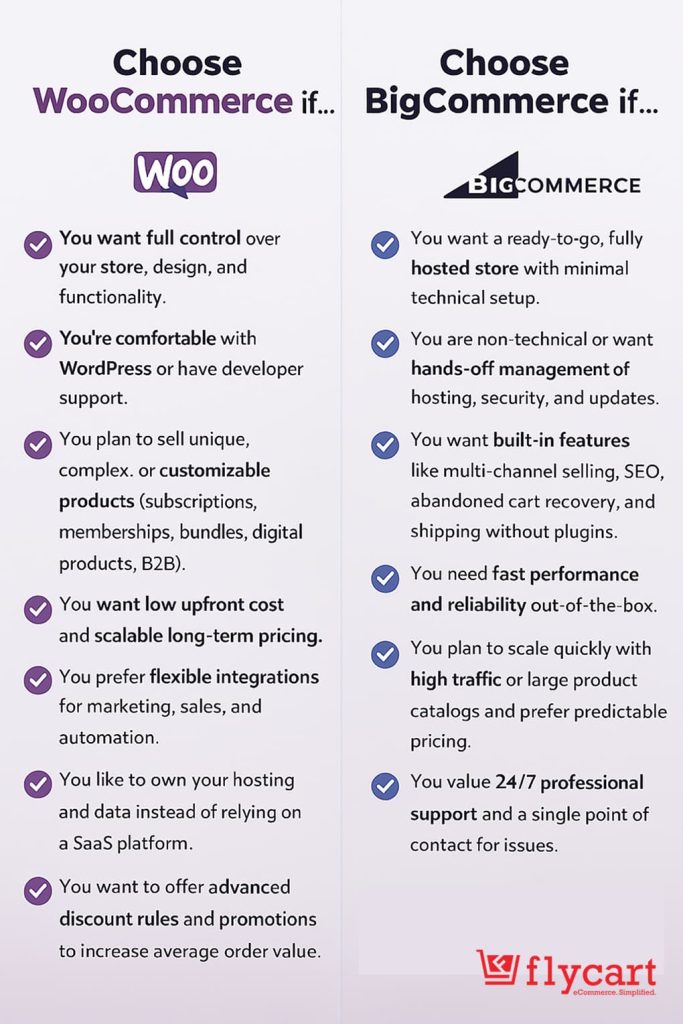
Choose WooCommerce if…
- You want full control over your store, design, and functionality.
- You’re comfortable with WordPress or have developer support.
- You plan to sell unique, complex, or customizable products (subscriptions, memberships, bundles, digital products, B2B).
- You want low upfront cost and scalable long-term pricing.
- You prefer flexible integrations for marketing, sales, and automation.
- You like to own your hosting and data instead of relying on a SaaS platform.
- You want to offer advanced discount rules and promotions to increase average order value.
Choose BigCommerce if…
- You want a ready-to-go, fully hosted store with minimal technical setup.
- You are non-technical or want hands-off management of hosting, security, and updates.
- You want built-in features like multi-channel selling, SEO, abandoned cart recovery, and shipping without plugins.
- You need fast performance and reliability out of the box.
- You plan to scale quickly with high traffic or large product catalogs and prefer predictable pricing.
- You value 24/7 professional support and a single point of contact for issues.
And remember, your choice isn’t permanent—migration tools give you the flexibility to switch later if your business evolves.
By understanding your requirements and matching them to the right platform, you can confidently build an eCommerce store that grows with your business, maximizes sales, and delivers a seamless shopping experience for your customers.
Also Read:
- What Is Better for my e-commerce Store? WooCommerce or Shopify
- Create a WooCommerce Store in WordPress: 5 Simple Steps
- 25+ Best WooCommerce Plugins to Start Your Online Store
Frequently Asked Questions (FAQs)
For small businesses, both platforms can work, but the choice depends on your technical comfort and business needs:
– BigCommerce: Ideal if you want to start fast without worrying about hosting, security, or technical setup. Its built-in features allow small businesses to manage their store efficiently.
– WooCommerce: Best if you want full control, flexibility, and scalability, and are comfortable with WordPress or willing to learn. It may require more setup, but it gives long-term customization benefits
Large businesses often need scalability, complex product catalogs, and advanced integrations:
– WooCommerce suits large stores needing custom workflows, memberships, subscriptions, or digital products, scaling with hosting and developer support.
– BigCommerce fits businesses preferring managed hosting with built-in B2B features, bulk pricing, and analytics.
Yes. WooCommerce is highly viable for a small shop with around 50 products:
– Setup is straightforward, and the platform allows easy product management.
– You can start with low-cost hosting and free/affordable plugins.
– The platform can scale as your business grows, giving you flexibility for future expansion.
If you already have experience with WordPress blogging, WooCommerce might be a natural fit:
WooCommerce lets you use WordPress skills for content, SEO, and integrations, supports B2B features via plugins, and offers flexible options for branding and product personalization.
Hiring a developer vs. DIY:
Build WooCommerce yourself with basic setup (theme, products, payments, shipping), hiring a developer only for complex customizations to balance cost and functionality.
Tip: Start small, test the setup, and scale gradually. WooCommerce’s flexibility makes it a low-risk, high-control choice for your scenario.