5 Best WooCommerce Discount Manager Plugins for 2026:
- WooCommerce Discount Manager by BARN2
- Discount Rules for WooCommerce – PRO by Flycart
- Discountly – Discount Manager for WooCommerce
- Bulk Quantity Discount Manager for WooCommerce by Techminers
- WooCommerce Dynamic Pricing & Discounts by YITH
Table of Contents
- Quick Comparison of the 5 Best Discount Manager Plugins for WooCommerce
- Which Discount Manager Plugin is Right for Your WooCommerce Store?
- Why Use a WooCommerce Discount Manager Plugin?
- How We Evaluated These WooCommerce Discount Manager Plugins?
- 5 Best WooCommerce Discount Manager Plugins for 2026 (in Detail)
- Answering User Query on Reddit
- Troubleshooting Common WooCommerce Discount Manager Plugin Issues
- Conclusion
- Frequently Asked Questions
Quick Comparison of the 5 Best Discount Manager Plugins for WooCommerce
| Plugin | Free Version | Starting Price | Best For | Limitation |
| WooCommerce Discount Manager (Barn2) | No | $79/year | Managing multiple discount campaigns from one dashboard | Lacks highly advanced conditional rules |
| Discount Rules for WooCommerce – PRO (Flycart) | Yes | $85/year | Creating advanced discount rules, BOGO, cart discounts, & discount management | The backend is powerful, but it can feel overwhelming for beginners |
| Discountly – Discount Manager for WooCommerce | Yes | Open-source Software | Small stores needing simple discount management without advanced promotional features | Free tool, so it lacks advanced discount conditions |
| Bulk Quantity Discount Manager (Techminers) | No | $59/year | Creating quantity-based and wholesale-style discounts | Strictly for bulk quantity discounts, and not for other discount types |
| WooCommerce Dynamic Pricing & Discounts (YITH) | No | $144.99/year | Setting up dynamic pricing and promotional campaigns | Expensive tool and good for stores already locked into the YITH ecosystem |
Which Discount Manager Plugin is Right for Your WooCommerce Store?
Choosing the right discount manager will simplify your whole discount and coupon promotions:
- Choose “WooCommerce Discount Manager by BARN2” if you want a fast setup and to manage all your discounts in one place. Remember, it does not have a free version.
- Choose “Discount Rules for WooCommerce – PRO by Flycart” if you want to create and automate advanced discounts & coupons, from product, cart, to conditional / BOGO/ bulk discounts. It also comes with a free version to get started.
- Pick “Discountly – Discount Manager for WooCommerce” if you only want a free plugin to create a basic discount for your store to boost sales. But keep in mind that it does not have advanced features.
- Choose “Bulk Quantity Discount Manager for WooCommerce by Techminers” if you only want to set up quantity discounts for WooCommerce and do not need other discount features. Discounts work well and boost sales when combined with other strategies.
- “WooCommerce Dynamic Pricing & Discounts by YITH” is ideal if you have already installed or heard about other YITH-related plugins and want to be in the same ecosystem. And it may feel expensive for beginners.
Running discounts is one of the easiest ways to attract customers and increase sales. However, as your WooCommerce store grows, managing multiple discount campaigns, coupon codes, and promotional rules can quickly become overwhelming.
This is where a WooCommerce discount manager plugin makes it easier to create, organize, and automate discounts without relying on custom code or complicated workarounds.
In this article, we’ll compare the 5 best WooCommerce discount manager plugins for 2026, covering their features, pricing, advantages, and limitations to help you choose the right option for your store.
Not sure which type of discount is right for your store? 7 WooCommerce Discount Ideas to Boost Sales
Why Use a WooCommerce Discount Manager Plugin?
WooCommerce includes a basic coupon system, but it may not be enough to run advanced promotions. Creating bulk discounts, BOGO offers, role-based pricing, cart discounts, conditional discounts, or scheduled sales often requires more flexibility than the default settings provide.
A WooCommerce discount manager plugin helps you create, manage, and automate these discount campaigns from one place. Instead of manually setting up multiple coupons or relying on custom code, you can configure discount rules in just a few clicks.
Whether you want to increase average order value, reward loyal customers, clear inventory, or run seasonal promotions, a discount manager plugin makes the process faster and easier. It also helps reduce manual work, giving you more time to focus on growing your store.
How We Evaluated These WooCommerce Discount Manager Plugins?
Not all WooCommerce discount manager plugins are built for the same purpose. Some focus on advanced discount rules, while others specialize in bulk pricing, coupon management, or dynamic pricing campaigns.
To create this list, we compared each plugin based on the following factors:
- Features: The types of discounts supported include bulk discounts, BOGO offers, cart discounts, role-based pricing, and coupon management.
- Ease of Use: How easy it is to set up and manage discount campaigns without technical knowledge.
- Pricing: The overall value offered compared to the plugin’s cost.
- Free Version Availability: Whether store owners can test the plugin before purchasing a premium plan.
- Flexibility: The ability to create simple and advanced discount rules for different business needs.
- User Reviews & Reputation: The plugin’s popularity, user feedback, and track record in the WooCommerce ecosystem.
Based on these factors, we selected five WooCommerce discount manager plugins that cater to different store requirements, budgets, and discount strategies.
Note: At the time of writing, all the plugins in this list support the current WooCommerce, WordPress, and PHP versions and are actively maintained by their developers.
5 Best WooCommerce Discount Manager Plugins for 2026 (in Detail)
Let’s check each plugin’s features, pricing, pros, and cons in detail to find the best tool for your online store:
1. WooCommerce Discount Manager by BARN2
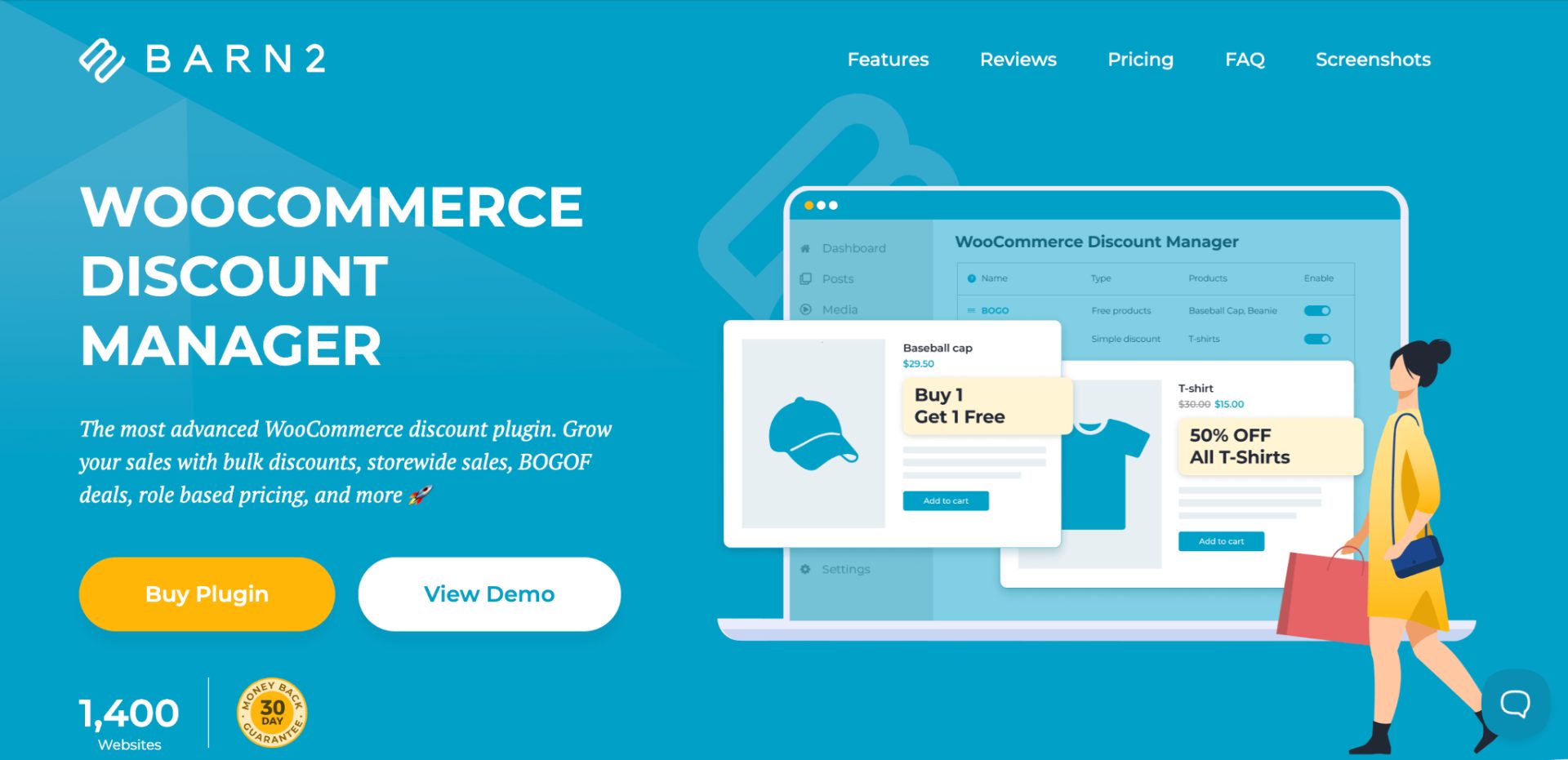
WooCommerce Discount Manager by Barn2 is a dedicated discount management plugin that helps store owners to create and manage multiple discount campaigns from a single dashboard.
It supports a wide range of discount types, including bulk pricing, BOGO deals, role-based pricing, and storewide sales . The plugin uses a centralized rules-based system, making it easy to organize promotions without relying on multiple tools.
It is particularly helpful for stores that prefer a clean and user-friendly discount management experience.
Key Features
- Bulk and quantity-based discounts
- Buy One Get One (BOGO) offers
- Storewide sales
- User role-based pricing
- Customer-specific discounts
- Scheduled promotions
- Centralized discount management dashboard
- Product and category-specific discount rules .
Pros
- Easy-to-use interface
- Centralized discount management
- Supports multiple discount types
- Works well with other Barn2 plugins.
Cons
- No free version
- Smaller user base compared to some established competitors
Average Customer Reviews
The plugin currently has a limited number of public reviews, but the available feedback is positive. Users praise its flexibility, ease of setup, and compatibility with other Barn2 plugins.
Pricing: No free plan. Starts at approximately $79/year for a single-site license.
What does it lack? It lacks advanced conditional logic (like tracking a customer’s specific purchase history over the last 6 months to trigger a reward).
Best For: Store owners who want a dedicated discount management solution with a simple setup process.
2. Discount Rules for WooCommerce – PRO by Flycart

Flycart’s Discount Rules for WooCommerce – PRO is one of the most popular WooCommerce discount plugins available. It allows store owners to create advanced discount rules for products, carts, categories, user roles, purchase history, and more.
The plugin supports everything from simple percentage discounts to complex BOGO and conditional discount campaigns. A free version is available, making it accessible for stores of all sizes.
Key Features
- Product discounts
- Cart discounts
- Bulk and tiered pricing
- BOGO deals
- User role discounts
- Conditional discount rules
- Purchase history-based discounts
- Free shipping deals
Pros
- Free version available
- Extensive discount rule options
- Suitable for simple and advanced campaigns
- Strong documentation and support resources.
Cons
- Advanced rules may require some learning for beginners
- Many advanced discounts require the Pro version.
Average Customer Reviews
4.8/5 rating based on 1,237+ reviews: Users frequently praise the plugin’s flexibility, ease of setup, and fast customer support. Several customers also said the free version is powerful enough for many common discount requirements.
Pricing: The free plan includes percentage, bulk, and fixed discounts for products and carts, and the Pro plan starts at $85/year.
What does it lack? The interface is incredibly powerful, but because it offers so many settings and toggles, absolute beginners might face a slight learning curve.
Best For: Store owners who want advanced discount automation and flexible discount rules.
3. Discountly – Discount Manager for WooCommerce
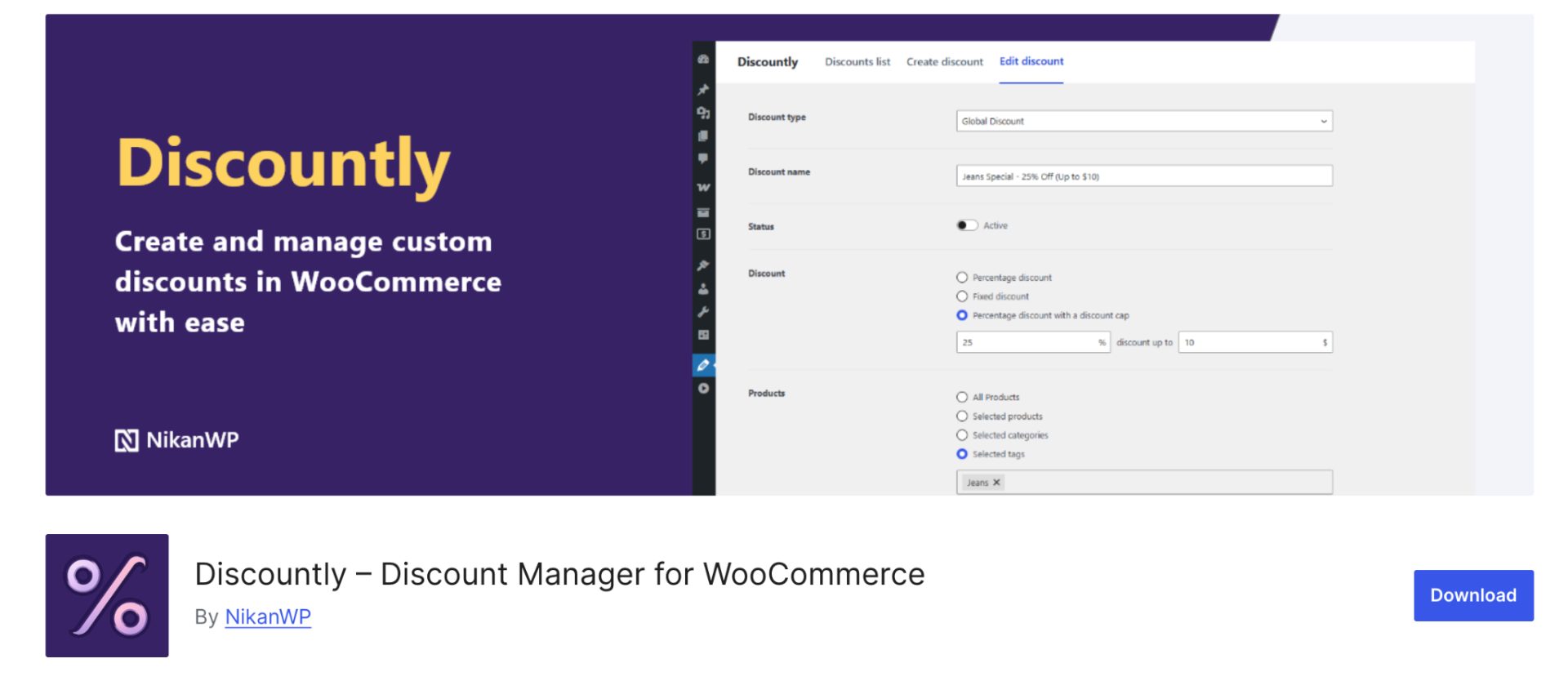
Discountly is a relatively new WooCommerce discount manager plugin focused on simplicity and ease of use. It allows store owners to create discount rules based on products, categories, cart totals, user roles, and scheduling conditions.
The plugin provides a clean interface that helps users create promotions without technical knowledge. Its lightweight approach makes it attractive for smaller WooCommerce stores.
Key Features
- Percentage discounts
- Fixed amount discounts
- Product and category targeting
- User role discounts
- Discount scheduling
- Cart-based discount conditions
- Promotional messages
- Discount management dashboard.
Pros
- Free plugin
- Beginner-friendly setup
- Lightweight and easy to use
- Clean interface.
Cons
- Limited user adoption so far
- Fewer advanced features than established competitors.
Average Customer Reviews
The review count is still limited. Early users praise its ease of use, flexible discount rules, and clean interface for managing WooCommerce discounts. The plugin also has a relatively small installation base, so long-term community feedback is still developing.
Pricing: Free plugin available through WordPress.org .
What does it lack? As a newer free-focused utility, it lacks the deep promotional marketing features (such as creating complex countdown deals or dynamic pricing rules) offered by older, premium extensions.
Best For: Small WooCommerce stores that need a simple and free discount management solution.
Need to show multiple prices for the same product?
Learn how to offer different prices based on quantity, customer roles, wholesale customers, or discount rules in WooCommerce.
4. Bulk Quantity Discount Manager for WooCommerce by Techminers
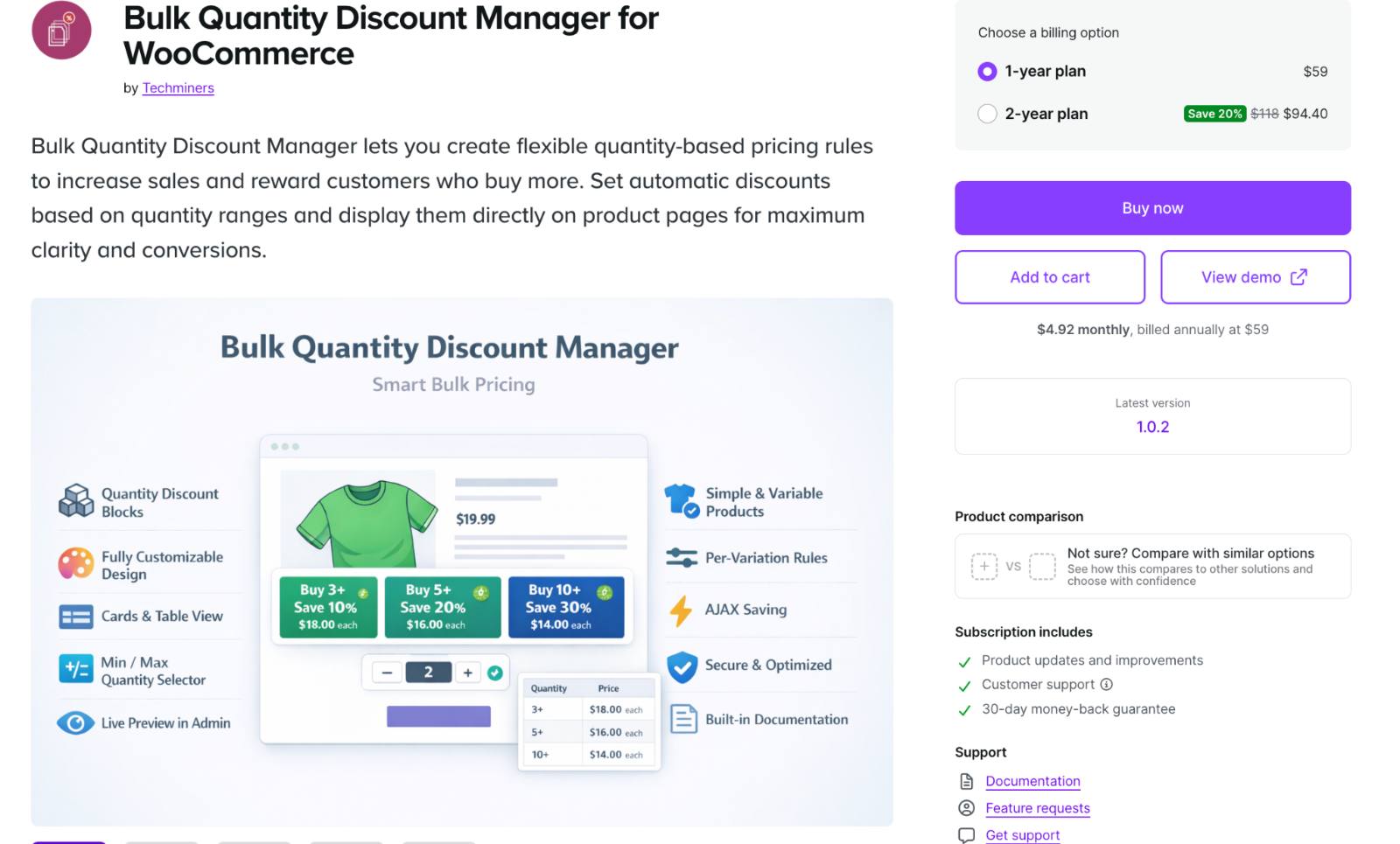
Bulk Quantity Discount Manager is designed specifically for stores that rely on quantity-based pricing strategies. Instead of offering a broad range of discount types, it focuses on bulk discounts and tiered pricing rules.
The plugin makes it easy to encourage customers to purchase larger quantities by automatically adjusting prices based on order volume. It is particularly useful for wholesale and B2B stores.
Key Features
- Bulk quantity discounts
- Tiered pricing rules
- Quantity-based pricing tables
- Automatic discount calculations
- Product-level discount settings .
Pros
- Specialized for bulk pricing
- Easy to configure
- Ideal for wholesale stores
- Focused feature set.
Cons
- No free version
- Limited discount types – no advanced BOGO or cart-based promotions
- Less flexibility than all-in-one discount plugins.
Average Customer Reviews
Generally appreciated for its simplicity and focus on quantity-based pricing, especially among stores that do not require complex promotional campaigns.
Pricing: No free plan. Starts at approximately $59/year.
What does it lack? It is exclusively a quantity discount tool. It will not help you run cart-wide promotional giveaways, minimum order discounts , or free gift-with-purchase deals.
Best For: Wholesale businesses and stores that primarily use quantity discounts.
5. WooCommerce Dynamic Pricing & Discounts by YITH
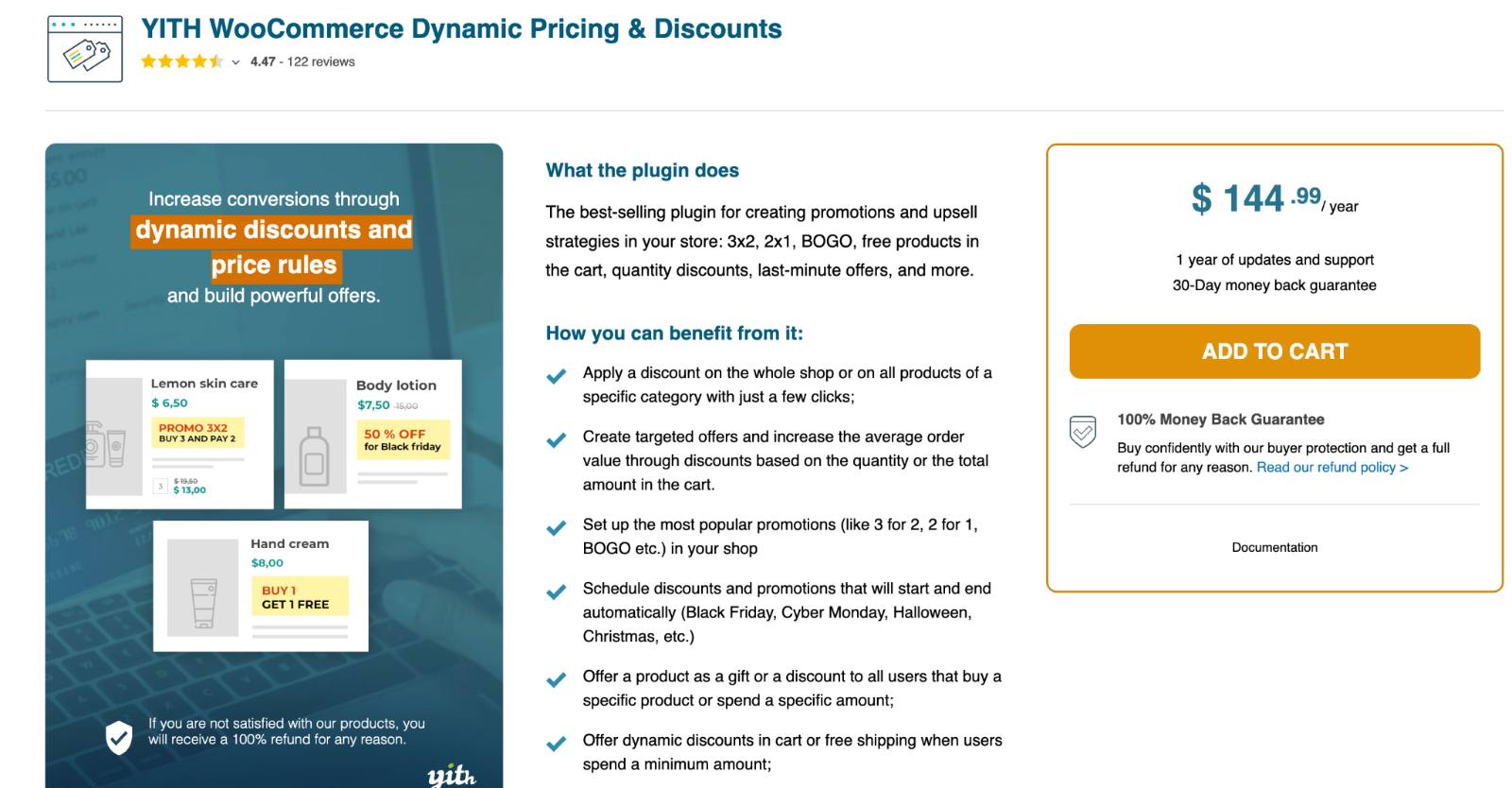
WooCommerce Dynamic Pricing & Discounts by YITH is a feature-rich plugin built for stores that frequently run promotions. It supports dynamic pricing rules, BOGO offers, cart discounts, free gifts, and role-based pricing.
The plugin integrates well with the broader YITH ecosystem, making it attractive for users already relying on other YITH plugins. It is one of the most established discount solutions in the WooCommerce market.
Key Features
- Dynamic pricing rules
- BOGO offers
- Bulk discounts
- Cart discounts
- Free gift promotions
- User role pricing
- Scheduled promotions
- Integration with YITH plugins.
Pros
- Comprehensive feature set
- Trusted WooCommerce brand
- Supports advanced promotional campaigns
- Strong ecosystem integration.
Cons
- No free plan available. Higher pricing than some alternatives
- Advanced configurations can take time to learn.
Average Customer Reviews
YITH Dynamic Pricing & Discounts receives consistently positive feedback from users. Customers frequently praise its flexibility, wide range of discount options, ease of setup, and ability to handle complex pricing rules.
Pricing: No free plan. Premium plugin costs $144.99 per year.
What does it lack? It is the most expensive plugin on the list and works best for stores that are already using other YITH plugins.
Best For: Stores that regularly run promotional campaigns and want advanced dynamic pricing capabilities.
Answering User Query on Reddit
Can You Offer Brand-Specific Discounts to Selected Customers?
Yes. Several WooCommerce discount manager plugins support customer-specific discounts, but not all of them can combine customer targeting with brand-based discount rules.
For example, if you want to give Customer A a 10% automatic discount on Brand X and Brand Y products, you’ll need a plugin that supports both:
- Product or brand-based discount conditions
- Customer-specific or user role-based discount conditions
- Automatic discounts without requiring coupon codes
Among the plugins on this list, Discount Rules for WooCommerce PRO is well-suited for this type of setup. You can create a discount rule that applies only to selected customers and restrict it to products from specific brands or categories. The discount is applied automatically when the customer logs into their account.
Similarly, WooCommerce Discount Manager by Barn2 and YITH Dynamic Pricing & Discounts also support customer-targeted promotions, although the setup process and available conditions may differ.
If you’re looking for a completely free solution, your options may be limited, as customer-specific discount rules are often included in premium plans. In that case, consider using customer roles as a workaround and assigning discounts based on those roles.
Troubleshooting Common WooCommerce Discount Manager Plugin Issues
1. Discounts Are Not Applying
If your discount rule is not working, first check the rule conditions. Many plugins require products, categories, customer roles, or cart conditions to match exactly before the discount is applied.
Quick Fix: Review the discount conditions and test the rule with a matching product and customer account.
2. Coupon Codes Are Not Working
Coupon conflicts can occur when multiple discount plugins or WooCommerce coupon settings are active at the same time.
Quick Fix: Disable conflicting discount rules and verify that the coupon has not expired or reached its usage limit.
3. Automatic Discounts Are Not Showing in the Cart
Some discount plugins apply discounts only after specific cart requirements are met.
Quick Fix: Check the cart conditions and ensure the customer meets all requirements.
4. Discount Rules Conflict with Other Plugins
Dynamic pricing, membership, subscription, or wholesale plugins can sometimes override discount rules.
Quick Fix: Temporarily disable other pricing-related plugins to identify conflicts and adjust rule priorities if supported.
5. Discounts Do Not Apply to Specific Products
Products may be excluded from discount campaigns due to category restrictions, product exclusions, or rule settings.
Quick Fix: Verify that the product is included in the selected discount rule and is not excluded elsewhere.
6. Discounted Prices Do Not Update Immediately
Caching plugins or server-side caching can prevent updated discount prices from appearing on the storefront.
Quick Fix: Clear your website cache, WooCommerce transients, and browser cache after modifying discount rules.
7. Role-Based Discounts Are Not Working
Role-based discounts only apply when customers are logged into accounts with the correct user role.
Quick Fix: Confirm the assigned user role and test the discount using a customer account with that role.
Want more first-time customers to complete their purchase? See How to Create First Order Discounts in WooCommerce
Conclusion
Choosing the right WooCommerce discount manager plugin depends on the type of promotions you want to run and the level of flexibility your store needs.
While some plugins focus on simple discount management, others offer advanced features such as dynamic pricing, BOGO offers, bulk discounts, and customer-specific pricing rules.
Before making a decision, consider your budget, discount strategy, and future growth plans. The right WooCommerce discount manager plugin should not only help you create discounts but also make it easier to manage promotions, improve customer engagement, and increase sales over time.
Also Read
- 12 Best WooCommerce Coupon Plugins for Smart Coupons, BOGO, & Discounts
- WooCommerce Coupons – The Complete Guide
Frequently Asked Questions
A WooCommerce discount manager plugin helps you create, manage, and automate discounts in your online store. It allows you to set up promotions such as bulk discounts, BOGO offers, role-based pricing, cart discounts, and customer-specific discounts without custom coding.
WooCommerce’s built-in coupon system is suitable for basic discounts with a coupon code. A discount manager plugin offers more advanced features such as automatic discounts, bulk pricing, dynamic pricing, BOGO offers, scheduling, and conditional discount rules.
Most discount manager plugins allow you to create a discount rule, choose the products or categories to target, set the discount amount, define any conditions, and activate the campaign. Once enabled, the discount is automatically applied based on the configured rules.
Some popular strategies include running bulk discounts, offering first-order discounts, creating BOGO promotions, rewarding loyal customers with role-based pricing, and launching seasonal sales. The right strategy depends on your store’s products and target audience.
Yes. WooCommerce includes a built-in coupon feature that allows you to create percentage discounts, fixed cart discounts, and product-specific coupons. However, for advanced discount campaigns and automation, a dedicated discount manager plugin is often the better option.