Every WooCommerce store starts the same way — one product, one price, one customer type.
But growth introduces complexity.
You begin attracting bulk buyers, resellers, distributors, and B2B customers — and suddenly, your pricing strategy breaks. Retail pricing no longer works for wholesale buyers. Manual discounts become messy. Coupon codes get shared. Margins get squeezed.
This is where the wholesale pricing WooCommerce strategy transforms your business.
Instead of offering one price for everyone, you create a system where:
- Retail customers pay standard pricing
- Wholesale customers see discounted rates
- Bulk buyers unlock deeper pricing tiers
- Pricing adjusts automatically without coupons
The result is not just more sales — it’s higher order values, repeat customers, and predictable revenue growth.
However, WooCommerce does not support wholesale pricing out of the box. You need the right woocommerce wholesale pricing plugin and a clear strategy to implement it correctly.
This complete guide walks you through everything:
- What wholesale pricing actually means in WooCommerce
- How to structure a wholesale store
- Step-by-step setup using Discount Rules for WooCommerce
- Advanced wholesale discount strategies
- Mistakes that can destroy your margins
- How to measure success.
By the end, you’ll have a fully working wholesale pricing system that runs automatically.
Start building your wholesale pricing system today using Discount Rules for WooCommerce – Pro and automate bulk discounts effortlessly.
Table of contents
- What is Wholesale Pricing in WooCommerce?
- Why Wholesale Discount Matters for Your Store Growth?
- How WooCommerce Handles Pricing (and Its Limitations)
- Choosing the Right WooCommerce Wholesale Pricing Plugin
- How to Set Up a Wholesale Pricing Store in WooCommerce (Step-by-Step)
- Types of Wholesale Pricing Strategies
- Advanced Wholesale Pricing Strategies
- Common Mistakes That Kill Wholesale Profitability
- Measuring Wholesale Performance (30-Day Plan)
- Conclusion
- Frequently Asked Questions
What is Wholesale Pricing in WooCommerce?
Wholesale pricing in WooCommerce is a system where different customers see different prices based on predefined rules. Instead of a fixed price for all users, your store dynamically adjusts pricing depending on who is buying and how much they are buying.
At its core, wholesale pricing is about segmenting your customers and offering each segment a price that aligns with their buying behavior.
For example, a retail customer visiting your store for the first time will see the standard price. However, a logged-in wholesale customer may see a completely different price — often significantly lower — because they are expected to purchase in bulk.
This pricing difference is not applied manually. It is handled through automated rules created using a WooCommerce wholesale pricing plugin.
Why Wholesale Discount Matters for Your Store Growth?
Wholesale discount is not just a feature — it’s a growth strategy.
Many WooCommerce stores struggle because they rely entirely on retail customers. Retail buyers typically purchase fewer items, compare prices heavily, and are less predictable in their buying behavior. Wholesale customers, on the other hand, operate very differently.
They buy in larger quantities, place repeat orders, and often maintain long-term relationships with suppliers. This makes them far more valuable over time.
- One of the biggest advantages of the wholesale pricing WooCommerce strategy is the impact on average order value (AOV). Instead of selling one or two items per transaction, you can encourage customers to buy in bulk by offering better pricing tiers.
For example, a retail customer might spend $50 per order. A wholesale buyer, incentivized by bulk discounts, might spend $300 or more in a single transaction. This dramatically increases your revenue without requiring additional traffic.
- Another benefit is automation. Without a proper system, store owners often create multiple coupon codes for wholesale buyers. These codes can be shared publicly, misused by retail customers, and become difficult to manage.
With a wholesale pricing plugin, discounts are applied automatically based on user roles or cart conditions. This eliminates the need for coupons.
- Wholesale pricing also allows you to create a segmented shopping experience. You can show different prices, products, and offers depending on the user type. This creates a more personalized and professional buying experience, especially for B2B customers.
In competitive markets, pricing flexibility becomes a major advantage. Stores that adapt pricing based on customer behavior consistently outperform those that rely on static pricing.
How WooCommerce Handles Pricing (and Its Limitations)
WooCommerce, by default, is designed for simple retail pricing. It allows you to set:
- Regular price
- Sale price
- Basic coupon discounts.
While this works for standard eCommerce stores, it falls short when you try to implement wholesale pricing.
There are several key limitations:
- First, WooCommerce does not support role-based pricing. You cannot assign different prices to wholesale customers and retail customers without additional tools.
- Second, it lacks bulk discount functionality. There is no built-in way to create pricing tiers like “Buy 10, get 20% off.”
- Third, WooCommerce does not support automatic conditional discounts. Most discounts require a coupon code, which creates friction for customers and adds complexity to your store.
- Fourth, there is no support for cart-based pricing rules. You cannot easily create offers like “Spend $200 and get 10% off.”
- Finally, WooCommerce does not provide advanced discount logic, such as combining role-based pricing with quantity discounts.
Because of these limitations, store owners often try to use workarounds. They manually adjust prices, create duplicate products for wholesale customers, or rely heavily on coupons. These approaches are not scalable and often lead to errors.
This is why using a WooCommerce wholesale pricing plugin becomes essential. A plugin acts as a pricing engine that extends WooCommerce’s capabilities and allows you to implement complex pricing strategies without coding.
Choosing the Right WooCommerce Wholesale Pricing Plugin
Selecting the right plugin is critical for building a scalable wholesale store.
A good plugin should provide:
- Role-based pricing
- Bulk discount support
- Cart conditions
- Product/category filtering
- Rule prioritization
- Performance optimization
While there are several plugins available, many store owners prefer Discount Rules for WooCommerce – Pro because it combines flexibility with ease of use.
Unlike heavy B2B plugins, it allows you to create:
- Wholesale discounts
- Bulk pricing rules
- Cart-based offers
- Conditional pricing
All from a single interface.
How to Set Up a Wholesale Pricing Store in WooCommerce (Step-by-Step)
Setting up wholesale pricing may sound complex, but with the right plugin, it becomes a straightforward process. The key is to approach it systematically so that your pricing rules are both effective and easy to manage.
The following steps will guide you through creating a fully functional wholesale pricing system using Discount Rules for WooCommerce – Pro.
1. Install and Activate the Plugin
Go to WordPress dashboard → Plugins → Add New, search for “Discount Rules for WooCommerce (by Flycart),” and install it.
After activation, upgrade to the Pro version to unlock advanced features such as role-based pricing and conditional rules.
Once installed, you will find a new menu option under WooCommerce labeled “Discount Rules.” This is where all your pricing logic will be configured.
2. Create a Wholesale User Role
Wholesale pricing works by assigning special pricing to specific users. To do this, you need to create a dedicated user role.
You can either use a role editor plugin or manually assign roles to users. A common approach is to create a role called “Wholesale Customer.” Once created, assign this role to all your wholesale buyers.
This step ensures that only authorized users can access wholesale pricing.
For full steps, check here: How to Create User-Specific Roles in WordPress?
3. Create a Wholesale Discount Rule
Navigate to WooCommerce → Discount Rules and click “Add New Rule.” This is where you define how your wholesale pricing will work.
Give a clear rule name, such as “Wholesale 20% Discount,” so you can easily identify it later.
4. Configure the Discount Type
Choose the type of discount you want to apply. For most wholesale setups, a percentage discount works best.
For example, you can set a 20% discount on all products for wholesale customers. This creates a consistent pricing structure across your store.
5. Apply Role-Based Conditions
To ensure that only wholesale customers receive this discount, add a condition based on user role. Select “User Role” and choose “Wholesale Customer.”
This ensures that retail customers continue to see standard pricing while wholesale customers receive discounted rates.
6. Add Bulk Pricing Tiers (Optional but Recommended)
To maximize order value, you can combine role-based pricing with bulk discounts.
For example:
- Buy 10+ items → additional 10% off
- Buy 20+ items → additional 15% off.
This encourages wholesale customers to purchase more units per order.
7. Save and Test Your Setup
After configuring your rules, save them and test your store.
Log in as a wholesale customer and verify that:
- Discounts are applied correctly
- Pricing updates based on quantity
- Retail users do not see wholesale pricing.
Testing is crucial to ensure that your pricing logic works as intended.
Unlock advanced wholesale pricing strategies with Discount Rules for WooCommerce – Pro and turn bulk buyers into consistent, high-value customers.
Types of Wholesale Pricing Strategies
A successful wholesale store does not rely on a single pricing model. Instead, it uses a combination of strategies to influence buying behavior and maximize revenue.
- Role-Based Pricing
Role-based pricing is the foundation of most wholesale stores. It allows you to assign specific prices or discounts to users based on their role.
For example, you can create a “Wholesale Customer” role and offer them a 20% discount on all products. When these users log in, they automatically see their discounted prices.
To know more about role-based pricing, check this guide: How to Set Up a WooCommerce Role-Based Pricing: 6 Use Cases
- Bulk / Quantity Discounts
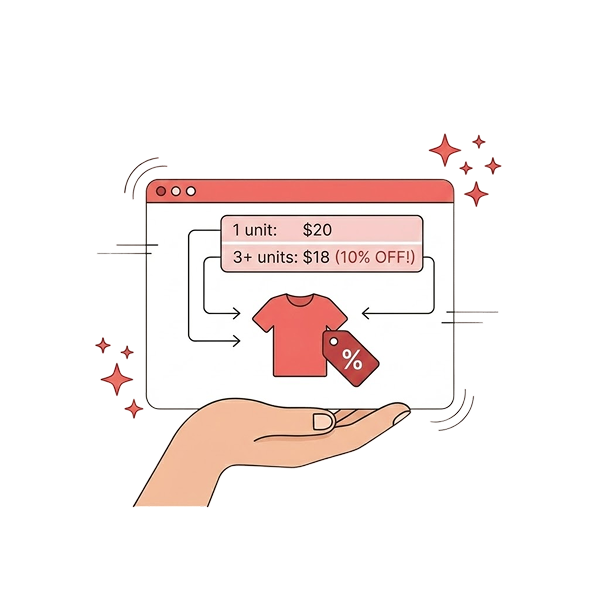
Bulk pricing encourages customers to purchase more units by offering increasing discounts as the quantity increases.
For example:
- Buy 5 → 10% off
- Buy 10 → 20% off
This strategy directly increases AOV and helps move inventory faster.
For a full guide on quantity discounts: How to Set Up WooCommerce Quantity Discount: 2 Steps, 5 Ways
- Tiered Pricing
Tiered pricing is similar to bulk discounts but includes a visible pricing table on the product page. This allows customers to see how much they can save by purchasing more.
This transparency often leads to higher order quantities because customers can clearly see the benefits of buying in bulk.
With this WooCommerce tiered pricing guide, plan your pricing structure effectively.
- Cart-Based Discounts
Cart-based pricing applies discounts based on the total value of the cart.
For example:
- Spend $100 → 5% off
- Spend $200 → 10% off
This encourages customers to add more items to reach the next threshold.
- Category-Based Pricing
This category discount strategy applies discounts to specific product categories.
For example:
- Wholesale customers get 15% off electronics
- Clearance category gets 30% off for bulk buyers
This is useful for running targeted promotions without affecting your entire catalog.
Advanced Wholesale Pricing Strategies
Once your basic wholesale pricing system is in place, the next step is to optimize and scale it. Advanced strategies allow you to refine your pricing logic, improve customer experience, and maximize profitability without constantly adjusting your store manually.
- One of the most effective strategies is combining role-based pricing with bulk discounts. Instead of offering a flat discount to wholesale customers, you can layer additional incentives based on quantity.
- Another powerful strategy is implementing minimum order requirements. Wholesale buyers typically purchase in bulk, so setting a minimum quantity or cart value ensures that small, low-profit orders are avoided.
- You can also create exclusive wholesale-only products or categories. These products are visible only to wholesale customers and are not accessible to retail users. This approach helps you maintain a clear distinction between your B2B and B2C offerings while providing added value to wholesale buyers.
- Scheduled pricing is another advanced tactic that can be used for seasonal promotions or limited-time wholesale offers.
- Another strategy is combining wholesale pricing with free shipping incentives.
- Finally, consider using rule prioritization to manage multiple discount rules effectively. When multiple rules apply to the same product or cart, setting priorities ensures that the correct discount is applied without conflicts. This prevents unintended stacking of discounts, which can lead to significant margin loss.
Advanced strategies are about refining your system over time. Start with simple rules, measure their impact, and gradually introduce more complexity as you gain confidence in your pricing model.
Common Mistakes That Kill Wholesale Profitability
Setting up wholesale pricing without a clear strategy can lead to serious issues.
Avoiding these common mistakes is essential for maintaining a profitable wholesale system.
- Relying on coupon codes for wholesale pricing. While coupons may seem like a quick solution, they often get shared publicly and used by unintended customers. This leads to revenue loss and makes it difficult to control pricing.
- Not setting a minimum order value or quantity: Wholesale pricing is designed for bulk purchases, but without restrictions, customers may place small orders while still benefiting from discounted pricing. This reduces profitability and defeats the purpose of wholesale pricing.
- Overlapping discount rules: When multiple rules apply simultaneously without proper prioritization, customers may receive unintended discounts. This can significantly reduce margins. Setting clear rule priorities and testing different scenarios helps prevent this issue.
- Poor visibility of pricing tiers: If customers are not aware of the discounts available for larger quantities, they are less likely to increase their order size. Displaying pricing tables and dynamic messages ensures that customers understand the benefits of buying in bulk.
- Failing to test pricing rules before going live: Even a small configuration mistake can result in incorrect pricing or discounts not being applied at all. Always test your rules with different user roles and cart scenarios to ensure everything works as expected.
- Mistake of over-discounting: Offering deep discounts may increase sales temporarily, but it can quickly erode profitability if not managed carefully. Always define a price floor based on your costs and ensure that your discounts do not go below this threshold.
Measuring Wholesale Performance (30-Day Plan)
Setting up wholesale pricing is only the first step. To ensure that your strategy is actually driving growth, you need to measure its performance using clear metrics and a structured testing approach.
Without measurement, it is impossible to know whether your pricing rules are increasing revenue or simply reducing margins.
Start by establishing a baseline before implementing wholesale pricing. Record key metrics such as average order value (AOV), total revenue, conversion rate, and units per order. These numbers will serve as your reference point for evaluating the impact of your wholesale strategy.
First 14 days
During the first 14 days after implementing your pricing rules, avoid making changes. This period allows you to collect clean data without interference. Monitor how customers interact with your pricing, whether they are reaching discount thresholds, and how their purchasing behavior changes.
At the midpoint, review your data to identify early trends. If you notice that customers are not reaching your bulk discount tiers, it may indicate that your thresholds are set too high. Adjusting these thresholds can make your offers more accessible and increase participation.
After 30 days
Compare your new metrics with your baseline. A successful wholesale pricing strategy typically results in a noticeable increase in AOV and units per order. You may also see an improvement in conversion rates, as customers perceive greater value in your pricing.
If revenue increases but margins decrease, it may indicate that your discounts are too aggressive. In this case, you can refine your pricing tiers or introduce minimum order requirements to balance profitability.
It is also important to track the percentage of revenue coming from wholesale customers. This helps you understand the contribution of your B2B segment and identify opportunities for further growth.
Using a simple tracking system, such as a spreadsheet, can help you monitor these metrics over time. Consistent tracking allows you to make data-driven decisions and continuously improve your pricing strategy.
Conclusion
Wholesale pricing transforms WooCommerce from a simple retail platform into a powerful B2B sales engine. By moving beyond static pricing and adopting a rule-based approach, you can create a system that adapts to different customer types and buying behaviors.
The key to success lies in starting simple and building gradually. Begin with role-based pricing to differentiate wholesale customers from retail buyers. Add bulk discounts to encourage larger orders. Improve visibility with pricing tables and dynamic messages. Then refine your strategy with advanced techniques such as cart-based discounts and scheduled promotions.
Wholesale pricing is not just about offering discounts. It is about creating a scalable, automated system that supports long-term business growth. With the right approach and the right tools, your WooCommerce store can successfully serve both retail and wholesale customers — and grow faster as a result.
Start optimizing your wholesale pricing today with Discount Rules for WooCommerce – Pro and turn your pricing strategy into a measurable growth engine.
Frequently Asked Questions
No, WooCommerce does not support role-based or bulk pricing by default. A plugin is required.
Popular wholesale pricing plugin options include Discount Rules for WooCommerce – Pro, Wholesale Suite, and B2BKing.
Yes, using role-based pricing allows you to show different prices to different users.
Basic setup can be completed in 10–15 minutes using the right plugin.
Use role-based pricing instead of coupons to ensure only authorized users receive discounts.