Quick Comparison of Six Subscription Plugins for WooCommerce
| Plugin | Free Version | Recurring Billing | Payment Gateways | Starting Price | Best For |
| WooCommerce Subscriptions | No | ✅ | Stripe, PayPal, WooCommerce Payments, and many more | $279/year | Medium to large WooCommerce stores needing a fully featured subscription solution |
| Sublium Subscriptions for WooCommerce | Yes | ✅ | Stripe, PayPal, WooCommerce Payments | $99.50/year | Growing businesses looking for a modern, conversion-focused subscription plugin |
| YITH WooCommerce Subscription | Limited | ✅ | Stripe, PayPal, and supported WooCommerce gateways | $199.99/year | Subscription boxes, memberships, and flexible subscription plans |
| WooCommerce Subscription Plugin by ThemeHigh | No | ✅ | Stripe, PayPal, and popular WooCommerce payment gateways | From $89/year | Small to medium stores looking for an affordable subscription solution |
| SUMO Subscriptions | No | ✅ | Stripe, PayPal, and manual payment gateways | $49 (regular license) | Businesses needing advanced subscription customization and flexible billing |
| Subscriptions for WooCommerce by WP Swings | Yes | ✅ | Stripe, PayPal, and supported WooCommerce gateways | $129/year | Small businesses, membership sites, and digital product stores |
Best Plugins by Category
- Best Overall: WooCommerce Subscriptions
- Best Value for Growing Stores: Sublium Subscriptions
- Best for Flexible Subscription Plans: YITH WooCommerce Subscription
- Best Budget Option: WooCommerce Subscription Plugin by ThemeHigh
- Best for Advanced Subscription Models: SUMO Subscriptions
- Best Free Option: Subscriptions for WooCommerce by WP Swings
Selling products regularly is one of the most effective ways to generate predictable revenue for your WooCommerce store.
Whether you offer monthly subscription boxes, memberships, digital downloads, online courses, or SaaS products, recurring payments help build customer loyalty while creating a steady income stream.
Although WooCommerce is an excellent eCommerce platform, it doesn’t include subscription functionality out of the box. To sell recurring products, automate renewals, and manage subscriber accounts, you’ll need a dedicated WooCommerce subscription plugin.
In this guide, we’ve compared the best WooCommerce subscription plugins based on features, pricing, ease of use, payment gateway support, and overall value.
We’ll also explain what to look for when choosing a subscription plugin and help you find the right solution for your business.
Reward your subscribers with loyalty points on every renewal using WPLoyalty – increase customer retention and grow recurring revenue effortlessly.
Table of contents
- Quick Comparison of Six Subscription Plugins for WooCommerce
- What is a WooCommerce Subscription Plugin?
- Why Every WooCommerce Store Should Consider Subscriptions?
- How does a WooCommerce Subscription Plugin Work?
- WooCommerce Subscription Plugin vs Membership Plugin
- Key Features to Look for in a WooCommerce Subscription Plugin
- How Did We Evaluate These Subscription Plugins?
- 6 Best WooCommerce Subscription Plugins
- How to Choose the Best WooCommerce Subscription Plugin?
- Troubleshooting Common Subscription Plugin Issues
- Advanced Tips to Maximize Your Subscription Program
- Conclusion
- Frequently Asked Questions
What is a WooCommerce Subscription Plugin?
A WooCommerce subscription plugin extends your WooCommerce store by allowing you to sell products or services on a recurring billing cycle.
Instead of customers making a one-time purchase, they can subscribe to your products and be charged automatically at regular intervals, such as:
- Weekly
- Monthly
- Quarterly
- Annually.
Benefits of a Subscription Plugin
Subscription plugins also help automate tasks like:
- Recurring payments
- Subscription renewals
- Customer account management
- Free trials
- Signup fees
- Upgrade and downgrade plans
- Pause or cancel subscriptions
- Renewal notifications
These features eliminate manual billing and create a seamless experience for both store owners and customers.
Common Use Cases of a Subscription Tool
WooCommerce subscription plugins are ideal for businesses selling:
- Subscription boxes
- Coffee or meal deliveries
- Software licenses
- Online courses
- Membership websites
- Premium content
- Maintenance services
- Digital downloads
- Product-of-the-month clubs
If your business relies on recurring revenue, a subscription plugin is an essential addition to your WooCommerce store.
Why Every WooCommerce Store Should Consider Subscriptions?
Turning your store into a subscription-friendly platform brings numerous advantages:
- Predictable Revenue Stream: With recurring payments, you know what’s coming next.
- Better Customer Retention: Subscribers tend to stick around longer than one-time buyers.
- Upsell and Membership Opportunities: You can layer in membership access, exclusive content, or loyalty perks.
- Reduced Acquisition Pressure: Instead of constantly finding new customers, you deepen value from existing ones.
- Scaling Efficiency: Automating billing and renewals means less manual work and fewer errors.
If you’re ready to move beyond “buy this once” and into “sign up for ongoing value,” then a smart subscription setup is a great step.
How does a WooCommerce Subscription Plugin Work?
A WooCommerce subscription plugin automates recurring billing and subscription management, meaning once you configure it, much of the heavy lifting is done. Here’s a typical workflow:
- Create a subscription product – You define billing intervals (monthly, yearly), optional trial periods, or sign-up fees.
- Customer subscribes – They checkout like a regular purchase, but the plugin stores a payment token and sets the renewal schedule.
- Automatic renewals – On each renewal date, the plugin charges the payment method, creates an order, and notifies the customer.
- Customer self-service – From their account, they can pause, cancel, or upgrade/downgrade plans.
- Admin tracking and analytics – You monitor active subscriptions, renewal revenue, churn, and other metrics.
This workflow turns one-time shoppers into longer-term subscribers with minimal manual intervention from you.
Turn subscription customers into repeat buyers with WPLoyalty’s rewards and referral programs – boost engagement and reduce churn with ease.
WooCommerce Subscription Plugin vs Membership Plugin
Although these terms are often used interchangeably, they solve different problems:
| Subscription Plugin | Membership Plugin |
| Handles recurring payments | Restricts access to content or products |
| Manages subscription renewals | Manages member permissions |
| Ideal for recurring products | Ideal for premium communities |
| Supports billing cycles | Supports access rules |
Many businesses use both together.
For example:
- A subscription plugin charges customers every month.
- A membership plugin unlocks premium content after payment.
If you sell memberships with recurring billing, using both plugins provides the best experience.
Key Features to Look for in a WooCommerce Subscription Plugin
Before choosing a plugin, consider whether it offers the features your business needs.
Look for:
- Automatic recurring payments
- Flexible billing intervals
- Multiple payment gateway support
- Free trial periods
- Signup fees
- Subscription switching
- Pause and resume subscriptions
- Failed payment recovery
- Renewal reminders
- Customer self-service dashboard
- Coupon compatibility
- Detailed reports and analytics
- Developer-friendly integrations
The right feature set will depend on your business model, product type, and growth plans.
How Did We Evaluate These Subscription Plugins?
To make this list as practical as possible, we evaluated each plugin using the same criteria.
- Ease of Use: The plugin should be simple to install, configure, and manage without requiring extensive technical knowledge.
- Subscription Features: We looked for support for recurring billing, flexible payment schedules, free trials, sign-up fees, subscription renewals, and customer account management.
- Payment Gateway Compatibility: Reliable support for popular payment gateways such as Stripe, PayPal, and WooCommerce Payments was an important factor.
- Performance: Plugins should integrate smoothly with WooCommerce without significantly affecting your store’s performance.
- Pricing and Value: We compared the pricing of each plugin against the features included to determine overall value for money.
- Customer Support and Updates: Regular updates, documentation, and responsive customer support help ensure long-term reliability.
Based on these criteria, here are our top recommendations.
6 Best WooCommerce Subscription Plugins
Here are six standout subscription plugins for WooCommerce (with detailed overviews and feature lists), showing you what makes each unique.
1. WooCommerce Subscriptions (by WooCommerce)
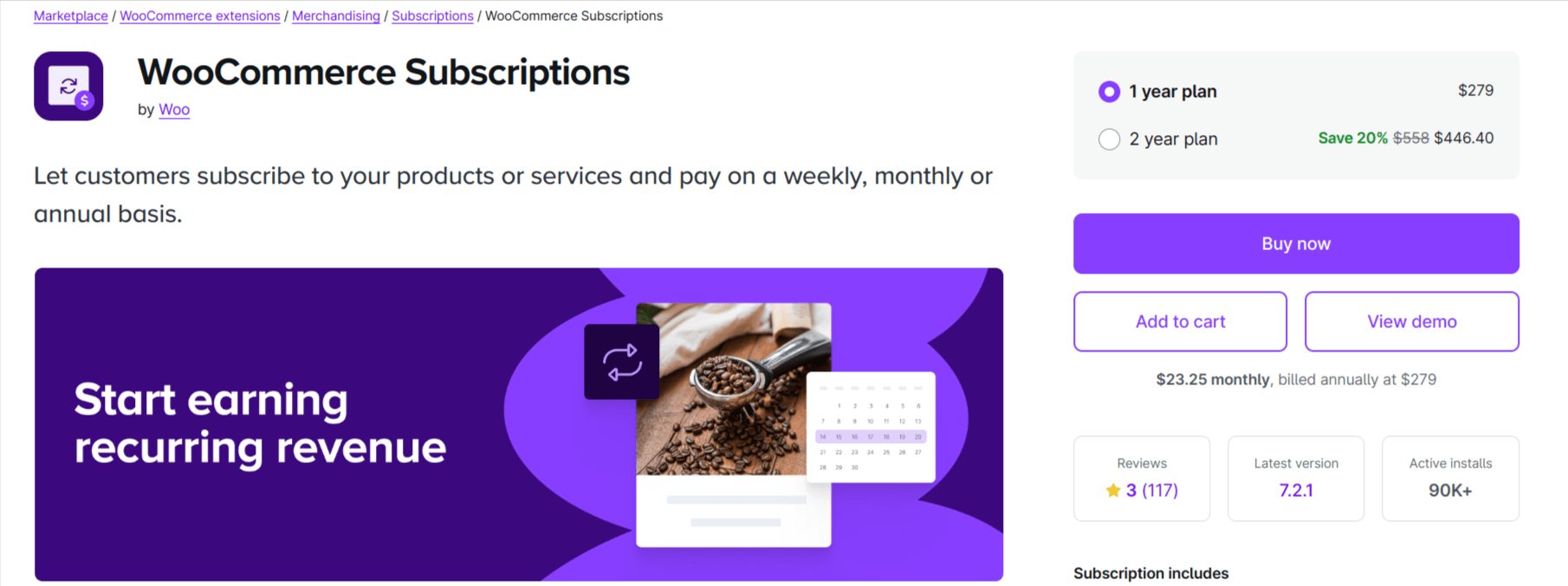
WooCommerce Subscriptions is the flagship subscription extension created by the WooCommerce team itself.
It offers a robust suite of tools for selling both simple and variable subscription products, managing billing schedules, and automating renewals.
Because it’s developed by WooCommerce, you’ll find deep compatibility with the core platform and reliable updates. If you’re looking for a fully featured reference subscription solution for your store, this plugin is a top choice.
Key Features
- Allow customers to purchase multiple subscriptions in the same transaction and manage them.
- Support for simple and variable subscription products, with billing periods like weekly, monthly, and yearly.
- Customer self-management: pause, cancel, upgrade/downgrade from My Account.
- Automatic renewal processing & gateway support for multiple payment methods.
- Analytics & subscriber tracking: view how many subs there are, when they will renew, and revenue forecasts.
Pros: Deep WooCommerce integration, highly reliable for large stores.
Cons: Premium cost (hundreds of dollars per year); some users report it takes time to master all features.
Best For: Medium to large WooCommerce stores needing a mature subscription solution.
Pricing: US$279/year for a single site.
Also Read: How Do You Create a Loyalty Program in WooCommerce?
2. Sublium Subscriptions for WooCommerce

Sublium Subscriptions by FunnelKit is a powerful WooCommerce subscription plugin built for store owners who want a seamless way to generate recurring revenue and grow their business.
It supports recurring subscriptions, subscribe-and-save for physical products, and installment plans, offering advanced flexibility yet being beginner-friendly for both the merchant and the end consumer.
With a strong focus on conversion and user experience, Sublium stands out by offering robust retention tools and an incredibly clean interface, making it an excellent alternative to legacy subscription solutions.
Key Features
- Support for simple, variable, and mixed subscription products in a single checkout.
- Offer custom free trials, sign-up fees, and compelling discounts without a steep learning curve.
- Self-service customer dashboard where buyers can easily pause, resume, upgrade, or cancel their plans.
- Built-in retention capabilities, including payment recovery, cancellation flows, and one-click card updater features.
- Detailed analytics such as ARR, MRR, churn analysis, upcoming orders, subscription recovery, and more.
Pros: Highly intuitive interface with brilliant subscription and subscriber management tools.
Cons: A comparatively newer plugin compared to older, legacy plugins.
Best For: Store owners looking for a modern, conversion-focused subscription tool that is incredibly easy to set up and manage.
Pricing: Offers a free version. Pro starts at US$99.50/year for a single-site license.
3. YITH WooCommerce Subscription
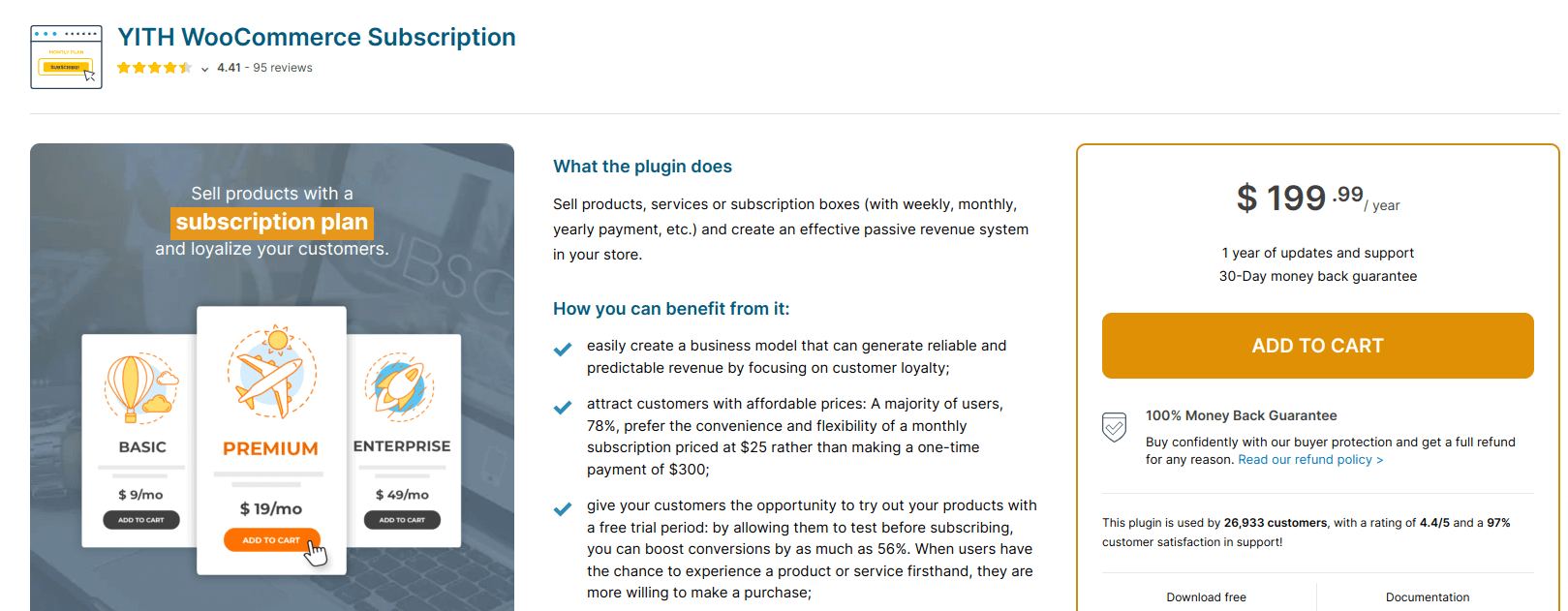
YITH WooCommerce Subscription is built by the YITH team and is designed for merchants who want flexible subscription plans, including boxes, digital services, and physical goods.
It supports trials, sign-up fees, and variable plans.
While it may require a little more setup than some beginner-friendly plugins, it offers strong value and flexibility.
Key Features
- Create subscriptions for simple, variable, or grouped products.
- Free trial period and optional sign-up fee options.
- Advanced configuration for subscription boxes, product bundles, and renewals.
- Custom renewal schedules (monthly, weekly, yearly) and synchronized payments.
- Customer subscription management: pause, cancel, or change plans.
Pros: Good for versatile subscription models; brand reliability.
Cons: The premium price is higher; the free version has limited features.
Best For: Stores offering subscription boxes, curated goods or tiered plans.
Pricing: US$199.99/year for the full version.
4. WooCommerce Subscription Plugin by ThemeHigh
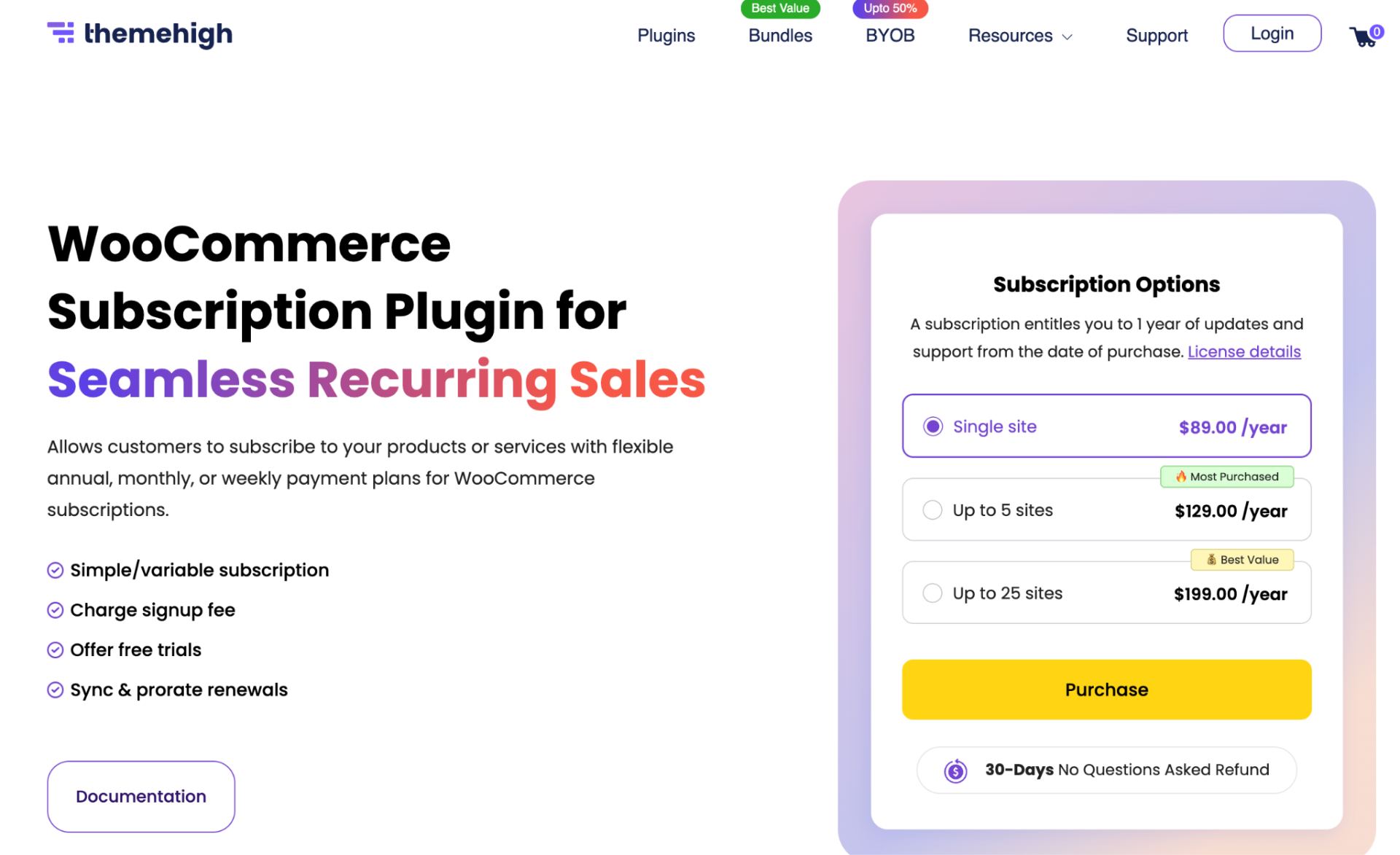
ThemeHigh’s WooCommerce Subscriptions Plugin is a feature-rich plugin that helps you sell products and services with recurring payments. It supports both simple and variable subscription products, making it suitable for a wide range of business models, from subscription boxes to digital products and memberships.
The plugin strikes a good balance between functionality and affordability by offering essential subscription features like free trials, sign-up fees, renewal discounts, and recurring payment support without the premium price of some enterprise-level solutions.
Key Features
- Create both simple and variable subscription products.
- Offer free trials and charge optional sign-up fees.
- Customize billing intervals and subscription durations.
- Apply fixed or percentage-based renewal discounts.
- Support synchronized renewals for streamlined billing.
- Integrate with Stripe and PayPal for recurring payments.
- Customer dashboard for managing subscriptions and renewal status.
Pros: Supports both simple and variable subscriptions. It includes renewal discounts and flexible billing options.
Cons: Doesn’t include some of the advanced enterprise features available in premium subscription solutions.
Best For: Small to medium WooCommerce stores looking for a powerful yet cost-effective subscription plugin.
Pricing: Available as part of ThemeHigh plugin bundles, with plans ranging from US$89, depending on the selected bundle.
5. SUMO Subscriptions
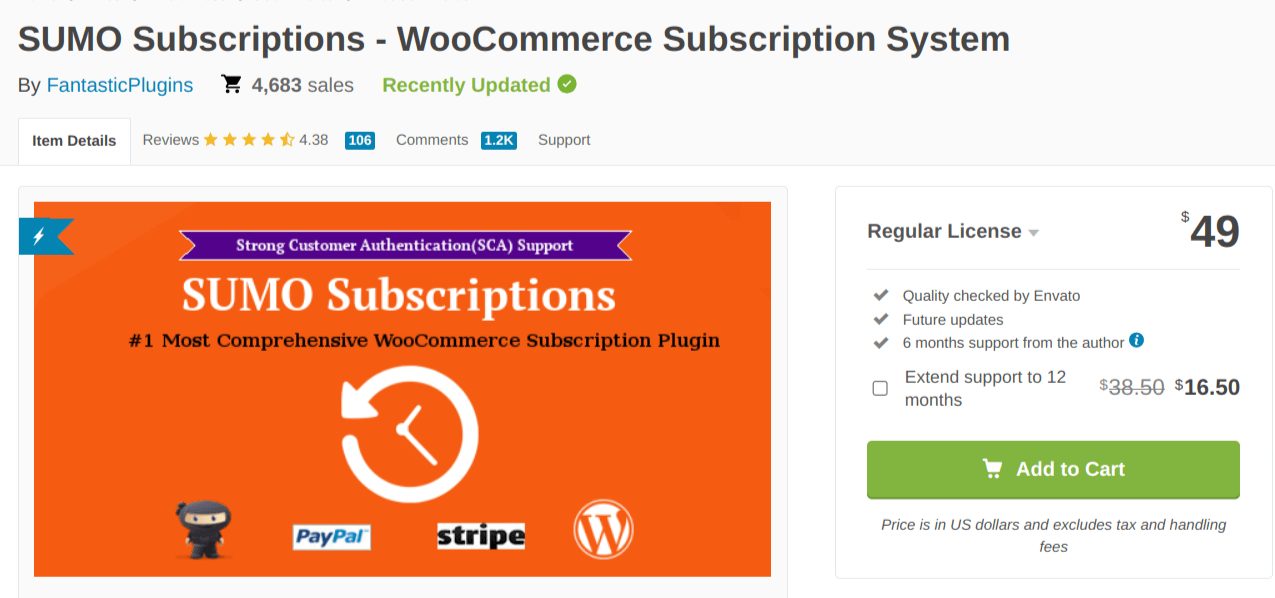
SUMO Subscriptions is a feature-rich plugin focused on versatility, supporting simple, variable, and grouped product subscriptions.
It appeals to stores building custom subscription models, memberships, plus recurring orders, or selling subscription boxes.
Its interface may require more setup, but the flexibility is strong.
Key Features
- Sell simple, variable, and grouped subscription products.
- Free trial and paid trial options; sign-up fees; customizable renewal frequency.
- Multiple payment gateways, including Stripe and PayPal, and support for reward-points integration.
- Subscription synchronization to specific dates; prorated charges.
- Refreshing analytics and subscription logs for detailed insight.
Pros: Excellent flexibility for creative models.
Cons: Slightly steeper learning curve for beginners; no large free version.
Best For: Stores with complex subscription models or scaling membership + subscription combos.
Pricing: US$49/year for base license.
6. Subscriptions for WooCommerce by WP Swings

WP Swings’ Subscriptions for WooCommerce is a plugin built to support subscription-based services for both small and mid-sized businesses.
It includes essentials like free trial periods, multiple billing schedules, payment retry mechanisms, and compatibility with membership plugins.
It’s a good pick when you want a plugin that supports subscriptions and memberships in tandem.
Key Features
- Offer recurring services (digital or physical) with monthly, yearly billing and free trials.
- Payment gateway integrations (Stripe, PayPal, etc.) and automatic retry for failed payments.
- Subscription product flexibility (simple or variable), subscription expiry and renewal controls.
- Integration with membership tools and other marketing plugins.
- Customer self-service for subscriptions: cancel, pause, switch plans.
Pros: Good support and feature set for its price; free version available. Cons: The free version may be limited; you might need Pro for full advanced features.
Best For: Small businesses, digital services, course creators, membership sites.
Pricing: US$129/year or a free version to test.
How to Choose the Best WooCommerce Subscription Plugin?
Choosing the right subscription plugin for WooCommerce depends on your business size, subscription model, and budget.
Use this checklist:
- Does it support your billing model? (Weekly, monthly, yearly, variable)
- Does it support multiple payment gateways and automatic renewals?
- Does it offer customer self-service (pause, cancel, upgrade)?
- Can you track metrics: churn rate, renewal revenue, active subs?
- Is it compatible with your other tools (membership plugins, discount tools, loyalty programs)?
- Can it scale as you grow, without hidden costs or limits?
- What’s the total cost, including add-ons, upgrades and support?
By comparing these factors across your options, you’ll be well placed to pick the best subscription plugin for WooCommerce for your store.
Our Recommendations
The best subscription plugin depends on your business goals and budget.
- Choose WooCommerce Subscriptions if you need the most comprehensive feature set and official WooCommerce support.
- Choose Sublium Subscriptions if you’re looking for an easy-to-use solution with modern subscription management features.
- Choose YITH WooCommerce Subscription if you already use other YITH plugins or operate a membership website.
- Choose WebToffee Subscriptions if affordability is your top priority.
- Choose SUMO Subscriptions if your business requires advanced subscription workflows and highly customizable billing.
- Choose WP Swings if you’re looking for a beginner-friendly plugin with a free version.
Troubleshooting Common Subscription Plugin Issues
Even with a top-quality subscription plugin, you might face hiccups. Here are common issues and how to resolve them:
- Failed or missed renewals: Check payment gateway settings, webhooks, and ensure your plugin handles retries.
- Renewal notifications not sent: Ensure your site’s email system is working (SMTP settings) and that the plugin’s email templates are active.
- Subscription status not updating: This can happen if caching or outdated versions interfere. Clear caches, update everything.
- Plugin conflicts: Test on staging, deactivate other extensions temporarily, especially “cart/checkout” or “order” modifying plugins.
- Customers can’t manage subscriptions: Make sure the “My Account -> Subscriptions” endpoint is enabled and permissions are set correctly.
- Slow checkout or double-billing: Disable redundant checkout plugins, test multiple purchase flows, and ensure subscriptions are configured correctly.
A proactive testing routine (especially when launching new subscription products) and regular monitoring will help you minimize disruptions and maintain customer trust.
Also Read: How to Boost Sales by Implementing a Customer Loyalty Program?
Advanced Tips to Maximize Your Subscription Program
Once your subscription plugin is up and running, here are strategies to boost its performance:
- Offer a free trial or a discounted first period – this reduces friction and boosts signup conversions.
- Use tiered subscription plans (e.g., Basic, Pro, Premium) to cater to different budgets and increase upgrade paths.
- Combine subscriptions with memberships – offer subscribers exclusive content, community access or loyalty perks for better retention.
- Reward subscriber loyalty – give bonuses like freebies or points after certain renewal milestones to reduce churn.
- Recover failed payments – choose a plugin that retries failed charges automatically and notifies users proactively.
- Monitor key metrics – track active subscribers, renewal rate, churn rate, average revenue per subscriber, and use this data to refine your offer.
By treating your subscription model as a strategic business channel (not just another product), you can build sustainable revenue and deeper customer relationships.
Combine your subscription plans with WPLoyalty’s powerful loyalty program, offer exclusive perks to subscribers and build long-term brand loyalty.
Conclusion
A WooCommerce subscription plugin can transform your online store into a recurring-revenue engine.
Whether you’re selling digital content, membership access, or product boxes, the right plugin will help you automate renewals, reduce churn, and predict your cash flow.
From our list above, if you’re building a serious subscription business and need mature features, WooCommerce Subscriptions is a strong choice.
For mid-sized stores focusing on a balance of cost and capability, WebToffee or WP Swings may be ideal. If you’re experimenting or launching on a budget, SUMO Subscriptions or YITH might meet your needs.
The key is not just to pick a plugin, but to plan your subscription offer, analyze your metrics, and treat it as an ongoing business asset.
Choose wisely, test thoroughly, and leverage your subscription model for sustained growth.
Quick Action Plan:
- Check each of these plugins and pick the one that most meets your requirements and budget.
- Install this plugin in your WooCommerce store and start offering your products or services on a monthly or recurring basis.
- Make sure the selected plugin has all the advanced features to customize discounts and promotions for your business, besides subscription features.
Also Read:
Frequently Asked Questions
No. WooCommerce requires a subscription plugin to create and manage recurring billing.
No. By default, WooCommerce only handles one-time purchases. To offer recurring payments, you need a subscription extension like one of the plugins mentioned above.
Yes. Most top subscription plugins support multiple billing intervals (monthly, yearly, weekly) and even variable products with tiered plans.
If configured correctly, the plugin reduces manual tasks like billing reminders, renewals, and cancellations.
However, you still need to monitor metrics, optimize plans, and manage your subscriber community.
Ensure the plugin supports your payment gateways, multiple currencies or languages (if needed), automatic renewal retries, and integrates with membership or loyalty plugins to boost retention.
Yes. Most WooCommerce subscription plugins support recurring orders for physical products.
Most premium subscription plugins allow customers to manage their subscriptions from their account dashboard.
Yes. Most subscription plugins include options for free trial periods and signup fees.
Yes. You can typically offer monthly, quarterly, yearly, or fully customized billing intervals.