If you searched Google for “WooCommerce Sale Badge Percentage Reddit”, you are likely frustrated with WooCommerce’s default sale badge or looking for a reliable plugin recommendation that real store owners trust.
Reddit is one of the most honest places to find what actually works in WooCommerce, especially when dealing with visual elements like sale badges that affect conversion rates and customer perception.
This guide consolidates everything Reddit users talk about regarding WooCommerce sale badge percentage display, including which plugins work best, what problems users face, which themes break sale badges, how caching affects display accuracy, how to configure percentage badges correctly, and how to optimize the badge for maximum conversion impact.
Capture more customer clicks and increase your sales by displaying sales badge percentages using the Discount Rules plugin.
Table of contents
- Why Store Owners Search ‘WooCommerce Sale Badge Percentage Reddit’
- What does a WooCommerce Sale Badge Percentage Reddit Mean
- What Reddit Users Think About WooCommerce’s Default Sale Badge
- Best WooCommerce Sale Badge Percentage Reddit Plugins
- How to Show Percentage-Based Sale Badges in WooCommerce: A Step-by-Step Guide
- How to Correctly Display Sale Percentage for Variable Products
- Common Problems With WooCommerce Sale Badges and How Reddit Fixes Them
- Best Use Cases for Sale Percentage Badges According to Reddit
- How Sale Percentage Badges Improve Conversion Rates
- Customization Tips for High-Converting Badges
- Performance, Caching, and Theme Conflicts: Reddit’s Warnings
- Frequently Asked Questions on Reddit About Sale Percentage Badges
- Final Verdict: The Best Way to Display Sale Percentage Badges in WooCommerce
Why Store Owners Search ‘WooCommerce Sale Badge Percentage Reddit’
WooCommerce’s default sale badge is extremely basic. It simply says “Sale!” on product thumbnails. There is no indication of what the actual discount or savings amount is. Today’s shoppers want clarity and transparency. They want to know precisely how much they are saving.
Reddit users often search for solutions because they encounter problems such as:
- Wanting to display an exact percentage discount
- Needing support for variable products
- Wanting to style or reposition the sale badge
- Seeing inaccurate discount percentages
- Finding that badges do not update properly
- Needing a plugin that does not slow down the website
- Struggling with theme overrides that hide sale badges
Many store owners discover that WooCommerce does not calculate or display the discount percentage unless the store owner manually codes it or installs a dedicated plugin. Reddit provides unbiased opinions, plugin comparisons, code snippets, and real-world experiences from WooCommerce users who have tested dozens of solutions.
Reddit is also where people report theme conflicts, plugin incompatibilities, and real reviews that are not influenced by affiliate marketing. That makes it a highly credible source for researching WooCommerce sale badge solutions.
What does a WooCommerce Sale Badge Percentage Reddit Mean
A WooCommerce sale badge percentage is a dynamic number that reflects the discount a product is currently offering. WooCommerce stores typically set both a regular price and a sale price. The sale badge percentage is calculated by comparing them.
For example:
Regular price: 100
Sale price: 75
Percentage discount: 25 percent
This badge can appear on:
Product image thumbnails
Category archive pages
Product detail pages
Quick view or modal popups
A percentage badge communicates a clearer message than a generic “Sale” badge. Shoppers feel more motivated when they see exactly how much they save. A 30 percent discount catches more attention than a word like “Sale” that lacks context.
Reddit users often mention that percentage-based badges outperform default badges in terms of click-through rate and conversion rate with advanced discounts. Modern customers are more likely to click on something if they perceive higher savings.
What Reddit Users Think About WooCommerce’s Default Sale Badge
Reddit discussions reveal that most WooCommerce store owners are disappointed with the default badge. Common complaints include:
- It only shows the text “Sale” with no numerical information
- It does not highlight savings effectively
- It looks outdated
- Themes override or hide it
- It does not work well with dynamic pricing
- It cannot calculate percentage discounts for variable products
- It lacks customization options
- It cannot be repositioned easily
Redditors often explain that the default sale badge does not help conversions compared to modern eCommerce stores like Amazon or Shopify that prominently display savings. Shoppers expect transparency and want to know exactly how much they are saving.
Because of this, WooCommerce stores need plugins to display more useful information.
Best WooCommerce Sale Badge Percentage Reddit Plugins
Redditors consistently recommend specialized plugins for sale badge percentage displays. One plugin stands out as a favorite due to reliability, performance, and accuracy:
Discount Rules for WooCommerce by Flycart
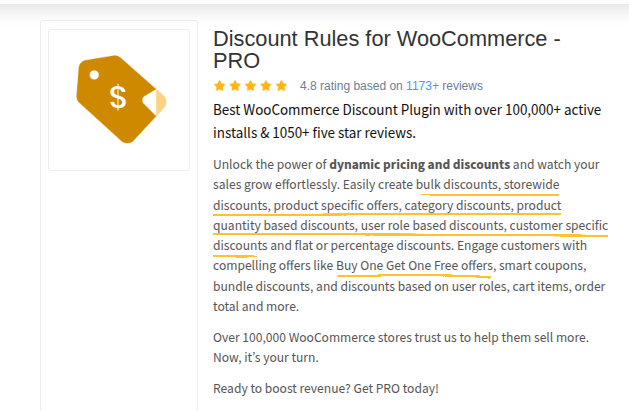
Users appreciate this plugin because it not only manages discount rules but also can display the discount percentage automatically based on pricing logic. Since it handles discounts, it understands the exact mathematical reduction being applied, ensuring that badges are accurate even when using complicated pricing rules.
Here are the most praised plugin features from Reddit discussions:
- Shows percentage-based badges automatically
- Supports WooCommerce variable products
- Updates badge based on active variation
- Works with WooCommerce category-level discounts
- Displays dynamic badges even for advanced rules
- Supports custom styling (Upon CSS request)
- Integrates seamlessly with sales schedules
Other popular sale badge plugins mentioned on Reddit include:
- Advanced Product Labels
- Custom Sale Badge plugins
- YayPricing’s badge system
However, Discount Rules for WooCommerce (Flycart) remains one of the few plugins capable of both calculating and visually representing percentage-based sale badges without breaking dynamic pricing logic.
Features Redditors Care About Most When Choosing a Sale Badge Plugin
Reddit users prioritize the following features:
- Accurate percentage calculation
Users want a plugin that always displays the correct percentage, even for variable products and tiered discounts. - Compatibility with variable products
Every variation should show its own percentage, not the percentage of the parent product. - Automatic calculation
Plugins should compute percentages dynamically without manual entry. - Lightweight performance
Badges should not slow down the site or require heavy scripts. - Easy styling
Store owners want control over colors, shapes, borders, and position. - Dynamic pricing compatibility
If a store uses discount rules or dynamic pricing, the sale badge must reflect real-time changes. - Theme compatibility
Badges must look correct on popular themes like WoodMart, Flatsome, Astra, and Storefront. - Caching compatibility
Badges should update properly even with aggressive caching plugins.
When a plugin cannot handle these requirements, Reddit users quickly downvote it and warn others.
How to Show Percentage-Based Sale Badges in WooCommerce: A Step-by-Step Guide
Here is the Reddit-approved method.
Step 1: Install a plugin that supports percentage badges
YayPricing, and especially Discount Rules for WooCommerce, offer this functionality. Flycart’s plugin is particularly reliable since it controls discount logic directly.
Step 2: Enable dynamic percentage display
Within the plugin, you activate settings such as “Show Discount Percentage” or “Display Percentage Badge”.
Step 3: Configure badge style
Plugins typically allow store owners to modify the badge:
- color
- background
- shape
- alignment
- font
- size
Step 4: Configure conditions
This determines where badges appear:
- on sale items only
- only for discounts above a certain percentage
- on product pages
- on archive pages
- only for simple products
- only for variable products
Also Read: How to Show Discounts on WooCommerce Product and Cart Page
Step 5: Test badge behavior
This is important because variable products, dynamic pricing, and caching setups may affect display accuracy. Test with:
- several products
- different variations
- sale price changes
- mobile and desktop views
- cached and uncached states
Step 6: Finalize visual placement
Reddit users often recommend placing the badge directly on the product image for maximum attention.
How to Correctly Display Sale Percentage for Variable Products
Variable products are the single biggest pain point for WooCommerce sale badges. This is because each variation can have its own pricing. WooCommerce does not calculate percentages automatically for variations.
Common problems with variable product badges include:
- The badge displays the wrong percentage
- It displays the percentage of the parent price
- It uses the highest or lowest variation price incorrectly
- It does not update when a variation is selected
Reddit suggests these fixes:
- Use a plugin that reads variation-level pricing
- Disable theme sale badge overrides
- Use AJAX-based variation refresh
- Enable compatibility mode in discount or badge plugins
- Rebuild dynamic pricing rules so percentages are calculated correctly
Discount Rules for WooCommerce handles this especially well because its pricing engine is aware of variation-level pricing.
Common Problems With WooCommerce Sale Badges and How Reddit Fixes Them
Here are the most frequent issues and how community members resolve them.
- Problem: Wrong percentage showing
Cause: Theme override or parent price reference
Fix: Disable the theme’s sale badge and use the plugin badge instead - Problem: Badge not appearing
Cause: Hidden by CSS or disabled in theme settings
Fix: Enable badge display in the plugin and remove theme conflicts - Problem: The Percentage does not update on variation selection
Cause: Variation AJAX is not enabled
Fix: Enable AJAX refresh in product variation settings - Problem: Badges slowed down the site
Cause: Overly complex visual badge scripts
Fix: Use a lightweight plugin and avoid animation-heavy badges - Problem: Multiple badges showing at once
Cause: Theme and plugin both display badges
Fix: Disable one of the badge sources - Problem: Caching prevents badge updates
Cause: Cached HTML not refreshing
Fix: Exclude product and category pages from aggressive caching
Best Use Cases for Sale Percentage Badges According to Reddit
Reddit users often discuss the best times to use sale percentage badges because they dramatically improve user engagement.
Examples include:
- Clothing stores with many variations
- Black Friday and other seasonal promotions
- Stores with large catalogs
- DTC brands that rely on impulse decisions
- Discount-driven categories such as electronics
Displaying the percentage discount helps customers quickly compare savings across items. This increases product discovery and reduces friction during browsing.
Reddit users often point out that big discounts like 40 percent off or 50 percent off should be highlighted visually because they create urgency.
How Sale Percentage Badges Improve Conversion Rates
Redditors frequently share results from A/B tests. They report that percentage-based badges outperform the default “Sale” badge significantly.
Key reasons:
- Numerical discounts catch attention faster
- Customers immediately recognize how much they save
- Numbers create stronger emotional responses
- Shoppers trust transparent sales
- Badges reduce decision fatigue
- They make products look more competitive against other stores
Some Reddit users have documented improvements such as:
- 20 percent increase in click-through rate
- 15 percent higher add-to-cart rate
- 10 to 28 percent increase in sales on discounted products
These improvements justify using percentage-based badges across the entire store.
Customization Tips for High-Converting Badges
Based on Reddit recommendations:
- Use highly visible colors
Colors like red, yellow, or orange draw the most attention. - Keep the text simple
Short labels like “Save 40%” work best. - Use round shapes
Circular badges stand out more on thumbnails. - Avoid overly fancy designs
Simple badges perform better because they are clearer. - Place badges on the product image
This increases visibility and encourages clicks. - Display badges on category pages
Many product discoveries happen from category pages, not individual product pages. - Make badges uniform across the store
Consistency helps customer orientation.
Performance, Caching, and Theme Conflicts: Reddit’s Warnings
WooCommerce sale badges often conflict with:
- caching plugins
- CDN-level caching
- dynamic pricing plugins
- older themes
- page builders
- custom product grids
Reddit recommends the following to avoid problems:
- Exclude product and category pages from caching
- Disable theme sale badge if using a plugin
- Use modern themes with WooCommerce-optimized templates
- Avoid plugins that rely on heavy scripts
- Use plugins that support real-time dynamic pricing compatibility
Flycart’s Discount Rules plugin performs particularly well with caching due to its optimized calculation logic.
Frequently Asked Questions on Reddit About Sale Percentage Badges
- Q: Why doesn’t WooCommerce display percentage badges by default?
WooCommerce intentionally keeps the core simple, so advanced features require plugins. - Q: What is the most reliable plugin for accurate percentage calculations?
Discount Rules for WooCommerce by Flycart reliably handles dynamic pricing and badge calculation together. - Q: Do sales percentage badges slow down my site?
Only if the plugin uses heavy scripting or poor optimization. - Q: How do I fix sale badges not showing for variable products?
Use a plugin that reads variation prices instead of parent product prices. - Q: Can I customize badge shape and color?
Most badge plugins support design customization.
Increase your conversion rates by displaying the exact savings percentage with a sale badge using the Discount Rules plugin.
Final Verdict: The Best Way to Display Sale Percentage Badges in WooCommerce
Reddit users consistently recommend using plugins instead of relying on WooCommerce’s default sale badge. Among all the plugins discussed, Discount Rules for WooCommerce stands out because it excels in:
- accurate percentage calculations
- support for variable products
- compatibility with advanced pricing
- highly reliable display logic
- minimal performance impact
If you want clear, trustworthy, dynamic percentage-based sale badges that significantly boost customer engagement and conversions, then Flycart’s Discount Rules plugin is heavily endorsed by the Reddit community.
Related Read: