One of the most powerful ways to increase revenue in any WooCommerce store is to offer discounts based on the number of items a customer purchases. From buy-more-save-more offers to tiered pricing and mix-and-match discounts, quantity-based deals encourage customers to add more items to their cart, increasing average order value and overall profitability.
Yet, WooCommerce does not support multi-item discounts natively. The built-in coupon system is limited to fixed amounts, fixed product discounts, and percentage discounts. This is why store owners constantly search for “WooCommerce Discount for Multiple Items Reddit” to find real solutions tested by real merchants in real conditions.
Table of contents
- Why WooCommerce Store Owners Search for WooCommerce Discount for Multiple Items Reddit
- Understanding WooCommerce Discount for Multiple Items
- Best WooCommerce Plugins for Multiple Item Discounts According to Reddit
- WooCommerce Discount for Multiple Items Reddit – Benefits
- Step-by-Step Guide: How to Create WooCommerce Discount for Multiple Items
- How to Handle Multi-Item Discounts for Variable Products
- Common Problems Reddit Users Face and How to Fix Them
- Real-World Examples of Multi-Item Discount Strategies
- Advanced Multi-Item Discount Scenarios Reddit Recommends
- Best Practices for Running High-Converting Multi-Item Discounts
- Frequently Asked Questions on Reddit About Multi-Item Discounts
Reddit is one of the most brutally honest platforms where WooCommerce store owners share what actually works, what breaks, which plugins are reliable, and which setups cause problems. This guide consolidates every major insight shared on Reddit about multi-item discounts, including plugin recommendations, complete configuration guides, troubleshooting, performance considerations, and advanced multi-item discount strategies that seasoned merchants use.
Motivate customers to add more items to their cart by offering multi-item discounts using the Discount Rules plugin.
Why WooCommerce Store Owners Search for WooCommerce Discount for Multiple Items Reddit
WooCommerce’s default pricing and discount system are far from flexible. Most merchants quickly find that WooCommerce does not support:
• quantity-based discounts
• tiered pricing
• buy-more-save-more incentives
• mix-and-match pricing
• WooCommerce bulk discounts for wholesale buyers
• conditional multi-item rules
• step-by-step tiered pricing
• automatic application of quantity discounts
• discounts based on combined product quantities
The coupon system in WooCommerce was designed for simple, flat promotions. This frustrates store owners who want more advanced strategies like:
• Buy 2 items, get a 10 percent discount
• Buy 3 items, get 15 percent off
• Buy 4 or more items, get 20 percent off
• Buy 10 units and save 50 in total
• Buy 3 shirts from any category
• Buy any combination of 5 snacks and get a discounted price
Reddit discussions are full of store owners asking:
• Which plugin is reliable for multi-item discounts
• How to create tier-based pricing
• Why are their discounts not applying
• Why the cart is showing incorrect totals
• How to avoid coupon codes
• How to make the discounts work automatically
Store owners find Reddit valuable because it provides raw, unfiltered feedback that isn’t influenced by affiliate marketing or polished documentation. The community offers real-world testing that official plugin pages do not provide.
Understanding WooCommerce Discount for Multiple Items
WooCommerce discount for multiple items refers to any pricing logic that offers a discount when customers buy more than one item. These discounts can apply to:
• a single product
• variations of a product
• entire categories
• combinations or bundles
• the entire cart
• user roles like wholesale customers
These discount structures vary widely and may include:
• percentage discounts
• fixed amount discounts
• tiered pricing
• dynamic pricing
• WooCommerce buy X get Y deals
• bulk pricing incentives
• category-based discounts
• attribute-based discounts
Multi-item discounts work because they align with buyer psychology. When customers see a structured incentive to purchase more units, they are more likely to commit to larger orders, leading to higher revenue per transaction.
Read More:How to Create Product Attributes in WooCommerce
Best WooCommerce Plugins for Multiple Item Discounts According to Reddit
Reddit discussions frequently mention three plugins capable of handling multi-item discount logic. Among those, the most consistently praised solution is:
Discount Rules for WooCommerce by Flycart
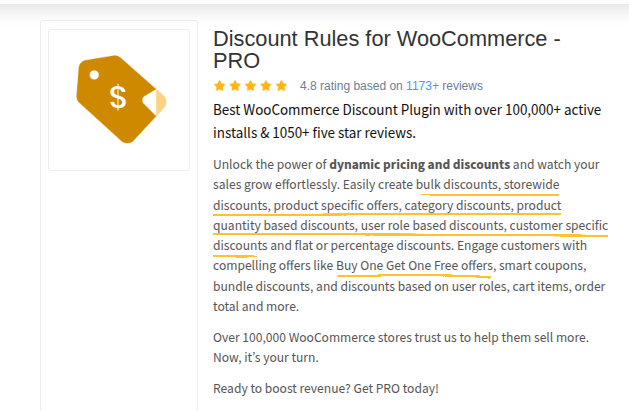
Reddit users appreciate it because it supports:
• multi-step tiered pricing
• buy X get Y logic
• mix-and-match product combinations
• category-level multi-item discounts
• user role pricing
• variation-level rules
• automatic discount calculation
• cart-level conditions
• highly accurate syncing with dynamic sale badges
Other plugins sometimes recommended include:
• YayPricing
• Dynamic Pricing with Discount Rules for WooCommerce
But Redditors overwhelmingly prefer Flycart’s Discount Rules due to reliability, accuracy, performance, and flexibility.
Why Discount Rules for WooCommerce (Flycart) Is Reddit’s Top Choice
Discount Rules for WooCommerce is recommended repeatedly on Reddit because it solves almost every discount challenge a typical WooCommerce store faces. It is built to provide advanced pricing rules that WooCommerce lacks.
Key reasons Reddit recommends it:
• It supports buy-more-save-more pricing
• Its tiered discount engine is extremely flexible
• It supports variation-level quantity discounts
• It integrates seamlessly with sales badge percentages
• It applies discounts automatically without requiring coupon codes
• It can handle complex mix-and-match promotions
• It supports both simple and WooCommerce variable products
• It displays discount information clearly on product pages
Redditors also mention that it performs well on high-traffic WooCommerce sites because its rule engine is optimized and does not cause slowdowns during discount calculation.
Increase your store’s conversion rate by offering multiple product discounts using the Discount Rules plugin.
WooCommerce Discount for Multiple Items Reddit – Benefits
Quantity-based discounts are powerful because they create several psychological triggers that influence buyers. These effects are widely discussed in Reddit’s eCommerce and marketing threads.
- People buy more to save more
When customers see that buying more units leads to a bigger discount, they are naturally incentivized to increase their order size. - Higher average order value
Offering tiered pricing can increase average order value by 10 percent to as much as 40 percent in some industries.
Also Read:12 Best Upselling Techniques to Increase AOV
- Simplifies decision-making
Customers no longer have to choose between one item and another. Instead, they are encouraged to maximize value by adding more items. - Improves perceived value
Shoppers believe they are getting a better deal the more they add to the cart. - Helps clear stock
Multi-item discounts are excellent for clearing inventory that needs to move quickly. - Enhances cross-sell discovery
Mix-and-match discounts encourage customers to explore related products. - Strengthens customer loyalty
Customers trust stores that reward them with increasing levels of savings.
These psychological triggers are why quantity-based discounts are used by major brands across industries.
Step-by-Step Guide: How to Create WooCommerce Discount for Multiple Items
This section outlines how to create multi-item discounts using a plugin recommended strongly by Reddit: Discount Rules for WooCommerce by Flycart.
Step 1: Install the plugin
Purchase or download Discount Rules for WooCommerce and activate it.
Step 2: Create a new pricing rule
Specify rule type, such as quantity-based discount, bulk discount, or tiered pricing.
Step 3: Define quantity tiers
For example:
Buy 2 items for 10 percent off
Buy 3 items for 15 percent off
Buy 5 or more for 20 percent off
Step 4: Select applicable products
Select specific products, categories, or tags.
Step 5: Set conditions
You can apply rules based on:
• specific user roles
• date range
• cart subtotal
• product combinations
• purchase quantity
Also Read: How to Create WooCommerce Coupons by User Roles
Step 6: Choose a discount method
Select whether the discount is:
• percentage
• flat amount
• price override
• per-item discount
Step 7: Configure display settings
Show discount ranges on product pages to help customers understand the offer.
Step 8: Test your setup
Test with different product combinations, variations, quantities, and browsers.
Reddit users emphasize the importance of testing multi-item discount rules thoroughly before running campaigns.
How to Handle Multi-Item Discounts for Variable Products
Variable products are one of the most complex parts of WooCommerce. They require logic that handles individual variation-level pricing and quantities.
Key challenges store owners face include:
• Discounts apply to parent products rather than variations
• Variation prices are not calculated correctly
• Incorrect discount tiers triggering on mixed variations
• Ajax variation load not updating discount logic
• Discount badges not matching dynamic variation pricing
Reddit users recommend using a plugin that:
• supports variation-specific pricing
• updates in real-time through AJAX
• applies rules per variation, not per parent product
Discount Rules for WooCommerce has variation-aware logic, which allows:
• per-variation quantity triggers
• variation-based tiered pricing
• different discount levels for variations
• mix-and-match variation discounts
This is essential for stores selling apparel, supplements, cosmetics, and any product that requires multiple configuration options.
Common Problems Reddit Users Face and How to Fix Them
Many threads on r/WooCommerce detail common issues with multi-item discount setups. Below are the most frequently reported problems and how the Reddit community fixes them.
- Discount not applying
Often caused by incorrect rule configuration. Ensure rules are set to apply to individual items or totals depending on the scenario. - The discount applies twice
Usually means two rules are overlapping. Set priorities in the plugin to ensure only one rule applies. - Variation discounts are not working
Always target variation SKUs, not the parent product. Ensure the plugin supports variation-specific logic. - Discount applied only after cart update
This happens when themes override default cart fragments. Use AJAX-friendly cart themes or disable conflicting scripts. - Mix-and-match discounts failing
Ensure the rule encompasses all products involved in the combination. - Coupon and discount conflicts
Disable coupon stacking or select a single discount method to prevent double discounts. - Sales badge not updating
Enable dynamic badge updates or disable theme sale flash overrides. - Caching issues
Exclude product, cart, and checkout pages from caching when testing discount rules.
Real-World Examples of Multi-Item Discount Strategies
Here are some real examples Reddit users have shared:
- Clothing brand
Buy any 2 jeans, get 20 percent off the second pair.
Buy 3 or more jeans, get a fixed 10% discount per unit. - Supplement store
Buy 3 protein tubs, get 15 percent off each.
Buy 5, get 20 percent off. - Coffee brand
Buy any 4 packs of coffee and save 12 percent.
Mix-and-match beans, capsules, or grounds. - Cosmetics store
Buy any 3 items in the skincare category and save 10.
Buy 5 items and save 20. - Hardware store
Buy 10 units of any screws or bolts and get a bulk discount. - Grocery store
Buy 6 snack items and get one free.
Buy 10 frozen dinners and save 15 percent.
These examples illustrate how flexible multi-item discounts can be across industries.
Advanced Multi-Item Discount Scenarios Reddit Recommends
Some of the multi-item discount variations in WooCommerce,
- Mix-and-match bundles
Allow customers to choose any three items from a list and get a discount. - Category-level multi-buy
Offer a discount when customers buy multiple items from the same category. - Attribute-based bulk pricing
Example: Buy any three products with the flavor attribute set to Mint. - Tiered pricing per user role
Wholesale buyers receive deeper discounts at higher quantities. - Super bundles
Offer progressive discounts such as:
Buy 3 products, get 10 percent off
Buy 4 products, and get 15 percent off
Buy 6 products, and get 20 percent off - Time-limited multi-item campaigns
Run discounts only during promotional periods like Black Friday or Cyber Monday. - Filter-based discounts
Allow discounts on products that match specific filters like tags, stock status, or price range.
These advanced rules require a flexible plugin with complex logic capabilities. Discount Rules for WooCommerce is often mentioned for supporting such scenarios.
Best Practices for Running High-Converting Multi-Item Discounts
Reddit users frequently suggest these best practices:
• Display the discount clearly on product pages so customers understand the incentive before adding items
• Use a simple tier structure so customers can easily see how savings scale
• Avoid making customers apply coupon codes
• Display tier information on category pages
• Display sale badges to highlight savings
• Combine multi-item discounts with urgency messaging
• Keep discount descriptions short and clear
• Test discount rules before launching campaigns
• Avoid stacking discounts unless intentional
Running effective multi-item discount campaigns requires clarity, simplicity, and consistency.
Frequently Asked Questions on Reddit About Multi-Item Discounts
Discount Rules for WooCommerce is the most recommended on Reddit.
Usually due to incorrect rule configuration or overlapping settings.
Yes, but only when using a plugin that supports variation-level pricing.
Rule priority or condition mismatch is the usual cause.
Yes, but use a plugin that supports layered logic.
Only poorly coded plugins cause performance issues. Flycart is optimized to avoid slowdowns.