File sharing has become a core part of modern websites. Whether you manage client resources, sell digital downloads, collaborate with teams, or distribute learning materials, seamless file access shapes user experience.
At the same time, WordPress site owners now expect faster uploads, stronger security, cloud integrations, and intuitive file organization.
That’s where a WordPress file sharing plugin plays a critical role.
Instead of relying on basic media libraries or third-party platforms, smart site owners now use specialized plugins that handle document sharing, permissions, transfers, and downloads in a structured way.
In this guide, you’ll discover:
- The best file share WordPress plugin options for 2026.
- Key features to prioritize
- Free and premium tools worth using
- Real-world use cases
- Plus a bonus WooCommerce strategy to increase revenue.
Let’s explore.
Combine File Sharing With Smart Discounts!
Offer downloadable products and reward your customers with the advanced Discount Rules Pro plugin.
Table of contents
- Why Use a WordPress File Sharing Plugin in 2026?
- Key Features to Look for in a File Share WordPress Plugin
- 6 Best WordPress File Sharing Plugins
- Free vs Premium WordPress File Sharing Plugin Options
- Use Cases for WordPress Document & File Transfer Plugins
- How WooCommerce Store Owners Can Boost Sales With Smart File Access?
- Conclusion
- Frequently Asked Questions
Why Use a WordPress File Sharing Plugin in 2026?
Websites are no longer static pages with a few downloads. Instead, they serve as content hubs, resource centers, and collaboration platforms.
A modern WordPress document sharing plugin allows you to:
Organize Files Into Folders and Categories
Proper file organization is the foundation of an efficient WordPress file sharing system. Instead of having hundreds of files scattered across your media library, a WordPress file sharing plugin lets you structure files into clearly defined folders and categories.
For example, you can separate documents by type, date, project, or client. This organization makes it easy for both admins and users to find files quickly without wasting time scrolling or searching.
Well-structured folders also improve the website’s usability and provide a professional impression for clients or team members accessing your resources.
Control Access by Role, Password, or Membership
Not all files are meant for everyone.
Modern WordPress document sharing plugins allow you to control access to files with precision.
You can restrict downloads based on user roles (like subscribers, editors, or admins), set passwords for sensitive files, or make certain documents available only to specific membership levels. This ensures that confidential documents, premium resources, or client-specific files remain secure.
Access control also enables monetization strategies where only paying customers can download certain digital products, increasing both security and revenue potential.
Related Read: How to Create User-Specific Roles in WordPress?
Track Downloads and Engagement
Knowing which files your users access the most is crucial.
A good WordPress file transfer plugin includes analytics that track downloads, views, and user engagement. This insight helps you understand user behavior, whether certain resources are popular, which files drive the most interest, or if some files are rarely accessed.
For businesses and e-learning websites, this data informs content strategy, helping you prioritize resources, improve documentation, or create more high-demand files for your audience.
Share Large Files Securely
Large files, like high-resolution images, videos, or software packages, can be tricky to share without causing slow downloads or exposing them to unauthorized access.
A reliable file share WordPress plugin provides secure sharing options, often including encrypted links, timed access, or download limits. This ensures that files reach the intended recipients safely while protecting your server bandwidth.
Secure sharing builds trust with clients and users, particularly for sensitive documents or premium digital products, ensuring they can access the content conveniently without compromising security.
Enable Frontend Uploads
Frontend uploads are a game-changer for collaborative websites or client-facing portals.
With a WordPress document sharing plugin, users can submit files directly from the website without needing backend admin access. This is perfect for client submissions, community contributions, or team projects.
The plugin can include moderation controls, ensuring that uploaded files meet your quality or security standards before they go live.
By enabling frontend uploads, you streamline collaboration, reduce administrative overhead, and make your website more interactive and user-friendly.
Meanwhile, a solid WordPress file transfer plugin makes moving documents between users smoother, faster, and safer.
Additionally, professional file management improves:
- Customer trust
- Content accessibility
- Workflow efficiency
- SEO performance.
Therefore, investing in the right WordPress file-sharing plugin directly impacts both user experience and website growth.
Key Features to Look for in a File Share WordPress Plugin
Choosing the right WordPress file sharing plugin ensures efficient file management now and scalable, secure, user-friendly performance in the future.
Below, we dive into the essential features every file share WordPress plugin should offer:
- Folder & File Organization
A clean, structured file system is essential for an effective WordPress document sharing plugin, allowing administrators and users to quickly locate files.
Organizing documents into folders and categories improves navigation, reduces confusion, and creates a professional experience, especially when displaying downloadable resources on the frontend.
- Access Control & Permissions
Not every file should be publicly accessible.
Top plugins allow you to control who can view or download files using login status, user roles, passwords, or membership levels. This ensures sensitive documents, premium resources, or client-specific files are shared securely.
- Frontend File Uploads
Frontend upload capabilities allow users to submit files without backend access, making them ideal for community sites, client portals, or collaborative platforms, while moderation controls maintain file quality and streamline workflow.
- Cloud Integrations
Modern WordPress file transfer plugins often integrate with popular cloud services like Google Drive, Dropbox, or OneDrive. This allows you to store large files securely off-site, reduce server load, and provide faster downloads for users worldwide.
- Download Tracking
Monitoring user engagement is essential. A plugin with download tracking lets you see which files are most accessed, helping you optimize resources and understand user behavior.
- Security Protection
Top-tier plugins include encryption, anti-hotlinking, and download restrictions to prevent unauthorized access, ensuring that both free and premium files are protected.
- Mobile Responsiveness
With more users accessing websites on mobile devices, a plugin that supports responsive layouts ensures smooth downloads and a seamless experience across all screen sizes.
Choosing a plugin with these features ensures your WordPress file sharing plugin stays secure, organized, and scalable as your site grows.
6 Best WordPress File Sharing Plugins
1. WP File Download
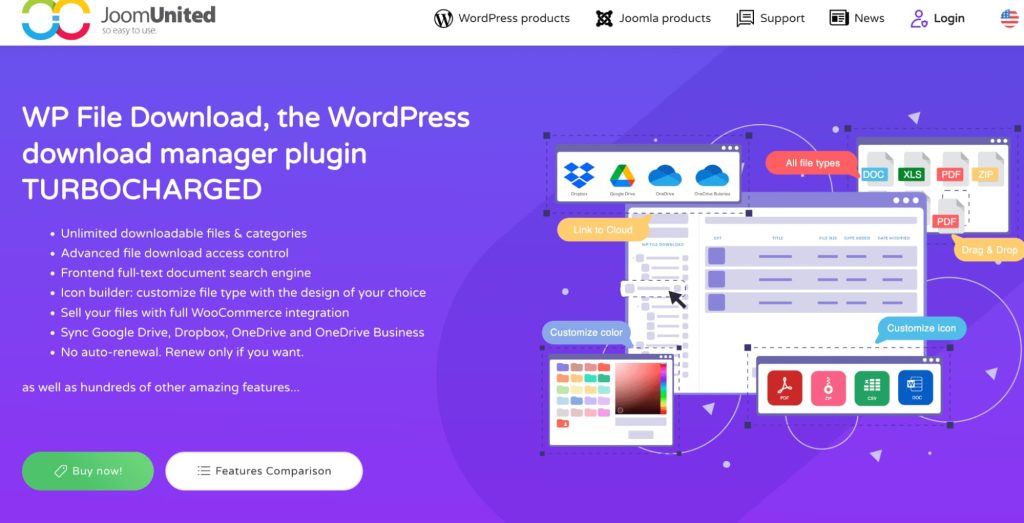
WP File Download remains one of the most powerful WordPress file sharing plugin solutions available.
This plugin provides an intuitive folder-based structure similar to desktop file managers. As a result, site admins can organize documents effortlessly.
Key Features:
- Drag-and-Drop File Management
Organize files and folders easily with a simple drag-and-drop interface, saving time and reducing errors. Perfect for managing large libraries of documents or digital products efficiently.
- Frontend File Displays
Show downloadable files directly on your website so users can browse and access them without backend access. Improves user experience and allows professional presentation of resources.
- Google Drive & Dropbox Integration
Sync your website files with cloud storage for secure backups and reduced server load. Large files remain accessible to users without slowing down your site.
- Role-Based Permissions
Restrict files or folders to specific users or roles for secure content sharing.
Ideal for memberships, client portals, or premium digital products.
- Download Analytics
Track which files are most accessed and how users engage with your resources. Helps optimize content strategy and ensure files reach the right audience.
Best For:
- Resource libraries
- Client portals
- Educational platforms.
Additionally, its sleek UI improves user experience significantly.
2.Filr – Secure Document Library
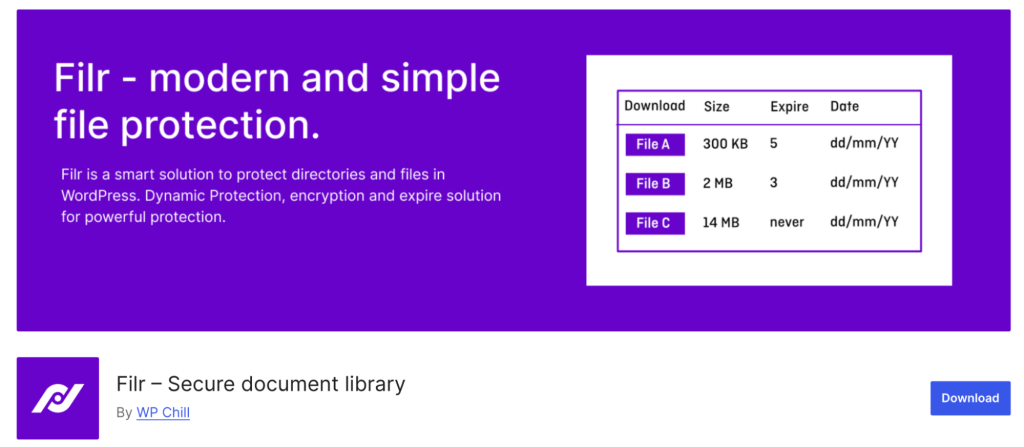
Filr focuses heavily on security and structured file sharing. This plugins helpful for businesses handling private documents and it offers granular access control combined with a clean design.
Key Features:
- Folder-Based File Systems
Organize documents into folders and subfolders for easy navigation and quick access. Ideal for managing large libraries or client-specific resources efficiently.
- User-Specific Permissions
Control who can view or download each file based on individual users or roles. Ensures sensitive documents stay secure and accessible only to authorized users.
- Frontend File Uploads
Allow users to upload files directly from the website without backend access. Streamlines collaboration for clients, teams, or community members.
- File Previews
Enable users to preview documents before downloading to improve usability. Helps visitors find the content they need without unnecessary downloads.
- Activity Logs
Track all file-related actions, including uploads, downloads, and edits. Provides insight into user engagement and helps monitor secure file usage.
Best For:
- Membership sites
- Client document sharing
- Legal or consulting firms.
Moreover, it functions as a reliable wordpress document sharing plugin for sensitive materials.
3. WordPress Download Manager
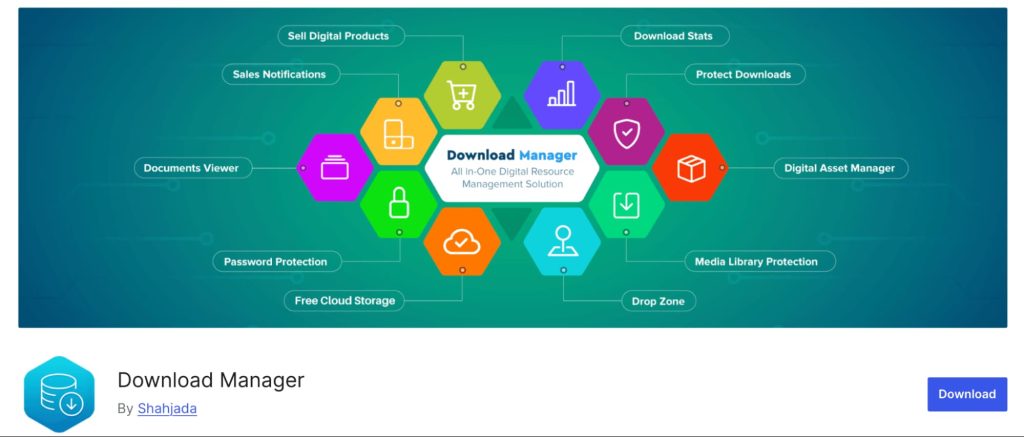
WordPress Download Manager blends file sharing with download control and monetization. It allows file protection while offering membership restrictions and download limits.
Key Features:
- Password-Protected Downloads
Secure files by requiring a password before users can access or download them. Ideal for confidential documents or premium digital products.
- Role-Based Access
Restrict downloads based on user roles or membership levels. Ensures only authorized users can access specific files.
- Download Statistics
Track which files are most downloaded and monitor user engagement. Helps optimize content strategy and understand user behavior.
- File Versioning
Manage multiple versions of the same file to keep content up-to-date. Users always access the latest version without confusion.
- Cloud Support
Integrate with cloud storage like Google Drive or Dropbox for secure hosting. Reduces server load and ensures fast, reliable file access for users.
Best For:
- Digital products
- Software distribution
- Resource centers.
This plugin also serves as a lightweight wordpress file transfer plugin for controlled sharing.
4. Shared Files for WordPress
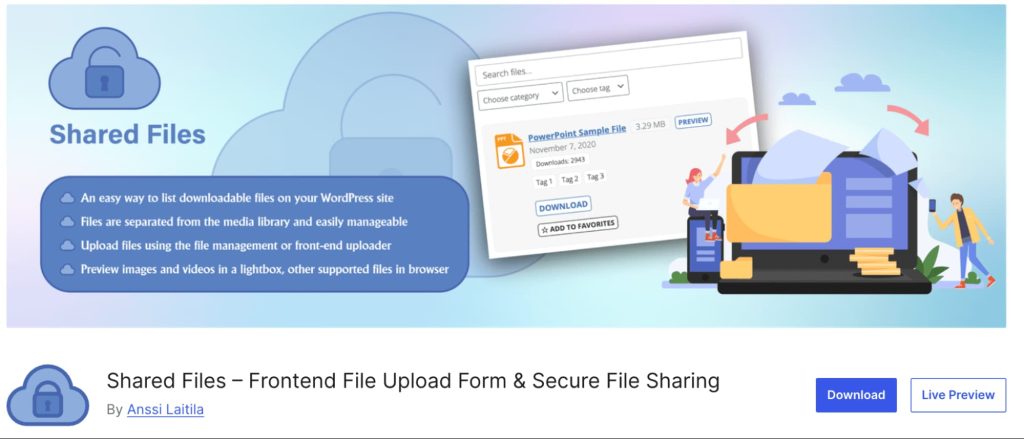
Shared Files delivers simplicity with strong file-sharing fundamentals. Instead of complex dashboards, it focuses on shortcodes and clean frontend displays.
Key Features:
- Folder Structures
Organize files into folders and subfolders for clear navigation. Makes it easy for users to locate documents quickly and efficiently.
- File Search
Enable users to search for files directly on the frontend. Saves time and improves user experience by quickly finding specific documents.
- Frontend File Sharing
Allow users to access and share files without a backend login. Perfect for client portals, team collaboration, or community websites.
- Download Tracking
Monitor which files are downloaded and how frequently. Helps analyze user engagement and identify popular resources.
- User-Specific Views
Display files based on individual user permissions or roles. Ensures secure access and a personalized file browsing experience.
Best For:
- Internal teams
- Community sites
- Knowledge bases.
If you prefer minimal setup with strong functionality, this plugin works beautifully.
5. FileBird + Sharing Add-ons
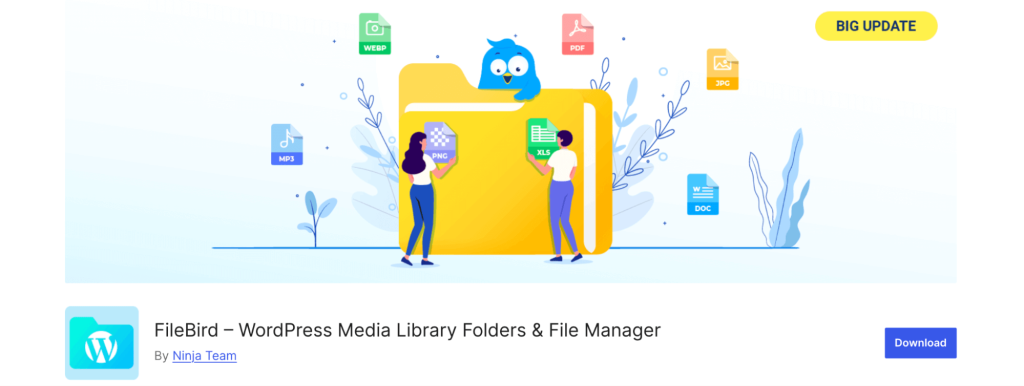
FileBird originally started as a media organizer but now offers advanced sharing capabilities. It transforms WordPress media into structured file systems.
Key Features:
- Drag-and-Drop Folders
Organize media and files easily with a simple drag-and-drop interface. Saves time and keeps your WordPress library structured and accessible.
- Media Categorization
Sort files into categories for better organization and quicker access. Ideal for websites managing large amounts of images, documents, or digital products.
- Sharing Links
Generate direct links to share files with users or clients. Makes file distribution simple and efficient without backend access.
- Access Permissions
Restrict file access based on user roles or specific users. Ensures sensitive content is shared securely with the right audience.
- Cleaner Media Management
Keep your WordPress media library organized and clutter-free. Enhances navigation and improves overall website workflow and efficiency.
Best For:
- Content-heavy sites.
- Bloggers
- Agencies manage many documents.
While not a pure file share WordPress plugin initially, its enhancements make it highly effective today.
6. File Sharing & Download Manager
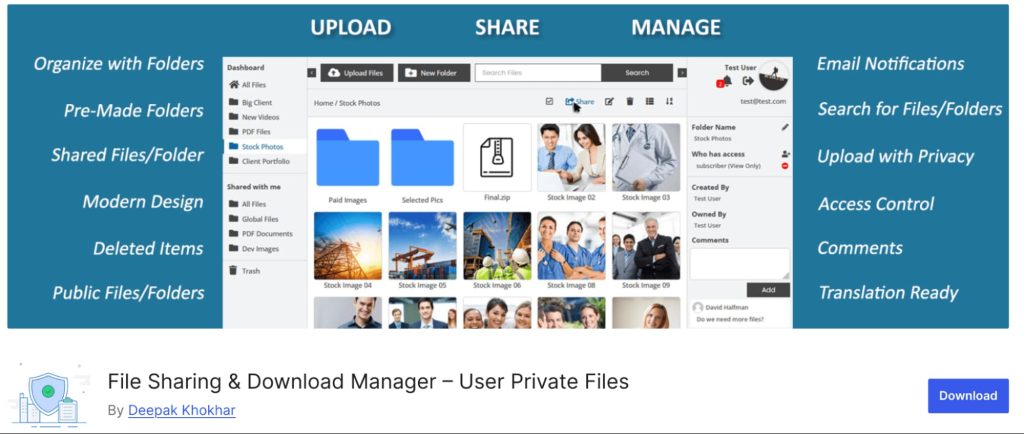
File Sharing & Download Manager is a current and reliable frontend file upload & sharing plugin.
This plugin lets users upload, manage, and securely share files from the frontend, making it a great option for WordPress sites with collaborative or client‑centric workflows.
Key Features:
- Secure File Sharing
Upload and share private files with restricted access to specific users or roles. Ensures sensitive content is protected while allowing controlled distribution.
- User File Uploads
Allow site users to upload and manage their own files directly from the frontend. Streamlines collaboration without giving backend access to users.
- Advanced File Manager
Organize files with folders, trash, and access controls for easy management. Keeps user files structured, secure, and easy to navigate.
- Download Manager
Track downloads with detailed stats, view counts, and user activity logs. Helps site admins monitor engagement and identify popular files.
- Rich File Options
Support previews, galleries, password protection, and public file sharing. Enhances user experience while maintaining flexibility and security.
- Notifications
Receive alerts whenever files are uploaded, shared, or downloaded. Keeps admins informed and improves workflow efficiency.
Best For:
- Client portals and membership sites require secure file sharing.
- Collaborative platforms where users upload and manage their own files.
- Educational websites or businesses need private, user-specific file access.
Free vs Premium WordPress File Sharing Plugin Options
When it comes to managing files on WordPress, many site owners initially look for a WordPress file sharing plugin free version, and it’s easy to understand why.
Free plugins allow you to get started without any investment, test features, and understand what works best for your website.
However, as your website grows or your file-sharing needs become more complex, premium plugins often become the smarter choice for long-term efficiency, security, and scalability.
Free Plugins Are Great For:
- Small Websites: For personal blogs, small business sites, or resource pages with limited downloads, free plugins are more than sufficient. They allow you to add file upload, download, and basic sharing functionality without the cost of a premium plugin.
- Basic File Downloads: Free plugins handle straightforward file downloads efficiently. Whether you’re offering PDFs, images, or simple documents, they ensure users can access your content easily.
- Simple Sharing Needs: If your file management doesn’t require advanced access control, cloud integration, or download tracking, free plugins provide a lightweight, user-friendly solution that keeps your site uncluttered and fast.
Premium Plugins Offer:
- Cloud Storage: Premium plugins often integrate with Google Drive, Dropbox, and other cloud services, allowing you to store large files securely without overloading your server.
- Advanced Permissions: Control who can view, download, or upload files with role-based access, user-specific permissions, and password-protected files.
- Analytics: Track downloads, file engagement, and user behavior to optimize resources and content strategy.
- Security Enhancements: Protect sensitive files with encryption, anti-hotlinking, and other security features that free versions may lack.
- Priority Support: Premium plugins typically include dedicated support, ensuring any issues are resolved quickly, which is crucial for professional environments.
In most professional setups, investing in a premium plugin pays off through improved efficiency, user trust, and a more secure, organized file-sharing system.
While free plugins are a great starting point, premium tools ensure your website can grow without limitations.
Related Read: 5 Best Security Plugins to Secure Your WordPress Website
Use Cases for WordPress Document & File Transfer Plugins
A reliable WordPress document sharing plugin or WordPress file transfer plugin is more than just a tool for uploading files; it can transform the way your website delivers content, manages resources, and engages users.
Let’s explore the key use cases where these plugins make a real difference.
- Client Resource Portals
WordPress file-sharing plugins let businesses securely share client-specific documents like invoices, proposals, and contracts.
Role-based permissions or passwords ensure only the right clients can access files. This keeps sensitive information private while improving professionalism.
- Educational Materials
Educational sites can distribute PDFs, worksheets, videos, and other learning resources efficiently.
Files can be organized into folders and access controlled by student roles. This protects premium materials while simplifying content management.
- Digital Product Delivery
File sharing plugins allow instant delivery of purchased digital products after checkout.
Secure links, download limits, and password protection prevent unauthorized access. This ensures a safe, professional, and smooth download experience for customers.
- Team Collaboration
Teams can upload, manage, and organize files centrally without backend access.
Frontend uploads, previews, and notifications streamline workflow. Role-based permissions keep documents secure and organized.
- Membership Content
Membership sites can restrict premium files to paying members or subscribers.
Tiered permissions control which resources are downloadable by each membership level. This protects exclusive content and improves monetization.
Each of these scenarios benefits directly from a reliable WordPress document sharing plugin with advanced access control, organization, and secure download options.
Choosing the right plugin ensures smooth delivery, better user experience, and professional management of all your website files.
How WooCommerce Store Owners Can Boost Sales With Smart File Access?
For WooCommerce businesses, file sharing goes beyond simple downloads.
When combined with smart automation, it can:
- Deliver digital products instantly.
- Share invoices and guides.
- Provide loyalty resources.
- Create exclusive member content.
However, file access alone doesn’t maximize revenue.
That’s where pricing strategies and discounts come into play.
Why Discount Plugin Complement File Sharing Strategies?
If you sell digital files, subscriptions, or exclusive content, pairing file access with smart discounts dramatically increases conversions.
This is when you should use a discount plugin like “Discount Rules for WooCommerce -Pro” by Flycart, as it helps you:
- Create bulk discounts
- Offer tiered pricing
- Run seasonal promotions
- Reward loyal customers
- Automate coupon logic.
When users receive valuable content combined with attractive pricing, purchase decisions happen faster.
Turn File Downloads Into Revenue!
Combine premium file access with dynamic discount rules to increase conversions and retain customers.
Conclusion
File sharing has evolved into a core website function rather than a bonus feature.
The right WordPress file sharing plugin empowers you to:
- Organize documents professionally
- Protect sensitive content
- Improve user experience
- Increase engagement
- Support digital business models.
Whether you need a simple free plugin or a full-scale document management system, the tools listed above cover every use case in 2026.
Meanwhile, WooCommerce store owners can take things further by pairing file access with smart discount strategies using “Discount Rules for WooCommerce -Pro,” turning content into consistent revenue.
Choose wisely, structure smartly, and your WordPress site will become a powerful resource hub.
Also Read: How to Add a PDF Search Engine to WordPress?
Frequently Asked Questions
WP File Download and Shared Files for WordPress are excellent for beginners due to simple interfaces and strong organization tools.
Yes, for basic needs. However, premium versions provide better security, cloud storage, and user control.
Most premium plugins include access permissions, password protection, and anti-hotlinking features for strong security.
Absolutely. WooCommerce handles digital downloads efficiently, especially when paired with discount automation tools like “Discount Rules for WooCommerce -Pro.”
Yes. Most modern file share WordPress plugin options are mobile-responsive.