Launching an online store can be exciting, but costs can quickly add up. Many new entrepreneurs, hobbyists, or small businesses search for a free ecommerce website to get started without large upfront investments.
Using a free online store option can help you test products, understand your audience, and gain experience selling online.
However, free platforms often come with trade-offs, such as limited customization, fewer features, or transaction fees.
This guide explores the pros and cons, compares popular options, and provides tips for creating a functional online shop without spending a dime.
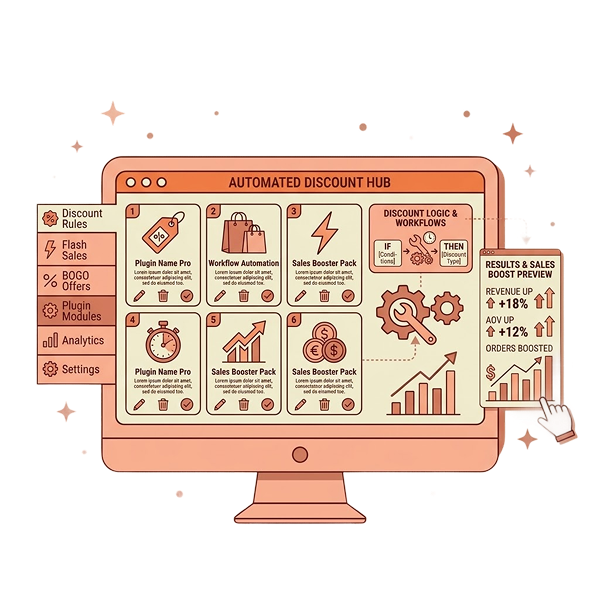
Boost your free WooCommerce store sales! Add advanced discounts, bulk offers, and dynamic pricing with Discount Rules for WooCommerce – Pro.
Table of contents
- What is a Free Ecommerce website?
- Advantages of Using a Free Online Store
- Limitations of a Free Ecommerce Site
- Popular Free Ecommerce Platforms and Builders
- Choosing the Right Free Ecommerce Website Template
- How to Create an Online Store for Free Without Hidden Costs?
- 1: Choose the Right Free Ecommerce Platform
- 2: Select a Suitable Template
- 3: Set Up Products and Categories
- 4: Enable Payment Gateways
- 5: Optimize for SEO
- 6: Test Your Website
- 7: Launch and Promote Your Store
- 8: Upgrade Strategically as You Grow
- Common Ecommerce Mistakes to Avoid
- Using a Free Ecommerce Website for Small or Hobby Businesses
- Who Should Use a Free Ecommerce Platform and Who Should Avoid It?
- How WooCommerce Can Upgrade Your Free Ecommerce Website?
- Conclusion: Is a Free Ecommerce Website Right for Your Business?
- Frequently Asked Questions
What is a Free Ecommerce website?
A free ecommerce website is a platform or tool that allows you to build an online store at no initial cost. Most free solutions offer basic features to list products, accept payments, and manage orders.
Examples include free ecommerce site builders like Wix, Square Online, and WooCommerce.
These websites typically come with:
- Pre-designed ecommerce templates
- Drag-and-drop page builders
- Hosting is included in the package.
The goal is to help entrepreneurs or hobbyists start selling online without committing to expensive subscriptions.
Advantages of Using a Free Online Store
A free online store offers several benefits for businesses starting small:
- Cost-Efficiency: The most obvious advantage is zero cost. You can start selling with minimal investment. Platforms may only charge transaction fees when you make a sale.
- Quick Setup: Many free ecommerce website builders allow you to launch in hours. Pre-designed templates make it easier to get your store live without coding.
- Risk-Free Testing: A free platform is perfect for testing your products or business model. If your idea works, you can later upgrade to a paid plan for advanced features.
- Accessibility: Free online stores often include user-friendly dashboards, making them ideal for beginners who want to create an online store for free.
Limitations of a Free Ecommerce Site
While tempting, a free ecommerce site comes with challenges:
- Limited Features: Most free plans restrict product listings, payment options, or marketing tools.
- Branding Restrictions: Some platforms add their logo or branding to your site, making it less professional.
- Scalability Issues: Free plans often lack advanced features like discount rules, dynamic pricing, or advanced inventory management, which can hinder growth.
- SEO & Performance Constraints: Free website templates may not be fully optimized for SEO, which can limit your site’s visibility.
Popular Free Ecommerce Platforms and Builders
Here are some widely used free ecommerce website platforms:
- WooCommerce(WordPress) – Fully free, scalable, with thousands of free ecommerce website themes.
- Square Online Store– Easy to set up and create an online store for free, with basic features.
- Ecwid – Integrates with existing websites and social media platforms.
- Wix eCommerce(Free Tier) – Offers drag-and-drop free ecommerce website templates, perfect for beginners.
- Shopify Starter(Lite Version) – Small upfront cost, but allows basic online selling.
Choosing the Right Free Ecommerce Website Template
Your template sets the tone for your online store. A free ecommerce website template should focus on:
- Mobile responsiveness
- Ease of customization
- Clear product presentation
- Fast loading speed
- SEO-friendly layout.
Remember, even with a free ecommerce website builder, investing time in a clean design ensures better conversion rates and customer trust.
How to Create an Online Store for Free Without Hidden Costs?
Building a professional online store doesn’t have to break the bank. With careful planning, you can create an online store for free, avoid hidden fees, and set up a website that works for both your business and customers.
Here’s a detailed step-by-step approach:
1: Choose the Right Free Ecommerce Platform
Selecting the right platform is the foundation of a successful free ecommerce website.
Not all platforms are created equal, and choosing one that suits your business goals ensures you won’t hit limits too quickly.
Popular options include:
- WooCommerce (WordPress) – Completely free, highly customizable, and ideal for store owners planning to scale. It has thousands of free ecommerce website templates, integrates with payment gateways, and supports plugins for advanced features.
- Wix – User-friendly with drag-and-drop design, ideal for beginners. It allows you to create an online store for free and comes with basic ecommerce tools.
- Square Online Store – Quick setup and perfect for small sellers or hobby businesses, offering free plans with transaction-based fees.
Tips:
- Look for platforms that allow later upgrades.
- Ensure integration with secure payment gateways like PayPal or Stripe.
- Check if the platform allows customization of branding without forcing its own logo.
Why it matters: The platform determines your store’s functionality, scalability, and long-term growth potential. Choosing wisely lets you start free while keeping options open for the future.
Even if you’re starting with a free WooCommerce store, you can scale smartly. Use Discount Rules for WooCommerce – Pro to create promotions, bundles, and special deals without upgrading your platform immediately.
2: Select a Suitable Template
Your website template is the visual backbone of your free online store. A clean, professional template improves user experience, builds trust, and encourages purchases.
What to consider:
- Mobile Responsiveness: A majority of online traffic comes from mobile devices. Ensure your template adjusts well on all screens.
- Brand Consistency: Choose colors, fonts, and layouts that reflect your business style.
- Ease of Customization: You should be able to change headers, menus, product pages, and categories without coding.
- SEO-Friendly Design: Templates with clean code and fast loading speed improve search visibility.
Tip: Preview multiple free ecommerce website templates before selecting one. The right template will save time, ensure a professional appearance, and provide a solid foundation for growth.
3: Set Up Products and Categories
Organizing your store’s products effectively improves navigation and enhances the shopping experience.
Steps to follow:
- Create Categories and Subcategories: Helps customers find products quickly. Example: “Accessories → Women’s → Bracelet.”
- Add High-Quality Images: Use multiple angles and zoomable images. Visuals drive purchase decisions.
- Write Detailed Descriptions: Include features, dimensions, materials, and benefits. Use natural keywords like free online store or create an online store for free, where relevant.
- Set Pricing and Inventory: Avoid stock-outs and ensure pricing is clear.
- Tagging and SEO: Include descriptive keywords in product titles, tags, and meta descriptions.
Tip: Use CSV uploads or bulk product import features if you have many products. Organized catalogs reduce friction for buyers and improve SEO.
4: Enable Payment Gateways
Even on a free platform, you must offer secure and convenient payment methods.
Options include:
- PayPal – Trusted globally, easy to set up, and charges small transaction fees.
- Stripe – Supports credit/debit cards and integrates seamlessly with WooCommerce or Wix.
- Other Local Options – Depending on your region, options like Apple Pay, Google Pay, or bank transfers may be available.
Tips:
- Test every payment method before going live.
- Ensure your checkout process is smooth to avoid abandoned carts.
- Keep customers informed about fees, if any.
Why it matters: Secure and easy payment increases trust, reduces friction, and boosts conversions.
5: Optimize for SEO
Even a free online store can attract organic traffic with proper SEO.
SEO checklist for your free ecommerce website:
- Page Titles and Meta Descriptions: Include product-specific keywords.
- Alt Text for Images: Improves accessibility and image search rankings.
- Internal Linking: Connect products, categories, and blog posts to improve navigation and SEO.
- Clean URLs: Use short, descriptive URLs like “yourstore.com/women-bracelet.”
- Keyword Placement: Naturally include target keywords like free ecommerce website, free ecommerce website builder, and free ecommerce site.
Tip: Even small SEO efforts on a free platform can drive traffic over time. Consider writing content around your products to boost visibility.
6: Test Your Website
Testing ensures your free ecommerce site works perfectly before launch.
Key areas to test:
- Checkout process from start to finish.
- Mobile and desktop performance.
- All buttons, links, forms, and payment gateways.
- Loading speed for pages and product images.
- Email notifications for orders and confirmations.
Tips:
- Ask friends or family to navigate your store and report issues.
- Run multiple test orders to ensure inventory and notifications work correctly.
Why it matters: Testing prevents customer frustration, reduces abandoned carts, and establishes trust.
7: Launch and Promote Your Store
Once your store is tested, it’s time to go live.
Promotion tips:
- Share on social media, email newsletters, or niche forums.
- Offer introductory discounts or bundle deals.
- Use SEO-friendly blog posts or social media content to drive traffic.
- Track engagement using built-in analytics or free tools like Google Analytics.
Tip: Even a free shop website can attract customers if promoted consistently and strategically.
Related Read:How Social Proof Plays a Major Role in eCommerce Conversions?
8: Upgrade Strategically as You Grow
A free ecommerce store is perfect for starting, but growth may require additional features.
Upgrade ideas:
- Advanced Discounts: Plugins like Discount Rules for WooCommerce – Pro allow dynamic pricing, seasonal offers, or bulk discounts.
- Custom Branding: Remove platform logos and enhance your professional look.
- Analytics and Marketing Tools: Track customer behavior, sales, and optimize campaigns.
- Scalability: Paid plans or add-ons let you add more products, users, or custom features.
Tip: Start free, test your products and market, then upgrade strategically to maximize sales and professional credibility.
Common Ecommerce Mistakes to Avoid
Even on a free ecommerce website, beginners often make mistakes:
- Poor product descriptions
- Low-quality images
- Not optimizing for mobile
- Ignoring SEO
- Complex checkout process
- Not setting up promotions or discounts.
Avoiding these mistakes ensures your free ecommerce platform can still deliver a professional shopping experience.
Related Read:Why Customers Are Not Buying in Your eCommerce Store?
Using a Free Ecommerce Website for Small or Hobby Businesses
A free shop website is ideal for:
- Hobby artists selling occasional artwork
- Small businesses testing products
- Entrepreneurs exploring online sales with minimal investment.
Platforms like WooCommerce allow you to start free and scale later. You can also experiment with discount rules, bundle offers, and seasonal promotions using plugins like “Discount Rules for WooCommerce – Pro.”
Who Should Use a Free Ecommerce Platform and Who Should Avoid It?
Not every business benefits from a free ecommerce website.
While free platforms are tempting, they work best for certain types of sellers and may create challenges for others.
Understanding who should use them and who shouldn’t helps you make the right choice.
Who Should Use a Free Ecommerce Platform?
1. Hobbyists and Small Sellers
If you’re testing a small-scale business or selling products as a hobby, a free online store is perfect. Platforms like WooCommerce, Wix, or Square allow you to create an online store for free without upfront costs.
You can experiment with your product, pricing, and audience without financial risk.
2. Entrepreneurs Testing New Ideas
For new businesses unsure about market demand, a free ecommerce site is ideal.
You can test products, marketing strategies, and store layouts without committing to paid plans. This flexibility helps you make informed decisions before scaling.
Related Read:10 Types of eCommerce Marketing Your Online Store Should Follow
3. Businesses With Minimal Products
Stores with a limited catalog (under 50–100 products) benefit from free ecommerce website templates because setup is faster, and managing inventory is simple. Free plans usually limit product listings, so smaller stores fit perfectly.
4. Budget-Conscious Startups
If your priority is minimizing upfront costs while gaining a professional-looking website, free platforms let you launch without monthly fees.
Who Should Avoid a Free Ecommerce Platform?
1. Growing Businesses with High Sales Volume
If you plan to sell a large number of products or expect high traffic, free platforms may lack scalability. Restrictions on storage, bandwidth, and advanced features can limit growth.
2. Businesses Needing Advanced Features
Stores requiring advanced discounts, dynamic pricing, or marketing automation may find free platforms restrictive.
Paid plugins or upgrades like Discount Rules for WooCommerce – Pro are often needed for professional functionality.
3. Businesses Focusing on Branding
Some free platforms add their logo to your website or limit design options. If brand identity is crucial, free plans may not offer enough customization.
4. Enterprises or Businesses Requiring Security Compliance
High-volume or enterprise-level stores need advanced security, backup, and performance features that free platforms may not provide.
How WooCommerce Can Upgrade Your Free Ecommerce Website?
Even if you start with a free online store, WooCommerce provides a path to professional growth:
- Discount Rules for WooCommerce – Pro helps you create advanced pricing, discounts, and bundle deals.
- Seamless integration with free ecommerce website themes.
- Scalable as your business grows.
- Enhances customer engagement with dynamic promotions.
By combining a free ecommerce website with WooCommerce plugins, you can start free and later unlock features to increase sales. This strategy allows you to test the market without upfront risk while positioning your store for long-term success.
Turn your free WooCommerce website into a professional online store! Install Discount Rules for WooCommerce – Pro to run advanced discounts, automate promotions, and increase sales effortlessly.
Conclusion: Is a Free Ecommerce Website Right for Your Business?
A free ecommerce website can be an excellent starting point for small businesses, hobbyists, or entrepreneurs looking to sell products online without upfront costs. It allows you to create an online store for free, experiment with product offerings, understand customer behavior, and test your business model without financial risk.
Platforms offering free ecommerce website templates and free ecommerce website builders make setup simple, letting even beginners launch quickly with professional-looking designs.
However, free platforms come with limitations such as restricted features, limited payment gateways, branding restrictions, and scalability challenges.
For businesses aiming to grow, these constraints can eventually affect user experience and sales potential.
That’s where upgrading strategically becomes essential. Tools like Discount Rules for WooCommerce – Pro enhance a free WooCommerce store by enabling advanced discounts, dynamic pricing, and promotional campaigns, helping you compete with larger stores while maintaining the flexibility of a free start.
Ultimately, a free ecommerce site is perfect for testing ideas, starting small, and gaining experience in online sales.
With thoughtful planning, choosing the right free online store, and leveraging plugins like Discount Rules for WooCommerce – Pro, you can begin without investment and gradually scale into a fully-featured online business.
Whether you’re selling artwork, handmade products, or niche items, a free ecommerce website offers a low-risk pathway to enter the online marketplace while keeping long-term growth in mind.
Also Read:
- WooCommerce vs BigCommerce: Best Platform for Your Online Store in 2026
- What Is Better for My eCommerce Store? WooCommerce or Shopify
Frequently Asked Questions
Yes, several platforms like WooCommerce, Wix, and Square let you set up a basic online store without paying upfront.
WooCommerce is widely recommended for flexibility, scalability, and availability of free themes and plugins.
Common errors include poor product images, weak descriptions, complex checkout, and a lack of SEO optimization.
Start with a free platform, use a free ecommerce website template, and gradually add features like payment integration and promotions.
No, an LLC is not required to run a website, though registering one can provide legal protection and credibility.
My family member wants to sell artwork without paying fees.”