File sharing has become a natural part of how websites interact with users. From collecting resumes and design briefs to accepting documents, images, and custom order files, file uploads now play a central role in online experiences.
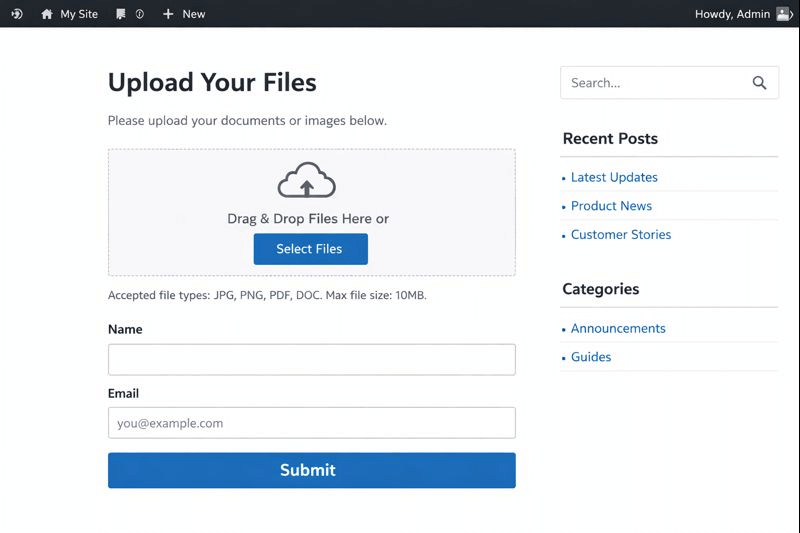
As WordPress continues to power millions of websites worldwide, choosing the right WordPress file upload plugin has become more important than ever.
In 2026, website owners expect more than just basic upload functionality. They want secure uploads, smooth user experience, form integrations, cloud storage support, and compatibility with WooCommerce.
At the same time, users expect fast uploads, clear instructions, and mobile-friendly forms.
This blog walks you through the 7 best WordPress file upload plugins for 2026, with a clear focus on usability, performance, and real-world applications.
You’ll also learn how each WP file upload plugin fits different business needs, whether you run a content site, service business, or WooCommerce store.
If you want to create reliable WordPress file upload forms, reduce friction, and keep your site organized, this guide will help you make the right choice.
File uploads enable customization, but discounts drive action.
Use Discount Rules for WooCommerce – Pro to reward bulk and high-value orders automatically.
Table of contents
- What is a WordPress File Upload Plugin?
- Why You Need a WordPress File Upload Plugin in 2026?
- Key Features to Look for in a WP File Upload Plugin
- 7 Best WordPress File Upload Plugins
- Choosing the Best WordPress Upload Plugins
- How File Uploads Fit Into WooCommerce Stores?
- Boost Conversions with Discount Rules for WooCommerce – Pro
- Conclusion
- Frequently Asked Questions
What is a WordPress File Upload Plugin?
A WordPress file upload plugin is a tool that allows website visitors to upload files directly to your WordPress site through forms, pages, or product sections, without needing backend access.
Instead of asking users to send files by email or third-party links, a WordPress file upload plugin creates a secure, structured way to collect documents, images, videos, PDFs, ZIP files, and more.
How a WordPress File Upload Plugin Works?
At its core, a WP file upload plugin adds file upload fields to your WordPress site. These fields can appear in:
- Contact forms
- Registration forms
- Quote or inquiry forms
- WooCommerce product and checkout pages
- Front-end user dashboards.
When a user uploads a file, the plugin validates it based on rules you set, such as file size, file type, or user role.
After that, the file is safely stored in your WordPress media folder, a custom directory, or a connected cloud service.
Why You Need a WordPress File Upload Plugin in 2026?
Modern websites are no longer static. Users actively interact with them by submitting files, documents, and media.
A dedicated plugin to upload files in WordPress helps streamline these interactions while keeping your site secure and user-friendly.
- First, file uploads improve communication. Instead of exchanging emails or third-party links, users can upload files directly through a WordPress file upload form. This approach saves time and keeps everything in one place.
- Second, specialized plugins offer better control. A reliable WordPress upload plugin lets you limit file types, set size restrictions, and define upload destinations. As a result, your server stays organized and protected from unwanted files.
- Third, uploads support automation. Many WP upload plugin options integrate with form builders, email notifications, and cloud services. Therefore, every file submission can trigger workflows without manual effort.
- Finally, file uploads support eCommerce growth. For WooCommerce stores, customers often need to upload design files, documents, or personalization details. In this case, a strong WP file upload solution becomes essential for smoother order processing.
Key Features to Look for in a WP File Upload Plugin
Choosing the right WP file upload plugin depends on more than popularity. Instead, you should focus on features that match your website goals and user expectations.
- To begin with, file type control matters. A quality WordPress document upload plugin allows you to accept PDFs, images, ZIP files, and other formats while blocking risky extensions. This feature helps protect your site and server resources.
- Next, consider form integration. Many website owners rely on contact forms, so built-in support for WordPress contact form file upload functionality saves time. You can collect messages and attachments in a single submission.
- User experience also plays a major role. Drag-and-drop uploads, progress indicators, and mobile responsiveness make a big difference. These features improve completion rates and reduce confusion.
- Storage options are another key factor. Some “WordPress_file_upload” tools allow uploads to local storage, while others integrate with Google Drive or Dropbox. This flexibility helps scale your site efficiently.
- Finally, compatibility matters. If you use WooCommerce or page builders, your WordPress file upload plugin should work seamlessly with them to avoid conflicts or slowdowns.
7 Best WordPress File Upload Plugins
1. WPForms – Flexible WordPress File Upload Form Builder

WPForms is one of the most popular form builders, and its file upload feature makes it a powerful WordPress file upload plugin for beginners and professionals alike.
With WPForms, creating a WordPress file upload form feels simple. The drag-and-drop builder allows you to add file upload fields in seconds. As a result, you can collect documents, images, or videos without touching code.
Another advantage lies in customization. WPForms lets you control file size limits, accepted formats, and storage locations. This flexibility ensures your WP file upload plugin setup aligns with your site policies.
From a user experience perspective, WPForms performs well across devices. Upload fields remain responsive, and progress indicators keep users informed. Therefore, visitors feel confident during submission.
WPForms also integrates smoothly with email notifications and cloud storage. Every upload can be sent to admins or stored securely for later access.
Key Features
- Drag-and-drop form builder for creating custom WordPress file upload forms quickly.
- Supports multiple file uploads with configurable size limits.
- Allows file type restrictions for secure uploads.
- Stores uploaded files in WordPress Media Library or cloud integrations.
- Email notifications with file attachments or secure links.
Pros
- Very beginner-friendly with no learning curve.
- Reliable performance across devices and browsers.
- Strong compatibility with popular WordPress themes and plugins.
Cons
- The file upload feature requires a paid plan.
- Limited advanced logic compared to developer-focused tools.
- Not designed for heavy WooCommerce order-based uploads.
2. File Upload Types by WPForms

File Upload Types by WPForms enhances the native upload capabilities and supports advanced validation. While it builds on WPForms, it deserves attention as a specialized WP upload plugin feature.
This extension focuses on security and flexibility. It allows site owners to define strict rules for accepted file types, which is essential for businesses handling sensitive data.
In addition, it improves compatibility with different server configurations. As a result, file uploads remain reliable even during high traffic periods.
For websites that rely heavily on WordPress contact form file upload submissions, this add-on ensures consistent performance and fewer upload failures.
Although it works best with WPForms, it still stands out as a reliable plugin for uploading files in WordPress when accuracy and control matter.
Key Features
- Extends default WPForms upload field capabilities.
- Allows precise control over accepted MIME types.
- Improves validation for sensitive or restricted uploads.
- Reduces upload errors caused by server configuration issues.
- Enhances security for WordPress contact form file upload scenarios.
Pros
- Improves the reliability of WPForms file uploads.
- Strong security-focused enhancement.
- Works seamlessly within the WPForms ecosystem.
Cons
- Cannot function independently without WPForms.
- No standalone UI or dashboard.
- Limited usefulness outside strict validation needs.
3. WordPress File Upload

WordPress File Upload is a standalone solution designed specifically for advanced upload needs. It’s often recognized by its shortcode-based flexibility and deep customization options.
This WordPress file upload plugin allows both registered and guest users to upload files. As a result, it works well for community sites, portals, and internal platforms.
One standout feature is front-end folder management. Uploaded files can be organized automatically, which saves time for administrators. Additionally, real-time upload progress indicators improve user confidence.
Security remains a priority here. The plugin supports CAPTCHA, IP restrictions, and file validation. Therefore, it minimizes risks often associated with open uploads.
For developers or power users, the plugin’s shortcode system offers extensive control. If you want a robust WP file upload solution beyond basic forms, this plugin delivers flexibility.
Key Features
- Front-end file upload for both logged-in and guest users.
- Shortcode-based customization for flexible placement.
- Real-time progress bar and drag-and-drop uploads.
- Automatic file organization into folders.
- CAPTCHA and IP-based upload restrictions.
Pros
- Extremely flexible for advanced use cases.
- Suitable for community and membership sites.
- Supports large file uploads efficiently.
Cons
- The interface may feel complex for beginners.
- Styling customization requires manual tweaking.
- Can feel overpowered for simple upload needs.
4. Contact Form 7 File Upload Extension

Contact Form 7 remains a widely used form plugin, and its file upload extensions turn it into a functional WordPress upload plugin for simple use cases.
This option works best when you already use Contact Form 7 and want to add attachments. With the right extension, you can collect resumes, images, or documents through your contact forms.
The setup process stays minimal. File upload fields are added through shortcodes, keeping things lightweight and fast. As a result, performance remains stable.
However, customization options remain limited compared to premium tools. While it supports WordPress contact form file upload needs, advanced validations require additional configuration.
For small businesses or blogs that want a basic WP file upload plugin, this approach remains practical and budget-friendly.
Key Features
- Adds file upload fields to Contact Form 7 forms.
- Supports common file types like PDFs, images, and documents.
- Lightweight and fast-loading WP file upload plugin option.
- Simple shortcode-based implementation.
- Email delivery of uploaded files or links.
Pros
- Free and widely supported.
- Minimal impact on site performance.
- Ideal for simple WordPress contact form file upload use cases.
Cons
- Limited customization options.
- No advanced validation without extra configuration.
- Lacks a visual form builder interface.
5. Gravity Forms File Upload

Gravity Forms offers a professional-grade form solution, and its file upload feature is ideal for complex workflows. Many enterprises rely on it as their primary WordPress file upload plugin.
The plugin supports multiple file uploads, conditional logic, and advanced validations. Therefore, you can create dynamic WordPress file upload forms that adapt based on user input.
Gravity Forms also integrates with CRMs, payment gateways, and cloud storage platforms. As a result, uploaded files become part of larger automation workflows.
From a performance perspective, uploads remain stable even with large file sizes. This reliability makes Gravity Forms suitable for agencies and high-traffic websites.
Although it comes at a premium price, the feature depth justifies the investment for businesses that depend on file submissions.
Key Features
- Supports single and multiple file uploads.
- Advanced conditional logic for dynamic upload fields.
- Integration with CRMs, cloud storage, and automation tools.
- Secure handling of sensitive documents.
- Scales well for enterprise-level WP file upload needs.
Pros
- Extremely powerful and flexible.
- Ideal for complex workflows and large teams.
- Excellent documentation and support.
Cons
- Premium pricing may not suit small businesses.
- Overkill for basic upload forms.
- Requires time to master advanced features.
6. Ninja Forms with File Upload Add-On
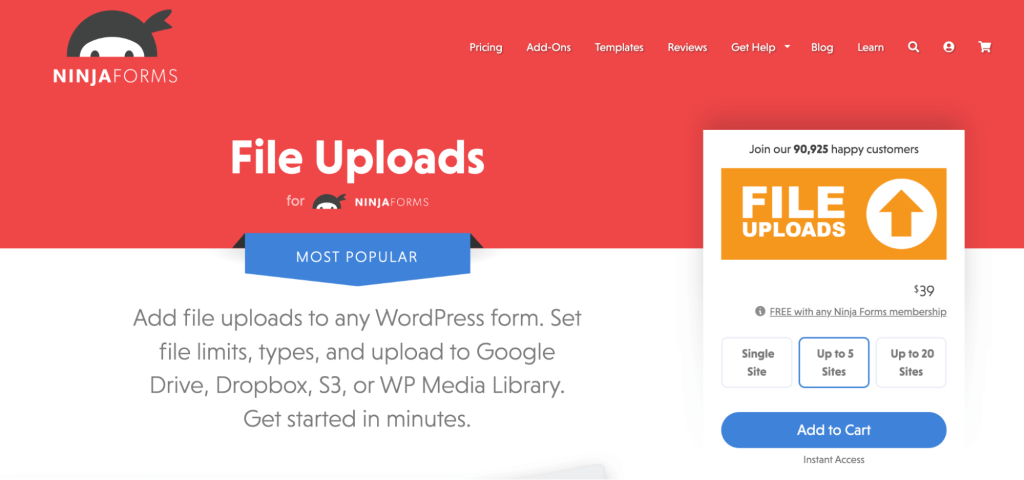
Ninja Forms provides a flexible form-building experience, and its file upload add-on expands its capabilities as a WordPress file upload plugin.
The interface remains intuitive, allowing users to add upload fields easily. At the same time, admins can control file size limits and formats.
Ninja Forms also focuses on accessibility and performance. Upload forms load quickly and remain responsive across devices.
This plugin works well for service-based businesses that rely on WordPress file upload form submissions for quotes, briefs, or support tickets.
While advanced features require paid add-ons, the core experience remains solid and scalable.
Key Features
- Easy-to-use drag-and-drop form builder.
- File upload add-on with size and format restrictions.
- Mobile-responsive WordPress file upload form support.
- Integration with email and third-party services.
- Developer-friendly hooks and filters.
Pros
- Clean interface and good usability.
- Works well for service-based websites.
- Modular add-on system.
Cons
- File upload requires a paid add-on.
- Advanced features increase overall cost.
- Fewer built-in automations compared to competitors.
7. File Uploader for WooCommerce

File Uploader for WooCommerce is a purpose-built wordpress upload plugin designed specifically for WooCommerce stores that sell personalized, custom, or print-on-demand products.
Instead of relying on emails or third-party tools, this plugin allows customers to upload files directly while adding products to the cart, making the ordering process faster and more reliable.
What sets this plugin apart is its bloat-free approach. It focuses entirely on file uploads without unnecessary features, which keeps performance stable even when handling large or frequent uploads. Customers can upload files from their devices or external sources like Dropbox and Instagram, which adds flexibility and convenience.
Because uploads are tied directly to WooCommerce orders, store owners receive all required files upfront.
As a result, order fulfillment becomes smoother, and follow-up support requests are significantly reduced.
For WooCommerce stores where uploads are part of the buying journey, this plugin fits naturally into the workflow.
Key Features
- Allows customers to upload files directly to WooCommerce product pages.
- Supports uploads from devices, Dropbox, Instagram, and other sources.
- Attaches uploaded files automatically to WooCommerce orders.
- Built on a specialized upload infrastructure for high reliability.
- Optimized for performance with a lightweight, bloat-free design.
Pros
- Designed exclusively for WooCommerce workflows.
- Reduces support emails and post-purchase file collection.
- Reliable handling of large and frequent file uploads.
Cons
- Not suitable for non-WooCommerce websites.
- Styling customization may require minor CSS adjustments.
- Advanced pricing or conditional logic requires additional plugins.
Choosing the Best WordPress Upload Plugins
Each plugin is designed with a specific purpose in mind, and the right choice depends on how file uploads support your website goals.
(A) If “Forms” are Priority
Form-based solutions are ideal for communication-driven websites.
Plugins like WPForms, Gravity Forms, and Ninja Forms focus on creating structured WordPress file upload forms that work well for lead generation, inquiries, applications, and support requests.
These tools make it easy to collect files alongside user details, which helps businesses streamline follow-ups and internal workflows. Their drag-and-drop builders make setup fast and beginner-friendly.
(B) If flexibility is a Priority
WPForms and Gravity Forms are the best choices if you prefer a flexible file upload process.
WPForms offers simplicity and speed, which makes it suitable for small businesses and growing websites.
Gravity Forms, on the other hand, delivers advanced logic, automation, and integrations.
As a result, it works well for enterprises that rely heavily on structured data and complex file submissions. Both options are reliable WP file upload plugin choices for handling documents, images, and attachments securely.
(C)If “Customization” is a Priority
For websites that demand deeper customization, WordPress File Upload excels.
This plugin is less form-centric and more upload-focused.
It allows front-end uploads, folder organization, and granular control over user permissions. Therefore, it’s often preferred by community platforms, membership sites, and portals that handle frequent or large file uploads.
Related Read: How to Create User-Specific Roles in WordPress?
(D) Need WooCommerce-Exclusive File Upload Plugin?
Meanwhile, WooCommerce-focused plugins serve a completely different purpose.
Tools like File Uploader for WooCommerce are built around order workflows rather than forms.
They allow customers to upload files directly on product, cart, or checkout pages.
This approach is especially valuable for stores selling personalized, print-on-demand, or custom-made products, where files are directly tied to purchases.
How File Uploads Fit Into WooCommerce Stores?
File uploads have become an essential part of modern WooCommerce stores, especially as customization and personalization continue to shape online buying behavior.
Many products now require customers to submit images, documents, logos, or design files before an order can be fulfilled.
In these cases, a reliable WP file upload setup is not just helpful; it directly supports the purchasing process.
For example, print-on-demand stores often need artwork files, while service-based WooCommerce businesses may require documents, specifications, or reference materials.
When customers can upload these files directly on product or checkout pages, the buying journey becomes smoother. As a result, store owners avoid back-and-forth emails and manual file collection after purchase.
A smooth WordPress upload plugin experience also reduces order errors.
Clear upload instructions, supported file types, and visible progress indicators help customers submit the correct files the first time.
This clarity lowers the number of failed uploads and support requests, saving time for both store owners and customers.
More importantly, it builds trust, as shoppers feel confident that their files are received securely.
That said, file uploads alone don’t drive conversions.
While they enable customization, they don’t automatically encourage customers to complete or increase their purchases.
To maximize revenue, WooCommerce stores need smart pricing strategies alongside upload functionality.
Conditional discounts, bulk pricing, and cart-based incentives help motivate customers once they’ve invested time uploading files.
Boost Conversions with Discount Rules for WooCommerce – Pro
Once customers upload files successfully, the next step involves motivating them to complete purchases. This is where Discount Rules for WooCommerce – Pro by Flycart becomes valuable.
The plugin allows store owners to create dynamic discounts based on cart value, products, user roles, or conditions. As a result, you can encourage higher-order values after file uploads.
For example, you can offer bulk discounts on custom products or special pricing for repeat customers. When combined with file upload workflows, this strategy improves conversions and retention.
“Discount Rules for WooCommerce – Pro” integrates smoothly with WooCommerce and supports advanced rule setups without complexity. Therefore, it complements file upload plugins by turning interactions into revenue.
You’ve optimized uploads; now optimize revenue!
Grow custom product sales by offering personalized smart discounts with Discount Rules for WooCommerce – Pro by Flycart.
Conclusion
Choosing the right WordPress file upload plugin in 2026 depends on your goals, audience, and workflows. Whether you need simple contact form uploads or advanced WooCommerce order submissions, there’s a solution that fits.
By focusing on usability, security, and compatibility, you can create seamless upload experiences that users trust.
When combined with smart pricing strategies using Discount Rules for WooCommerce – Pro, file uploads become more than a feature; they become a growth driver.
If you’re building for scale, now is the right time to optimize how users upload, interact, and convert on your WordPress site.
Also Read
- 5+ Best Form Builders for WordPress
- 5 Best Security Plugins to Secure Your WordPress Website
- 10 Best Elementor Add-ons Plugins for WordPress
Frequently Asked Questions
WPForms remains beginner-friendly due to its visual builder and simple setup.
Yes, many plugins integrate with WooCommerce, especially order-level upload tools.
Security depends on the plugin. Always choose a WordPress document upload plugin with validations and restrictions.
When configured correctly, most WordPress upload plugin options perform efficiently.
Yes, many plugins support WordPress contact form file upload functionality.