


Do you want your customers to buy more instead of just purchasing a single item? One of the most effective ways to encourage high-volume purchases is by offering bulk discounts — and the easiest way to do that in WordPress is with a WooCommerce bulk discount plugin.
Bulk discounts reward customers for increasing their quantity per order. The logic is simple: The more they buy, the more they save. This creates a win-win situation, your customers feel appreciated for buying more, and your store benefits from higher average order value, improved revenue, and faster inventory movement.
However, WooCommerce doesn’t include native bulk pricing features. You can’t automatically apply a bulk pricing structure like:
- Buy 5–10 items → Get 10% off
- Buy 11–20 items → Get 20% off
- Buy 20+ items → Get 30% off …unless you use a plugin.
That’s why using a dedicated bulk discount plugin is not just convenient — it’s essential if you want flexibility, automation, and the ability to apply discounts based on quantity, user roles, categories, or even product attributes.
To make things easier for you, I’ve already done the research and shortlisted the top 7 WooCommerce bulk pricing plugins based on features, ease of use, pricing, real user reviews, and support quality. You’ll also find practical tips later in this guide to help you choose the best one based on your store type and selling strategy.
So let’s get started — explore the best plugins, compare features, and find the perfect tool to boost conversions and motivate your customers to buy more.
Reward your customers with bulk discounts and encourage them to purchase more. Use the bulk pricing Plugin to simplify your process.
What is a WooCommerce Bulk Discount Plugin?
A WooCommerce bulk discount plugin is a promotional tool that helps store owners like you create and manage bulk discount offers with simple and advanced conditions. This allows you to easily reward customers for purchasing in bulk and increase sales.
For example, a company sells T-shirts for $5. When customers buy 50 T-shirts, they will get the T-shirts for $3 each.
7 Best WooCommerce Bulk Discount Plugins
Here is the list of the seven best WooCommerce bulk discount plugins:
- Discount Rules for WooCommerce -Pro (By Flycart)
- Bulk Discounts for WooCommerce (By Plugify)
- WooCommerce Discount Manager (By Barn2)
- Product Bundles for WooCommerce (By Woo)
- Bulk Pricing for WooCommerce (By WPLab)
- Dynamic Pricing and Discount Rules (By TheDotStore)
- Product Price by Quantity (By WPFactory)
Analyze each plugin one by one and choose the best one that works well for your WooCommerce store.
1. Discount Rules for WooCommerce – Pro
Discount Rules for WooCommerce -Pro (by Flycart) leads our list with its advanced features, such as different discount types, filtering specific products and categories, setting discount conditions, and more.
This free-to-start WooCommerce bulk discount plugin helps you create bulk discounts based on subtotal, specific customers/ customer roles, payment methods, shipping regions, etc.,
You can plan a personalized bulk pricing strategy that works for all customer bases, from regular to wholesale customers. You can also customize discount offers based on customers’ purchase history and behavior as customer experience is also essential in generating more repeated sales.
Key Plugin Features
- Create simple bulk discounts for specific products or categories.
- Apply bulk order discounts for variable products and particular product tags, & SKUs.
- Create a tier pricing structure with respective quantity ranges.
- Apply multiple discount types, such as percentage, fixed, or fixed discount per item.
- Create purchase conditions for discounts, such as subtotal, specific customers, customer groups, purchase history, cart items, or more.
- Create your bulk discount coupon code.
- Set usage limits to restrict customers from excessive usage of your offer.
- Show a discount bar to highlight your bulk discount offer.
- Display customized bulk pricing tables.
- Schedule your discount offers quickly with this plugin.
Note: You can use this plugin for other discounts, such as simple percentage/ fixed discounts, cart-based discounts, product-based discounts, Buy One Get One (BOGO) deals, gifts, and bundle discounts.
Pricing: This plugin has a free version. The paid plan costs $85 per year for a single site. It also provides a 14-day money-back guarantee, a risk-free way to determine whether the plugin is a good fit for your store.
Offer bulk discounts for specific customers or customer groups using the Discount Rule Pro plugin to enhance customer experience and loyalty.
2. Bulk Discounts for WooCommerce
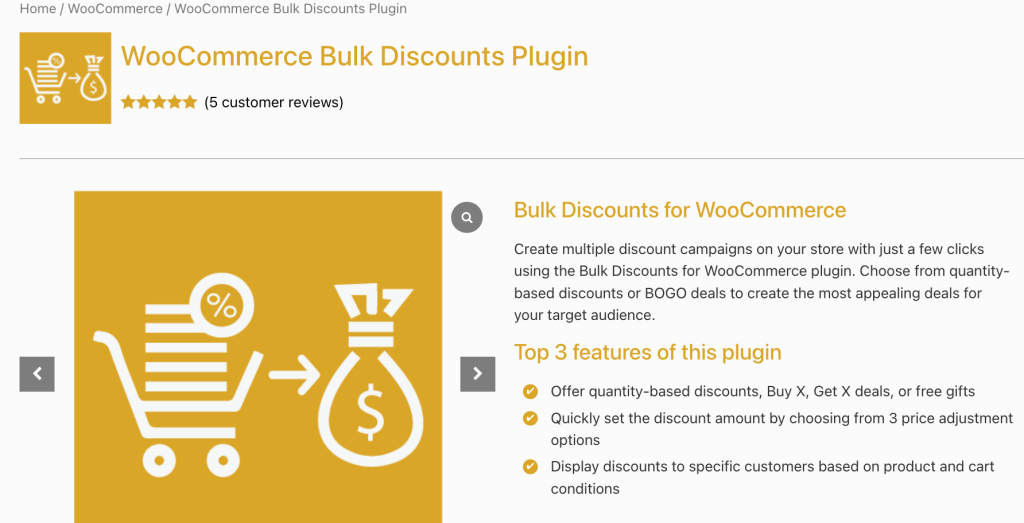
The Bulk Discounts plugin for WooCommerce (by Plugify) ranked second on our list which lets you create various discount campaigns, including bulk discounts, BOGO deals, and gifts. It offers flexible controls like rule-based management, targeted discounts, and customizable pricing tables.
You can set discounts by percentage or fixed amount and even offer free gifts based on cart conditions. The plugin aims to boost sales by incentivizing bulk purchases and promoting cross-selling.
Key Features
- Offer discounts based on order quantity for specific products or categories.
- Create multiple Buy X Get X and Buy X Get Y offers.
- Reduce product prices by percentage or fixed value.
- Offer targeted discounts to specific customers.
- Display a WooCommerce wholesale discount pricing table with discounts on product pages.
- Customize pricing tables with text and background color choices.
Pricing: This bulk discount plugin for WooCommerce costs $59 per year with a 30-day money-back guarantee.
3. WooCommerce Discount Manager
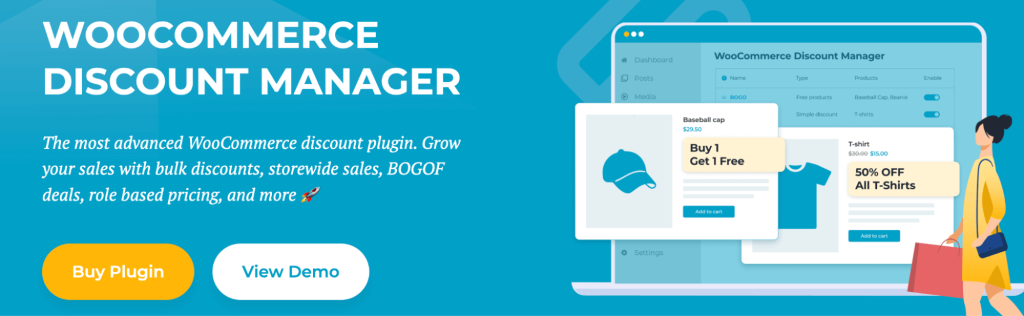
In third place, I’ve picked the Discount Manager, a WooCommerce bulk pricing plugin that helps WooCommerce store owners create and manage a wide variety of discounts and promotions.
It simplifies the process of implementing everything from bulk discounts and “Buy One Get One” (BOGO) deals to role-based pricing and storewide sales.
This WooCommerce bulk pricing plugin empowers you to boost sales, reward loyal customers, and drive conversions by offering targeted and flexible discounts.
Key Features
- Offer percentage or fixed price discounts, dynamic discounts based on cart total, bulk discounts, and “Buy X Get Y” (BOGO) deals.
- Implement user and role-based pricing rules. Offer exclusive discounts to specific customers or groups, such as WooCommerce wholesale discount receivers.
- Run storewide sales or target specific products, variations, or categories.
- Create bulk pricing tables and display those tables prominently on product pages.
- Show discounted prices clearly, with original prices crossed out.
- Add custom messages to product and cart pages to highlight discounts.
Pricing: BARN’s WooCommerce bulk pricing plugin costs $79 per year for a single site with a 30-day money-back guarantee.
4. Product Bundles for WooCommerce

This free WooCommerce bulk discount plugin enhances the functionality of Product Bundles by allowing you to easily implement quantity-based discounts.
It’s a great option for store owners already using the Product Bundles extension and looking to incentivize larger purchases. It lets you define discount tiers, which are essentially rules that link specific quantities to discount percentages.
However, you’ve to be aware of its experimental nature and limited support because of its free availability.
Key Features
- Compared to rule-based discount plugins, setting up bulk discounts for Product Bundles is simpler and faster.
- Product Bundles, including those with bulk discounts, are treated as individual products in your WooCommerce catalog, making them easy for customers to find.
- WooCommerce product revenue reports help you monitor the effectiveness of Product Bundles with bulk discounts.
Pricing: Product Bundles for WooCommerce costs $79/year
Note:
- Requires Product Bundles: This plugin is an extension of the official WooCommerce Product Bundles plugin. You must have it installed and active for this plugin to work.
- Limited Support: Support is provided voluntarily through the WordPress.org forum. If you have a paid subscription for WooCommerce Product Bundles, their support team may not be able to assist with this free extension.
5. Bulk Pricing for WooCommerce

The fifth on our list is this bulk pricing plugin for WooCommerce by WPLab. It simplifies the process of offering quantity discounts in your online store.
It allows you to easily create and manage bulk pricing rules for individual products or entire product categories, encouraging customers to buy more and save.
Key Features
- Designed for quick and intuitive setup, you can implement bulk pricing with just a few clicks.
- Create an unlimited number of discount rule sets. You can define specific pricing tiers.
- Each product category can have its own unique pricing rule set, giving you granular control over your discounts.
- Define individual pricing rules directly on the product edit page, overriding category settings if needed.
- The plugin displays quantity discount information clearly on the product page, informing customers about potential savings.
- The plugin is localized for French, German, and Hebrew.
Pricing: At $129 per year, this bulk pricing plugin for WooCommerce might not be the right fit for every budget.
Note: This plugin is not compatible with the Product Add-Ons plugin if you use custom pricing for add-ons. Add-on prices will not be correctly calculated with bulk discounts. This plugin is currently not compatible with WPML for multilingual sites. Do not purchase it if you require multilingual support.
6. Dynamic Pricing and Discount Rules
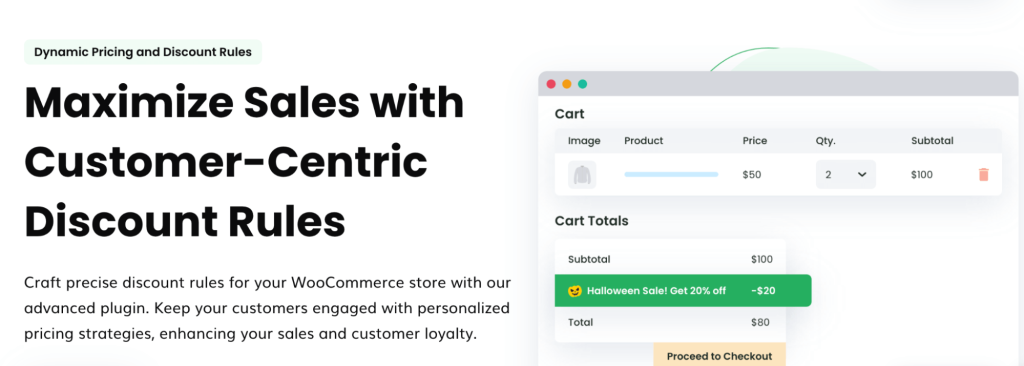
The dynamic pricing and (bulk) discount WooCommerce plugin allows you to personalize pricing strategies and enhance customer experience.
You can easily create bulk discounts for entire stores or specific products within a few steps. You can customize your bulk pricing strategies using tier pricing models or BOGOs. Bulk pricing deals can also be provided to specific customer roles, locations, and cart totals.
Key Features
- Filter specific products or categories for bulk discounts.
- Create unlimited bulk discount rules.
- Create a tier pricing model based on quantities.
- Apply the Buy One Get One (BOGO) offer for products.
- Create store-wide, product-specific, or cart-based discounts.
- Apply discounts based on product weights.
Pricing: DotStore’s bulk discount WooCommerce plugin costs $149 annually for a single site with a 14-day money-back guarantee.
It is expensive for some store owners, especially for beginners. You can try other free plugins in this list like “Discount Rules for WooCommerce -Pro.”
7. Product Price by Quantity & Bulk Quantity Discounts for WooCommerce
The WooCommerce quantity-based pricing plugin lets you easily implement bulk discounts according to product quantities.
It simplifies the process of offering quantity-based discounts, tiered pricing, and other dynamic pricing strategies, helping you boost sales and incentivize larger purchases.
Key Features
- Implement “buy more, pay less” (or even “buy more, pay more”) pricing strategies.
- Set pricing rules for all products at once or customize them on a per-product basis.
- Choose whether discounts apply based on the total cart quantity or the quantity of individual products.
- Offer percentage discounts, fixed discounts, or set prices per product.
- Show tiered pricing tables on product pages using shortcodes.
- Replace the standard price with discounted pricing information.
- Replace the quantity input field with a dropdown menu.
Pricing: This quantity-based bulk pricing plugin is a freemium tool and the Pro plan costs $49.99 per year, which is billed annually.
How to Choose the Right WooCommerce Bulk Pricing Plugin?
Choosing the right bulk pricing plugin for your WooCommerce store is essential to increase sales and avoid technical issues like site crashes and performance.
If you don’t know how to choose the best plugin, analyze the following factors to pick the perfect one.
a) Pricing
Plugin cost is unavoidable—free versions offer limited features to start, but for full functionality, invest in a premium bulk discount WooCommerce plugin that fits your budget.
b) Features and Functionalities
Features are the main reason to opt for a WooCommerce bulk pricing plugin. Check each plugin’s functionalities, ease-of-use interface, and features, such as different discount types, filtering specific products for discounts, setting quantity ranges for bulk pricing, and more.
Each plugin has its features, advantages, and disadvantages. Check each one or try a live demo (if applicable) to understand the plugin.
c) Compatibility
You may already have third-party plugins installed on your WooCommerce site for other features.
You must ensure that the WooCommerce bulk discount plugin you choose is compatible with your other plugins and supports the latest WooCommerce version. This factor is essential to avoid site errors and slow loading speed.
d) Plugin Updates and Support
Updates are a must to solve minor bugs and improve plugin performance. You can check the plugin version and ensure that the bulk pricing plugin has provided proper updates.
Also, you must check customer reviews to know whether the WooCommerce tiered pricing plugin provides proper customer support.
Strategies to Increase Sales Using Bulk Discounts
Here are the strategies to increase sales using bulk discounts in a more concise format:
- Simple Bulk Discounts: Offer a flat or percentage discount when customers buy a specific quantity (e.g., “Buy 5, get $10 off”).
- Tiered Pricing: Provide increasing discounts based on the quantity purchased (e.g., “Buy 1-5 items for 5%, 6-10 for 10%”).
- BOGO Deals: Offer free items based on the quantity purchased (e.g., “Buy 5 T-shirts, get a cap free”).
- Subtotal-Based Discounts: Offer discounts when the cart reaches a specific amount (e.g., “Spend $100, get 10% off”).
- Exclusive User Role Discounts: Provide bulk discounts to specific customer groups, like wholesale buyers.
- Coupons for Bulk Discounts: Encourage higher purchases with a coupon code (e.g., “Use code 15OFF for 15% off when buying 3+ items”).
- Limited-Time Offers: Create urgency with time-sensitive bulk discounts (e.g., “20% off for 5+ items, today only”).
Why Bulk Pricing Plugin Essential for WooCommerce?
You need a bulk pricing plugin for WooCommerce to create and customize bulk pricing deals, as the default WooCommerce does not have this option.
It also helps you:
- Increase order value and sales by encouraging customers to buy in bulk with discounts.
- Increase product visibility by applying discounts on new product launches.
- Clear old or slow-selling products by creating tier-based bulk discounts.
How Do You Create Bulk Discounts in WooCommerce?
To create a bulk discount in WooCommerce, you need a plugin like “Discount Rules for WooCommerce -PRO.”
- Install and activate the plugin on your WooCommerce dashboard.
- Go to “WooCommerce” -> “Discount Rules.”
- Add a new rule.
- Choose the discount type, “Bulk discount.”
- Filter specific products or categories to apply discounts.
- Set the product quantities and discount types.
- Optionally apply purchase conditions to the discounts.
- Finally, save and enable the discount rule.
If you need detailed steps to create a bulk discount in WooCommerce, check this guide: How to create bulk discounts in WooCommerce?
Reddit FAQ: Answering Real User Queries
1. How to Add Bulk Ordering Discounts to Single Product Pages?
You can easily add bulk ordering discounts to single product pages with the help of the free “Discount Rules for WooCommerce -Pro” plugin.
- In the “WordPress” dashboard, go to “Plugins -> Add New,” and search for “Discount Rules for WooCommerce.”
- Install and activate the plugin.
- Now, navigate to “WooCommerce -> Discount Rules.”
- Add a new rule and enter the rule title for your reference.
- Select the discount type, “Bulk Discount.”
- In the “Filter” section, choose one or more products that you want to apply a bulk pricing offer to.
- In the “Discount” section, set the “Quantity Ranges” and their “Discounts.”
- Optionally, set conditions, and save & enable the rule.
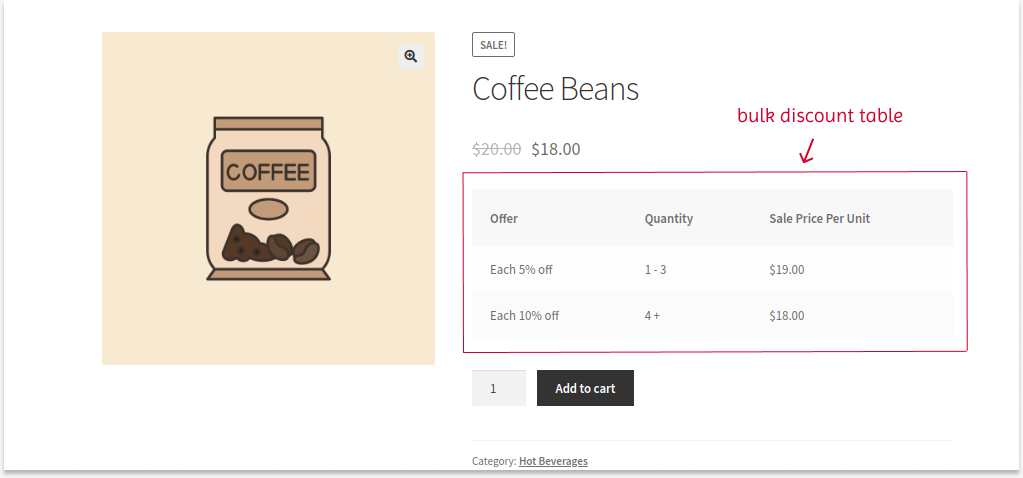
The bulk discount will be applied only to the filtered products and shown on the respective product pages.
2. How to Create a Bulk Discount Based on Purchase History?

To create a PurchaseHistory-based bulk discount:
- Install and activate the “Discount Rules for WooCommerce -Pro” plugin.
- Add a new rule and select the discount type, “Bulk Discount.”
- Filter specific products to apply a discount.
- Set the quantities with the discount value.
- In the “Rules” section, add a new condition, “Number of Orders Made,” and set the “Purchased Quantity.”
- Save and enable the rule.
So, if customers make their “Xth” purchase, they can be eligible to claim a bulk discount offer.
Offer bulk discounts based on subtotal and purchase history using the best bulk discount plugin and increase your sales.
Conclusion
I hope this blog helped you confidently choose the best WooCommerce bulk discount plugin for your store. Remember, offering bulk pricing isn’t just about giving discounts; it’s about creating smarter incentives that increase order value, boost conversions, and encourage repeat purchases.
Based on the given factors, analyze each plugin’s features and decide which suits your needs. Bulk discounts are a must-have strategy for your store to get more customers and orders. Offer it strategically and efficiently to increase your sales.
Also Read:
- 9 Best WooCommerce “Buy One Get One Free” Plugins for 2025
- 12 Best WooCommerce Coupon Plugins to Create Advanced Coupons
Frequently Asked Questions
-Plan in advance.
-Monitor stock levels.
-Set bulk pricing with plugins like Discount Rules Pro.
-Use a reliable shipping plugin.
-Communicate with customers.
-Simplify checkout.
-Continuously monitor and optimize.
Bulk Editing WooCommerce Products:
-Go to “Dashboard → WooCommerce → Products.”
-Select products to edit.
-Click “Bulk Action → Edit → Apply.”
-Modify categories, prices, tags, etc.
-Save changes.
Yes, e.g., 10% off for orders over $100 in a category like “Clothing.”
Yes, provide discounts via coupon codes, e.g., “15Off” for orders over three products.
A tiered pricing model lets you offer discounts based on the number of items a customer buys. Offer discounts based on quantity:
1–5 items: 5% off
6–10 items: 10% off
11+ items: 15% off
Encourages larger purchases for greater savings.
Bulk discounts reduce prices for large purchases. Wholesale discounts are a type of bulk discount specifically for retailers reselling products.